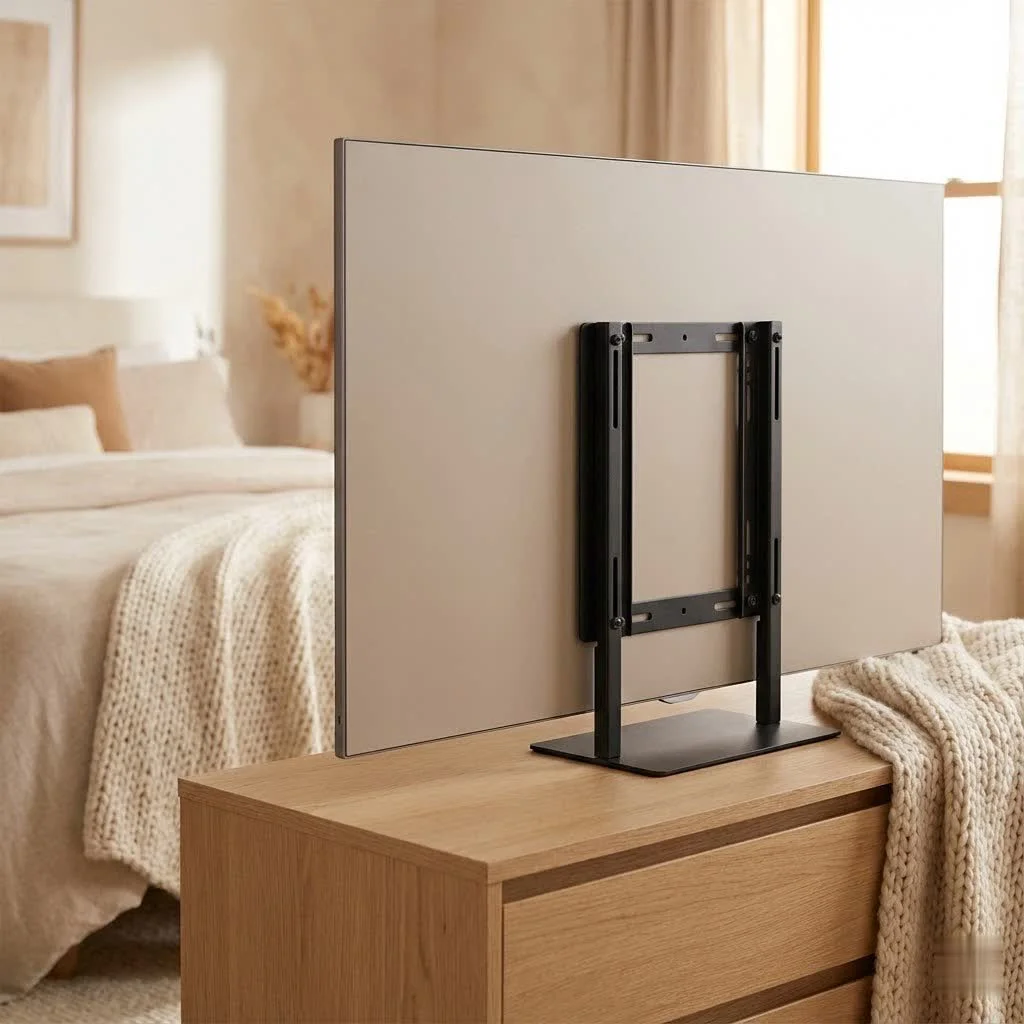
Mounting a 50-inch TV on the wall significantly enhances your viewing experience, saves space, and improves safety. The ideal height for a 50-inch TV typically places the center of the screen at eye level when seated, which is around 42-47 inches (107-120 cm) from the floor. Choosing the correct mount type, ensuring VESA compatibility, and securing it properly to wall studs are crucial steps for a successful installation.
Why a 50-Inch TV Deserves a Wall Mount
Mounting your TV offers clear benefits beyond just convenience.
Aesthetics and Space-Saving
A wall-mounted 50-inch TV instantly declutters your room by eliminating bulky TV stands and visible cables. It creates a streamlined, contemporary look, making your room feel larger and more organized. This is perfect for modern living spaces where optimizing floor space is key.
Optimal Viewing Experience
A properly installed 50 inch TV wall mount allows you to position your screen at the perfect height and angle, reducing neck strain and glare. This maximizes the immersive quality of your large display, ensuring every pixel is enjoyed without discomfort.
Enhanced Safety
Securing your 50-inch TV firmly to the wall eliminates the risk of accidental tipping, which is especially important in homes with children or pets. This provides peace of mind, knowing your significant investment is safe and stable.
Types of 50-Inch TV Wall Mounts: Finding Your Perfect Match
Understanding the different types of wall mounts is the first step to choosing the perfect 50 inch TV wall mount for your needs.
Fixed Mounts
Fixed mounts are the simplest and most low-profile option, holding your 50-inch TV flat against the wall. They offer a minimalist look, are very secure, and are typically the most affordable. However, they provide no adjustability for viewing angles or glare reduction, making them best for rooms where seating is directly opposite the TV.
Tilting Mounts
Tilting mounts allow vertical angle adjustment of your TV, usually up to 15-20 degrees up or down. These are excellent for reducing glare from windows or lights and are ideal for TVs mounted slightly higher, such as above a fireplace, as they allow you to angle the screen down towards your viewing area. They are limited to vertical tilt and offer no horizontal swivel.
Full-Motion (Articulating/Swivel) Mounts
These mounts offer the most flexibility with an articulating arm that extends your 50-inch TV away from the wall, swivels horizontally, and tilts vertically. Full-motion mounts are perfect for open-plan living areas, corner installations, or when frequent access to the back of the TV for cables is needed. They are generally more expensive and protrude further from the wall when retracted, requiring more careful installation.
Specialty Mounts
Less common for standard 50-inch TVs, specialty mounts like ceiling mounts or corner mounts are designed for unique room layouts. These often adapt existing tilt or full-motion mechanisms to address specific placement challenges.
Choosing the Right Mount for Your 50-Inch TV: Key Considerations
|
Our Picks for the Best TV Mount in 2026
As an Amazon Associate I earn from qualifying purchases.
|
||
| Num | Product | Action |
|---|---|---|
| 1 | USX MOUNT Full Motion TV Wall Mount for Most 32-70 inch TVs up to 99 lbs, Wall Mount Bracket with Dual Articulating Arms, Swivel, Tilt, Max VESA 400x400mm, TV Mount Fits 12”/16” Wood Studs |

|
| 2 | Perlegear Full Motion TV Wall Mount for Most 42–86 inch Flat Curved TVs up to 132 lbs, 12″/16″ Wood Studs, Bracket with Articulating Arms, Swivel, Tool-Free Tilt, Max VESA 600x400mm PGLF12 |
|
| 3 | Magnetic Monitor Wall Mount for Steel Surfaces, Fits 13 to 34 Inch Screens, Holds up to 22 lbs, VESA 75/100 Compatible Wall Mount for Computer and TV Monitor, No-Drill Installation with All Screws |
|
| 4 | USX Mount Full Motion TV Wall Mount for Most 42-90 inch Flat Screen/LED/4K, TV Mount Bracket Dual Swivel Articulating Tilt 6 Arms, Max 16\" Wood Studs, VESA 600x400mm, Holds up to 132lbs |
|
| 5 | Amazon Basics Full Motion Articulating TV Wall Mount, with Swivel and Tilt, for 26\" to 55\" TVs and Flat Panels up to 80 Lbs, VESA Compatible, Black |
|
| 6 | Pipishell Full Motion TV Wall Mount for Echo Show 21/15 and 13-43 Inch Flat Curved Screen TVs & Monitors, Max VESA 200x200mm up to 44lbs, TV Mount Wall Bracket with Rotation Swivel Tilt Extension |
|
| 7 | Mounting Dream TV Wall Mount for Most 37-75 Inch TVs, Universal Tilt TV Mount Fit 16\", 18\", 24\" Stud with Loading Capacity 132lbs, Max Vesa 600 x 400mm, Low Profile Flat Wall Mount TV Bracket |
|
| 8 | MOUNTUP Full Motion TV Wall Mount for Most 26-60 Inch TVs, Max VESA 400x400mm Wall Mount TV Bracket with Swivel Tilting Extension Level Adjustment for LED LCD Flat Curved TVs Up to 77 LBS, MU0018 |
|
| 9 | monTEK Motorized Ceiling TV Mount for 43-86 Inch TVs, Heavy-Duty 121lbs (4X Load Tested), Off-Center VESA Compatible, Electric Flip Down with Remote/App/Voice Control, Fits Flat & Pitched Roof |
|
| 10 | Mounting Dream TV Wall Mount for 32-65 Inch Television,Mount with Swivel and Tilt, Full Motion Bracket with Articulating Dual Arms, Fits 16inch Studs, Max VESA 400X400 mm, 99lbs, MD2380 |
|
Selecting the best 50 inch TV wall mount requires ensuring compatibility and suitability for your specific TV and home.
VESA Compatibility (Crucial!)
Every modern TV has a VESA (Video Electronics Standards Association) mounting pattern on its back, consisting of four screw holes. Your chosen mount must precisely match this pattern. Common VESA patterns for 50-inch TVs include 200x200mm, 300x300mm, 400x200mm, and 400x400mm. Michael Chen, Lead Technician at Dikfu.com, advises, “Always double-check your TV’s VESA pattern against the mount’s specifications. It’s the most common oversight and can derail your entire installation.”
TV Weight Capacity
While a 50-inch TV is not typically extremely heavy, its weight is paramount. Always choose a mount rated for significantly more than your TV’s actual weight to provide a safety margin and account for any leverage created by articulating mounts. Consult your TV’s manual for its exact weight.
Wall Type
The material of your wall dictates the installation method. For wood studs, mounts are bolted directly, offering the safest and most secure option. Concrete or brick walls require a masonry drill bit and specific concrete anchors. Drywall alone is generally not recommended for a 50-inch TV due to its weight; direct mounting into studs offers superior security.
Viewing Needs & Room Layout
Consider your primary viewing positions. A full-motion mount is ideal if you need to swivel the TV to face different areas like a kitchen island. A tilting mount is suitable if your TV is above a fireplace and requires a downward tilt. For a single, fixed viewing spot, a fixed mount may suffice.
Cable Management Features
A clean installation includes hiding unsightly cables. Many modern 50 inch TV wall mount designs incorporate channels or clips for cable routing. Plan how you will manage HDMI, power, and audio cables for a polished look.
Step-by-Step Guide: Safely Installing Your 50-Inch TV Wall Mount
Follow these steps for a safe and secure installation of your 50-inch TV wall mount. Precision and patience are essential for success.
Preparation is Key
Gather an electric drill, stud finder, a long level, measuring tape, pencil, screwdriver set, and safety goggles. A friend to help lift the TV is also invaluable. Use your stud finder to locate the center of at least two adjacent wooden studs and mark their positions clearly. For concrete walls, plan your drilling points carefully. Re-confirm your TV’s VESA pattern and weight, then lay your 50-inch TV face down on a soft, clean surface to protect the screen during bracket attachment.
Attaching Brackets to Your TV
Identify the two vertical or horizontal brackets from your mount that attach to the back of your TV. Align these brackets with your TV’s VESA mounting holes. Use the appropriate screws and spacers provided with your mount, ensuring screws are not too long to avoid damaging internal components. Tighten them securely but avoid over-tightening.
Mounting the Wall Plate
Hold the wall plate against the wall at your desired viewing height, typically with the center of the screen at eye level (around 42-47 inches from the floor). Use your pencil to mark the pilot holes, aligning them with your stud markings. Crucially, use your level to ensure the wall plate is perfectly horizontal before marking or drilling. Drill pilot holes into the marked stud centers using the correct size drill bit. For concrete, use a masonry bit. Insert lag bolts (or concrete anchors and bolts) through the wall plate and into the pilot holes, tightening them firmly with a socket wrench until the wall plate is absolutely secure.
Hanging Your TV
With a helper, carefully lift your 50-inch TV and guide its attached brackets onto the wall plate. Most mounts have a hook-and-latch system; listen for a click or visually confirm the TV is securely seated. Immediately engage any safety screws, pull cords, or locking mechanisms at the bottom of the TV brackets to prevent accidental lifting. Make any final tilt, swivel, or level adjustments if your mount allows.
Mastering Cable Management for a Clean Look
Effective cable management is essential for a professional finish, preventing a tangle of wires from detracting from your mounted TV.
Concealing Wires in the Wall
For the cleanest aesthetic, run cables inside the wall using in-wall cable management kits with low-voltage pass-through plates. Always ensure compliance with local electrical codes, especially for power cables. If uncertain, consult a qualified electrician.
Cable Sleeves and Organizers
If in-wall routing is not feasible, cable sleeves or raceways offer an excellent alternative. These neatly bundle cables, making them less noticeable. Self-adhesive raceways can be painted to match your wall, providing a nearly invisible solution.
Common Mistakes to Avoid When Mounting Your 50-Inch TV
Avoiding common pitfalls can save time, frustration, and potential damage during installation.
- Ignoring VESA Standards or Weight Limits: Always verify that your mount is compatible with your TV’s VESA pattern and rated for its weight.
- Skipping the Stud Finder: Mounting a heavy 50-inch TV directly into drywall without hitting studs is a major safety risk, as drywall alone cannot support the weight.
- Not Checking for Level: A crooked TV is distracting; take your time to ensure the mount is perfectly horizontal during installation.
- Over-tightening Screws: While secure, over-tightening screws can strip threads or crack the TV’s casing. Tighten until snug, then give a quarter-turn more.
Frequently Asked Questions About 50-Inch TV Wall Mounts
What is the best height for a 50-inch TV?
The ideal height for a 50-inch TV places the center of the screen at eye level when you are seated. For most individuals, this typically ranges from 42 to 47 inches (107-120 cm) from the floor to the center of the television.
Can I mount a 50-inch TV on drywall without studs?
While heavy-duty toggle bolts or anchors designed for drywall can technically support some weight, it is generally not recommended for a 50-inch TV. Mounting directly into wood studs or concrete/brick offers superior security and greater peace of mind.
How do I find the VESA size of my 50-inch TV?
You can locate your TV’s VESA pattern in its owner’s manual. Alternatively, measure the horizontal and vertical distance between the four mounting holes on the back of your TV in millimeters. For example, a 400mm horizontal and 400mm vertical distance indicates a VESA 400×400 pattern.
What tools do I need to mount a 50-inch TV?
To mount a 50-inch TV, you will typically need an electric drill, a stud finder, a level, measuring tape, a pencil, a screwdriver set, and safety goggles. A socket wrench is also highly beneficial for securely tightening lag bolts.
How long does it take to install a TV wall mount?
For an experienced DIYer, installing a basic 50-inch TV wall mount might take 1-2 hours. If you are new to the process or encounter unexpected wall conditions, the installation could extend to 3-4 hours or more, as rushing often leads to mistakes.
improve your Entertainment with a 50-Inch TV Wall Mount
Mounting your 50-inch TV is a significant upgrade for your home entertainment system, enhancing aesthetics, optimizing space, and improving safety. By understanding mount types, selecting the right one, and following expert installation guidance, you can confidently improve your living space. Dikfu.com is always here to help you maximize your home tech experience.
Frequently Asked Questions
What is the best height for a 50-inch TV?
The ideal height for a 50-inch TV places the center of the screen at eye level when you are seated. For most individuals, this typically ranges from 42 to 47 inches (107-120 cm) from the floor to the center of the television.
Can I mount a 50-inch TV on drywall without studs?
While heavy-duty toggle bolts or anchors designed for drywall can technically support some weight, it is generally not recommended for a 50-inch TV. Mounting directly into wood studs or concrete/brick offers superior security and greater peace of mind.
How do I find the VESA size of my 50-inch TV?
You can locate your TV's VESA pattern in its owner's manual. Alternatively, measure the horizontal and vertical distance between the four mounting holes on the back of your TV in millimeters. For example, a 400mm horizontal and 400mm vertical distance indicates a VESA 400x400 pattern.
What tools do I need to mount a 50-inch TV?
To mount a 50-inch TV, you will typically need an electric drill, a stud finder, a level, measuring tape, a pencil, a screwdriver set, and safety goggles. A socket wrench is also highly beneficial for securely tightening lag bolts.
How long does it take to install a TV wall mount?
For an experienced DIYer, installing a basic 50-inch TV wall mount might take 1-2 hours. If you are new to the process or encounter unexpected wall conditions, the installation could extend to 3-4 hours or more, as rushing often leads to mistakes.
Safely Install Your 50-Inch TV Wall Mount
This guide provides step-by-step instructions for safely and securely installing a 50-inch TV wall mount, ensuring optimal viewing and stability.
Gather essential tools including an electric drill, stud finder, a long level, measuring tape, pencil, screwdriver set, and safety goggles. Locate and mark the center of at least two adjacent wooden studs. Confirm your TV's VESA pattern and weight, then lay the TV face down on a soft surface.
Identify the vertical or horizontal brackets from your mount that connect to the TV's VESA holes. Align these brackets with the mounting holes on the back of your TV. Use the appropriate screws and spacers provided with the mount, ensuring screws are not too long, and tighten them securely without over-tightening.
Position the wall plate at your desired viewing height, typically 42-47 inches from the floor to the screen's center. Mark pilot holes, ensuring perfect alignment with studs and using a level to keep the plate horizontal. Drill pilot holes and secure the wall plate firmly with lag bolts or concrete anchors using a socket wrench.
With a helper, carefully lift your 50-inch TV and guide its attached brackets onto the wall plate, listening for a click or visually confirming it's securely seated. Immediately engage any safety screws or locking mechanisms to prevent accidental lifting. Make final tilt, swivel, or level adjustments as needed.
Get our weekly buyer guide
Practical specs, not advice. Unsubscribe anytime.
I finally got around to mounting my 50-inch TV, and it’s made such a difference! The guide here about finding the right height was super helpful. I set mine at 45 inches from the floor, and it’s perfect for movie nights. No more neck strain from looking down at a TV stand.
I love how much space my living room has now that my 50-inch TV is on the wall. It really does make the room feel bigger and more organized, just like it said. The aesthetic improvement is huge, and I’m glad I finally took the plunge. Definitely recommend for anyone looking to declutter.
This was exactly what I needed to get my home theater set up right. The emphasis on securing the mount properly to wall studs is so important, and I appreciate that it was highlighted. My TV feels super secure, and the viewing experience is definitely optimal now.
The VESA compatibility section was a lifesaver, I almost bought the wrong mount. My only complaint is that securing it to wall studs was a bit trickier than I expected. The instructions that came with my mount weren’t super clear, so I had to watch a few extra YouTube videos to feel confident.