Dreaming of that perfectly wall-mounted TV, but the thought of searching for studs or drilling massive holes sends shivers down your spine? You’re not alone. Many homeowners and renters face this exact dilemma. But here’s some good news from Dikfu.com: achieving that sleek, space-saving look is absolutely possible without ever touching a wall stud, thanks to the ingenious No Stud Tv Mount. This guide will walk you through everything you need to know, transforming you into a confident TV mounting pro.
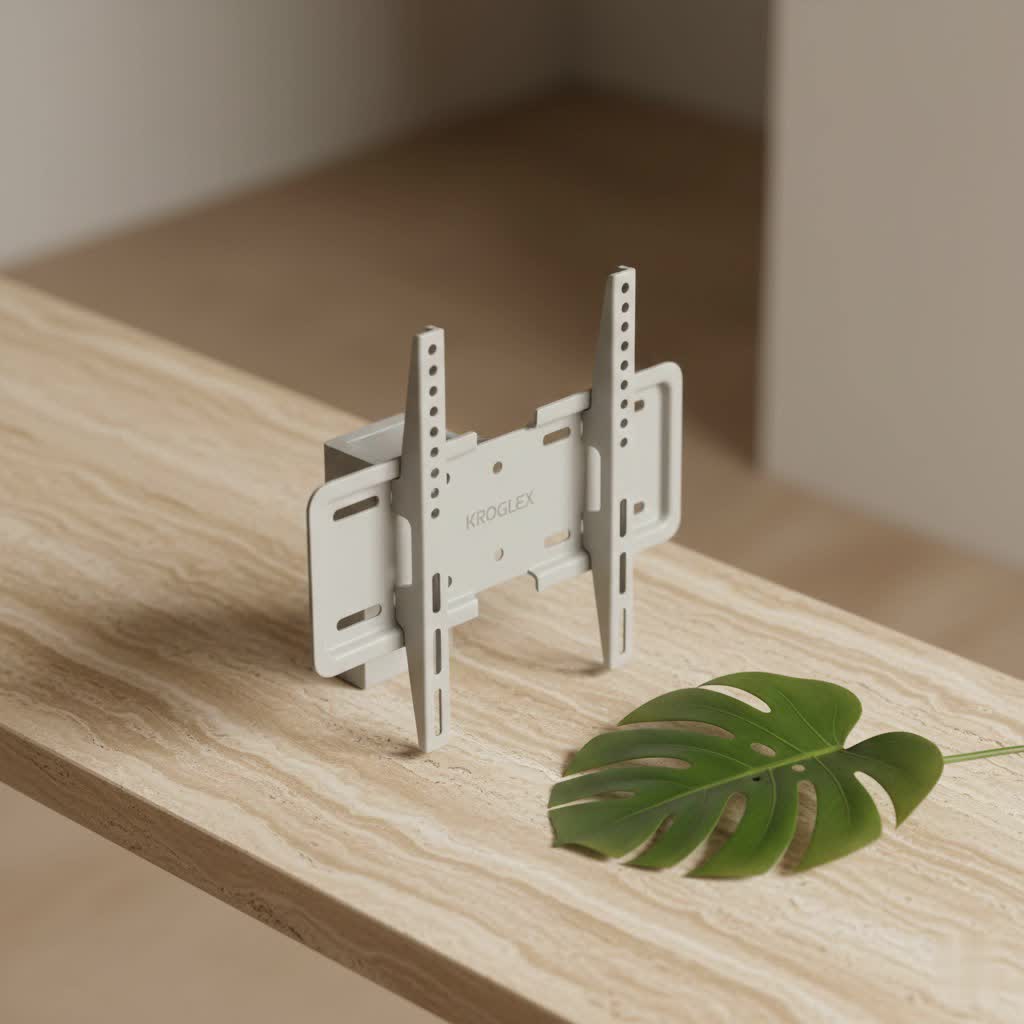
Why Go No Stud? The Ultimate Convenience for Your Home Entertainment
For years, mounting a television meant meticulously locating wall studs – those sturdy wooden beams hidden within your drywall – to ensure a secure anchor. Miss a stud, and you risk your precious flat-screen taking an unexpected tumble. This traditional method often leads to frustration, extra holes, and limited placement options. That’s precisely where the no stud TV mount swoops in as a game-changer.
Imagine being able to hang your TV exactly where you want it, regardless of stud placement. This flexibility is invaluable in modern homes, apartments, or rental properties where structural limitations or a desire to avoid significant wall damage are key concerns. No stud mounts offer a quick, often drill-free, and remarkably secure solution that distributes your TV’s weight safely across your drywall. It’s about empowering you to create your ideal viewing experience with minimal fuss and maximum peace of mind.
Understanding No Stud TV Mounts: Types and How They Work
The magic behind a no stud TV mount lies in its clever engineering, designed to safely secure your television directly into drywall or other hollow wall materials. Instead of relying on studs, these mounts utilize specialized hardware to create a robust grip from within the wall itself. Let’s break down the main types you’ll encounter.
Nail-In Hanger Mounts
These are perhaps the simplest form of no stud TV mounts, often featuring a long, slim bracket with numerous small, hardened nails. The principle here is simple yet effective: by driving dozens of small nails into the drywall, the TV’s weight is distributed over a wide surface area. This significantly reduces the stress on any single point, allowing the drywall to support a surprising amount of weight.
- How they work: You simply align the mount, often using a built-in level, and hammer in the nails. The bracket essentially “hangs” on the collective strength of these many small points.
- Ideal for: These mounts are perfect for smaller to medium-sized TVs, typically up to 55-65 inches and weighing around 70-100 pounds. They are incredibly easy to install, often requiring just a hammer and a level, and leave behind minimal damage should you decide to move your TV. Many popular options like the Hangman S-2040A or certain AENTGIU models fall into this category.
|
Our Picks for the Best TV Mount in 2026
As an Amazon Associate I earn from qualifying purchases.
|
||
| Num | Product | Action |
|---|---|---|
| 1 | USX MOUNT Full Motion TV Wall Mount for Most 32-70 inch TVs up to 99 lbs, Wall Mount Bracket with Dual Articulating Arms, Swivel, Tilt, Max VESA 400x400mm, TV Mount Fits 12”/16” Wood Studs |

|
| 2 | Magnetic Monitor Wall Mount for Steel Surfaces, Fits 13 to 34 Inch Screens, Holds up to 22 lbs, VESA 75/100 Compatible Wall Mount for Computer and TV Monitor, No-Drill Installation with All Screws |
|
| 3 | USX Mount Full Motion TV Wall Mount for Most 42-90 inch Flat Screen/LED/4K, TV Mount Bracket Dual Swivel Articulating Tilt 6 Arms, Max 16\" Wood Studs, VESA 600x400mm, Holds up to 132lbs |
|
| 4 | monTEK Motorized Ceiling TV Mount for 43-86 Inch TVs, Heavy-Duty 121lbs (4X Load Tested), Off-Center VESA Compatible, Electric Flip Down with Remote/App/Voice Control, Fits Flat & Pitched Roof |
|
| 5 | Perlegear Full Motion TV Wall Mount for Most 42–86 inch Flat Curved TVs up to 132 lbs, 12″/16″ Wood Studs, Bracket with Articulating Arms, Swivel, Tool-Free Tilt, Max VESA 600x400mm PGLF12 |
|
| 6 | Pipishell Full Motion TV Wall Mount for Echo Show 21/15 and 13-43 Inch Flat Curved Screen TVs & Monitors, Max VESA 200x200mm up to 44lbs, TV Mount Wall Bracket with Rotation Swivel Tilt Extension |
|
| 7 | Amazon Basics Full Motion Articulating TV Wall Mount, with Swivel and Tilt, for 26\" to 55\" TVs and Flat Panels up to 80 Lbs, VESA Compatible, Black |
|
| 8 | Mounting Dream TV Wall Mount for 32-65 Inch Television,Mount with Swivel and Tilt, Full Motion Bracket with Articulating Dual Arms, Fits 16inch Studs, Max VESA 400X400 mm, 99lbs, MD2380 |
|
| 9 | MOUNTUP Full Motion TV Wall Mount for Most 26-60 Inch TVs, Max VESA 400x400mm Wall Mount TV Bracket with Swivel Tilting Extension Level Adjustment for LED LCD Flat Curved TVs Up to 77 LBS, MU0018 |
|
| 10 | Mounting Dream TV Wall Mount for Most 37-75 Inch TVs, Universal Tilt TV Mount Fit 16\", 18\", 24\" Stud with Loading Capacity 132lbs, Max Vesa 600 x 400mm, Low Profile Flat Wall Mount TV Bracket |
|
Heavy-Duty Anchors (Toggle Bolts, Snaptoggles, Molly Bolts)
For larger, heavier TVs or situations where you might want a bit more articulation (like a tilting or even some full-motion capabilities), specialized anchors are your go-to. These anchors create a much stronger connection by expanding or bracing against the back of the drywall.
- Toggle Bolts: These traditional anchors feature spring-loaded wings that, once inserted into a drilled hole, open up behind the drywall. As you tighten the screw, the wings clamp firmly onto the drywall, spreading the load. A single heavy-duty toggle bolt can support 50-100+ pounds, with some capable of holding up to 137 lbs for a 1/4 inch flip toggle.
- Snaptoggles: An evolution of the toggle bolt, Snaptoggles offer even greater strength and easier installation. They typically feature a metal channel that locks behind the drywall and plastic straps that remain flush with the wall, making installation incredibly secure and efficient. Snaptoggles can support an impressive 80-200+ pounds per anchor, making them suitable for larger screens and even some full-motion setups when multiple anchors are used.
- Molly Bolts: These anchors also expand behind the drywall as you tighten a screw, creating a secure hold. They are excellent for medium-weight TVs, typically supporting 25-50+ pounds each.
The choice between these anchors depends largely on your TV’s weight and the specific demands of your chosen no stud TV mount. Always check the manufacturer’s recommendations and the anchor’s load capacity carefully.
The Power of a Mounting Plate
For very heavy TVs or when you want an extra layer of security with your anchor-based no stud TV mount, a mounting plate (also called a cleat) can be an excellent addition. This is essentially a piece of metal or plywood that you first attach to the wall using multiple heavy-duty anchors. Then, your TV bracket is mounted to this plate.
- How it enhances security: The mounting plate distributes the TV’s weight over an even wider area of the wall, and allows you to use more anchors than the TV mount bracket might allow directly. This significantly boosts the overall load capacity and stability, making it ideal for substantial entertainment systems. To maintain a clean aesthetic, the plate can be cut slightly smaller than the TV and painted to match your wall, ensuring it remains hidden from view.
Choosing Your Perfect No Stud TV Mount: Weight, Size, and Wall Matters
Selecting the right no stud TV mount is crucial for both safety and aesthetics. With my 15 years of experience, I can tell you that a little homework goes a long way.
Know Your TV Inside and Out
First things first: you need to understand your television.
- Weight is Paramount: This is non-negotiable. Find your TV’s exact weight in its manual or by a quick online search. Every no stud TV mount and anchor type has a specific weight limit. You must choose a mount and anchors that significantly exceed your TV’s weight for a safe margin. For example, a 50-inch TV and its bracket might collectively weigh around 30 lbs, which is well within the capabilities of many no-stud options.
- VESA Compatibility: VESA is the standard pattern of mounting holes on the back of your TV. Mounts specify which VESA patterns they support (e.g., 200x200mm, 400x400mm). Ensure your chosen no stud TV mount matches your TV’s VESA pattern.
- TV Size Matters for Aesthetics and Stress Distribution: While a mount might technically hold the weight of a larger TV, the sheer size can sometimes put uneven stress on the wall, especially with articulating mounts. Consider how the TV’s dimensions will look on the wall without visible studs. Most no stud mounts are designed for TVs from 22 up to 77 inches.
Understanding Your Wall Type
No stud TV mounts are primarily designed for drywall. While some heavier-duty anchors might work in plaster, solid brick, concrete, or lath and plaster walls often require different, specialized mounting solutions.
- Drywall is Key: Confirm your wall is standard drywall. Inspect its condition – old, cracked, or weak drywall will not provide adequate support, even with the best anchors.
- Drywall Thickness: Some mounts or anchors specify a minimum drywall thickness for secure installation (e.g., greater than 0.4 inches). It’s a detail often overlooked but vital for long-term stability.
Mount Type vs. Movement
- Fixed Mounts: These keep your TV flush against the wall and are the most secure option for no stud TV mounts as they exert minimal leverage on the anchors. Many popular no stud mounts like the Mount Plus MP-NS400 offer a very low-profile design, keeping your TV just an inch or so from the wall.
- Tilting Mounts: Offer a small degree of vertical tilt, great for reducing glare. They are generally safe with appropriate no stud anchors.
- Full-Motion (Articulating) Mounts: These extend and swivel, providing maximum viewing flexibility. However, they exert significant leverage on the wall and are generally not recommended for no stud TV mount applications unless specifically designed for it and heavily reinforced with top-tier anchors like Snaptoggles or a mounting plate. As Liam O’Connell, lead installer at Dikfu.com, often says, “When you pull a TV out on an arm, the forces on those anchors multiply. Always go overkill on the anchor strength if you must have full motion on a no-stud wall.”
Step-by-Step Installation: Getting Your No Stud TV Mount Up Safely
Even without studs, careful installation is paramount. Here’s a general workflow, adaptable to most no stud TV mounts.
Preparation is Key
Before you start, gather your tools and plan your attack:
- Read the Manual: Seriously, every mount is slightly different. The manufacturer’s instructions are your best friend.
- Gather Your Tools:
- Pencil or painter’s tape (for marking)
- Tape measure
- Level (a good quality one, not just the tiny one that sometimes comes with the mount)
- Hammer (for nail-in mounts) or a drill with appropriate bits (for anchor-based mounts)
- Screwdriver (Phillips and/or flathead, depending on your hardware)
- Your no stud TV mount kit (including all screws, spacers, etc.)
- A helper (especially for larger TVs!)
- Choose the Perfect Spot: Consider viewing height (center of the screen at eye level when seated is a good rule of thumb), glare from windows, and proximity to power outlets. Mark your desired location with tape or a pencil.
Installation for Hanger Mounts (Nail-in)
This is typically the quickest and easiest method:
- Position the Mount: Hold the mounting bracket against your marked wall.
- Anchor One End: Drive a few nails into one end of the mount to temporarily secure it.
- Level It Up: Place your level on top of the mount and adjust it until it’s perfectly straight.
- Secure the Rest: Once level, drive in all remaining nails, working from the ends towards the middle. Apply firm, consistent force.
- Attach TV Brackets: Fasten the VESA brackets to the back of your TV. Use the correct screws and spacers provided.
- Hang the TV: With your helper, carefully lift the TV and hook its brackets onto the wall mount. Many systems have a safety latch or pull cords to secure the TV in place.
Installation for Anchor-Based Mounts (Toggle/Molly)
This process requires a bit more precision due to drilling:
- Mark Drill Holes: Hold the wall portion of your no stud TV mount against the wall in your desired position and mark all the drill points with a pencil. Use your level to ensure accuracy.
- Drill Pilot Holes: Using a drill bit that matches the size specified for your chosen anchors (e.g., 1/2 inch for a 1/4 inch toggle bolt), drill pilot holes at each marked point. Start with a smaller bit for a pilot hole if unsure.
- Insert and Secure Anchors: Insert each anchor into its hole. For toggle bolts or Snaptoggles, push them through until they expand behind the drywall, then pull them snug or snap off any plastic tabs according to instructions. For molly bolts, insert and tighten until they expand.
- Attach the Mount: Align the no stud TV mount with the secured anchors. Insert the screws that came with your anchors into the mount’s holes and tighten them. Don’t overtighten, as this can strip the anchors or damage the drywall. Ensure the mount is perfectly level before final tightening.
- Attach TV Brackets: Fasten the VESA brackets to the back of your TV using the provided hardware.
- Hang the TV: Carefully lift the TV with your helper, aligning the TV brackets with the wall mount, and secure it with any locking mechanisms.
Expert Tip: The Level is Your Best Friend
Regardless of the mount type, always, always use a level. A crooked TV isn’t just an eyesore; it can put uneven stress on your mount and anchors over time. Check and re-check for levelness at every stage of the installation.
Beyond the Mount: Cable Management and Aesthetic Touches
Once your TV is securely mounted with your no stud TV mount, the next step is to clean up the look. Unsightly cables can detract from even the most perfectly installed TV.
- Simple Cable Hiding: Use adhesive cable clips, cable ties, or fabric cable sleeves to bundle and route wires neatly down the wall. Paintable cable raceways can be a landlord-friendly option to completely conceal cables without opening walls.
- Concealed Solutions: For a truly integrated look, consider an in-wall cable management kit. While this usually involves cutting small holes in the drywall, these can be easily patched later, offering a virtually invisible solution for power and HDMI cables.
Achieving a clean, professional look completes the transformation of your entertainment space. It’s all about those small details that make a huge difference!
Common Pitfalls and How to Avoid Them
Even with a reliable no stud TV mount, mistakes can happen. Being aware of these common errors can save you a headache (and potentially a broken TV).
- Using Inadequate Anchors: This is the most critical mistake. Never use small, flimsy plastic anchors meant for lightweight picture frames. Always use heavy-duty anchors rated for your TV’s weight.
- Ignoring Wall Condition: Attempting to mount on old, brittle, water-damaged, or otherwise compromised drywall is a recipe for disaster. Always ensure your wall is in good structural health.
- Underestimating Combined Weight: Remember to factor in not just the TV’s weight, but also the weight of the mount itself and any accessories (soundbars, streaming devices). The total load must be well within your chosen no stud TV mount and anchor’s capacity.
- Over-relying on Full-Motion Mounts Without Reinforcement: As discussed, articulating mounts exert leverage. If you opt for one in a no-stud scenario, use the strongest possible anchors (like Snaptoggles) and consider a mounting plate to distribute the load broadly.
- Skipping Level Checks: A crooked installation not only looks bad but can also create uneven stress points on your anchors. Always use a level!
- Overtightening Screws: While you want a secure fit, overtightening can strip anchor threads or even crack the drywall, compromising the hold.
Frequently Asked Questions about No Stud TV Mounts
Q: How much weight can a no stud TV mount hold?
A: The weight capacity of a no stud TV mount varies greatly by its design and the type of anchors used. Nail-in hanger mounts typically support 70-100 lbs, while heavy-duty toggle or Snaptoggle anchors can support 50-200+ lbs per anchor, allowing for heavier TVs, especially when multiple anchors are used. Always check the specific product’s rating.
Q: Can I use a no stud mount for a large TV (e.g., 65-inch)?
A: Yes, many no stud TV mounts are designed for larger screens, with some supporting TVs up to 77 or even 90 inches, depending on their weight. For larger, heavier TVs, it’s crucial to select mounts that use robust anchors like Snaptoggles or incorporate a mounting plate to ensure ample support. Always verify your TV’s exact weight against the mount’s capacity.
Q: Are no stud TV mounts safe?
A: Absolutely, when properly installed according to manufacturer instructions and used within their specified weight limits, no stud TV mounts are very safe and secure. The key is to choose the right mount and anchors for your TV’s weight and wall type, and to follow installation steps diligently, especially using a level.
Q: Do no stud mounts damage walls?
A: Compared to traditional stud mounts that often require large drill holes, many no stud TV mounts cause minimal wall damage. Nail-in mounts leave dozens of small holes, which are far easier to patch than larger anchor holes. Even anchor-based systems, while requiring larger holes, are still less invasive than drilling into studs if you need flexibility in placement. These holes are typically easily repairable with spackle.
Q: What if I have plaster walls?
A: Most no stud TV mounts are optimized for drywall. While some heavy-duty anchors like specific molly bolts or toggle bolts might work in plaster, the integrity of older plaster walls can be inconsistent. For plaster walls, it’s often advisable to consult a professional or choose a mount specifically rated for plaster, as standard drywall anchors may not provide a reliable hold.
Your Wall-Mounted Dream Awaits
Gone are the days when a beautiful wall-mounted TV was a luxury reserved for those with perfectly placed studs or the budget for professional installers. With today’s innovative no stud TV mounts, anyone can achieve that clean, modern aesthetic with confidence. Whether you’re a renter looking for a damage-friendly solution or a homeowner seeking ultimate placement flexibility, the options available are robust and reliable.
At Dikfu.com, we believe that understanding the “how” behind your home entertainment setup is key to truly enjoying it. By arming yourself with the knowledge of different no stud TV mount types, proper selection criteria, and meticulous installation techniques, you’re not just hanging a TV – you’re reclaiming your space and elevating your viewing experience. So go ahead, measure twice, mount once, and transform your living room into the ultimate entertainment hub!
