Welcome, fellow home entertainment enthusiasts! As an expert with over 15 years of hands-on experience in TV mount installations and the lead content creator for Dikfu.com, I’ve seen it all. From the simplest wall mounts to the most complex multi-screen setups, one solution consistently impresses with its blend of practicality and style: the Tv Stand With Mount. If you’re looking to elevate your viewing experience without drilling into your walls, or simply want a more integrated look, this guide is tailor-made for you.
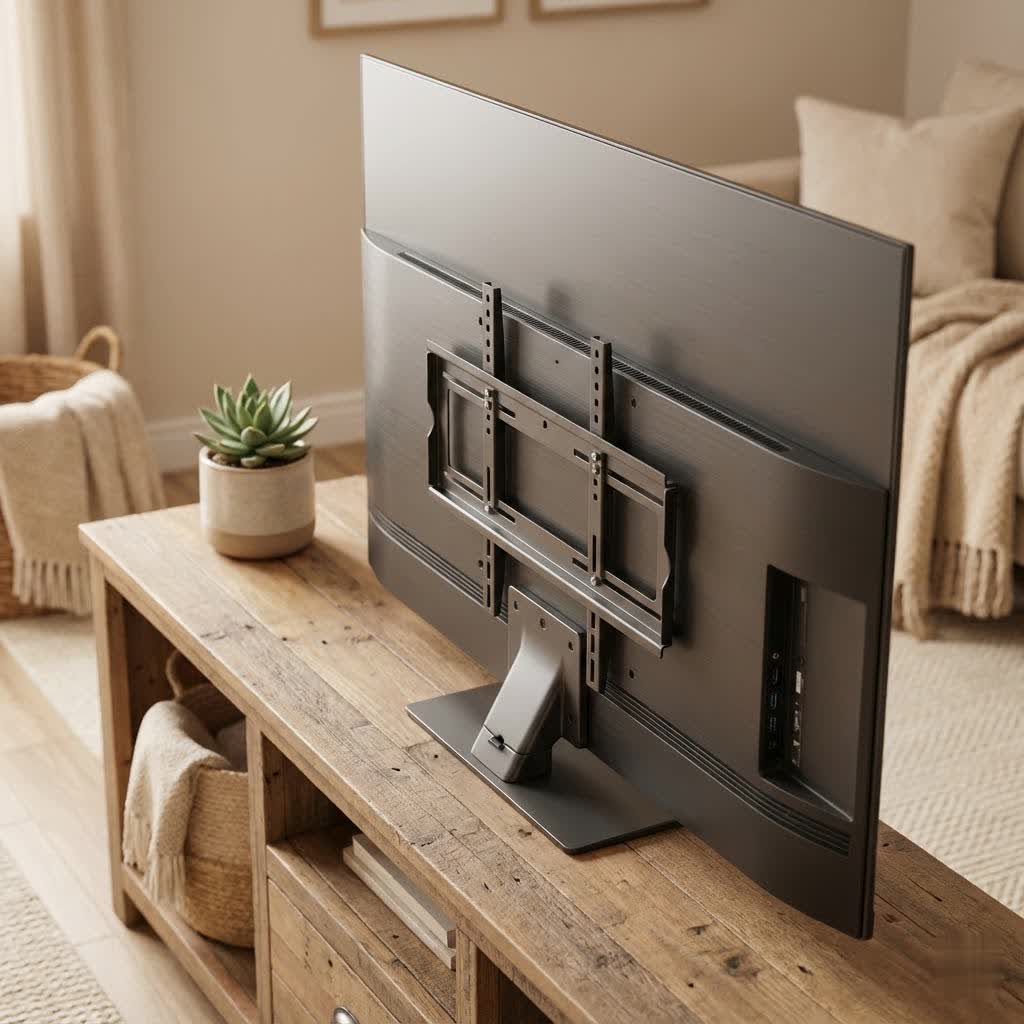
A TV stand with a mount isn’t just another piece of furniture; it’s a smart fusion of display flexibility and functional storage. It combines the sleek, space-saving benefits of a mounted TV with the convenience and aesthetic appeal of a traditional media console. Think of it as getting the best of both worlds, all in one elegant package. This versatile solution can dramatically transform your living space, making your television truly the center of your home entertainment.
What Exactly is a TV Stand with Mount?
At its core, a tv stand with mount is a hybrid furniture piece designed to securely hold your television above its base, mimicking the floating look of a wall mount, but without the need for permanent wall fixtures. Instead, your TV attaches to a sturdy support column integrated directly into the stand itself. This column typically features a universal VESA-compatible bracket that your television screws into, providing a secure and often adjustable display. Unlike simply placing your TV on a stand, a mounted stand elevates the screen, freeing up surface space and often allowing for better viewing angles through swivel or tilt functions. It’s the ideal choice for renters, those who prefer not to modify walls, or anyone seeking a cleaner, more organized entertainment area.
Why Choose a TV Stand with Mount? The Unbeatable Benefits
So, why has the tv stand with mount become such a popular choice? The advantages are numerous and compelling, addressing common homeowner challenges and enhancing the overall viewing experience.
- Unmatched Flexibility in Viewing Angles: Many integrated mounts offer swivel and tilt capabilities. This means you can easily adjust your TV to combat glare from windows or accommodate different seating arrangements, ensuring everyone has the best seat in the house. You can rotate it to watch from the kitchen while cooking or turn it towards your dining area during a meal.
- Superior Space-Saving and Aesthetics: By lifting your TV off the stand’s surface, you reclaim valuable real estate for soundbars, media players, decorative items, or simply a clutter-free look. The integrated design often features hidden cable management, contributing to a modern, minimalist aesthetic that can elevate any room’s decor.
- Enhanced Safety and Stability: One of the most significant benefits, especially for families with children or pets, is improved safety. Mounting the TV to the stand reduces the risk of accidental tip-overs, which can be a serious hazard with large, unstable televisions simply placed on a flat surface. These stands are designed with a wide, stable base to support the TV’s weight securely.
- No Wall Damage or Drilling Required: This is a game-changer for renters or anyone hesitant to put holes in their walls. You get the sleek, elevated look of a mounted TV without the commitment or potential damage of a wall installation. This also means easier rearrangement of your furniture layout if you ever decide to redecorate.
- Convenient Portability: Unlike a wall-mounted TV, a tv stand with mount can be moved relatively easily. Whether you’re relocating to a new home or simply reorganizing your living space, the integrated unit offers flexibility that traditional wall mounts cannot.
As Alex Chen, a Senior Installation Specialist at Dikfu.com, often says, “In my 15 years in the industry, I’ve seen countless home setups. A well-chosen tv stand with mount offers a rare blend of elegance, flexibility, and safety that traditional stands or even wall mounts often struggle to achieve.”
Types of TV Stands with Mounts: Finding Your Perfect Match
The world of tv stand with mount options is surprisingly diverse, catering to various aesthetic preferences and functional needs. Understanding the different types will help you narrow down the perfect fit for your home.
- Floor Stands with Mount: These are often the most minimalist option, featuring a slender column with a mount that rises from a simple base. They are sleek, modern, and provide maximum elevation for your TV, often without much integrated storage beyond the base itself. They are excellent for those who want a clean look and already have separate storage for media components.
- Cabinet or Console Stands with Mount: This popular style combines a traditional entertainment cabinet or console with an integrated mount. They offer ample storage for cable boxes, gaming consoles, sound systems, and media collections, often behind doors or in open shelving. This type is ideal for a comprehensive media setup where organization and storage are key.
- Corner Stands with Mount: Designed specifically to fit snugly into the corner of a room, these stands are brilliant space-savers. The integrated mount ensures your TV is positioned perfectly for optimal viewing from various angles in the room, making efficient use of often-underutilized corner spaces.
- Swivel and Tilting Mounts: While not a stand type in itself, most modern tv stand with mount units come with these crucial capabilities. A swivel function allows you to rotate the TV horizontally, while tilt allows for vertical adjustment, reducing glare or optimizing the viewing height. Articulating or full-motion mounts are less common on stands but offer an even wider range of movement.
How to Choose the Right TV Stand with Mount: A Practical Checklist
Selecting the ideal tv stand with mount might seem daunting with so many options, but by following a practical checklist, you can make an informed decision that will serve your home for years to come.
What is the most important factor when choosing a TV stand with a mount?
The most important factor is ensuring compatibility with your television, specifically its size, weight, and VESA mounting pattern. Failing to match these specifications can lead to instability, damage to your TV, or an inability to mount it at all. Always double-check your TV’s manual for these crucial details.
- TV Size and Weight Capacity: This is non-negotiable. Every tv stand with mount has a maximum screen size and weight it can safely support. Measure your TV and check its weight (usually found in the manual or online specifications). Do not exceed these limits, as it compromises safety and stability.
- VESA Compatibility: What is VESA? VESA is a standard set by the Video Electronics Standards Association, defining the hole pattern on the back of your TV for mounting. Common VESA patterns include 200x200mm, 400x200mm, and 600x400mm. Your stand’s mount must match or be compatible with your TV’s VESA pattern. Most stands come with universal brackets that can accommodate several VESA sizes.
- Desired Viewing Angles and Room Layout:
- Do you need to swivel your TV to watch from different areas of the room? Most stands offer this.
- Is glare a problem? A tilting mount can help.
- Do you have a corner to fill? A corner tv stand with mount is your best bet.
- Consider your primary seating position and eye-level comfort.
- Storage Needs for Media Devices: How many components do you have (soundbar, gaming console, streaming box, Blu-ray player)? Do you need open shelving, enclosed cabinets, or just a simple surface? Ensure the stand provides adequate space and ventilation for all your devices.
- Design, Material, and Aesthetics: The stand should complement your existing decor.
- Materials: Common options include tempered glass, various wood finishes, metal, or a combination.
- Style: Modern, minimalist, industrial, rustic, or traditional. Choose a design that enhances your room’s overall look.
- Integrated Cable Management: Cluttered cables can ruin an otherwise perfect setup. Look for stands with built-in cable management systems, such as channels within the column, clips, or holes in the back panel to route and hide wires neatly.
- Overall Stability and Construction: Examine the base and overall build quality. A wider, heavier base typically indicates greater stability. Check reviews for comments on wobbling or sturdiness. After all, you’re trusting this stand with your valuable television.
|
Our Picks for the Best TV Mount in 2026
As an Amazon Associate I earn from qualifying purchases.
|
||
| Num | Product | Action |
|---|---|---|
| 1 | Mounting Dream TV Wall Mount for Most 37-75 Inch TVs, Universal Tilt TV Mount Fit 16\", 18\", 24\" Stud with Loading Capacity 132lbs, Max Vesa 600 x 400mm, Low Profile Flat Wall Mount TV Bracket |

|
| 2 | USX MOUNT Full Motion TV Wall Mount for Most 32-70 inch TVs up to 99 lbs, Wall Mount Bracket with Dual Articulating Arms, Swivel, Tilt, Max VESA 400x400mm, TV Mount Fits 12”/16” Wood Studs |
|
| 3 | MOUNTUP Full Motion TV Wall Mount for Most 26-60 Inch TVs, Max VESA 400x400mm Wall Mount TV Bracket with Swivel Tilting Extension Level Adjustment for LED LCD Flat Curved TVs Up to 77 LBS, MU0018 |
|
| 4 | Pipishell Full Motion TV Wall Mount for Echo Show 21/15 and 13-43 Inch Flat Curved Screen TVs & Monitors, Max VESA 200x200mm up to 44lbs, TV Mount Wall Bracket with Rotation Swivel Tilt Extension |
|
| 5 | monTEK Motorized Ceiling TV Mount for 43-86 Inch TVs, Heavy-Duty 121lbs (4X Load Tested), Off-Center VESA Compatible, Electric Flip Down with Remote/App/Voice Control, Fits Flat & Pitched Roof |
|
| 6 | Amazon Basics Full Motion Articulating TV Wall Mount, with Swivel and Tilt, for 26\" to 55\" TVs and Flat Panels up to 80 Lbs, VESA Compatible, Black |
|
| 7 | USX Mount Full Motion TV Wall Mount for Most 42-90 inch Flat Screen/LED/4K, TV Mount Bracket Dual Swivel Articulating Tilt 6 Arms, Max 16\" Wood Studs, VESA 600x400mm, Holds up to 132lbs |
|
| 8 | Perlegear Full Motion TV Wall Mount for Most 42–86 inch Flat Curved TVs up to 132 lbs, 12″/16″ Wood Studs, Bracket with Articulating Arms, Swivel, Tool-Free Tilt, Max VESA 600x400mm PGLF12 |
|
| 9 | Magnetic Monitor Wall Mount for Steel Surfaces, Fits 13 to 34 Inch Screens, Holds up to 22 lbs, VESA 75/100 Compatible Wall Mount for Computer and TV Monitor, No-Drill Installation with All Screws |
|
| 10 | Mounting Dream TV Wall Mount for 32-65 Inch Television,Mount with Swivel and Tilt, Full Motion Bracket with Articulating Dual Arms, Fits 16inch Studs, Max VESA 400X400 mm, 99lbs, MD2380 |
|
Step-by-Step Installation: Getting Your TV Mounted Safely and Securely
Assembling a tv stand with mount is generally a straightforward process, but it requires careful attention to detail. Here’s a general guide to ensure a safe and secure installation.
What tools do I need to assemble a TV stand with mount?
Most tv stand with mount units come with all the necessary hardware and basic tools. However, it’s always good to have a Phillips head screwdriver, a wrench (if not provided), and a level handy. For larger TVs, a second person is absolutely essential for safe lifting.
- Preparation is Key:
- Unpack all components and check against the parts list in the manual.
- Read the instruction manual thoroughly from start to finish before you begin. Seriously, don’t skip this!
- Clear a spacious, clean area, preferably on a rug or blanket to protect furniture pieces and your floor.
- Assemble the Base and Upright Column:
- Start by assembling the base of the stand according to the instructions. Ensure all screws are tightened securely, but do not overtighten, which can strip threads.
- Attach the main upright column to the base. This column will hold the TV mount itself. Make sure it’s perfectly vertical.
- Attach the Mounting Brackets to Your TV:
- Carefully lay your TV screen-down on a soft, flat surface.
- Locate the VESA mounting holes on the back of your TV.
- Attach the vertical mounting brackets (which came with your stand) to the back of your TV using the appropriate screws and spacers from the stand’s hardware kit. Ensure these are securely fastened but again, avoid overtightening.
- Check that the brackets are level and symmetrical.
- Mount the TV to the Stand’s Column:
- This is typically a two-person job, especially for larger TVs. With one person on each side, carefully lift the TV.
- Hook the brackets on the back of your TV onto the corresponding rails or hooks on the stand’s upright column.
- Once hooked, gently lower the TV until it’s seated properly.
- Secure the TV to the stand using the safety screws or locking mechanisms provided. This is crucial for preventing accidental dislodgement.
- Final Adjustments and Stability Check:
- Adjust the TV’s height, swivel, or tilt as desired.
- Gently push and pull on the stand and TV to ensure everything is stable and secure. There should be no wobbling or looseness.
- Double-check all connections and screws.
Checklist for Installation Success:
- [ ] All parts accounted for
- [ ] Manual read thoroughly
- [ ] Clear workspace
- [ ] Proper tools on hand
- [ ] TV’s VESA pattern and weight confirmed
- [ ] A second person available for lifting (if needed)
- [ ] All screws tightened securely (but not overtightened)
- [ ] Safety locking mechanisms engaged
- [ ] Final stability test performed
Mastering Cable Management & Aesthetic Touches
Once your tv stand with mount is perfectly assembled, the next step is to tackle cable management. Nothing detracts from a clean setup faster than a tangle of wires.
How can I hide cables on my TV stand with a mount?
Many tv stand with mount designs incorporate internal cable routing channels within the upright column or cutouts in the back panels of console-style stands. Utilize these features first. For any external cables, employ cable ties, sleeves, or even decorative cable covers to bundle and conceal them, creating a streamlined and polished look.
- Utilize Integrated Solutions: Most modern tv stand with mount units feature a hollow support column or dedicated cutouts/channels in the back of the stand. Thread your TV’s power cord, HDMI cables, and other wires through these pathways for an invisible finish.
- Cable Ties and Sleeves: For cables that can’t be fully hidden within the stand, use reusable cable ties or neoprene cable sleeves to bundle them together. This prevents a messy “spaghetti” effect and makes them easier to manage.
- Power Strips and Surge Protectors: Mount your power strip discreetly to the back of the stand or inside a cabinet compartment. This centralizes power connections and reduces the number of cords running to the wall outlet.
- Decorative Elements: Beyond cable management, enhance the aesthetic of your setup with thoughtful decor. A stylish plant, a few carefully chosen books, or a piece of art on the stand’s surface can add personality and warmth to your entertainment area. Just ensure they don’t block infrared signals for your remotes.
Common Mistakes to Avoid When Setting Up Your TV Stand with Mount
Even with the best intentions, it’s easy to make small errors during the setup of your tv stand with mount. Being aware of these common pitfalls can save you time, frustration, and potential damage.
- Ignoring Weight and Size Capacities: This is the most critical mistake. Overloading the stand or mounting a TV that’s too large can lead to instability, damage to the stand, or even a fallen TV. Always respect the manufacturer’s specifications.
- Incorrect VESA Pattern Matching: Attempting to force the wrong screws or misaligning the VESA brackets can strip threads or damage the back of your TV. Double-check your TV’s VESA pattern and use the correct hardware provided with your stand.
- Overtightening Screws: While security is important, overtightening can strip screws, crack glass panels, or warp wooden components. Tighten until snug, then give a quarter-turn more, unless the manual specifies a torque setting.
- Skipping the Safety Latch/Screws: Many mounts have a final locking mechanism or set of safety screws that prevent the TV from accidentally lifting off the stand. Forgetting to engage these can be a serious safety hazard.
- Poor Cable Management from the Start: While it might seem minor, neglecting cable management during assembly makes it much harder to rectify later. Plan your cable routes as you build the stand and attach devices.
- Not Testing Stability: After everything is assembled and the TV is mounted, give the entire unit a gentle shake (without putting your TV at risk) to ensure there’s no wobbling or instability. This final check is crucial.
Frequently Asked Questions About TV Stands with Mounts
Got more questions? Here are some common inquiries about tv stand with mount solutions, answered by our experts at Dikfu.com.
Can I use any TV with a stand that has a mount?
No, not any TV can be used. Your TV must be within the stand’s specified size and weight limits, and its VESA mounting pattern must be compatible with the stand’s bracket. Always check these crucial specifications before purchasing.
Are TV stands with mounts stable?
Yes, well-designed TV stands with mounts are very stable. They feature wide bases and robust construction to securely support the TV’s weight. However, stability relies on correct assembly and adherence to the manufacturer’s weight and size guidelines.
How high should my TV be on the stand mount?
The ideal viewing height places the center of your TV at eye level when you are seated comfortably. For most people, this is typically around 42-45 inches from the floor, but it can vary based on your seating and room layout. Adjust the mount height to suit your comfort.
What is VESA and why is it important for a TV stand with mount?
VESA (Video Electronics Standards Association) defines the standard for mounting holes on the back of your TV and mount. It’s crucial because your tv stand with mount bracket must have a VESA pattern that matches your TV’s, ensuring a proper and secure attachment.
Can I move a TV stand with mount easily?
Compared to a wall-mounted TV, a tv stand with mount is much easier to move. While not as portable as a small piece of furniture, it can be relocated within a room or to a new home without needing to uninstall it from a wall, offering greater flexibility.
Elevate Your Entertainment with a TV Stand with Mount
In conclusion, a tv stand with mount offers a compelling solution for anyone looking to combine the sleekness of a mounted television with the functionality and storage of an entertainment center. From maximizing your viewing angles and freeing up surface space to enhancing safety and avoiding wall damage, the benefits are clear. By understanding the different types, carefully considering your needs with our practical checklist, and following proper installation steps, you can confidently set up a home entertainment system that is both stylish and secure.
Don’t settle for less when it comes to your home viewing experience. Explore the possibilities of a tv stand with mount and transform your living space into the organized, dynamic entertainment hub you’ve always wanted. Share your new setup with us at Dikfu.com – we love seeing how our community brings their visions to life!
