Mounting a 55-inch TV on the wall transforms your living space by saving floor space, improving viewing angles, and enhancing aesthetics. The process involves selecting the correct mount type (fixed, tilting, or full-motion) based on your viewing needs, ensuring VESA compatibility and adequate weight capacity, and securely attaching it to wall studs or appropriate anchors. A typical installation for a fixed or tilting mount takes 1-2 hours for an experienced individual, while full-motion mounts or complex setups may require 2-4 hours.
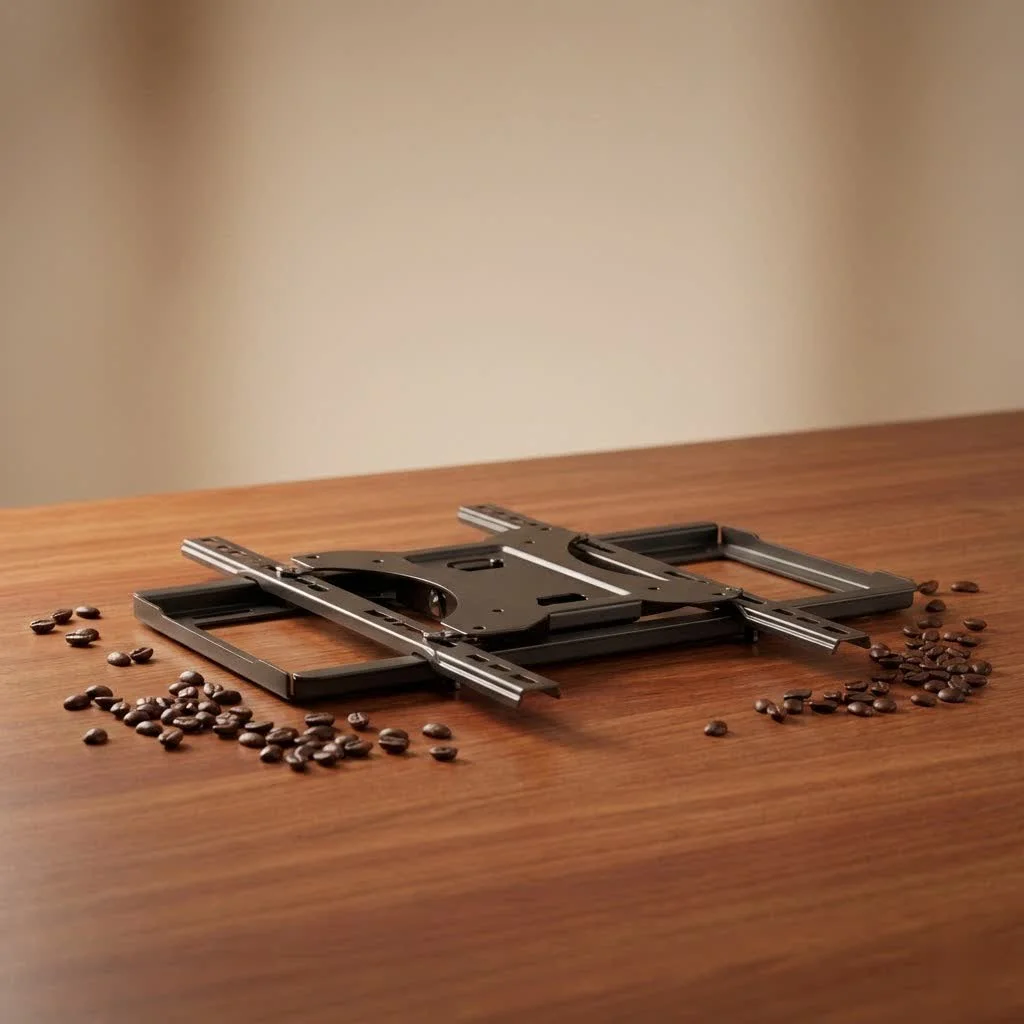
Why a 55-Inch TV Wall Mount is a major upgrade
Mounting your 55-inch TV offers multiple benefits beyond simply removing it from a stand. Firstly, it provides significant space efficiency, making rooms appear larger and less cluttered, which is especially beneficial in smaller living areas or apartments where every inch counts. Beyond space-saving, a wall-mounted TV drastically improves aesthetics, creating a clean, modern look by eliminating tangled wires and bulky TV stands. This results in a neat and organized appearance that enhances your room’s overall design. Enhanced viewing comfort is another key advantage; mounting your TV at eye level reduces neck strain and makes long movie marathons much more enjoyable. Finally, securing your 55-inch TV to the wall significantly enhances safety, minimizing the risk of it tipping over, which is crucial in households with children or pets. For compare top tv mounts on this site.
Decoding the Types of 55-Inch TV Wall Mounts
When it comes to wall mounts for your 55-inch TV, you’ll generally find three main types, each offering distinct advantages depending on your needs and viewing environment.
Fixed Mounts: The Low-Profile Champion
Fixed TV wall mounts are the simplest and most secure option, designed for those who want their 55-inch television to sit as close to the wall as possible. They provide a low-profile solution, making your TV look like a piece of art against the wall.
- Pros: Ultra-slim profile, highly secure, typically the most affordable.
- Cons: No adjustability (no tilt, swivel, or extension).
- Ideal Scenarios: Rooms where the TV is viewed primarily from one central location, or for a minimalist aesthetic where adjustability isn’t a priority.
Tilting Mounts: Battling Glare with Ease
Tilting mounts offer a bit more flexibility than fixed mounts, allowing you to adjust your 55-inch TV vertically by tilting it downwards. This is particularly useful for reducing glare from windows or overhead lighting, and for optimizing viewing from a seated position, especially if the TV is mounted higher on the wall.
- Pros: Reduces glare, comfortable viewing from recliners or higher seating, relatively slim profile.
- Cons: Limited to vertical tilt only; no horizontal swivel or extension.
- Ideal Scenarios: Bedrooms (where TVs are often mounted higher) or living rooms with high ceilings or problematic light sources.
Full-Motion (Articulating/Swivel) Mounts: Unrivaled Flexibility
|
Our Picks for the Best TV Mount in 2026
As an Amazon Associate I earn from qualifying purchases.
|
||
| Num | Product | Action |
|---|---|---|
| 1 | Perlegear Full Motion TV Wall Mount for Most 42–86 inch Flat Curved TVs up to 132 lbs, 12″/16″ Wood Studs, Bracket with Articulating Arms, Swivel, Tool-Free Tilt, Max VESA 600x400mm PGLF12 |

|
| 2 | monTEK Motorized Ceiling TV Mount for 43-86 Inch TVs, Heavy-Duty 121lbs (4X Load Tested), Off-Center VESA Compatible, Electric Flip Down with Remote/App/Voice Control, Fits Flat & Pitched Roof |
|
| 3 | Amazon Basics Full Motion Articulating TV Wall Mount, with Swivel and Tilt, for 26\" to 55\" TVs and Flat Panels up to 80 Lbs, VESA Compatible, Black |
|
| 4 | Pipishell Full Motion TV Wall Mount for Echo Show 21/15 and 13-43 Inch Flat Curved Screen TVs & Monitors, Max VESA 200x200mm up to 44lbs, TV Mount Wall Bracket with Rotation Swivel Tilt Extension |
|
| 5 | USX MOUNT Full Motion TV Wall Mount for Most 32-70 inch TVs up to 99 lbs, Wall Mount Bracket with Dual Articulating Arms, Swivel, Tilt, Max VESA 400x400mm, TV Mount Fits 12”/16” Wood Studs |
|
| 6 | Magnetic Monitor Wall Mount for Steel Surfaces, Fits 13 to 34 Inch Screens, Holds up to 22 lbs, VESA 75/100 Compatible Wall Mount for Computer and TV Monitor, No-Drill Installation with All Screws |
|
| 7 | Mounting Dream TV Wall Mount for 32-65 Inch Television,Mount with Swivel and Tilt, Full Motion Bracket with Articulating Dual Arms, Fits 16inch Studs, Max VESA 400X400 mm, 99lbs, MD2380 |
|
| 8 | Mounting Dream TV Wall Mount for Most 37-75 Inch TVs, Universal Tilt TV Mount Fit 16\", 18\", 24\" Stud with Loading Capacity 132lbs, Max Vesa 600 x 400mm, Low Profile Flat Wall Mount TV Bracket |
|
| 9 | USX Mount Full Motion TV Wall Mount for Most 42-90 inch Flat Screen/LED/4K, TV Mount Bracket Dual Swivel Articulating Tilt 6 Arms, Max 16\" Wood Studs, VESA 600x400mm, Holds up to 132lbs |
|
| 10 | MOUNTUP Full Motion TV Wall Mount for Most 26-60 Inch TVs, Max VESA 400x400mm Wall Mount TV Bracket with Swivel Tilting Extension Level Adjustment for LED LCD Flat Curved TVs Up to 77 LBS, MU0018 |
|
Full-motion TV mounts, also known as articulating or swivel mounts, offer the ultimate in viewing flexibility. These mounts allow you to tilt, swivel, and extend your 55-inch TV away from the wall, providing a perfect viewing angle from virtually anywhere in the room. Some are even specifically designed for corner installations, making them incredibly versatile.
- Pros: Maximum adjustability (tilt, swivel, extend/retract), excellent for corner mounting, easy access to cables for connectivity and cleaning.
- Cons: Often more expensive, can have a larger profile when retracted, more complex installation.
- Ideal Scenarios: Rooms with multiple viewing areas, open-plan living spaces, or when you need frequent access to the TV’s rear ports.
How to Pick the Perfect 55-Inch TV Wall Mount for Your Home
Choosing the right 55-inch TV wall mount involves more than just picking a type; it requires careful consideration of your TV’s specifications, your wall type, and your personal viewing preferences.
VESA Compatibility: Your TV’s Mounting Language
The Video Electronics Standards Association (VESA) created a set of standards that define the distance between the mounting holes on the back of your TV. This is crucial: your 55-inch TV’s VESA pattern (e.g., 400x400mm) must match that of your wall mount. You can typically find your TV’s VESA pattern in its owner’s manual or by simply measuring the horizontal and vertical distance between the screw holes on the back. A mismatch means the mount and TV are incompatible.
Weight Capacity: Safety First!
Never overlook the mount’s weight capacity. Your 55-inch TV mount must be rated to safely support your television’s weight, and it’s always a good idea to choose a mount with a capacity well above your TV’s actual weight for added peace of mind. Overlooking this could lead to serious accidents.
Wall Type & Studs: The Foundation of Your Setup
The type of wall you’re mounting to significantly impacts your choice of mount and installation method. Most wall mounts are designed to attach to wood studs, which are the vertical framing timbers behind your drywall. You’ll need a reliable stud finder to locate these. If you have a solid brick or concrete wall, specific concrete anchors will be required. Mounting a TV on drywall without securing it to studs is generally not recommended unless you use heavy-duty hollow wall anchors designed for significant weight, which should still be approached with caution.
Your Viewing Habits & Room Layout
Consider how you watch TV. If you’re always in the same spot, a fixed or tilting mount might suffice. But if you move around, have multiple seating areas, or want to tuck your TV into a corner, a full-motion 55-inch TV wall mount is your best bet for maximizing your viewing experience.
Here’s a quick comparison to help you decide:
| Mount Type | Pros | Cons | Ideal Use Case |
|---|---|---|---|
| Fixed | Ultra-slim, highly secure, budget-friendly | No adjustability | Single viewing spot, minimalist look |
| Tilting | Reduces glare, improves viewing from high angles | Limited vertical tilt only | Bedrooms, rooms with high ceilings or glare issues |
| Full-Motion | Max adjustability (tilt, swivel, extend), corner friendly | More expensive, larger profile, complex installation | Multiple viewing angles, open-plan rooms, frequent cable access, corners |
Step-by-Step: Installing Your 55-Inch TV Wall Mount Like a Pro
Ready to get your 55-inch TV up on the wall? Here’s a general guide to help you through the process. always refer to your specific mount’s instruction manual for precise details.
Tools & Prep: What You’ll Need
Before you begin, gather these essential tools:
- Stud Finder: Crucial for locating wall studs.
- Drill: With appropriate drill bits for pilot holes.
- Level: A long one is best for accuracy.
- Pencil: For marking.
- Measuring Tape: For precise placement.
- Philips Head Screwdriver/Socket Wrench: For tightening bolts.
- Safety Goggles: Protect your eyes!
- A Helper: Your 55-inch TV is heavy; don’t lift it alone.
The Installation Journey
- Measure & Mark:
- Determine the ideal viewing height. A good rule of thumb is to have the center of your 55-inch TV at eye level when you’re seated.
- Use your stud finder to locate and mark the edges of at least two adjacent wall studs where you want to mount the TV. Wall mounts are typically secured to two studs for maximum stability.
- Hold the wall plate of your mount against the wall, align it with your stud marks, and use a level to ensure it’s perfectly straight. Mark the drill holes.
- Attach Brackets to TV:
- Lay your 55-inch TV face down on a clean, soft surface (like a blanket on a table).
- Locate the VESA mounting holes on the back of your TV.
- Attach the mounting brackets (usually two vertical rails) to the back of your TV using the screws, washers, and spacers provided with your mount kit. Ensure they are snug but do not overtighten.
- Mount Wall Plate:
- Using your drill, create pilot holes at your marked locations on the wall. The size of the drill bit will be specified in your mount’s manual.
- Position the wall plate over the pilot holes and secure it tightly with the provided lag bolts and washers. Use a socket wrench or drill with a socket adapter. If mounting into concrete, insert appropriate anchors first.
- Double-check the wall plate with your level one last time.
- Hang the TV:
- With your helper, carefully lift your 55-inch TV, aligning the brackets on the back of the TV with the wall plate.
- Gently hook the TV onto the wall plate. It should slide into place.
- Secure & Level:
- Most mounts have safety screws or locking mechanisms to secure the TV to the wall plate, preventing accidental dislodging. Engage these.
- Make any final leveling adjustments if your mount allows for post-installation leveling.
Mastering Cable Management for a Clean Look
Nothing ruins the sleek look of a wall-mounted 55-inch TV faster than a tangled mess of cables. Effective cable management is key. You can use simple solutions like cable ties, clips, or covers that run along the wall. For a truly invisible setup, consider an in-wall cable management kit. Be aware that running standard extension cords inside a wall is against electrical codes; you’ll need special in-wall power extension kits designed for this purpose.
Troubleshooting Common 55-Inch TV Wall Mount Issues
Even with careful planning, you might encounter a snag or two. Here are common issues and how to fix them.
The Elusive Stud
Problem: You can’t find studs where you want to mount, or they’re not spaced correctly.
Solution: If studs aren’t ideal, you might need to use a mounting plate to bridge the gap between studs, or, for specific situations, heavy-duty hollow wall anchors. However, always ensure your wall material and anchors can support the TV’s weight. When in doubt, it’s safer to adjust your TV’s position.
Unlevel TV
Problem: You’ve stepped back, and your 55-inch TV looks crooked.
Solution: Many modern mounts offer post-installation leveling adjustments. Consult your manual to see if you can fine-tune it by loosening and tightening certain bolts. For minor discrepancies or uneven walls, shims can sometimes be used to stabilize the mount. If it’s significantly off, you might need to carefully re-drill.
Wobbly or Sagging Mount
Problem: Your TV isn’t sitting securely or is tilting unexpectedly.
Solution: First, check all screws and bolts on both the TV brackets and the wall plate to ensure they are tight. Over time, these can loosen. If the wall mount itself isn’t firmly attached to the studs, it could become unstable. Reinforce with additional screws or appropriate anchors if necessary. For tilting issues, locate and adjust the specific tilt adjustment screws on your mount.
Cable Chaos
Problem: Wires are dangling and creating an eyesore.
Solution: This is a common aesthetic issue. Utilize cable management accessories such as clips, sleeves, or covers to bundle and conceal wires. For the cleanest look, consider an in-wall cable routing kit, ensuring you use components rated for in-wall use.
VESA Mismatch Woes
Problem: The mount’s VESA pattern doesn’t match your 55-inch TV.
Solution: Unfortunately, if you’ve already bought the mount, this means it’s incompatible. Always double-check your TV’s VESA pattern against the mount’s specifications before purchasing. Some universal mounts come with adapter plates, but these generally have a range of VESA patterns they support.
Expert Tip from Dikfu.com
“Installing a 55-inch TV wall mount can seem daunting, but it’s incredibly rewarding. My best advice? Don’t rush finding the studs. A solid foundation is non-negotiable for safety. And the right tools make all the difference, especially a good level and a reliable helper!” – Elara Vance, Dikfu’s Lead Installation Specialist.
Your 55-Inch TV Wall Mount Questions Answered (FAQ)
Q1: Can any 55-inch TV be wall-mounted?
A: Almost all modern 55-inch flat-screen TVs are designed to be wall-mounted. However, you must verify its VESA mounting pattern and ensure the chosen mount is compatible and can support the TV’s weight.
Q2: How high should I mount my 55-inch TV?
A: The general recommendation is to mount your 55-inch TV so that its center is at eye level when you are comfortably seated. This is typically around 42-48 inches from the floor for most sofas.
Q3: Do I need a professional to install a 55-inch TV wall mount?
A: While many DIY enthusiasts can successfully install a 55-inch TV wall mount, if you’re unsure about locating studs, dealing with wall types, or simply lack confidence, hiring a professional ensures a safe and perfectly aligned installation.
Q4: What if I don’t have studs where I want to mount my TV?
A: If you can’t hit a stud, you’ll need specialized heavy-duty drywall anchors or a stud-extending mounting plate. Always ensure these solutions are rated to hold significantly more than your TV’s weight. For concrete or brick, specific masonry anchors are required.
Q5: How do I know if my wall mount can support my 55-inch TV?
A: Check the weight capacity listed in your wall mount’s specifications and compare it to your 55-inch TV’s weight (found in its manual or online). The mount’s capacity should always exceed the TV’s weight.
Q6: How long does it take to install a 55-inch TV wall mount?
A: For an experienced individual, installing a fixed or tilting mount might take 1-2 hours. A full-motion mount or more complex installations (like corner mounts or extensive cable management) could take 2-4 hours, especially if it’s your first time.
Conclusion
Choosing and installing the ideal 55-inch TV wall mount is a project that offers significant aesthetic and functional rewards, transforming your viewing experience and maximizing your living space. By understanding the different mount types, prioritizing VESA compatibility and weight capacity, and following safe installation practices, you can confidently achieve that coveted wall-mounted look. At Dikfu.com, we believe that with the right knowledge, anyone can elevate their home entertainment setup. So, take the leap, reclaim your space, and enjoy your perfectly positioned 55-inch TV!
Frequently Asked Questions
Can any 55-inch TV be wall-mounted?
Almost all modern 55-inch flat-screen TVs are designed to be wall-mounted. However, you must verify its VESA mounting pattern and ensure the chosen mount is compatible and can support the TV's weight.
How high should I mount my 55-inch TV for optimal viewing?
The general recommendation is to mount your 55-inch TV so that its center is at eye level when you are comfortably seated. This is typically around 42-48 inches from the floor for most sofas, ensuring reduced neck strain.
Do I need a professional to install a 55-inch TV wall mount?
While many DIY enthusiasts can successfully install a 55-inch TV wall mount, if you're unsure about locating studs, dealing with wall types, or simply lack confidence, hiring a professional ensures a safe and perfectly aligned installation. Professionals can also handle complex cable management.
What if I don't have studs where I want to mount my TV?
If you can't hit a stud, you'll need specialized heavy-duty drywall anchors or a stud-extending mounting plate. Always ensure these solutions are rated to hold significantly more than your TV's weight. For concrete or brick, specific masonry anchors are required to ensure stability.
How do I know if my wall mount can support my 55-inch TV?
Check the weight capacity listed in your wall mount's specifications and compare it to your 55-inch TV's weight (found in its manual or online). The mount's capacity should always exceed the TV's weight by at least 10-20% for added safety.
How long does it take to install a 55-inch TV wall mount?
For an experienced individual, installing a fixed or tilting mount might take 1-2 hours. A full-motion mount or more complex installations (like corner mounts or extensive cable management) could take 2-4 hours, especially if itu2019s your first time.
Install a 55-Inch TV Wall Mount
This guide provides a general step-by-step process for installing your 55-inch TV wall mount safely and securely, ensuring a professional finish.
Determine the ideal viewing height, typically with the TV's center at eye level when seated (42-48 inches from the floor). Use a stud finder to locate and mark at least two adjacent wall studs. Hold the wall plate against the wall, level it, and mark the drill holes.
Lay your 55-inch TV face down on a clean, soft surface. Locate the VESA mounting holes on the back of the TV. Attach the mounting brackets (usually two vertical rails) to the TV using the provided screws, washers, and spacers, ensuring they are snug but not overtightened.
Using a drill, create pilot holes at your marked locations on the wall, following the size specified in your mount's manual. Position the wall plate over the pilot holes and secure it tightly with the provided lag bolts and washers. Double-check the wall plate with your level.
With a helper, carefully lift your 55-inch TV, aligning the brackets on the back of the TV with the wall plate. Gently hook the TV onto the wall plate until it slides into place. Engage any safety screws or locking mechanisms to prevent accidental dislodging and make final leveling adjustments.
Get our weekly buyer guide
Practical specs, not advice. Unsubscribe anytime.

Upgraded to a 55-inch TV and knew I wanted it on the wall. The advice about checking VESA compatibility was spot on, saved me a headache. I opted for a full-motion mount to get those perfect viewing angles from anywhere in the room. It took me about 3 hours to get everything set up, but the result is fantastic. My living room looks so much more modern.
I was hesitant about mounting my TV myself, but after reading up on VESA compatibility and weight capacity, I felt more confident. I chose a fixed mount for my 55-inch TV, and it was surprisingly straightforward. The space efficiency is amazing, and it really cleans up the look of my entertainment area. Definitely recommend for anyone on the fence.
I went with a tilting mount for my 55-inch TV, and while it’s mostly good, the installation took me a bit longer than the 1-2 hours mentioned. Finding the studs was a bit of a pain, and I wish the instructions were a little clearer on that front. It’s up now and looks good, but it wasn’t as quick as I hoped.
I finally got around to mounting my 55-inch TV, and it’s a total game-changer! The full-motion mount was definitely worth the extra time for installation. Now I can pull it out and angle it perfectly from the kitchen or the couch. It really does make my living room feel so much bigger and less cluttered.