Welcome to Dikfu.com, your ultimate resource for all things TV mounting! With over 15 years in the trenches, I’ve seen countless home entertainment setups evolve, and one of the most transformative upgrades you can make is integrating your soundbar directly with your TV using a dedicated Soundbar Tv Mount. It’s not just about getting better sound; it’s about creating a unified, aesthetically pleasing, and truly immersive viewing experience. If you’re looking to elevate your home audio without cluttering your space, a soundbar TV mount is your secret weapon.
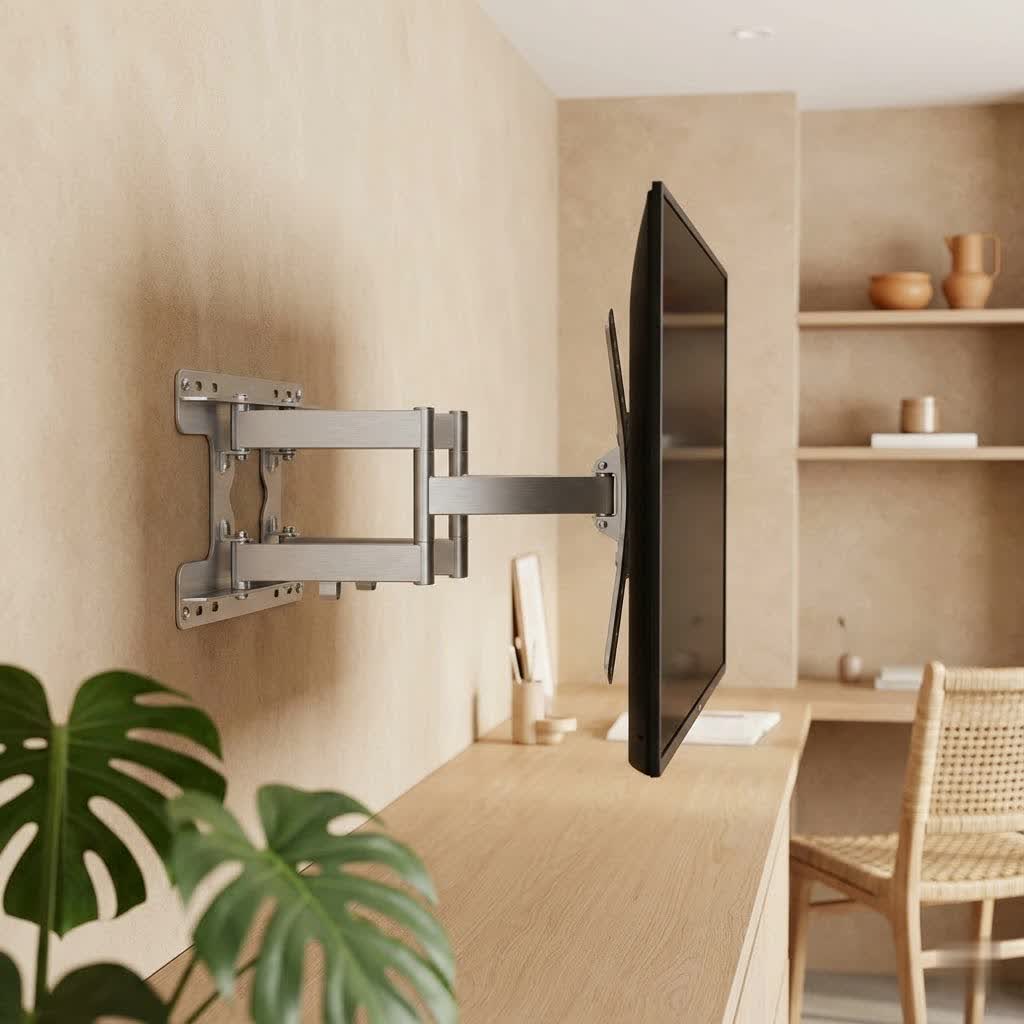
Why a Soundbar TV Mount is a Game-Changer for Your Home Entertainment
Let’s be honest, modern flat-screen TVs deliver stunning visuals, but their built-in speakers often leave much to be desired. That’s where a soundbar steps in, offering a significant boost in audio clarity, depth, and volume. But why mount it directly to your TV? The benefits are compelling:
- Superior Sound Quality: By positioning your soundbar optimally, usually directly below or sometimes above your screen, a soundbar TV mount ensures sound waves are directed straight to your listening position. This drastically improves dialogue clarity and overall audio immersion compared to a soundbar sitting on a stand or an ill-placed shelf.
- Decluttered, Aesthetic Appeal: Say goodbye to extra furniture, tangled cables, and visual distractions. Mounting your soundbar creates a sleek, integrated look that complements your wall-mounted TV. It’s a clean setup that enhances your room’s décor.
- Dynamic Audio with Full-Motion TVs: This is where a TV-mounted soundbar truly shines. If you have an articulating or full-motion TV mount, attaching your soundbar directly means the sound moves with your screen. No matter how you swivel or tilt your TV for the perfect viewing angle, your audio remains perfectly aligned with the visuals, ensuring a consistent and optimal experience.
- Space-Saving Efficiency: For smaller living spaces or minimalist designs, every inch counts. A soundbar TV mount frees up valuable surface area on your entertainment center or wall shelves, contributing to a more open and organized room.
- Enhanced Safety: Securely attaching your soundbar to your TV mount or the TV itself minimizes the risk of accidental bumps, falls, or damage, protecting your valuable audio equipment.
“A properly integrated soundbar isn’t just an accessory; it’s the missing piece that unifies your visual and auditory experience, turning a good setup into a truly great one.” – Anh Tuan, Senior Home Theater Integrator at Dikfu.com.
Navigating the Options: Types of Soundbar TV Mounts
Choosing the right mount is crucial. While there are soundbar wall mounts that attach independently to the wall, our focus today is on soundbar TV mounts that integrate directly with your television setup.
1. TV-Mounted Brackets
These are the most popular and versatile types, designed to attach to the VESA mounting holes on the back of your TV, often alongside your existing TV wall mount brackets.
- Compatibility with TV Mount Types: Many TV-mounted soundbar brackets are designed to work seamlessly with fixed, tilt, and full-motion TV mounts. This universal compatibility makes them an excellent choice for most setups.
- Advantages: The primary benefit is that the soundbar moves with your TV, ensuring consistent sound alignment. They offer a highly integrated, floating aesthetic, making your soundbar appear as an extension of your TV.
|
Our Picks for the Best TV Mount in 2026
As an Amazon Associate I earn from qualifying purchases.
|
||
| Num | Product | Action |
|---|---|---|
| 1 | monTEK Motorized Ceiling TV Mount for 43-86 Inch TVs, Heavy-Duty 121lbs (4X Load Tested), Off-Center VESA Compatible, Electric Flip Down with Remote/App/Voice Control, Fits Flat & Pitched Roof |

|
| 2 | Amazon Basics Full Motion Articulating TV Wall Mount, with Swivel and Tilt, for 26\" to 55\" TVs and Flat Panels up to 80 Lbs, VESA Compatible, Black |
|
| 3 | Mounting Dream TV Wall Mount for Most 37-75 Inch TVs, Universal Tilt TV Mount Fit 16\", 18\", 24\" Stud with Loading Capacity 132lbs, Max Vesa 600 x 400mm, Low Profile Flat Wall Mount TV Bracket |
|
| 4 | USX MOUNT Full Motion TV Wall Mount for Most 32-70 inch TVs up to 99 lbs, Wall Mount Bracket with Dual Articulating Arms, Swivel, Tilt, Max VESA 400x400mm, TV Mount Fits 12”/16” Wood Studs |
|
| 5 | Perlegear Full Motion TV Wall Mount for Most 42–86 inch Flat Curved TVs up to 132 lbs, 12″/16″ Wood Studs, Bracket with Articulating Arms, Swivel, Tool-Free Tilt, Max VESA 600x400mm PGLF12 |
|
| 6 | Magnetic Monitor Wall Mount for Steel Surfaces, Fits 13 to 34 Inch Screens, Holds up to 22 lbs, VESA 75/100 Compatible Wall Mount for Computer and TV Monitor, No-Drill Installation with All Screws |
|
| 7 | Pipishell Full Motion TV Wall Mount for Echo Show 21/15 and 13-43 Inch Flat Curved Screen TVs & Monitors, Max VESA 200x200mm up to 44lbs, TV Mount Wall Bracket with Rotation Swivel Tilt Extension |
|
| 8 | USX Mount Full Motion TV Wall Mount for Most 42-90 inch Flat Screen/LED/4K, TV Mount Bracket Dual Swivel Articulating Tilt 6 Arms, Max 16\" Wood Studs, VESA 600x400mm, Holds up to 132lbs |
|
| 9 | MOUNTUP Full Motion TV Wall Mount for Most 26-60 Inch TVs, Max VESA 400x400mm Wall Mount TV Bracket with Swivel Tilting Extension Level Adjustment for LED LCD Flat Curved TVs Up to 77 LBS, MU0018 |
|
| 10 | Mounting Dream TV Wall Mount for 32-65 Inch Television,Mount with Swivel and Tilt, Full Motion Bracket with Articulating Dual Arms, Fits 16inch Studs, Max VESA 400X400 mm, 99lbs, MD2380 |
|
2. Universal vs. Brand-Specific Mounts
- Universal Soundbar TV Mounts: These are designed with adjustable arms and multiple mounting hole patterns (VESA compatibility) to fit a wide range of soundbar brands (Samsung, Sony, LG, Sonos, Vizio, Bose, etc.) and TV sizes (typically 32-70 inches). They also often accommodate soundbars with mounting holes on the back or bottom, and some even clip soundbars without any mounting holes.
- Brand-Specific Mounts: Some soundbar manufacturers (like Sonos or Bose) offer custom-designed mounts that perfectly fit their specific models. While these offer a tailored look and guaranteed compatibility, they are less flexible if you upgrade your soundbar in the future.
Choosing the Perfect Soundbar TV Mount: What to Look For
Making the right choice involves a few critical considerations to ensure compatibility, safety, and optimal performance for your specific setup.
Compatibility is King
Before anything else, check these key compatibility factors:
- TV VESA Pattern: Your TV has a VESA mounting pattern (e.g., 200x200mm, 400x400mm) on its back. The soundbar mount must be compatible with this pattern. Most universal mounts cover a broad range.
- Soundbar Weight and Dimensions: Every soundbar mount has a maximum weight capacity (typically 15-33 lbs). Ensure your soundbar’s weight falls well within this limit for safety. Also, consider its length, width, and height to ensure it fits the mount’s adjustable arms and doesn’t block your TV screen or IR sensor.
- Soundbar Mounting Holes: Does your soundbar have screw holes on the back or bottom? Universal mounts typically come with L-shaped brackets or adjustable plates to accommodate both. Some innovative mounts even offer clip-on solutions for soundbars without any mounting holes.
Adjustability and Positioning
- Height and Depth Adjustments: Look for mounts that allow you to adjust the soundbar’s height relative to the TV. This is crucial for aesthetic alignment and, more importantly, for soundbars with upward-firing speakers (like those with Dolby Atmos), where depth adjustment prevents the TV from blocking the immersive sound.
- Above or Below the TV: Most prefer to mount soundbars below the TV for a natural sound projection. However, if your TV is mounted very low, mounting the soundbar above might be necessary to achieve optimal ear-level sound. Many mounts offer both options.
Material and Durability
Opt for mounts made from robust materials like cold-rolled steel. A sturdy build ensures your soundbar is securely held and will last for years, providing peace of mind.
Step-by-Step Installation: Mounting Your Soundbar to Your TV Like a Pro
Ready to get your hands dirty? Here’s a general guide to installing a soundbar TV mount. Remember to always consult your specific mount’s instruction manual as designs can vary.
Pre-Installation Checklist
- Gather Your Tools: You’ll typically need a Phillips head screwdriver, a drill with appropriate bits, a stud finder (if doing a wall-mounted TV), a level, and possibly masking tape.
- Read the Manual: This cannot be stressed enough. Your mount’s manual will have precise instructions and hardware for your specific model.
- Inspect Your Soundbar: Locate its mounting holes (if any) and check its dimensions and weight.
Preparation
- If your TV isn’t mounted yet: This is the easiest scenario. You’ll attach the soundbar mounting brackets to the TV’s VESA holes before mounting the TV to the wall or its stand.
- If your TV is already wall-mounted: You’ll likely need a helper to carefully remove the TV from its wall mount. The soundbar brackets will share the same VESA holes on the back of the TV as your existing wall mount brackets. Ensure your screws are long enough to securely fasten both sets of brackets.
Attaching the Brackets
- Assemble the Soundbar Mount: Follow your mount’s instructions to assemble the main bracket and adjustable arms.
- Attach to TV/TV Mount: Carefully align the soundbar mount (or its extension plates/arms) with the TV’s VESA holes. If your TV is already mounted, attach it alongside the existing TV wall mount brackets. Use the provided screws and ensure they are tightened securely.
- Adjust for Soundbar: With the brackets attached to the TV, adjust the arms or plates to match the width and mounting points of your soundbar. For soundbars with bottom holes, use the L-brackets. For those without, ensure the adjustable bases can securely clip it.
Securing the Soundbar
- Position the Soundbar: Carefully place your soundbar onto the adjusted mounting arms.
- Fasten the Soundbar: Secure the soundbar to the mount using the provided screws or by engaging the clipping mechanism. Ensure it’s snug, level, and stable. If you have an articulating TV mount, extend and swivel it to check sound alignment.
Cable Management Tips
A clean setup means hidden cables.
- Utilize Cable Ties and Channels: Route your soundbar’s power and audio cables neatly along the TV mount arms or behind the TV using cable ties. For wall-mounted TVs, consider adhesive cable channels or in-wall cable management kits to completely conceal wires.
- Test Connections: Before finalizing, plug in all cables (HDMI ARC/eARC is ideal for single-remote control) and test your soundbar to ensure all connections are working.
Expert Tips for a Flawless Setup and Optimal Sound
As a veteran in the field, I’ve picked up a few tricks over the years that can take your installation from good to great:
- Achieving the “Floating” Look: To get that ultra-clean, floating appearance, minimize the gap between the bottom of your TV and the top of your soundbar. Most mounts allow for fine-tuning this distance.
- Optimizing for Dolby Atmos: If your soundbar supports Dolby Atmos with upward-firing speakers, ensure your mount allows for sufficient clearance (depth adjustment) between the soundbar and the TV screen so that the sound isn’t blocked and can properly bounce off your ceiling.
- Troubleshooting Common Issues:
- Not level? A small level is your best friend during installation. Most soundbar mounts have some degree of micro-adjustment, or you might need to slightly loosen and re-tighten screws while ensuring it’s perfectly straight.
- Remote not working? Check if the soundbar or TV’s IR receiver is being blocked by the mount or the soundbar itself. Adjust the soundbar’s position slightly if needed.
- Loose connections? Double-check all screw fastenings, especially the VESA connections to the TV. A wobbly soundbar is a recipe for disaster.
Frequently Asked Questions About Soundbar TV Mounts
Can I use a soundbar mount with any TV?
Most soundbar TV mounts are designed to be universally compatible with TVs that use standard VESA mounting patterns (the four holes on the back of your TV). They typically fit a wide range of screen sizes. However, always check the mount’s specifications against your TV’s VESA pattern and weight.
Do soundbar mounts work with all soundbars?
While many soundbar mounts are universal, catering to soundbars with rear or bottom mounting holes, some soundbars (especially older or very uniquely shaped ones) might not be compatible. Always check if your soundbar has mounting points and compare its dimensions and weight to the mount’s specifications. Some mounts offer a clamping mechanism for soundbars without dedicated mounting holes.
Is it better to mount a soundbar above or below the TV?
In most cases, mounting a soundbar below the TV is recommended. This positions the sound closer to ear level for seated viewers and provides a more natural audio-visual alignment. Mounting above is usually only considered if the TV is mounted too low for a below-TV placement, or if there’s an obstruction.
How much weight can a soundbar TV mount hold?
The weight capacity varies by mount, but most universal soundbar TV mounts can safely support soundbars weighing between 15 lbs and 33 lbs (approximately 7 kg to 15 kg). Always verify the mount’s stated weight limit and ensure your soundbar’s weight is well within that range.
Do I need to take my TV off the wall to install a soundbar mount?
If your TV is already wall-mounted, yes, you will typically need to carefully remove it from the wall mount temporarily. Soundbar TV mounts usually attach to the same VESA holes on the back of the TV as your existing wall mount, requiring you to fasten both brackets simultaneously.
Conclusion
A soundbar TV mount is more than just an accessory; it’s an investment in a cleaner, more immersive, and audibly superior home entertainment experience. By carefully selecting the right mount and following proper installation techniques, you can transform your living space, eliminate clutter, and unleash the full potential of your soundbar. So go ahead, take the leap, and enjoy the harmonious blend of stunning visuals and captivating audio.
For more expert advice and detailed guides on optimizing your home entertainment, keep exploring dikfu.com – we’re always here to help you achieve your perfect setup!
