Mounting a new TV from Best Buy requires selecting the correct wall mount type—fixed, tilting, or full-motion—based on your viewing needs and room layout, ensuring VESA and weight compatibility, and securely installing it into appropriate wall materials like wood studs or concrete. With over 15 years of experience in TV mounting, I recommend prioritizing safety and precision during installation to achieve a sleek, secure setup.
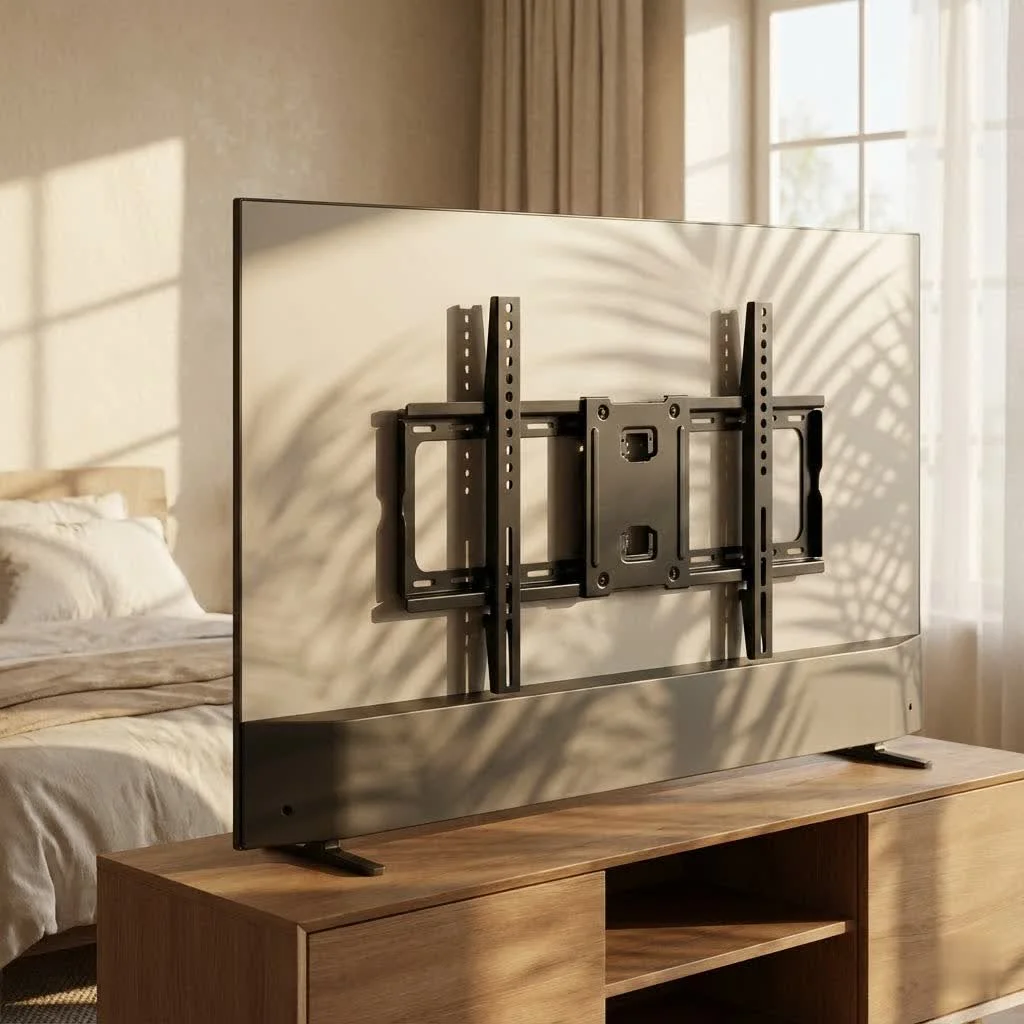
Mounting your TV isn’t just about aesthetics; it’s about optimizing your viewing experience, freeing up valuable floor space, and even enhancing safety in your homeLet’s dive deep into the world of Best Buy TV wall mounts, from selecting the perfect type to mastering the installation, ensuring your home entertainment system is a true showstopper.
Why Choose a TV Wall Mount from Best Buy?
Best Buy offers a diverse range of TV wall mounts, including popular brands like SANUS, Echogear, and their own Best Buy essentials™ line. This variety means you can find a mount suitable for almost any TV size, weight, and room configuration. Plus, their resources, like detailed guides and professional installation services, make the process smoother, whether you’re a DIY enthusiast or prefer expert help.
Navigating the World of Best Buy TV Wall Mount Types
Understanding the different types of TV wall mounts is crucial to finding the one that perfectly fits your needs and lifestyle. Each offers unique benefits and caters to specific viewing preferences and room layouts.
Fixed TV Wall Mounts: The Sleek & Simple Choice
Fixed TV wall mounts are the go-to for a clean, low-profile look. They hold your TV flush against the wall, making it appear like a framed piece of art. These mounts are ideal when your primary viewing spot is directly in front of the TV and you don’t need to adjust the angle. They offer exceptional stability and keep your TV incredibly close to the wall, minimizing protrusion.
Tilting TV Wall Mounts: Say Goodbye to Glare
If your TV is mounted higher on the wall, perhaps above a fireplace, or if you frequently battle with window glare, a tilting TV mount is your best friend. These mounts allow you to adjust the TV’s vertical angle (up or down) by a few degrees. This simple adjustment can significantly reduce glare, enhance comfort, and provide an optimal viewing angle when you’re seated.
Full-Motion (Articulating) TV Wall Mounts: Maximum Flexibility
For the ultimate in viewing flexibility, a full-motion, or articulating, TV wall mount is unmatched. These mounts extend, swivel, and tilt, allowing you to pull your TV away from the wall, turn it left or right, and adjust its tilt. They’re perfect for open-concept rooms, corner installations, or spaces with multiple viewing areas where you need to change your TV’s position frequently. Many Best Buy full-motion mounts offer significant extension and swivel ranges.
Specialized TV Mounts: Solutions for Unique Spaces
|
Our Picks for the Best TV Mount in 2026
As an Amazon Associate I earn from qualifying purchases.
|
||
| Num | Product | Action |
|---|---|---|
| 1 | Magnetic Monitor Wall Mount for Steel Surfaces, Fits 13 to 34 Inch Screens, Holds up to 22 lbs, VESA 75/100 Compatible Wall Mount for Computer and TV Monitor, No-Drill Installation with All Screws |

|
| 2 | MOUNTUP Full Motion TV Wall Mount for Most 26-60 Inch TVs, Max VESA 400x400mm Wall Mount TV Bracket with Swivel Tilting Extension Level Adjustment for LED LCD Flat Curved TVs Up to 77 LBS, MU0018 |
|
| 3 | Amazon Basics Full Motion Articulating TV Wall Mount, with Swivel and Tilt, for 26\" to 55\" TVs and Flat Panels up to 80 Lbs, VESA Compatible, Black |
|
| 4 | Mounting Dream TV Wall Mount for Most 37-75 Inch TVs, Universal Tilt TV Mount Fit 16\", 18\", 24\" Stud with Loading Capacity 132lbs, Max Vesa 600 x 400mm, Low Profile Flat Wall Mount TV Bracket |
|
| 5 | monTEK Motorized Ceiling TV Mount for 43-86 Inch TVs, Heavy-Duty 121lbs (4X Load Tested), Off-Center VESA Compatible, Electric Flip Down with Remote/App/Voice Control, Fits Flat & Pitched Roof |
|
| 6 | USX MOUNT Full Motion TV Wall Mount for Most 32-70 inch TVs up to 99 lbs, Wall Mount Bracket with Dual Articulating Arms, Swivel, Tilt, Max VESA 400x400mm, TV Mount Fits 12”/16” Wood Studs |
|
| 7 | Perlegear Full Motion TV Wall Mount for Most 42–86 inch Flat Curved TVs up to 132 lbs, 12″/16″ Wood Studs, Bracket with Articulating Arms, Swivel, Tool-Free Tilt, Max VESA 600x400mm PGLF12 |
|
| 8 | Mounting Dream TV Wall Mount for 32-65 Inch Television,Mount with Swivel and Tilt, Full Motion Bracket with Articulating Dual Arms, Fits 16inch Studs, Max VESA 400X400 mm, 99lbs, MD2380 |
|
| 9 | Pipishell Full Motion TV Wall Mount for Echo Show 21/15 and 13-43 Inch Flat Curved Screen TVs & Monitors, Max VESA 200x200mm up to 44lbs, TV Mount Wall Bracket with Rotation Swivel Tilt Extension |
|
| 10 | USX Mount Full Motion TV Wall Mount for Most 42-90 inch Flat Screen/LED/4K, TV Mount Bracket Dual Swivel Articulating Tilt 6 Arms, Max 16\" Wood Studs, VESA 600x400mm, Holds up to 132lbs |
|
Beyond the core types, Best Buy also offers specialized mounts for particular situations:
- No-Stud TV Mounts: Designed for drywall without requiring direct attachment to studs, often using nails or toggle bolts to support lighter TVs. Brands like Echogear offer these convenient solutions.
- Corner TV Mounts: Optimized to fit snugly into room corners, maximizing space in smaller or oddly shaped rooms.
- Ceiling TV Mounts: A unique option for hanging your TV from the ceiling, ideal for commercial spaces or when wall mounting isn’t feasible.
- Drop-Down TV Mounts: Offer a hidden setup, allowing your TV to be stored out of sight and lowered when needed.
- Outdoor TV Mounts: Built to withstand the elements, these mounts resist rain, wind, and UV rays, perfect for patio or backyard entertainment.
Choosing the Best Best Buy TV Wall Mount for Your Home
Selecting the right mount involves more than just picking a type; it’s about ensuring compatibility and safety. Here’s what to consider:
TV Size and Weight Compatibility (VESA Standard)
Every TV mount has specific size and weight limits. It’s crucial to check your TV’s specifications and match them with the mount’s capacity. The “VESA” standard refers to the four threaded holes on the back of your TV (e.g., 200x200mm, 400x400mm) where the mount attaches. Ensure your chosen mount supports your TV’s VESA pattern. Best Buy product listings clearly indicate compatible TV sizes and weights.
Wall Material: Wood Studs, Concrete, or Drywall?
The type of wall you’re mounting to dictates the installation method and hardware required.
- Wood Stud Walls: The most common and secure method involves locating wood studs and drilling lag bolts directly into them. A stud finder is indispensable here.
- Solid Concrete or Brick Walls: These require specialized masonry drill bits and heavy-duty anchors designed for concrete or brick surfaces. You should never drill into the mortar between blocks.
- Drywall (Without Studs): While not ideal for heavy TVs, some mounts (like no-stud options) use specialized toggle bolts or heavy-duty anchors to distribute weight across the drywall. Always verify the mount’s weight capacity for non-stud installation.
Optimal Viewing Angle and Room Layout
Think about where you’ll be watching your TV most often.
- Eye Level: Generally, the center of your TV screen should be at eye level when you’re seated. This minimizes neck strain.
- Glare Reduction: Consider windows and light sources. Tilting or full-motion mounts can help mitigate glare.
- Room Traffic: Avoid high-traffic areas where your TV could be bumped, especially with articulating mounts that extend.
Cable Management Needs
A clean installation means hidden cables. Some Best Buy TV mounts offer built-in cable management channels, or you can opt for external solutions like cable concealers, in-wall kits, or adhesive clips. Planning for cable routing before installation is key.
DIY Installation Guide for Your Best Buy TV Wall Mount
Ready to get your hands dirty? Here’s a general step-by-step guide to installing your Best Buy TV wall mount. always consult your specific mount’s instruction manual as it will have precise details and warnings.
Step 1: Gather Your Tools and Equipment
Having the right tools makes all the difference. You’ll typically need:
- Your Best Buy TV wall mount kit (includes wall plate, TV brackets, screws, anchors)
- Stud finder
- Drill and appropriate drill bits (wood bits for studs, masonry bits for concrete/brick)
- Level (a longer one is often better for accuracy)
- Measuring tape
- Pencil or painter’s tape for marking
- Phillips head screwdriver
- Socket wrench or adjustable wrench
- An extra pair of hands (highly recommended for lifting the TV!)
Step 2: Determine the Perfect Mounting Location
This is critical for optimal viewing and safety.
- Viewing Height: Sit in your primary viewing spot. The middle of your TV screen should be roughly at eye level.
- Center Your TV: Measure the width of your TV and your wall to determine the center point. Mark it.
- Locate Studs: Use your stud finder to locate the edges and then the center of at least two adjacent wood studs. Mark these carefully. For concrete or brick, you’ll drill directly into the masonry.
- Check for Obstructions: Ensure no electrical wires, pipes, or outlets are in your drilling path. Also, make sure your chosen location is close enough to an electrical outlet for power.
Step 3: Attach the Mounting Plate to Your TV
This part connects the TV to the wall bracket.
- Protect Your TV: Place your TV screen-down on a soft, clean surface (like a blanket on a table).
- Align Brackets: Locate the four VESA mounting holes on the back of your TV. Position the vertical mounting brackets over these holes.
- Use Spacers if Needed: If your TV’s back is curved or has an obstruction, use the included spacers to create a flat, even surface between the bracket and the TV.
- Secure Screws: Insert the appropriate screws (from your mount kit) through the brackets and into the TV’s mounting holes. Tighten them securely with a screwdriver, but don’t overtighten.
Step 4: Secure the Wall Plate to Your Wall
This is where the real stability comes from.
- Position Template/Wall Plate: Many mounts come with a paper template. Tape it to the wall, aligning it with your marked stud centers and desired TV height. Alternatively, use the wall plate itself as a guide.
- Mark Pilot Holes: Mark the exact locations for drilling through the template’s mounting holes.
- Drill Pilot Holes: Using the correct drill bit size (specified in your mount’s manual) and depth, drill pilot holes at your marked locations. For wood studs, a 3/16 inch (5mm) bit is common. For concrete, a 3/8 inch (10mm) masonry bit is typically required.
- Insert Anchors (if applicable): For concrete/brick, insert the concrete anchors into the drilled holes, tapping flush with a hammer.
- Attach Wall Plate: Align the wall plate with the pilot holes (or anchors). Insert the lag bolts through washers and the wall plate, then into the wall.
- Level and Tighten: Use your level to double-check that the wall plate is perfectly horizontal. Once level, securely tighten all lag bolts with your socket wrench. Give the mount a gentle pull to ensure it’s firmly secured.
Step 5: Carefully Hang Your TV
This is a two-person job!
- Lift with Care: With a helper, carefully lift your TV.
- Align and Engage: Guide the TV’s mounting brackets onto the wall plate’s hooks or rails. You’ll often hear a click as it locks into place.
- Secure Mechanisms: Many mounts have safety screws or pull-straps to lock the TV onto the wall plate. Engage these according to your manual.
- Final Adjustments: If your mount allows, make any final leveling or positional adjustments. Connect your cables.
Common Issues and Troubleshooting with Best Buy TV Mounts
Even seasoned DIYers can hit a snag. Here are some common issues and how to tackle them:
- Crooked TV: After hanging, if your TV isn’t perfectly level, don’t despair! Many modern mounts have built-in post-installation leveling adjustments. Consult your mount’s manual for specific instructions, often involving loosening a few screws and using an Allen wrench.
- Missing a Stud: If your desired TV location doesn’t align perfectly with studs, you might need a wider wall plate that can span two studs, or consider a no-stud solution for lighter TVs. Never mount a heavy TV directly into drywall without proper anchoring into studs or specialized hardware.
- Incorrect Screws/Spacers: Sometimes the provided TV screws don’t fit perfectly with your TV’s back panel, or spacers are needed for curved TVs. Always ensure the screws engage enough threads without being too long. Best Buy’s Essentials mounts specifically mention using spacers for curved TV backs.
- Cable Clutter: If you didn’t plan for cable management, now’s the time. Cable ties, sleeves, raceways, or in-wall cable concealment kits can help achieve that clean look.
- Mount Feels Unstable: This is a critical safety concern. Double-check that all lag bolts are securely tightened into studs or proper masonry anchors. If any doubt remains, remove the TV and reassess the installation. a falling TV is a serious hazard.
When to Call the Pros: Best Buy’s Geek Squad Installation
While DIY mounting can be rewarding, there’s absolutely no shame in calling for professional help, especially for large, heavy, or expensive TVs, or if you’re uncomfortable with power tools. Best Buy’s Geek Squad offers professional TV mounting installation services. They can handle everything from wall material assessment to ensuring secure installation, wire concealment, and even integrating sound systems. Many customers praise the Geek Squad for their efficiency, care, and helpful advice.
“Choosing the right TV mount is like picking the perfect frame for a masterpiece. It’s not just about holding it up; it’s about enhancing its presence and ensuring it stays safe for years of enjoyment.” – Alexander “Alex” Thorne, Lead Installation Specialist at Dikfu.com
Conclusion
Mounting your TV with a Best Buy TV wall mount is a fantastic way to improve your home entertainment experience. By understanding the different mount types—fixed, tilting, and full-motion—and carefully considering your TV’s specifications, wall material, and viewing needs, you can confidently choose the perfect mount.
Whether you decide to tackle the installation yourself using our detailed guide or opt for the trusted expertise of Best Buy’s Geek Squad, prioritizing safety and precision is paramount. A properly installed TV mount not only creates a modern, clutter-free aesthetic but also ensures your valuable investment is secure and positioned for optimal viewing pleasure. Enjoy your newly mounted TV – it’s a major upgrade!
Frequently Asked Questions (FAQ)
Install Your Best Buy TV Wall Mount
This guide provides a general step-by-step procedure for safely installing your Best Buy TV wall mount, ensuring optimal viewing and stability. Always refer to your specific mount's instruction manual for precise details.
Collect all necessary tools, including your Best Buy TV wall mount kit, a stud finder, drill, level, measuring tape, pencil, screwdriver, and wrench. An extra pair of hands is highly recommended for lifting the TV safely during the final step.
Identify the perfect spot by sitting in your primary viewing area to determine eye level for the TV's center. Use a stud finder to locate at least two adjacent wood studs, or plan for concrete/brick drilling. Ensure no electrical wires or pipes are in your drilling path.
Place your TV screen-down on a soft surface. Align the vertical mounting brackets with the VESA holes on the back of your TV. Use spacers if needed for curved backs, then securely insert and tighten the appropriate screws from your mount kit into the TV's mounting holes.
Position the wall plate or template on the wall, aligning it with your marked stud centers and desired height. Mark and drill pilot holes using the correct drill bit size (e.g., 3/16 inch for wood studs). Insert anchors if mounting into concrete/brick, then attach the wall plate with lag bolts, ensuring it is perfectly level before tightening.
With a helper, carefully lift your TV and guide its mounting brackets onto the wall plate's hooks or rails until it locks into place. Engage any safety screws or pull-straps as per your manual. Make final leveling or positional adjustments and connect your cables for a clean finish.
Get our weekly buyer guide
Practical specs, not advice. Unsubscribe anytime.

This was super helpful for understanding the different types of mounts. I chose a full-motion mount for my bedroom, which is perfect for adjusting the angle when I’m watching from bed or my desk. The tips on finding wood studs were especially useful, as I was worried about hitting a pipe or something. Great advice for anyone buying a Best Buy TV wall mount.
I appreciated the breakdown of fixed vs. tilting mounts. I got a fixed mount for my kitchen TV to save space, and it works well. My only minor complaint is that the guide didn’t emphasize enough how heavy some of these mounts can be, even before adding the TV. It was a bit of a struggle to get it up by myself, even with the clear instructions.
I was really intimidated by the idea of mounting my new 65-inch TV, but the guide here made it so much clearer. I ended up going with a tilting mount from Best Buy, just like suggested for reducing glare in my living room. The VESA compatibility section was a lifesaver, ensuring I picked the right one. Installation went smoother than I expected, and it looks fantastic!
Finally got around to mounting my new OLED, and this information was exactly what I needed. The emphasis on safety and precision during installation really resonated with me. I made sure to double-check all my measurements and secure it properly into concrete, as recommended. My home theater setup feels complete now, and the TV looks incredibly sleek on the wall.