Bringing your entertainment off the stand and onto the wall is a game-changer, creating a sleek, modern look and freeing up valuable space. If you’ve been eyeing an Onn TV mount, you’re on the right track! As a seasoned veteran in TV mount installations and the lead content creator for Dikfu.com, I’ve seen countless setups, and Onn TV mounts consistently stand out for their accessibility and straightforward design, making them a fantastic choice for DIY enthusiasts. This guide will walk you through everything you need to know, from picking the perfect Onn mount to securing your television safely and stylishly.
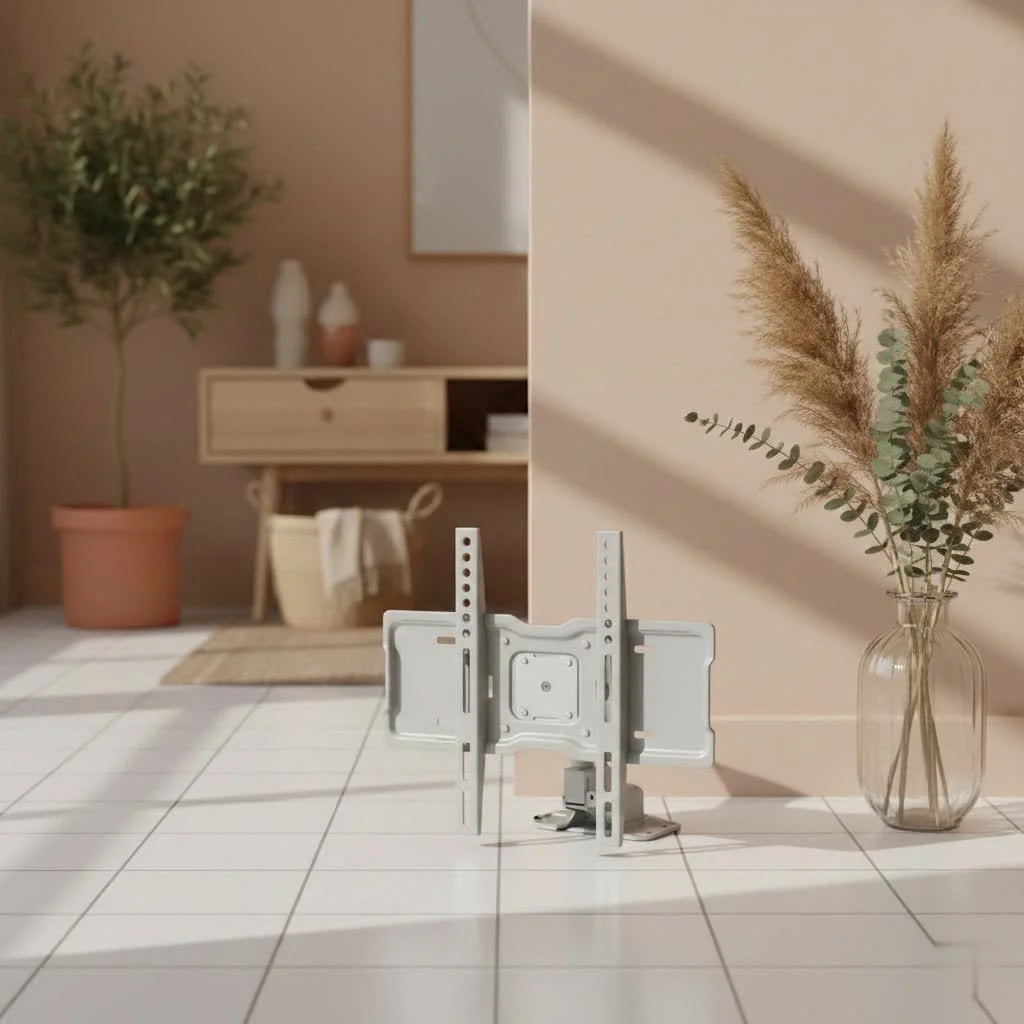
Why Choose an Onn TV Mount for Your Home?
Onn, a brand synonymous with value and simplicity, offers TV mounts that hit a sweet spot for many homeowners. Their products are widely available at Walmart, making them an easy grab for your weekend project. What truly makes Onn mounts a popular choice isn’t just their attractive price point; it’s their commitment to making the installation process as painless as possible. Many models come with clear instructions, essential hardware, and even a built-in level, demonstrating that you don’t need a hefty budget to achieve a professional-looking installation. Whether you’re a first-timer or a seasoned DIYer, Onn provides a reliable foundation for your wall-mounted TV dreams. For browse all tv mounts articles on this site.
Decoding Onn TV Mount Types: Finding Your Perfect Fit
Onn offers a variety of TV mounts, each designed to meet different viewing needs and aesthetic preferences. Understanding the distinct characteristics of each type is crucial for selecting the best Onn TV mount for your space.
Fixed TV Mounts
Fixed Onn TV mounts are the most basic and provide a clean, low-profile look, keeping your TV close to the wall. They are perfect for rooms where your viewing position is static and direct, such as a main living room or a bedroom with a clear line of sight to the bed. If you don’t need to adjust your TV’s angle, a fixed mount offers a secure and unobtrusive solution. Onn fixed mounts can support a wide range of TV sizes, from 19-inch to large 86-inch displays, often holding up to 120 lbs.
Tilting TV Mounts
Tilting Onn TV mounts offer a slight vertical adjustment, allowing you to angle your screen downwards. This is incredibly beneficial if your TV is mounted higher than eye level, perhaps above a fireplace or in a bedroom, to reduce glare and improve viewing comfort. Many Onn tilting mounts accommodate TVs between 32 to 47 inches and are a popular, budget-friendly option for enhancing viewing angles without complex articulation.
Full-Motion (Articulating) TV Mounts
|
Our Picks for the Best TV Mount in 2026
As an Amazon Associate I earn from qualifying purchases.
|
||
| Num | Product | Action |
|---|---|---|
| 1 | Magnetic Monitor Wall Mount for Steel Surfaces, Fits 13 to 34 Inch Screens, Holds up to 22 lbs, VESA 75/100 Compatible Wall Mount for Computer and TV Monitor, No-Drill Installation with All Screws |

|
| 2 | MOUNTUP Full Motion TV Wall Mount for Most 26-60 Inch TVs, Max VESA 400x400mm Wall Mount TV Bracket with Swivel Tilting Extension Level Adjustment for LED LCD Flat Curved TVs Up to 77 LBS, MU0018 |
|
| 3 | monTEK Motorized Ceiling TV Mount for 43-86 Inch TVs, Heavy-Duty 121lbs (4X Load Tested), Off-Center VESA Compatible, Electric Flip Down with Remote/App/Voice Control, Fits Flat & Pitched Roof |
|
| 4 | Perlegear Full Motion TV Wall Mount for Most 42–86 inch Flat Curved TVs up to 132 lbs, 12″/16″ Wood Studs, Bracket with Articulating Arms, Swivel, Tool-Free Tilt, Max VESA 600x400mm PGLF12 |
|
| 5 | USX MOUNT Full Motion TV Wall Mount for Most 32-70 inch TVs up to 99 lbs, Wall Mount Bracket with Dual Articulating Arms, Swivel, Tilt, Max VESA 400x400mm, TV Mount Fits 12”/16” Wood Studs |
|
| 6 | Mounting Dream TV Wall Mount for 32-65 Inch Television,Mount with Swivel and Tilt, Full Motion Bracket with Articulating Dual Arms, Fits 16inch Studs, Max VESA 400X400 mm, 99lbs, MD2380 |
|
| 7 | Mounting Dream TV Wall Mount for Most 37-75 Inch TVs, Universal Tilt TV Mount Fit 16\", 18\", 24\" Stud with Loading Capacity 132lbs, Max Vesa 600 x 400mm, Low Profile Flat Wall Mount TV Bracket |
|
| 8 | USX Mount Full Motion TV Wall Mount for Most 42-90 inch Flat Screen/LED/4K, TV Mount Bracket Dual Swivel Articulating Tilt 6 Arms, Max 16\" Wood Studs, VESA 600x400mm, Holds up to 132lbs |
|
| 9 | Pipishell Full Motion TV Wall Mount for Echo Show 21/15 and 13-43 Inch Flat Curved Screen TVs & Monitors, Max VESA 200x200mm up to 44lbs, TV Mount Wall Bracket with Rotation Swivel Tilt Extension |
|
| 10 | Amazon Basics Full Motion Articulating TV Wall Mount, with Swivel and Tilt, for 26\" to 55\" TVs and Flat Panels up to 80 Lbs, VESA Compatible, Black |
|
For ultimate flexibility, full-motion Onn TV mounts are the way to go. These mounts allow you to extend your TV away from the wall, swivel it from side to side, and often tilt it as well. This versatility is ideal for open-concept living spaces, kitchens, or any room where you might watch TV from multiple angles. For example, an Onn full-motion mount for 50-inch to 86-inch TVs can offer a swivel of up to ±45° and a tilt of +5°/-15°, providing an optimal view from almost anywhere in the room. Just remember that with full-motion mounts, careful centering during installation is key to ensure it retracts cleanly.
No-Stud TV Mounts
While less common, Onn also offers “no-stud” options for smaller TVs or specific wall types where traditional stud mounting isn’t feasible. These mounts typically use an array of small nails or heavy-duty drywall anchors to distribute the TV’s weight. It’s crucial to always check the weight capacity and wall type compatibility for these mounts to ensure a safe installation.
Selecting Your Onn TV Mount: Compatibility is Key
Before you even think about drilling, ensure your chosen Onn TV mount is a perfect match for your television and your home’s structure.
TV Size and Weight Capacity
Every Onn TV mount specifies a compatible TV size range (e.g., 32″-86″) and a maximum weight capacity (e.g., 120 lbs or 54.4 kg). Always check your TV’s manual for its exact weight. Never exceed the mount’s weight limit, as this is a critical safety consideration. While an Onn mount might physically fit a larger TV, if the TV’s weight surpasses the mount’s rating, it’s a recipe for disaster.
VESA Pattern Matching
VESA (Video Electronics Standards Association) is a universal standard for TV and mount compatibility. On the back of your TV, you’ll find four threaded holes in a square or rectangular pattern. Measure the horizontal and vertical distance between these holes (in millimeters) to determine your TV’s VESA pattern (e.g., 200x200mm, 400x400mm, 600x400mm). All Onn TV mounts list the VESA patterns they support, so make sure your TV’s pattern falls within the mount’s specifications. Onn mounts typically offer extensive VESA compatibility, accommodating a wide range from 75x75mm up to 600x400mm.
Wall Type Considerations
The type of wall you’re mounting to dictates your installation method. Most residential walls are drywall over wood studs.
- Wood Studs: This is the most secure method. You’ll need a stud finder to locate the studs behind the drywall. Onn mounts are designed to anchor into these studs.
- Concrete/Brick: Requires a masonry drill bit and specific concrete anchors. Onn mounts usually include hardware for this, but always double-check.
- Metal Studs: Less common in homes, but if present, consult a professional. Metal studs often require specialized fasteners.
- Drywall Only (No Studs): While some “no-stud” mounts exist, for heavier TVs, anchoring into a stud or concrete is highly recommended for safety. Onn explicitly states for some mounts, such as for the 50″-86″ full motion mount, to only use certain anchors for concrete, emphasizing stud installation for drywall.
Viewing Angle and Room Layout
Consider where you’ll be watching TV from. If you have a dedicated viewing area, a fixed or tilting mount might suffice. For dynamic spaces or open floor plans, a full-motion Onn mount offers the flexibility to pivot and extend the TV, ensuring everyone has a great view. Think about how far you need the TV to extend, how much swivel you require, and if you need tilt to combat glare.
Step-by-Step Onn TV Mount Installation Guide
Installing an Onn TV mount is a straightforward process, but precision and safety are paramount. Follow these steps to get your TV securely on the wall.
Tools You’ll Need (Checklist)
Before you begin, gather these essential tools:
- Phillips Head Screwdriver
- Hammer
- Tape Measure
- Drill (with appropriate drill bits: often 5/32″ and 3/8″ for pilot holes)
- Stud Finder
- Level (many Onn mounts include one, which is a nice touch!)
- Socket Set or Wrench (often 13mm for lag bolts)
- Pencil or Painter’s Tape for marking
- (Optional but Recommended) A second person to assist
1. Attaching Brackets to Your TV
What’s the first step in installing an Onn TV mount?
The very first step is to carefully attach the vertical mounting brackets to the back of your TV. Lay your TV face-down on a soft, clean surface (like a blanket on your bed) to protect the screen. Locate the VESA mounting holes on the back of your TV. Onn mounts come with a variety of screws, washers, and spacers. Choose the screws that fit snugly into your TV’s holes without being too long or too short. Use spacers if the back of your TV is uneven or if cables need clearance. Tighten the screws securely but avoid over-tightening, especially with plastic components.
2. Locating Wall Studs
How do you find studs for an Onn TV mount installation?
Using a reliable stud finder, scan the wall horizontally in the area where you plan to mount your TV. Mark the edges of the studs with a pencil. You’ll typically find studs every 16 or 24 inches on center. The goal is to secure the wall plate into at least two studs for maximum stability. If your Onn mount is wide enough, use as many studs as possible.
3. Determining TV Height and Marking Pilot Holes
How do I decide the ideal height for my TV and mark the wall?
Hold the wall plate or use the included mounting template against the wall, aligning it with your stud marks. Have a second person hold it up, or temporarily tape the template in place. Determine the desired height for the bottom of your TV (usually eye-level when seated). Remember to account for the distance between the bottom of the TV and the mounting holes on the wall plate. Use a level to ensure the template or wall plate is perfectly straight, then mark your pilot hole locations directly onto the studs. Double-check your measurements before drilling!
4. Mounting the Wall Plate
What’s the best way to secure the Onn TV wall plate?
Using your drill and the appropriate drill bit (usually 5/32″ for initial pilot holes), carefully drill pilot holes into the center of the studs at your marked locations. The pilot hole should be slightly smaller than the lag bolt to ensure a tight grip. Then, position the Onn wall plate over the pilot holes and secure it with the provided lag bolts, using your socket wrench. Tighten them firmly, but again, do not overtighten to strip the wood. Use the included level one last time to confirm it’s perfectly straight.
5. Hanging the TV and Securing It
How do I safely hang my TV onto the Onn mount?
This step usually requires two people, especially for larger TVs. Carefully lift the TV, aligning the brackets on the back of your TV with the corresponding hooks or arms on the wall plate. Slowly lower the TV until it is securely seated on the mount. Most Onn mounts have a locking mechanism, often involving security screws at the bottom of the TV brackets or pull strings that release a latch. Secure these according to the instructions to prevent the TV from accidentally being bumped off the mount.
6. Leveling and Adjustments
After mounting, how can I make sure my TV is perfectly level and adjusted?
Many Onn TV mounts allow for minor post-installation leveling adjustments. Look for screws on the TV brackets that can be loosened slightly to pivot the TV a few degrees, then re-tightened. For tilting mounts, adjust the tilt mechanism to your preferred viewing angle. For full-motion mounts, practice extending, swiveling, and tilting to ensure smooth operation.
Pro Tips for a Clean and Professional Look
Once your Onn TV mount is installed, it’s time to elevate your setup with these professional touches.
Cable Management Solutions
How can I hide unsightly cables after installing an Onn TV mount?
Messy cables can ruin the sleek look of a wall-mounted TV. Consider these options:
- Cable Ties/Wraps: The simplest solution. Bundle cables neatly and secure them to the mount arm or along the wall using adhesive cable clips.
- Cable Channels: Surface-mounted channels adhere to the wall and can be painted to match your decor, concealing cables discreetly.
- In-Wall Cable Management Kit: For a truly invisible look, an in-wall kit allows you to run cables behind the drywall. This involves cutting small holes in the wall, so ensure you avoid electrical wires or pipes. Always consult an electrician if unsure.
Enhancing Your Entertainment Space
Think beyond just the TV. Add a floating shelf below for a soundbar or media devices. Strategic lighting, like LED strips behind the TV, can reduce eye strain and create ambiance. A well-organized, clutter-free space around your newly mounted Onn TV will make your entertainment area truly shine.
Common Onn TV Mount Installation Mistakes and How to Avoid Them
Even with straightforward Onn mounts, a few common pitfalls can trip up DIYers. Being aware of them can save you time and frustration.
Not Verifying VESA Compatibility
What happens if my TV’s VESA pattern doesn’t match the Onn mount?
A mismatch means the TV simply won’t attach to the mount. Always measure your TV’s VESA pattern and compare it to the mount’s specifications before purchasing. Some mounts come with extension arms to accommodate wider VESA patterns, so check if your chosen Onn mount offers this flexibility if your TV’s pattern is unusually wide.
Overlooking Weight Limits
Why is adhering to the Onn TV mount’s weight limit so crucial?
Exceeding the weight limit can lead to catastrophic failure, causing your TV to fall and potentially injuring someone or damaging the TV and wall. Always prioritize safety by checking your TV’s actual weight and ensuring it’s well within the mount’s stated capacity.
Improper Stud Finding
What are the dangers of not correctly locating wall studs for an Onn mount?
Mounting a TV directly into drywall without hitting studs (unless using a specialized no-stud mount designed for such purpose) is extremely risky. Drywall cannot support the weight of a TV. Always use a reliable stud finder and verify your markings before drilling. Drilling into the center of a stud provides the strongest anchor.
Uneven Installation
How can I prevent my Onn TV mount from being installed crookedly?
Take your time with leveling. Use the included level or a high-quality external level multiple times during the marking and drilling phases. For the wall plate, attach only one or two lag bolts loosely at first, re-check the level, and then fully tighten all bolts. Minor adjustments are often possible post-installation, but starting level makes everything easier.
Expert Insights on Onn TV Mounts
“Onn TV mounts offer incredible value, providing solid construction and easy-to-follow instructions that empower homeowners to take on their own TV mounting projects,” says David Chen, a seasoned home entertainment installer with over 15 years in the field. “While their affordability is a major draw, what truly impresses me is the consistent inclusion of essential hardware and often a built-in level, which simplifies the process dramatically. For anyone looking for a reliable, no-fuss mounting solution, Onn is a brand worth considering.”
Frequently Asked Questions About Onn TV Mounts
Are Onn TV mounts good quality?
Onn TV mounts are generally considered good quality for their price point, offering sturdy construction and reliable performance for most standard home installations. They are known for being easy to install and providing good value.
Can I install an Onn TV mount by myself?
Many Onn TV mounts, especially fixed and tilting models for smaller to mid-sized TVs, can be installed by one person. However, for larger or heavier TVs, and especially for full-motion mounts, having a second person to assist is highly recommended for safety and ease.
Do Onn TV mounts come with all the necessary hardware?
Yes, Onn TV mounts typically come with a comprehensive hardware kit, including various screws, washers, spacers for different TV models, lag bolts for wall attachment, and often a small level to aid in installation.
What VESA patterns do Onn TV mounts support?
Onn TV mounts support a wide range of VESA patterns, from common smaller sizes like 75x75mm or 100x100mm up to larger patterns such as 400x400mm or even 600x400mm on their larger fixed and full-motion mounts. Always check the specific mount’s specifications for compatibility.
Can I mount an Onn TV mount into drywall without studs?
While some specialized “no-stud” mounts exist, traditional Onn TV mounts are designed to be anchored into wall studs for maximum safety and stability. Mounting directly into drywall without proper anchoring can be very dangerous and is generally not recommended for the weight of a television. Always find your studs.
Elevate Your Entertainment with an Onn TV Mount
Mounting your TV with an Onn TV mount is an excellent way to upgrade your living space, creating a sleek, organized, and optimized viewing experience. By carefully selecting the right type of Onn mount, ensuring compatibility, and following our expert installation steps, you’ll achieve a secure and professional result. Don’t let the thought of DIY deter you; with an Onn TV mount, you have a reliable partner for transforming your home entertainment. Ready to take the plunge? Explore the range of Onn TV mounts and confidently embark on your next home improvement project. For more in-depth guides and tips on enhancing your home theater, visit Dikfu.com!
Get our weekly buyer guide
Practical specs, not advice. Unsubscribe anytime.
