Thinking about elevating your home entertainment with a sleek, wall-mounted 55-inch TV? You’ve landed in the perfect spot! A well-chosen tv wall mount for 55 inch tv can transform your viewing experience, reclaim valuable floor space, and add a touch of modern elegance to any room. But let’s be honest, the thought of drilling into your wall and hanging your prized television can feel a little daunting.
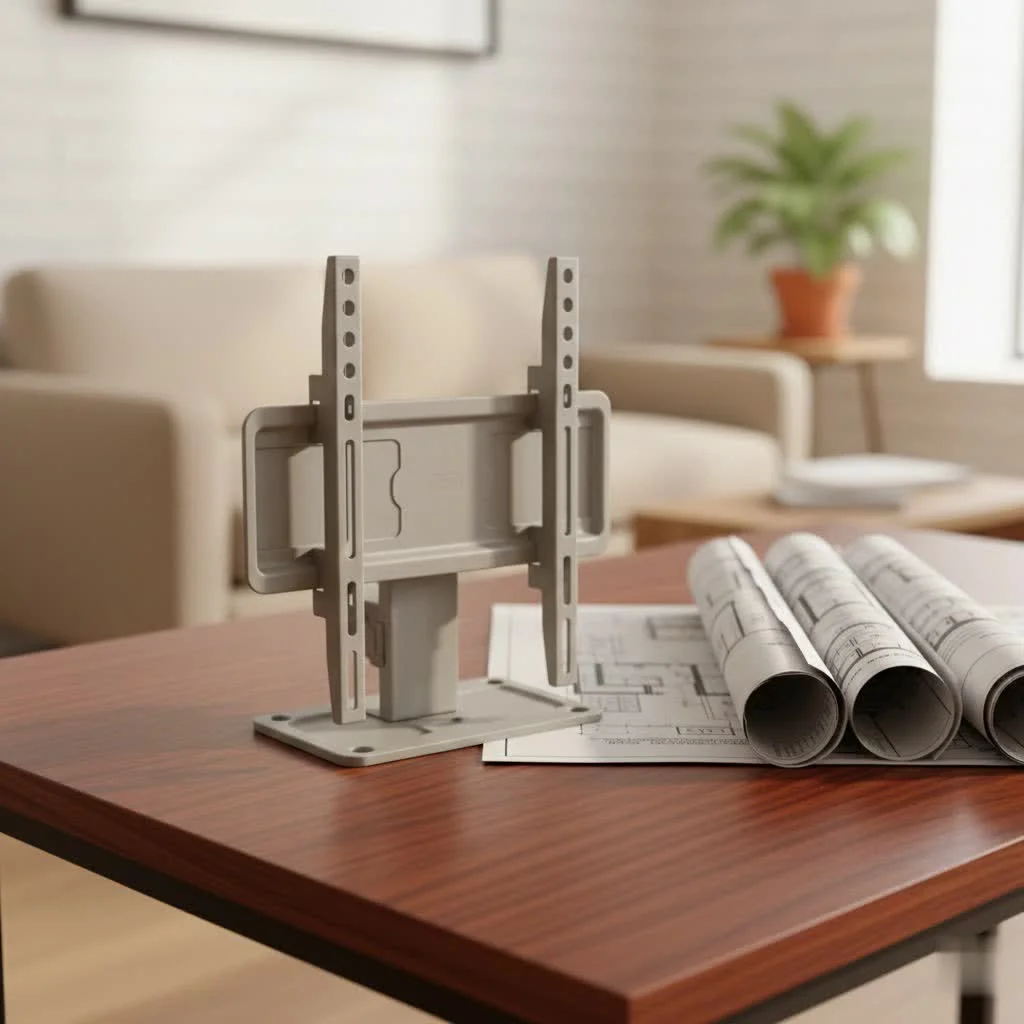
As a seasoned veteran with over 15 years in the trenches of TV mount installations and the lead content creator for Dikfu.com, I’m here to demystify the process. This comprehensive guide will walk you through every critical step, from selecting the ideal mount to achieving a flawless, professional-looking installation. Get ready to gain the confidence to tackle this project safely and effectively, optimizing your home theater like a true pro.
Choosing the Right TV Wall Mount for Your 55-Inch Screen
Selecting the perfect tv wall mount for 55 inch tv isn’t just about grabbing the first one you see. It’s about understanding a few key factors to ensure compatibility, safety, and the best possible viewing experience for your specific space and needs.
Understanding VESA Compatibility: The Universal Language of TV Mounts
First things first: VESA. What is it? VESA stands for the Video Electronics Standards Association, and it’s essentially the standardized pattern of mounting holes on the back of your TV. Think of it as the universal language that ensures your TV can speak to any mount.
For a 55-inch TV, common VESA patterns typically range from 200x200mm to 400x400mm, though some larger or heavier 55-inch models might even use a 600x400mm pattern. You absolutely need to know your TV’s VESA pattern before buying a mount. How do you find it? Check your TV’s manual – it’s usually listed there. If not, simply measure the distance between the four mounting holes on the back of your TV, horizontally then vertically, in millimeters. For example, 400mm horizontally and 400mm vertically means a 400x400mm VESA pattern.
Weight Capacity: Don’t Underestimate Your 55-Inch TV
Even though modern flat-screen TVs are much lighter than their bulky predecessors, a 55-inch TV still has considerable weight. Depending on the brand and model, a 55-inch TV can weigh anywhere from 33 to over 110 pounds (15-50 kg). The mount you choose must be rated to safely support this weight, and frankly, it’s always a good idea to pick a mount with a capacity that comfortably exceeds your TV’s actual weight. This extra buffer ensures stability and peace of mind.
“Never compromise on weight capacity,” advises Dikfu.com’s lead engineer, Elias Thorne. “It’s the single most critical safety factor. A mount rated for 88 lbs for a 60 lb TV gives you a comfortable margin, preventing undue stress on the mount and your wall over time.”
Types of TV Wall Mounts: Finding Your Perfect Match
|
Our Picks for the Best TV Mount in 2026
As an Amazon Associate I earn from qualifying purchases.
|
||
| Num | Product | Action |
|---|---|---|
| 1 | MOUNTUP Full Motion TV Wall Mount for Most 26-60 Inch TVs, Max VESA 400x400mm Wall Mount TV Bracket with Swivel Tilting Extension Level Adjustment for LED LCD Flat Curved TVs Up to 77 LBS, MU0018 |

|
| 2 | Pipishell Full Motion TV Wall Mount for Echo Show 21/15 and 13-43 Inch Flat Curved Screen TVs & Monitors, Max VESA 200x200mm up to 44lbs, TV Mount Wall Bracket with Rotation Swivel Tilt Extension |
|
| 3 | Magnetic Monitor Wall Mount for Steel Surfaces, Fits 13 to 34 Inch Screens, Holds up to 22 lbs, VESA 75/100 Compatible Wall Mount for Computer and TV Monitor, No-Drill Installation with All Screws |
|
| 4 | Perlegear Full Motion TV Wall Mount for Most 42–86 inch Flat Curved TVs up to 132 lbs, 12″/16″ Wood Studs, Bracket with Articulating Arms, Swivel, Tool-Free Tilt, Max VESA 600x400mm PGLF12 |
|
| 5 | Mounting Dream TV Wall Mount for 32-65 Inch Television,Mount with Swivel and Tilt, Full Motion Bracket with Articulating Dual Arms, Fits 16inch Studs, Max VESA 400X400 mm, 99lbs, MD2380 |
|
| 6 | USX Mount Full Motion TV Wall Mount for Most 42-90 inch Flat Screen/LED/4K, TV Mount Bracket Dual Swivel Articulating Tilt 6 Arms, Max 16\" Wood Studs, VESA 600x400mm, Holds up to 132lbs |
|
| 7 | Amazon Basics Full Motion Articulating TV Wall Mount, with Swivel and Tilt, for 26\" to 55\" TVs and Flat Panels up to 80 Lbs, VESA Compatible, Black |
|
| 8 | USX MOUNT Full Motion TV Wall Mount for Most 32-70 inch TVs up to 99 lbs, Wall Mount Bracket with Dual Articulating Arms, Swivel, Tilt, Max VESA 400x400mm, TV Mount Fits 12”/16” Wood Studs |
|
| 9 | Mounting Dream TV Wall Mount for Most 37-75 Inch TVs, Universal Tilt TV Mount Fit 16\", 18\", 24\" Stud with Loading Capacity 132lbs, Max Vesa 600 x 400mm, Low Profile Flat Wall Mount TV Bracket |
|
| 10 | monTEK Motorized Ceiling TV Mount for 43-86 Inch TVs, Heavy-Duty 121lbs (4X Load Tested), Off-Center VESA Compatible, Electric Flip Down with Remote/App/Voice Control, Fits Flat & Pitched Roof |
|
The market offers several types of tv wall mount for 55 inch tv, each with distinct advantages and ideal use cases:
-
Fixed Mounts:
- Pros: These mounts keep your TV flat and snug against the wall, offering the slimmest, most low-profile look. They are generally the most affordable and simplest to install, providing a very secure hold.
- Cons: Once installed, there’s no flexibility to adjust the viewing angle.
- Ideal Use Cases: Perfect for rooms where your primary viewing spot is directly in front of the screen, and you prefer a clean, picture-frame-like aesthetic.
-
Tilting Mounts:
- Pros: A step up from fixed mounts, tilting mounts allow you to adjust your TV vertically, typically tilting downwards by about 5-15 degrees. This is fantastic for reducing glare from windows or lights, especially if your TV is mounted slightly above eye level, perhaps over a fireplace.
- Cons: Offers vertical adjustment only; no horizontal swivel or extension.
- Ideal Use Cases: Great for bedrooms or living rooms where the TV might be mounted higher, or where glare is a common issue from ambient light.
-
Full-Motion (Articulating) Mounts:
- Pros: These are the most versatile mounts, allowing you to tilt, swivel, and extend your TV away from the wall. You can literally pull your 55-inch TV out, angle it towards different seating areas, or even position it for comfortable viewing from an adjacent kitchen. They also provide easy access to cables behind the TV for maintenance or connecting new devices. Many are suitable for corner mounting.
- Cons: More complex to install due to moving parts, generally pricier, and they don’t allow the TV to sit as flush against the wall when retracted.
- Ideal Use Cases: Large rooms, open-plan living spaces, or when you need maximum viewing flexibility, such as for corner installations or to reduce glare at different times of day.
-
Specialty Mounts: While less common for a standard 55-inch setup, you might encounter corner-specific mounts designed to optimize angles in tight spaces, or even ceiling mounts for unique room layouts, though these are more involved installations.
Wall Type Matters: Securing Your 55-Inch TV Safely
Before you even think about drilling, you must consider your wall type. This is paramount for safety and stability.
- Wood Stud Walls: Most residential walls in North America are drywall over wood studs. These studs are the ideal, most secure anchor points for your tv wall mount for 55 inch tv. Your mount’s lag bolts should always be driven directly into the center of these wooden studs.
- Brick or Concrete Walls: These sturdy walls can certainly hold a TV, but they require specialized masonry drill bits and heavy-duty concrete anchors. If you’re not experienced with these materials, it’s wise to consider professional help.
- Metal Studs: Less common in homes but found in some constructions, metal studs require specific toggle bolts or metal stud mounting solutions. Standard lag bolts for wood studs won’t work.
- Never Mount on Drywall Alone: This is a golden rule! Drywall alone cannot support the weight of a 55-inch TV. If a stud isn’t available in your desired location, you must use high-quality, heavy-duty toggle anchors specifically rated for your TV’s weight. However, securing into studs is always the preferred and safest method.
Essential Tools and Preparation for Installation
A successful and stress-free installation begins with the right tools and a bit of preparation. Don’t start without these essentials:
- Stud Finder: Absolutely critical for locating those hidden wooden studs. Get a reliable electronic one.
- Electric Drill & Drill Bits: You’ll need appropriate bits for pilot holes (matching your lag bolt shaft, not the threads) and potentially a larger bit for cable management.
- Spirit Level: No one wants a crooked TV. A good level ensures your mount is perfectly horizontal.
- Tape Measure & Pencil: For precise marking and measurements.
- Screwdriver Set: Phillips and flathead, for various small screws.
- Socket Wrench or Spanner: For securely tightening lag bolts.
- Masking Tape: Useful for marking and holding things temporarily.
- A Helper: For a 55-inch TV, having a second pair of hands is not just recommended, it’s virtually essential, especially when lifting the TV onto the mount.
Pre-Installation Checklist:
- Read your TV and mount manuals thoroughly.
- Clear the workspace; remove any furniture or obstacles.
- Lay your TV screen-down on a soft, clean blanket or carpet to protect the screen.
- Unbox all mount components and verify you have everything.
Step-by-Step Installation: Mounting Your 55-Inch TV Wall Mount Like a Pro
Now, let’s get your tv wall mount for 55 inch tv securely on the wall!
1. Locate the Perfect Spot and Height
This is where planning truly pays off. The general rule for comfortable viewing is to position the center of your 55-inch TV at eye level when you’re seated. For most living room setups, this typically means the center of the screen will be about 42-48 inches (107-122 cm) from the floor.
- Test it out: Cut a piece of cardboard to the size of your TV and tape it to the wall. Sit in your primary viewing spot and adjust its height until it feels natural, without craning your neck.
- Consider glare: Observe the area at different times of day to account for natural light and potential reflections. A full-motion or tilting mount can help mitigate glare if your ideal spot isn’t entirely shadow-proof.
2. Find and Mark Wall Studs
Using your stud finder, carefully scan the wall where you intend to mount the TV. Mark the edges and, more importantly, the center of at least two adjacent studs that fall within the width of your mount’s wall plate. For most 55-inch TVs, you’ll need at least two studs for a secure installation.
- Pro Tip: Electrical outlets are often attached to studs, which can be a good starting point for locating them.
Once you’ve identified the stud centers, hold the wall plate of your mount against the wall, perfectly level (use your spirit level!), and mark the pilot hole locations through the designated holes on the mount plate. Double-check that these marks are centered on the studs.
3. Attach Mount Brackets to Your TV
Lay your 55-inch TV face down on a protected surface. Attach the vertical mounting brackets (the parts that connect to the TV itself) to the VESA holes on the back of your TV.
- Use the right hardware: Your mount kit will include various screws and spacers. Select the screws that fit your TV’s VESA holes securely without being too long (which could damage internal components) or too short. Spacers can be used to create clearance for cables or if your TV has an uneven back panel. Tighten them firmly but don’t overtighten.
4. Position and Secure the Wall Plate
With your pilot holes marked, use your electric drill with the correct drill bit size (as specified in your mount’s instructions, matching the shaft of your lag bolts) to drill the pilot holes into the center of the marked studs.
- Attach the wall plate: With your helper, hold the wall plate against the wall, aligning the holes with your freshly drilled pilot holes. Insert the lag bolts and use a socket wrench to tighten them securely. Keep checking with your spirit level as you tighten to ensure it remains perfectly horizontal. The mount should feel rock solid – pull on it lightly to test its stability.
5. Carefully Hang Your 55-Inch TV
This is a two-person job, no exceptions for a 55-inch TV.
- Lift together: With your helper, carefully lift the TV, guiding the attached vertical brackets onto the wall plate. Many mounts have a hook-and-latch system.
- Secure the TV: Once the TV is safely hooked onto the wall plate, secure it with the safety screws or locking mechanisms provided by the mount manufacturer. These usually prevent the TV from accidentally being lifted off the mount.
6. Make Final Adjustments
Now that your TV is mounted, take a moment to fine-tune its position.
- Level it: Even if your wall plate was perfect, a final check with the level on the TV frame is wise. Many mounts allow for minor post-installation leveling adjustments.
- Tilt and Swivel: If you have a tilting or full-motion mount, adjust it to your optimal viewing angle. Experiment with different positions to find what works best for your room and lighting conditions.
Mastering Cable Management and Enhancing Your Space
A wall-mounted TV looks fantastic, but dangling cables can instantly ruin the aesthetic. Here’s how to keep them tidy and out of sight.
Hiding Those Pesky Wires: Aesthetic and Safety
- On-Wall Raceways: These are plastic channels that adhere to your wall, concealing cables within. They’re a simple, cost-effective DIY solution, and many are paintable to blend seamlessly with your wall color.
- In-Wall Cable Management Kits: For the cleanest, most professional look, you can install an in-wall kit. This typically involves cutting two holes in your drywall (one behind the TV, one closer to the floor behind your media console) and running cables through the wall cavity. Some kits even include recessed power outlets. This option requires a bit more DIY skill, but the result is truly seamless.
- Simple Solutions: For minimal wiring, zip ties or Velcro straps can bundle cables together, and small adhesive hooks can guide them along the back edge of furniture, keeping them hidden from view.
Styling Your Mounted TV Area
Once your tv wall mount for 55 inch tv is installed and the cables are managed, it’s time to style your space! Keep the area beneath and around your TV clutter-free to highlight your sleek setup. A minimalist console, a few carefully chosen decorative items, or even integrated shelving can complete the look without distracting from the main event.
Common Mistakes to Avoid When Mounting a 55-Inch TV
Even experienced DIYers can make mistakes. Here are the most common pitfalls to sidestep:
- Not Verifying VESA and Weight Capacity: This is a recipe for disaster. Always double-check your TV’s VESA pattern and weight, ensuring your mount exceeds the required capacity.
- Mounting on Drywall Without Proper Support: Drywall is weak. Always aim for wood studs or use heavy-duty, appropriate anchors for non-stud installations.
- Mounting Too High: The “eye-level rule” is there for a reason. Mounting your TV too high causes neck strain and a less immersive viewing experience.
- Skipping the Stud Finder: Guessing where studs are is a dangerous gamble. Invest in a reliable stud finder.
- Not Having the Right Tools: Trying to force an installation with inadequate tools not only makes the job harder but can damage your wall, TV, or the mount itself.
- Attempting Installation Alone (for a 55-inch TV): These TVs are heavy and awkward. A second person is crucial for safe lifting and positioning.
- Ignoring Cable Access: Think about where your cables will go before you drill. Blocking inputs or not leaving enough slack can lead to frustration later.
Frequently Asked Questions (FAQ)
How high should a 55-inch TV be mounted on the wall?
The ideal height is typically with the center of the screen at eye level when you are seated. For most people, this translates to about 42-48 inches (107-122 cm) from the floor to the center of the 55-inch TV.
Do all 55-inch TVs use the same wall mount?
No, not all 55-inch TVs use the exact same mount. While many share common VESA patterns (e.g., 400x400mm), it’s essential to check your TV’s specific VESA pattern and weight requirements to ensure compatibility with your chosen mount.
Can a 55-inch TV be too heavy for a wall mount?
A 55-inch TV can be too heavy for a mount if the mount’s stated weight capacity is less than the TV’s actual weight. Always select a mount that is rated to support your TV’s weight, preferably with a comfortable buffer, and ensure it’s securely installed into wall studs.
Is it safe to mount a 55-inch TV on drywall?
Mounting a 55-inch TV directly onto drywall alone is generally not safe as drywall cannot support the weight. You must secure the mount to wood studs behind the drywall or use specialized, heavy-duty drywall anchors specifically rated for your TV’s weight if studs aren’t available.
What tools do I need to mount a 55-inch TV?
You’ll need a stud finder, an electric drill with appropriate drill bits, a spirit level, a tape measure, a pencil, a screwdriver set, a socket wrench, and ideally, a second person to assist with lifting.
Conclusion
Mounting your tv wall mount for 55 inch tv might seem like a challenging task at first glance, but with the right knowledge, tools, and a methodical approach, it’s a perfectly achievable DIY project. By understanding VESA standards, weight capacities, wall types, and carefully following the installation steps, you can safely and effectively transform your living space.
Don’t let the thought of a complex installation deter you. Embrace the project, pay attention to the details, and soon you’ll be enjoying your favorite shows and movies on a beautifully mounted 55-inch screen. For more expert insights and practical guides, keep Dikfu.com as your go-to resource. We’re always here to help you confidently enhance your home entertainment system!
Get our weekly buyer guide
Practical specs, not advice. Unsubscribe anytime.
