In today’s dynamic living spaces, the humble television has evolved beyond a mere appliance; it’s a centerpiece, a portal to entertainment, and a crucial element of your home’s aesthetic. Gone are the days when a bulky TV stand was your only option. Now, the term “wall mount TV stand” often sparks a fascinating discussion, encompassing not just the practical brackets that secure your television to the wall, but also sophisticated wall-mounted furniture units, often called floating TV stands, designed to complement your display. Here at Dikfu, with over 15 years of hands-on experience, we’re dedicated to unraveling the complexities of these innovative solutions, helping you make the most informed decision for your home.
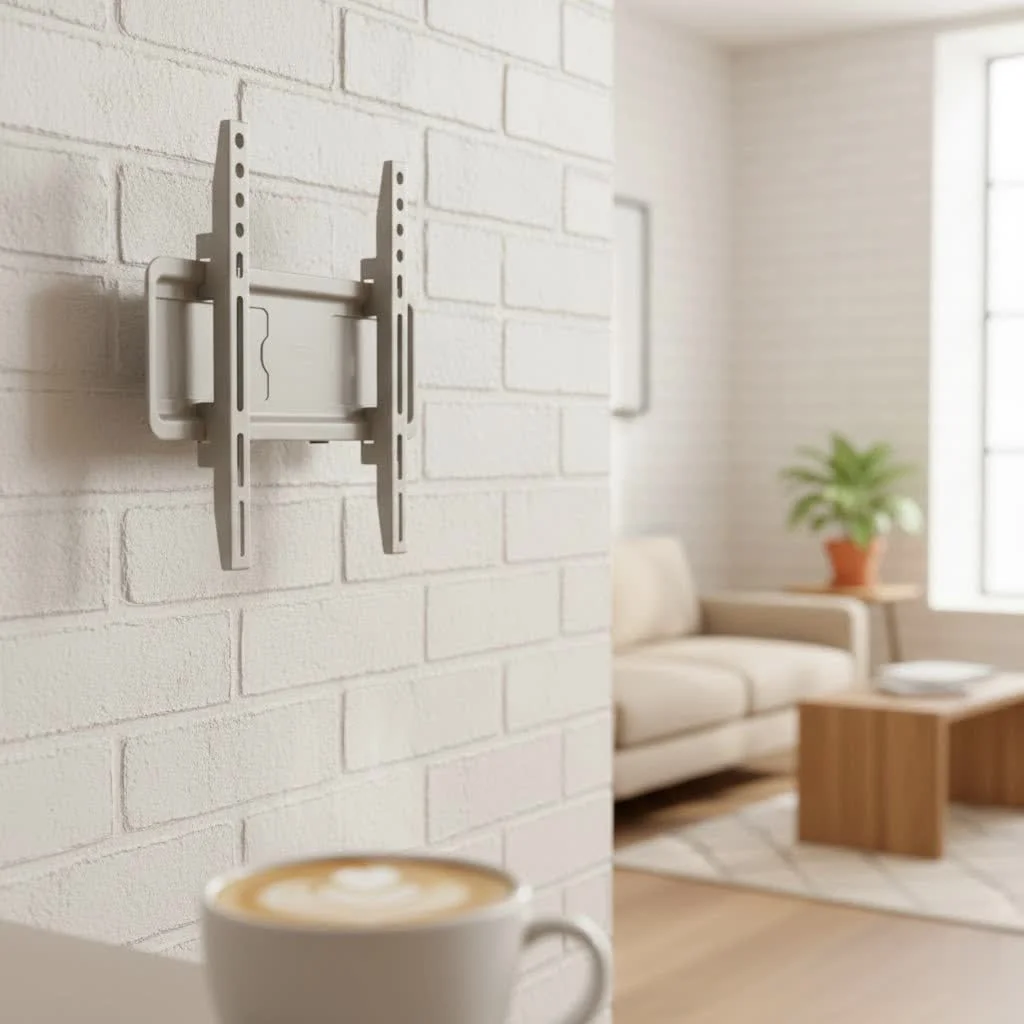
Whether you’re aiming for a minimalist, space-saving design or a fully integrated entertainment hub, understanding the nuances of wall-mounted TV solutions is key. This guide will walk you through everything, from identifying the perfect mount type to mastering a safe and secure installation.
Understanding Your Options: Beyond the Basic TV Stand
Choosing how to display your TV impacts your room’s layout, aesthetic, and functionality. Let’s break down the main contenders.
The Traditional TV Stand: Classic Comfort
For decades, the freestanding TV stand was the go-to. It’s a familiar piece of furniture that anchors your entertainment area.
- Pros:
- Ample Storage: Most traditional stands offer built-in shelves, drawers, or cabinets, perfect for housing gaming consoles, streaming devices, soundbars, and media collections.
- Easy Setup: No drilling into walls required; simply assemble the stand and place your TV on top.
- Mobility: You can easily move and rearrange a traditional TV stand, offering flexibility if you frequently redecorate or move homes.
- Cable Management: Often includes integrated channels or cutouts to help hide cables behind the unit.
- Cons:
- Takes Up Floor Space: Can make smaller rooms feel cramped and less open.
- Less Modern Aesthetic: While designs vary, they generally don’t offer the same sleek, floating look as wall-mounted options.
- Potential Tipping Hazard: If not properly secured, heavy TVs on traditional stands can pose a safety risk, especially in households with children or pets.
The TV Wall Mount (Bracket): The Space-Saving Minimalist
A true TV wall mount is a bracket that attaches your TV directly to the wall, leaving the floor space beneath completely clear.
- Pros:
- Maximizes Floor Space: Frees up valuable floor area, making rooms feel larger and less cluttered. This is particularly beneficial for small apartments or open-plan living areas.
- Sleek, Modern Aesthetic: Creates a clean, streamlined look, making your TV appear like a floating piece of art.
- Enhanced Safety: When securely fastened to wall studs, a wall-mounted TV is safely out of reach of children and pets, minimizing the risk of accidental tipping.
- Customizable Viewing Experience: Depending on the mount type, you can achieve optimal viewing angles, reducing glare and neck strain.
- Cons:
- Complex Installation: Requires drilling into wall studs and precise measurements, which can be daunting for DIY novices or renters.
- No Built-in Storage: The wall mount itself provides no storage for media devices, necessitating separate shelves or cabinets.
- Less Flexibility for Rearrangement: Once installed, repositioning the TV is a significant undertaking and may leave visible holes.
- Cable Management Challenges: Wires need careful planning—either run through the wall (which can be more involved) or concealed with external raceways.
The Floating TV Stand (Wall-Mounted Furniture Unit): The Best of Both Worlds
|
Our Picks for the Best TV Mount in 2026
As an Amazon Associate I earn from qualifying purchases.
|
||
| Num | Product | Action |
|---|---|---|
| 1 | USX Mount Full Motion TV Wall Mount for Most 42-90 inch Flat Screen/LED/4K, TV Mount Bracket Dual Swivel Articulating Tilt 6 Arms, Max 16\" Wood Studs, VESA 600x400mm, Holds up to 132lbs |

|
| 2 | Amazon Basics Full Motion Articulating TV Wall Mount, with Swivel and Tilt, for 26\" to 55\" TVs and Flat Panels up to 80 Lbs, VESA Compatible, Black |
|
| 3 | Mounting Dream TV Wall Mount for 32-65 Inch Television,Mount with Swivel and Tilt, Full Motion Bracket with Articulating Dual Arms, Fits 16inch Studs, Max VESA 400X400 mm, 99lbs, MD2380 |
|
| 4 | MOUNTUP Full Motion TV Wall Mount for Most 26-60 Inch TVs, Max VESA 400x400mm Wall Mount TV Bracket with Swivel Tilting Extension Level Adjustment for LED LCD Flat Curved TVs Up to 77 LBS, MU0018 |
|
| 5 | Magnetic Monitor Wall Mount for Steel Surfaces, Fits 13 to 34 Inch Screens, Holds up to 22 lbs, VESA 75/100 Compatible Wall Mount for Computer and TV Monitor, No-Drill Installation with All Screws |
|
| 6 | Pipishell Full Motion TV Wall Mount for Echo Show 21/15 and 13-43 Inch Flat Curved Screen TVs & Monitors, Max VESA 200x200mm up to 44lbs, TV Mount Wall Bracket with Rotation Swivel Tilt Extension |
|
| 7 | Mounting Dream TV Wall Mount for Most 37-75 Inch TVs, Universal Tilt TV Mount Fit 16\", 18\", 24\" Stud with Loading Capacity 132lbs, Max Vesa 600 x 400mm, Low Profile Flat Wall Mount TV Bracket |
|
| 8 | USX MOUNT Full Motion TV Wall Mount for Most 32-70 inch TVs up to 99 lbs, Wall Mount Bracket with Dual Articulating Arms, Swivel, Tilt, Max VESA 400x400mm, TV Mount Fits 12”/16” Wood Studs |
|
| 9 | Perlegear Full Motion TV Wall Mount for Most 42–86 inch Flat Curved TVs up to 132 lbs, 12″/16″ Wood Studs, Bracket with Articulating Arms, Swivel, Tool-Free Tilt, Max VESA 600x400mm PGLF12 |
|
| 10 | monTEK Motorized Ceiling TV Mount for 43-86 Inch TVs, Heavy-Duty 121lbs (4X Load Tested), Off-Center VESA Compatible, Electric Flip Down with Remote/App/Voice Control, Fits Flat & Pitched Roof |
|
This innovative solution combines the space-saving benefits of a wall mount with the practicality of a stand. A floating TV stand is a furniture unit that mounts directly to the wall, often with built-in shelving or cabinets underneath where your TV sits or is mounted just above it.
- Pros:
- Space-Saving Design: Elevates the unit off the floor, giving the illusion of more space and making cleaning easier.
- Modern & Integrated Aesthetic: Delivers a custom-built, high-end look that seamlessly integrates with your wall.
- Integrated Storage: Provides dedicated compartments for media devices, soundbars, and accessories, keeping your entertainment area organized and clutter-free.
- Simplified Cable Management: Often designed with internal channels to easily route and conceal cables, maintaining a sleek appearance.
- Cons:
- Requires Wall Mounting: Similar to a TV wall mount, installation involves drilling into studs and is a more permanent decision than a traditional stand.
- Limited Mobility: Once installed, it’s not easily moved or rearranged without significant effort and potential wall repair.
- Weight Capacity: You must ensure both the floating stand and the wall can safely support the weight of your TV and all your media components.
Diving Deeper: Types of TV Wall Mount Brackets
While a floating TV stand is a furniture unit, a standalone TV wall mount is a bracket, and these come in several key types, each offering different levels of flexibility.
Fixed Wall Mounts
- What they are: These mounts hold your TV flat and flush against the wall, providing the slimmest profile possible. Once installed, there’s no movement—your TV stays in one fixed position.
- Best for: Achieving a super clean, minimalist look in rooms where your viewing position is consistent, and glare isn’t an issue. They’re often the most budget-friendly option.
- Dikfu’s take: “Fixed mounts are fantastic for a truly integrated, ‘picture-frame’ aesthetic. Just ensure your viewing angle is perfect before installation, as there’s no going back easily!” – Dr. Ethan Reed, Dikfu’s Lead Installation Architect
Tilting Wall Mounts
- What they are: A step up from fixed mounts, tilting mounts allow you to adjust your TV vertically, typically by 5 to 15 degrees. This means you can angle the screen slightly down.
- Best for: Reducing glare from windows or overhead lighting, or when mounting your TV higher than eye level (e.g., above a fireplace or in a bedroom where you watch from bed).
- Dikfu’s take: This slight adjustment can significantly improve comfort and visibility, especially in rooms with dynamic lighting or varying viewing heights.
Swivel Wall Mounts
- What they are: Swivel mounts provide horizontal movement, allowing you to pivot your TV from side to side. Some also offer a degree of tilt.
- Best for: Rooms with multiple seating areas, or when you need to watch TV from an adjacent kitchen or dining space. They offer good flexibility without extending too far from the wall.
- Dikfu’s take: Ideal for open-concept layouts where a single TV needs to serve different zones.
Full-Motion (Articulating) Wall Mounts
- What they are: These are the most versatile mounts, featuring an arm that extends the TV away from the wall, allowing it to tilt, swivel, and sometimes even rotate.
- Best for: Maximizing viewing angles in complex room layouts, corner installations, or when you need frequent access to the TV’s rear ports for connecting devices.
- Dikfu’s take: While more complex to install and generally pricier, a full-motion mount offers unparalleled control over your viewing experience and simplifies cable access, which is a huge plus.
Choosing Your Perfect Wall Mount TV Stand: Key Considerations
Selecting the right wall mount TV stand, whether it’s a simple bracket or a floating furniture unit, involves several crucial factors.
TV Size and Weight: The Foundation of Safety
First and foremost, you need to ensure compatibility.
- VESA Standard: This is a universal mounting interface standard that defines the distance between the four mounting holes on the back of your TV (e.g., 200x200mm, 400x400mm). Your mount must match your TV’s VESA pattern. Check your TV manual or measure the horizontal and vertical distance between the holes.
- Weight Capacity: Every mount has a maximum weight it can safely support. Never exceed this limit. Always choose a mount that comfortably handles your TV’s weight.
Room Layout & Viewing Habits
- Floor Space: If space is at a premium, a wall mount or floating stand is the clear winner.
- Viewing Angles: Consider where you’ll be watching from. Do you need to adjust the TV for different seating positions or to avoid glare? This will dictate whether a fixed, tilting, swivel, or full-motion mount is best.
- Wall Type: Are your walls drywall with studs, concrete, or brick? This affects the installation process and the type of anchors required. Always ensure your wall can safely bear the weight.
Storage Needs
- Do you have multiple media devices (gaming consoles, soundbars, streaming boxes) that need a home?
- If so, a traditional TV stand or a floating TV stand with integrated storage is probably your best bet. If you opt for a simple wall mount bracket, plan for separate shelving.
Aesthetic Goals
- Minimalist: Fixed wall mount or a sleek floating stand.
- Modern & Dynamic: Full-motion mount or a stylish floating unit.
- Traditional: A well-chosen traditional stand can complement classic decor.
Installation Comfort & Budget
- DIY vs. Professional: Are you comfortable with power tools, finding studs, and precise measurements? If not, consider hiring a professional.
- Cost: Fixed mounts are generally the most affordable, while full-motion and motorized mounts, or elaborate floating furniture units, will be at the higher end.
Step-by-Step Installation: Securing Your Wall Mount TV Stand
Whether you’re installing a simple wall mount bracket or a floating furniture unit, the core principles of safe and secure wall mounting remain the same. Always remember, safety first!
Tools You’ll Need
Before you begin, gather these essentials:
- Stud finder (electronic is highly recommended)
- Power drill and appropriate drill bits (wood or masonry, depending on wall type)
- Spirit level (a larger one offers better accuracy)
- Tape measure
- Pencil for marking
- Safety glasses
- Philips head screwdriver
- Ratchet spanner (if your mount uses lag bolts)
- Masking or painter’s tape
- A helper (absolutely crucial for lifting the TV)
Preparation is Key
- Check VESA and Weight Capacity: Confirm your TV’s VESA pattern and weight, and ensure your chosen mount/stand matches these specifications.
- Determine Optimal Height: Experts generally recommend the center of your TV screen be at eye level when seated. A good rule of thumb is 42 to 60 inches from the floor, but test it out with a piece of cardboard the size of your TV, taping it to the wall and checking from your viewing position.
- Find Wall Studs (Crucial for Safety): Use a stud finder to locate the wooden or metal studs behind your drywall. Your mount must be securely fastened into at least two studs to safely support your TV’s weight. Mark the edges and center of each stud with a pencil.
- Mark Mounting Holes: Hold the wall plate of your mount (or the floating stand) against the wall at your desired height, ensuring it’s centered over the studs and perfectly level using your spirit level. Mark the exact points where you’ll drill pilot holes.
Mounting the Bracket/Floating Stand
- Drill Pilot Holes: Using your power drill and the appropriate drill bit (refer to your mount’s instructions for size), drill pilot holes at your marked spots. These holes should be slightly smaller than your lag bolts or screws.
- Secure the Wall Plate: Align the wall plate with the pilot holes. Insert the lag bolts or heavy-duty screws, tightening them securely into the wall studs. Do not overtighten, as this can strip the screws or damage the wall. The mount should be snug and immovable. For brick or concrete walls, you’ll need masonry drill bits and special anchors or concrete screws.
Attaching the TV
- Fix Brackets to Your TV: Carefully lay your TV face down on a soft, clean surface (like a blanket on a table). Attach the TV-side mounting brackets to the VESA holes on the back of your TV using the screws provided with your mount. Be careful not to overtighten and damage the TV chassis.
- Lift TV onto the Wall Plate (With a Helper!): This is where your helper comes in! With one person on each side, carefully lift the TV and hook or slide the TV brackets onto the wall plate.
- Secure TV to the Mount: Once the TV is hanging, follow your mount’s specific instructions to secure it, often involving tightening screws or engaging locking mechanisms to prevent it from accidentally being lifted off.
The Finishing Touches
- Cable Management: Now that your TV is up, it’s time to tackle those unsightly cables. Route them through the integrated channels of your floating stand, or use cable raceways or in-wall cable management kits for a seamless look.
- Final Checks: Give all connections and tightened bolts a quick check. Plug everything in, and enjoy your beautifully mounted TV!
Beyond the Mount: Cable Management and Aesthetics
A flawlessly mounted TV setup isn’t just about the hardware; it’s about the seamless integration into your living space. Unsightly cables can quickly detract from even the most perfect installation.
- Conceal with Confidence: For a truly professional look, consider in-wall cable routing, especially if you’re comfortable with a bit of drywall work. Alternatively, discreet cable raceways or covers can be painted to match your wall, providing an effective solution without major renovation.
- Decorate with Purpose: Integrate your wall-mounted TV into your decor. Floating shelves can be placed strategically around the TV to house media devices and decorative items, maintaining a clean yet functional space. Wall art or carefully chosen lighting can also frame your TV, transforming it from a black rectangle into a cohesive design element when not in use.
“The beauty of a well-executed wall mount TV stand isn’t just in its functionality, but in how it enhances the entire room. Thoughtful cable management and complementary decor can elevate your entertainment area from functional to truly breathtaking.” – Dr. Ethan Reed, Dikfu’s Lead Installation Architect
Common Mistakes to Avoid for a Flawless Setup
Even with the best intentions, missteps can happen. Here are common errors to watch out for:
- Not Finding Studs: Attaching a TV mount directly to drywall without anchoring into studs is a recipe for disaster. The wall simply won’t support the weight, leading to a fallen TV and damaged wall.
- Incorrect Height: Mounting your TV too high can cause neck strain and an uncomfortable viewing experience. Always aim for eye-level when seated.
- Overtightening Screws: This can strip screw heads, damage your TV’s chassis, or weaken the wall anchor, compromising the mount’s security. Tighten until snug, then add a quarter turn.
- Ignoring VESA Standards: A mismatch between your TV’s VESA pattern and your mount’s compatibility means the brackets won’t align, making installation impossible.
- Trying to Install Alone: Lifting a large, flat-screen TV is an awkward and potentially dangerous task for one person. Always enlist a helper to ensure safety and prevent damage.
Conclusion
Choosing the right “wall mount TV stand” for your home is a significant decision, influencing both your daily entertainment and the overall feel of your living space. From the sleek simplicity of a fixed wall mount to the integrated storage of a floating console, each option offers unique advantages. By understanding the types, considering your specific needs, and following a meticulous installation process, you can transform your viewing experience and achieve a stunning, space-optimized setup.
Empower yourself to create a truly integrated and aesthetically pleasing home entertainment system. For more expert advice, detailed guides, and trusted insights into all things TV mounting, visit Dikfu.com – your premier resource for elevating your home entertainment.
Get our weekly buyer guide
Practical specs, not advice. Unsubscribe anytime.
