Welcome to Dikfu.com, your ultimate resource for home entertainment upgrades! As an expert with over 15 years in the field, I’ve seen countless setups, from simple fixed installations to complex multi-articulating systems. Today, we’re diving deep into the world of Samsung TV mount solutions to help you elevate your viewing experience safely and stylishly. Whether you’re aiming for a minimalist look or maximum viewing flexibility, choosing the right Samsung TV mount is crucial. Let’s get your screen off the stand and onto the wall, the Dikfu way!
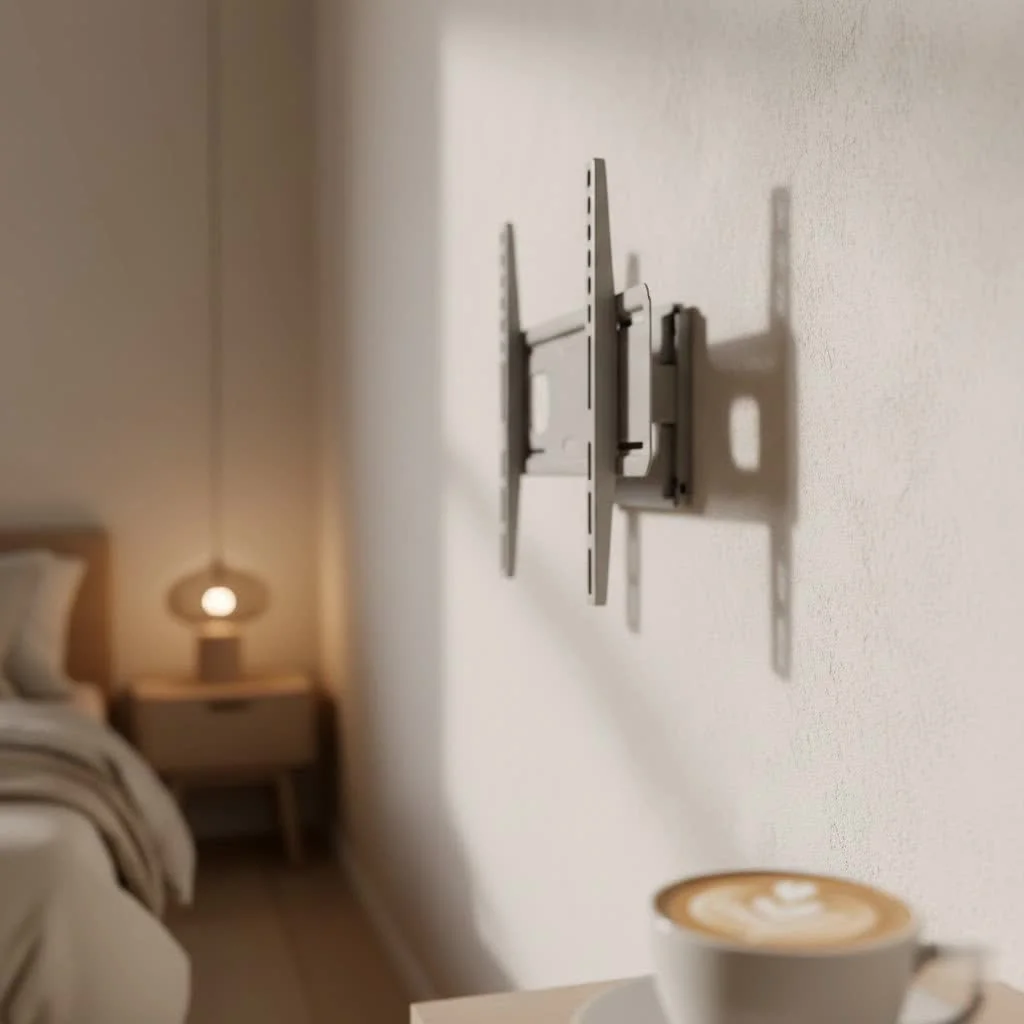
Understanding Samsung TV Mount Compatibility: VESA, Size, and Weight
Before you even think about drilling, the first step to a successful Samsung TV mount installation is understanding compatibility. This isn’t just about making sure the holes line up; it’s about ensuring stability and safety for your valuable television.
The VESA Standard: Your Key to Compatibility
When we talk about compatibility for any Samsung TV mount, the Video Electronics Standards Association (VESA) standard is king. VESA defines the standard pattern of mounting holes on the back of your TV and on the wall mount itself.
So, what is VESA? It’s simply the distance between the mounting holes on the back of your TV, measured horizontally and then vertically in millimeters (e.g., 200x200mm, 400x400mm). To find your Samsung TV’s VESA pattern, I always recommend checking your TV’s user manual first. If that’s gone, you can usually find it in the product specifications on Samsung’s website, or simply measure the distances yourself. Take a measuring tape and measure from the center of one hole to the center of another.
Common VESA patterns for Samsung TVs vary greatly depending on the screen size, from smaller patterns like 75x75mm or 100x100mm for compact models, up to larger ones like 400x400mm or even 600x400mm for bigger screens. Ensuring your Samsung TV mount matches this pattern is non-negotiable for a secure fit.
Matching Mount to TV Size and Weight
Beyond VESA, the physical dimensions and weight of your Samsung TV are equally vital. Every Samsung TV mount comes with a specified weight capacity and screen size range it can safely support.
Why do size and weight matter so much for safety? Overloading a mount can lead to catastrophic failure, damaging your TV and potentially causing injury. Always choose a mount that comfortably exceeds your TV’s weight. For example, if your 55-inch Samsung TV weighs 40 lbs, opt for a mount rated for at least 60-70 lbs. This provides a crucial safety margin.
Checking the mount specifications is easy; manufacturers clearly state the maximum weight and screen size (e.g., “fits 42-inch to 80-inch TVs, up to 120 lbs”). Don’t guess – verify these numbers to protect your investment.
Types of Samsung TV Mounts: Finding Your Perfect Fit
The market offers a diverse range of Samsung TV mount types, each designed to serve different aesthetic preferences and functional needs. Let’s break down the most popular options.
Fixed Wall Mounts: The Sleek, Flush Look
|
Our Picks for the Best TV Mount in 2026
As an Amazon Associate I earn from qualifying purchases.
|
||
| Num | Product | Action |
|---|---|---|
| 1 | USX Mount Full Motion TV Wall Mount for Most 42-90 inch Flat Screen/LED/4K, TV Mount Bracket Dual Swivel Articulating Tilt 6 Arms, Max 16\" Wood Studs, VESA 600x400mm, Holds up to 132lbs |

|
| 2 | MOUNTUP Full Motion TV Wall Mount for Most 26-60 Inch TVs, Max VESA 400x400mm Wall Mount TV Bracket with Swivel Tilting Extension Level Adjustment for LED LCD Flat Curved TVs Up to 77 LBS, MU0018 |
|
| 3 | Amazon Basics Full Motion Articulating TV Wall Mount, with Swivel and Tilt, for 26\" to 55\" TVs and Flat Panels up to 80 Lbs, VESA Compatible, Black |
|
| 4 | monTEK Motorized Ceiling TV Mount for 43-86 Inch TVs, Heavy-Duty 121lbs (4X Load Tested), Off-Center VESA Compatible, Electric Flip Down with Remote/App/Voice Control, Fits Flat & Pitched Roof |
|
| 5 | Perlegear Full Motion TV Wall Mount for Most 42–86 inch Flat Curved TVs up to 132 lbs, 12″/16″ Wood Studs, Bracket with Articulating Arms, Swivel, Tool-Free Tilt, Max VESA 600x400mm PGLF12 |
|
| 6 | USX MOUNT Full Motion TV Wall Mount for Most 32-70 inch TVs up to 99 lbs, Wall Mount Bracket with Dual Articulating Arms, Swivel, Tilt, Max VESA 400x400mm, TV Mount Fits 12”/16” Wood Studs |
|
| 7 | Pipishell Full Motion TV Wall Mount for Echo Show 21/15 and 13-43 Inch Flat Curved Screen TVs & Monitors, Max VESA 200x200mm up to 44lbs, TV Mount Wall Bracket with Rotation Swivel Tilt Extension |
|
| 8 | Mounting Dream TV Wall Mount for 32-65 Inch Television,Mount with Swivel and Tilt, Full Motion Bracket with Articulating Dual Arms, Fits 16inch Studs, Max VESA 400X400 mm, 99lbs, MD2380 |
|
| 9 | Magnetic Monitor Wall Mount for Steel Surfaces, Fits 13 to 34 Inch Screens, Holds up to 22 lbs, VESA 75/100 Compatible Wall Mount for Computer and TV Monitor, No-Drill Installation with All Screws |
|
| 10 | Mounting Dream TV Wall Mount for Most 37-75 Inch TVs, Universal Tilt TV Mount Fit 16\", 18\", 24\" Stud with Loading Capacity 132lbs, Max Vesa 600 x 400mm, Low Profile Flat Wall Mount TV Bracket |
|
If you’re seeking a minimalist, picture-frame-like aesthetic where your Samsung TV sits as close to the wall as possible, a fixed wall mount is your go-to choice.
Pros: These mounts offer the slimmest profile, leaving almost no gap between the television and the wall. They are incredibly sturdy, easy to install, and generally the most affordable option. Fixed mounts are perfect for spaces where your viewing angle is consistent and direct, like a living room with a dedicated seating area.
Tilting Wall Mounts: Reducing Glare, Enhancing Comfort
For those situations where your Samsung TV needs a slight angle adjustment, perhaps to counter glare from a window or to improve viewing from a slightly lower position (like over a fireplace), a tilting wall mount is ideal.
Pros: Tilting mounts allow you to adjust the vertical angle of your TV, usually by about 5 to 15 degrees up or down. This small adjustment can make a big difference in reducing reflections and providing a more comfortable viewing angle, especially if your TV is mounted higher than eye-level.
Full-Motion (Articulating) Wall Mounts: Ultimate Flexibility
When maximum flexibility is your priority, a full-motion, or articulating, Samsung TV mount is the answer. These mounts extend from the wall and can swivel horizontally, tilt vertically, and sometimes even rotate.
Pros: With a full-motion mount, you can pull your Samsung TV away from the wall, turn it to face different areas of a room, or even pivot it for viewing from an adjacent kitchen. They are perfect for open-plan living spaces, corner installations, or bedrooms where you might want to watch TV from various positions. While they are typically more complex to install and pricier, the versatility they offer is unmatched.
Specialized Samsung Mounts: No Gap and Slim Fit
Samsung, ever focused on design integration, offers specific mount solutions for certain TV models to achieve an exceptionally clean aesthetic.
No Gap Wall Mount: For QLED/Frame TVs
The Samsung No Gap Wall Mount is a revolutionary design specifically for select QLED and The Frame TVs. As the name suggests, it allows these TVs to sit incredibly flush against the wall, creating an art-like appearance. This mount minimizes the gap to mere millimeters, making your TV blend seamlessly into your decor. It’s perfect for achieving that premium, gallery-like look that these Samsung models are known for.
Slim Fit Wall Mount: Modern, Minimalist Look
The Samsung Slim Fit Wall Mount is another fantastic option for modern Samsung TVs. It’s designed to securely attach your TV flush against the wall while cleverly providing just enough space behind the TV for the One Connect Box cable and other necessary connections. This mount creates a minimalist look that complements any contemporary decor, offering a sleek profile without compromising on essential connectivity.
Step-by-Step Installation Guide for Your Samsung TV Mount
Ready to get hands-on? Installing a Samsung TV mount can be a rewarding DIY project, but it requires precision and safety. Here’s how Dikfu.com recommends you proceed.
Essential Tools You’ll Need
Before you start, gather your toolkit. Having everything ready streamlines the process:
- Stud Finder: Absolutely crucial for locating wall studs.
- Carpenter’s Level: To ensure your mount (and TV) is perfectly straight.
- Power Drill & Drill Bits: For creating pilot holes.
- Phillips Head Screwdriver / Socket Wrench: Depending on your mount’s hardware.
- Pencil: For marking measurements.
- Measuring Tape: For accurate placement.
- Safety Goggles: Always protect your eyes.
- Universal TV Mounting Screws/Spacers: (If not provided or if you need specific lengths).
- Assistance: A friend or family member for lifting the TV.
Pre-Installation Checklist: Safety First!
This is where experience truly pays off. Don’t skip these vital checks:
- Confirm VESA & Weight Capacity: Double-check that your Samsung TV mount is compatible with your TV’s VESA pattern and can safely support its weight. This step prevents future regrets!
- Identify Wall Studs: Use your stud finder to accurately locate and mark the center of at least two, preferably three, adjacent wall studs. Mounting directly into drywall is a recipe for disaster. These studs are the strong anchor points for your mount.
- Determine Optimal Height: Sit on your couch and have someone hold the TV (or a cutout of its size) against the wall. The middle of the screen should ideally be at eye level. Mark this position.
- “Always have a helper!”: This isn’t a suggestion; it’s a non-negotiable safety rule. Modern Samsung TVs are thin but can be surprisingly heavy and awkward to handle, especially larger models. Never attempt to lift and attach the TV to the mount alone.
Mounting the Bracket to the Wall
- Position and Mark: Hold the wall bracket against the wall at your desired height, ensuring it’s level using your carpenter’s level. Use your pencil to mark the exact locations for drilling pilot holes, aligning them with the center of the studs.
- Drill Pilot Holes: Carefully drill pilot holes into the marked stud locations. The drill bit size should be slightly smaller than the mounting lag bolts, as specified in your mount’s instructions. Drill slowly and steadily.
- Secure the Bracket: Attach the wall bracket to the wall using the lag bolts and washers provided. Use your socket wrench or drill to tighten them securely. Do not overtighten, but ensure there’s no wobble. Give it a good tug – it should feel rock solid.
Attaching Your Samsung TV to the Mount
- Attach TV Brackets: Secure the vertical mounting brackets to the back of your Samsung TV using the appropriate VESA screws and spacers (if needed). Refer to your TV manual for the correct screw length.
- Carefully Lift and Hook: With your helper, carefully lift your Samsung TV and hook the attached TV brackets onto the wall mount. Most mounts have a safety locking mechanism.
- Secure and Level: Once the TV is on the mount, engage any safety locks. Use your level one last time to make minor horizontal adjustments (many mounts allow for this) to ensure your TV is perfectly straight.
Cable Management & Aesthetic Tips for a Clean Setup
A beautifully mounted Samsung TV can quickly lose its appeal with a tangle of wires dangling beneath it. Clean cable management is essential for a polished look.
Hiding Wires: In-Wall vs. Surface Solutions
- In-Wall Cable Management: For the cleanest look, consider an in-wall cable management kit. These kits allow you to safely route power and AV cables behind your drywall, emerging near your entertainment console. Always check local electrical codes, especially for power cables.
- Surface Cable Raceways: If you prefer a less invasive solution, paintable cable raceways can be attached to the wall. They neatly conceal cables and can blend into your wall color.
- Samsung One Connect Box: If your Samsung TV (especially many QLED and Frame models) features a One Connect Box, this simplifies cable management significantly. Only a single, thin “Invisible Connection” cable runs from the TV to the One Connect Box, which then houses all your other devices. This makes hiding wires much easier.
Achieving a Seamless Look
Beyond hiding wires, consider these tips:
- Utilize One Connect Box: If your TV has it, position the One Connect Box in an enclosed cabinet to further reduce visible clutter.
- Wireless Accessories: Opt for wireless soundbars, subwoofers, and gaming controllers to minimize the number of cables.
- Cable Ties and Sleeves: Even if cables are exposed, use cable ties or fabric sleeves to bundle them neatly together, reducing visual chaos.
Common Samsung TV Mount Installation Mistakes and How to Avoid Them
Even seasoned DIYers can make mistakes. Here are some of the most common pitfalls when installing a Samsung TV mount and how to sidestep them:
- Not Checking VESA/Weight Capacity: This is by far the biggest error. Always confirm compatibility before you buy and before you install. A mismatch can lead to a damaged TV or worse.
- Not Locating Studs Correctly: Relying on drywall anchors for a heavy TV is dangerous. Always mount into solid wood studs. Use a reliable stud finder and even confirm with a small test drill if unsure.
- Trying to Install Alone: As mentioned, lifting a TV is a two-person job. Don’t risk injury or dropping your TV. Enlist help!
- Ignoring Cable Management Early On: Planning for cable routing after the TV is mounted can be a nightmare. Think about how you’ll manage cables before you even drill the first hole.
- Mounting Too High: While tempting to get it out of the way, mounting your TV too high strains your neck. Aim for the center of the screen to be at eye level when seated.
- Not Using a Level: A crooked TV mount will always look off. A simple carpenter’s level is your best friend for a perfectly horizontal installation.
Expert Advice from Dikfu.com
“Installing a Samsung TV mount is more than just hanging a screen; it’s about integrating technology seamlessly into your living space,” says Liam Anderson, Dikfu.com Lead Installer. “The details, like verifying VESA patterns and diligently finding studs, are what separate a quick hack from a professional, long-lasting installation. Take your time, get the right tools, and never underestimate the value of an extra pair of hands.”
Frequently Asked Questions (FAQ) about Samsung TV Mounts
Here are some common questions we get at Dikfu.com about mounting Samsung TVs:
Q1: Can any TV mount work with a Samsung TV?
A1: While many universal mounts are compatible with Samsung TVs, it’s essential to check the VESA pattern, weight capacity, and screen size range of the mount against your specific Samsung TV model. Samsung also offers specialized mounts like the No Gap and Slim Fit for optimal aesthetic integration with certain models.
Q2: How do I find my Samsung TV’s VESA size?
A2: You can find your Samsung TV’s VESA pattern in its user manual, on Samsung’s product specifications page for your model, or by measuring the horizontal and vertical distance between the mounting holes on the back of your TV in millimeters.
Q3: Are Samsung’s “No Gap” or “Slim Fit” mounts necessary?
A3: No, they are not strictly “necessary” as many standard VESA-compliant mounts will work. However, for specific Samsung QLED or Frame TVs, the No Gap and Slim Fit mounts are specifically designed to achieve an ultra-flush, minimalist aesthetic that standard mounts cannot replicate, offering a superior look.
Q4: What tools do I need to install a Samsung TV mount?
A4: Key tools include a stud finder, carpenter’s level, power drill with appropriate bits, Phillips head screwdriver or socket wrench, pencil, and a measuring tape. Safety goggles are also recommended. Always have a helper for lifting the TV.
Q5: Is it safe to install a TV mount by myself?
A5: While the drilling and bracket installation can often be done by one person, never attempt to lift and attach the Samsung TV to the mount alone. TVs are heavy and cumbersome, making it a critical two-person job to prevent injury and damage to your TV.
Q6: How can I hide cables after mounting my Samsung TV?
A6: You can hide cables using in-wall cable management kits for a fully concealed look or use surface-mounted cable raceways that can be painted to match your wall. If your Samsung TV has a One Connect Box, this greatly simplifies cable management by reducing the number of wires to a single “Invisible Connection” cable.
Q7: What’s the best type of mount for a Samsung Frame TV?
A7: For a Samsung Frame TV, the dedicated Samsung No Gap Wall Mount is highly recommended. It’s specifically designed to allow the TV to sit flush against the wall, perfectly mimicking a piece of art and maximizing the unique aesthetic of The Frame.
Elevate Your Viewing Experience with the Right Samsung TV Mount
Mounting your Samsung TV is a fantastic way to reclaim floor space, achieve a cleaner aesthetic, and optimize your viewing angles. By understanding VESA compatibility, choosing the right type of Samsung TV mount, and following safe installation practices, you can confidently transform your home entertainment setup. At Dikfu.com, we believe that with the right guidance, anyone can achieve a professional-looking installation. So, go ahead, choose wisely, mount confidently, and enjoy your beautifully integrated Samsung TV!
Get our weekly buyer guide
Practical specs, not advice. Unsubscribe anytime.
