Let’s face it, your TV isn’t just a screen; it’s the centerpiece of your entertainment world. But are you truly getting the most out of it? If your viewing angles are limited, glare is a constant battle, or you wish your TV could just… move, then an articulating TV mount is precisely what you need. As a seasoned expert from Dikfu.com with over 15 years in the trenches of TV installation, I can tell you that this type of mount offers unparalleled flexibility, transforming your living space and your viewing experience.
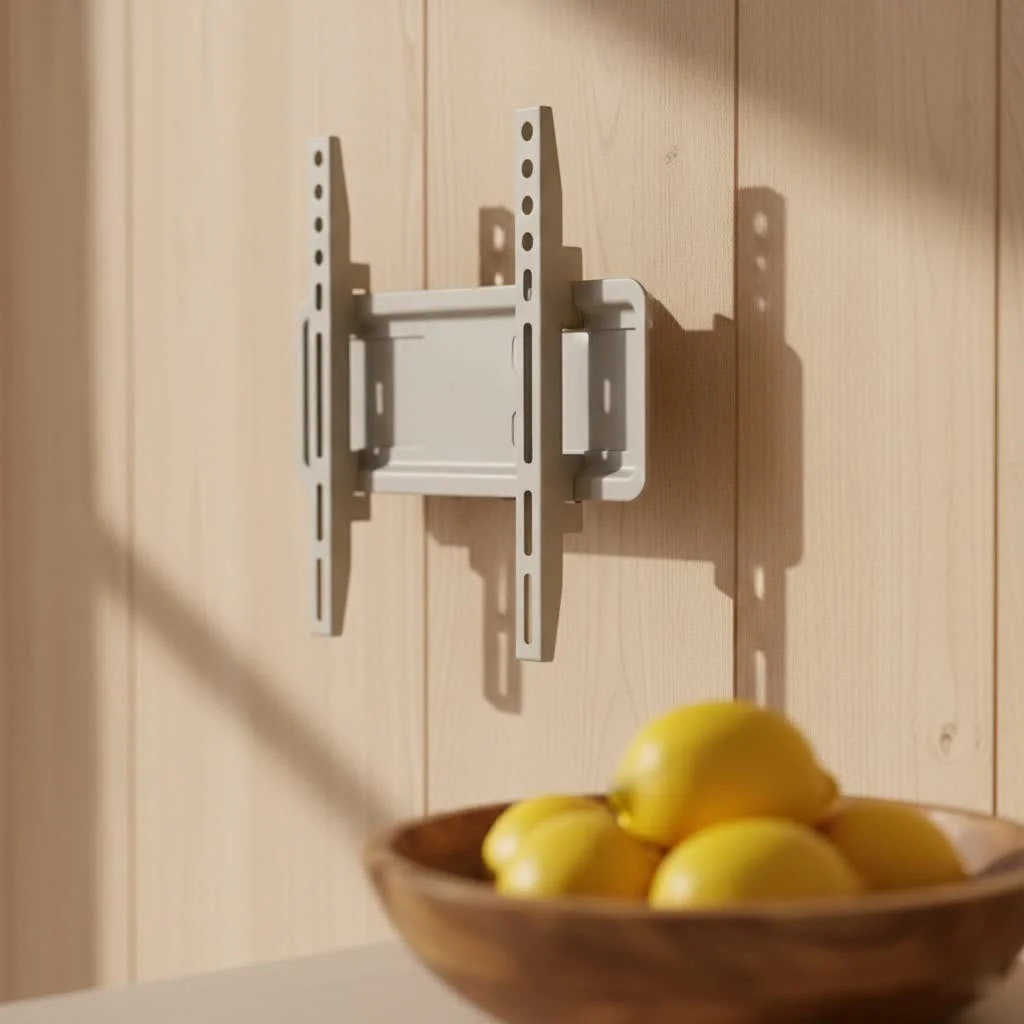
An articulating TV mount, often referred to as a full-motion mount, is a game-changer because it allows your TV to extend away from the wall, swivel side-to-side, and tilt up or down. Unlike static fixed mounts or simple tilting options, an articulating mount gives you complete command over your TV’s position. This means you can effortlessly pull your TV out, angle it towards the kitchen while you cook, or swivel it to avoid window glare during a sunny afternoon movie session. For browse all tv mounts articles on this site.
Why an Articulating TV Mount is a Must-Have for Modern Homes
Choosing an articulating TV mount isn’t just about hanging your television; it’s about upgrading your entire home entertainment ecosystem. Here’s why I advocate for them so strongly:
Unmatched Viewing Angles from Any Spot
Imagine being able to watch your favorite show comfortably from the sofa, then easily pivot the screen to be perfectly visible from your dining table or even a corner armchair. That’s the power of an articulating TV mount. It eliminates the “bad seat” in the house, ensuring everyone gets a prime view, no matter where they are in the room. This flexibility is especially valuable in open-plan living spaces.
Perfect for Multi-Purpose Rooms and Open Layouts
Today’s homes often feature flexible, open-concept designs. An articulating TV mount thrives in these environments. You can orient your TV for different activities – a family movie night, a gaming session, or even as a backdrop for a party. It adapts to your life, not the other way around.
Ergonomic Benefits and Glare Reduction
Are you constantly craning your neck or squinting at reflections? An articulating mount lets you adjust the TV to eye-level and away from direct light sources. This not only makes for more comfortable viewing but also significantly reduces eye strain and annoying glare, enhancing picture quality. “Proper TV height and angle can prevent neck and back strain, making your viewing hours far more enjoyable,” advises our lead ergonomic specialist at Dikfu.com, Anya Sharma.
Easy Access for Cable Management and Upgrades
|
Our Picks for the Best TV Mount in 2026
As an Amazon Associate I earn from qualifying purchases.
|
||
| Num | Product | Action |
|---|---|---|
| 1 | Mounting Dream TV Wall Mount for 32-65 Inch Television,Mount with Swivel and Tilt, Full Motion Bracket with Articulating Dual Arms, Fits 16inch Studs, Max VESA 400X400 mm, 99lbs, MD2380 |

|
| 2 | Mounting Dream TV Wall Mount for Most 37-75 Inch TVs, Universal Tilt TV Mount Fit 16\", 18\", 24\" Stud with Loading Capacity 132lbs, Max Vesa 600 x 400mm, Low Profile Flat Wall Mount TV Bracket |
|
| 3 | Amazon Basics Full Motion Articulating TV Wall Mount, with Swivel and Tilt, for 26\" to 55\" TVs and Flat Panels up to 80 Lbs, VESA Compatible, Black |
|
| 4 | USX Mount Full Motion TV Wall Mount for Most 42-90 inch Flat Screen/LED/4K, TV Mount Bracket Dual Swivel Articulating Tilt 6 Arms, Max 16\" Wood Studs, VESA 600x400mm, Holds up to 132lbs |
|
| 5 | Pipishell Full Motion TV Wall Mount for Echo Show 21/15 and 13-43 Inch Flat Curved Screen TVs & Monitors, Max VESA 200x200mm up to 44lbs, TV Mount Wall Bracket with Rotation Swivel Tilt Extension |
|
| 6 | monTEK Motorized Ceiling TV Mount for 43-86 Inch TVs, Heavy-Duty 121lbs (4X Load Tested), Off-Center VESA Compatible, Electric Flip Down with Remote/App/Voice Control, Fits Flat & Pitched Roof |
|
| 7 | Perlegear Full Motion TV Wall Mount for Most 42–86 inch Flat Curved TVs up to 132 lbs, 12″/16″ Wood Studs, Bracket with Articulating Arms, Swivel, Tool-Free Tilt, Max VESA 600x400mm PGLF12 |
|
| 8 | Magnetic Monitor Wall Mount for Steel Surfaces, Fits 13 to 34 Inch Screens, Holds up to 22 lbs, VESA 75/100 Compatible Wall Mount for Computer and TV Monitor, No-Drill Installation with All Screws |
|
| 9 | USX MOUNT Full Motion TV Wall Mount for Most 32-70 inch TVs up to 99 lbs, Wall Mount Bracket with Dual Articulating Arms, Swivel, Tilt, Max VESA 400x400mm, TV Mount Fits 12”/16” Wood Studs |
|
| 10 | MOUNTUP Full Motion TV Wall Mount for Most 26-60 Inch TVs, Max VESA 400x400mm Wall Mount TV Bracket with Swivel Tilting Extension Level Adjustment for LED LCD Flat Curved TVs Up to 77 LBS, MU0018 |
|
One of the unsung heroes of the articulating TV mount is the sheer ease it provides for accessing the back of your TV. No more fumbling blindly for ports! Want to plug in a new gaming console, swap out an HDMI cable, or even just dust? Simply pull the TV out, make your adjustments, and push it back into place. This also makes future cable management a breeze.
Choosing the Right Articulating TV Mount: A Dikfu.com Expert’s Checklist
Selecting the perfect articulating TV mount might seem daunting with so many options available. But with a little guidance, you’ll find the ideal match for your television and your home. Here’s what I always tell my clients to consider:
Understanding Your TV’s Specifications (Size, Weight, VESA)
First and foremost, you need to know your TV.
- TV Size: Mounts are rated for certain screen sizes (e.g., 32-65 inches). While this is a good guideline, it’s not the most critical factor.
- TV Weight: This is paramount for safety. Your mount MUST be rated to safely hold your TV’s weight. Overlooking this is a recipe for disaster.
- VESA Pattern: This is the distance between the four mounting holes on the back of your TV, measured in millimeters (e.g., 200x200mm, 400x400mm). Every mount will list its compatible VESA patterns. Check your TV manual or measure them yourself. “Always double-check your TV’s VESA pattern and weight against the mount’s specifications,” stresses Michael Chen, a Dikfu.com installation veteran. “It’s the golden rule of safe TV mounting.”
Wall Type Matters: Studs, Drywall, or Masonry?
The type of wall you have dictates how you’ll install your articulating TV mount and what kind of hardware you’ll need.
- Wood Studs: The most common and secure option. Most mounts are designed to bolt directly into wood studs.
- Metal Studs: Requires special toggle bolts or anchors. Consult an expert if unsure.
- Concrete/Brick (Masonry): Requires a masonry drill bit and specific concrete anchors. Very secure when done correctly.
- Drywall (without studs): Generally, I strongly advise against mounting a heavy articulating TV mount directly into drywall without hitting studs. The dynamic motion of an articulating mount puts immense stress on the wall, and drywall alone cannot safely support it. If studs aren’t an option, consider a sturdy ceiling mount or a freestanding TV stand.
Extension, Swivel, and Tilt Ranges: What Do You Need?
Think about how much movement you’ll truly use.
- Extension: How far do you need the TV to pull out from the wall? If you’re mounting it in a recessed area or want it to reach a specific viewing angle in a large room, a longer extension arm is crucial.
- Swivel: How many degrees of horizontal rotation do you need? Some mounts offer 180 degrees, allowing the TV to face almost perpendicular to the wall.
- Tilt: Essential for reducing glare and achieving optimal vertical viewing angles, especially if the TV is mounted high.
Build Quality and Weight Capacity: Safety First!
Don’t skimp on quality for an articulating TV mount. Cheaper mounts might use thinner steel or less robust components, which can sag or fail over time, especially with larger TVs. Look for solid, heavy-gauge steel construction and smooth-moving arms. Always choose a mount with a weight capacity significantly higher than your TV’s actual weight, just to be safe.
Step-by-Step Installation: Mounting Your Articulating TV Mount Like a Pro
Installing an articulating TV mount correctly is key to its safety and functionality. While I always recommend professional installation if you’re unsure, here’s a general overview of the steps involved:
Gather Your Tools (Checklist)
Before you begin, ensure you have these essential tools:
- Stud finder
- Pencil
- Measuring tape
- Level
- Drill and appropriate drill bits
- Socket wrench or adjustable wrench
- Phillips head screwdriver
- Safety goggles
Locate and Mark Wall Studs
Using a reliable stud finder, locate the center of at least two adjacent wood studs where you plan to mount the wall plate. Mark these spots with a pencil. A level will ensure your marks are perfectly horizontal. For masonry walls, mark your desired drilling points according to the mount’s template.
Attach the Wall Plate Securely
Hold the wall plate of the articulating TV mount against the wall, aligning its mounting holes with your stud marks. Use a level to ensure it’s perfectly straight. Mark the pilot holes, drill them, and then securely bolt the wall plate into the studs using the lag bolts provided with the mount. Ensure these bolts are tightened very firmly.
Mount the TV Brackets
Attach the vertical mounting brackets to the back of your TV. These brackets typically align with your TV’s VESA pattern. Use the correct screws and spacers (if needed) provided with your mount. Don’t over-tighten, but ensure they are snug.
Hang Your TV and Make Adjustments
This is usually a two-person job, especially for larger TVs. Carefully lift your TV and hook the attached brackets onto the wall plate or arms of the articulating mount. Most mounts have a locking mechanism to secure the TV in place. Once the TV is hung, make any final tilt or swivel adjustments, and tighten any necessary locking bolts to set your desired tension for movement.
Mastering Cable Management and Aesthetics with Your Articulating Mount
An articulating TV mount gives you fantastic flexibility, but messy cables can ruin the sleek look. Here’s how to keep things tidy:
Hiding Wires for a Clean Look
Once your TV is mounted, gather all your cables (HDMI, power, optical, etc.). Use cable ties, Velcro straps, or zip ties to bundle them together neatly. Many articulating mounts have built-in cable management channels along their arms – utilize these! If not, discreet stick-on cable clips can guide wires along the mount arms and down the wall.
Integrated Cable Channels and Sleeves
For a truly seamless look, consider running cables through the wall itself. This requires a bit more effort, including cutting holes in your drywall (with a low-voltage pass-through plate) and ensuring you meet local electrical codes for in-wall power extension. Alternatively, paintable surface-mounted cable raceways can hide wires without needing to open the wall.
Common Pitfalls and Troubleshooting Your Articulating TV Mount
Even with the best planning, sometimes issues arise. Here’s how to tackle common problems with your articulating TV mount:
Sagging TV or Loose Mount
If your TV seems to be drooping or the mount feels wobbly, immediately check all installation bolts. The lag bolts connecting the wall plate to the studs must be extremely tight. For the bolts securing the TV brackets to the mount, ensure they are also snug and properly seated. If the mount itself is sagging, it might be overloaded – recheck your TV’s weight against the mount’s capacity.
Uneven TV
After hanging, if your TV isn’t perfectly level, most articulating mounts have a post-installation leveling feature. This usually involves loosening a few screws on the TV brackets, adjusting the TV until it’s level, and then re-tightening. A good level is your best friend here.
Difficulty Adjusting
If your articulating TV mount is too stiff or too loose to move, there are usually tension adjustment screws (often hex bolts) on the arms or swivel points. Adjust these gradually until the mount moves smoothly but holds its position without drifting.
FAQs About Articulating TV Mounts
Q: What’s the difference between a full-motion and an articulating TV mount?
A: There is essentially no difference. “Articulating” and “full-motion” are two common terms used interchangeably to describe a TV mount that can extend, swivel, and tilt, offering the most flexibility.
Q: Can I install an articulating mount on drywall without studs?
A: I strongly advise against installing an articulating TV mount directly into drywall without securing it to wall studs. The weight of the TV combined with the leverage of the extending arm can easily tear through drywall, leading to a dangerous fall. Always hit a stud or use appropriate heavy-duty masonry anchors.
Q: How do I know if my TV is VESA compatible?
A: Your TV’s VESA compatibility is listed in its owner’s manual. You can also measure the horizontal and vertical distance (in millimeters) between the four threaded mounting holes on the back of your TV. Common VESA patterns include 200x200mm, 400x400mm, or 600x400mm.
Q: Are articulating mounts safe for large, heavy TVs?
A: Yes, absolutely, provided you choose an articulating TV mount that explicitly states it can support your TV’s weight and size, and it is installed correctly into secure wall studs or masonry. Always check the mount’s weight capacity and ensure it significantly exceeds your TV’s actual weight.
Q: How much space should I leave behind the TV?
A: This depends on how far your articulating TV mount can retract. Generally, you’ll want enough clearance for your cables and for the mount to fold back as closely as possible to the wall. Most articulating mounts will specify their minimum profile (how far the TV sits from the wall when fully retracted).
Your TV, Your Way: Embrace the Articulating Advantage
Investing in an articulating TV mount is more than just a functional upgrade; it’s an investment in comfort, flexibility, and a truly personalized home entertainment experience. From banishing glare to creating the perfect viewing angle from any seat in the house, the benefits are clear. So, take the plunge, follow these expert tips from Dikfu.com, and transform how you watch TV. You’ll wonder how you ever lived without the dynamic freedom an articulating TV mount provides. Enjoy your newly optimized viewing pleasure!
Get our weekly buyer guide
Practical specs, not advice. Unsubscribe anytime.
