There’s nothing quite like the immersive experience of a stunning 65-inch television, transforming your living room into a cinematic haven. But let’s be honest, the thought of mounting such a significant investment on your wall can feel a bit daunting. As a seasoned expert with over 15 years in the trenches of TV mount installations, I’ve seen it all – from perfect setups that enhance any space to DIY mishaps that could have been easily avoided. At Dikfu.com, our mission is to empower you with the knowledge and confidence to tackle these projects yourself, ensuring a safe, secure, and aesthetically pleasing result for your 65-inch TV mount.
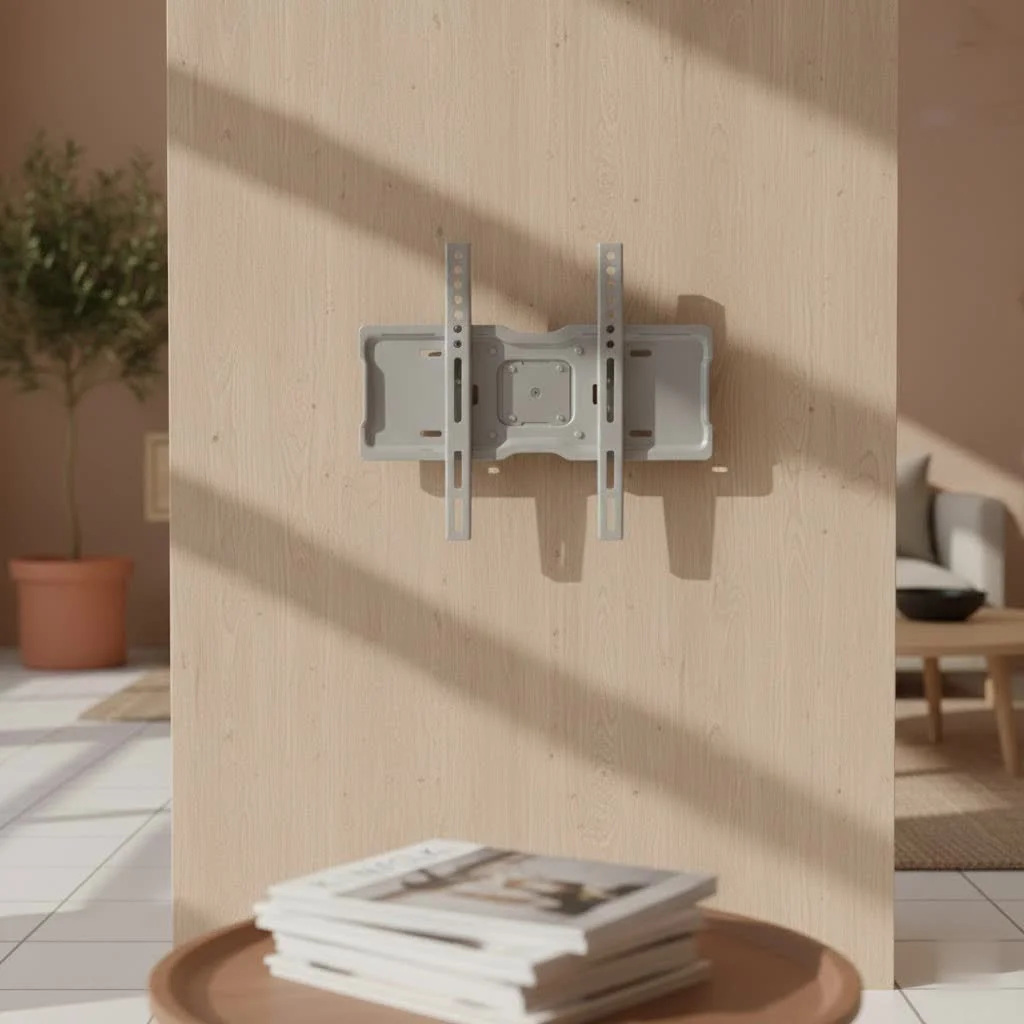
This isn’t just about hanging a TV; it’s about optimizing your viewing experience, reclaiming valuable floor space, and giving your home entertainment system that sleek, professional finish. Together, we’ll explore everything you need to know, making the complex simple and the intimidating achievable.
Choosing the Right 65-Inch TV Mount for Your Home
Selecting the perfect 65-inch TV mount isn’t a one-size-fits-all endeavor. Your choice depends heavily on your viewing habits, room layout, and even the design aesthetic you’re aiming for. Let’s break down the types and critical compatibility factors.
What Kind of Mount Do You Need?
- Fixed Mounts: These are the simplest and most budget-friendly option. A fixed 65-inch TV mount holds your television flat against the wall, offering a clean, low-profile look. They’re ideal if your primary viewing area is directly in front of the TV and you don’t anticipate needing to adjust the screen for glare or different seating arrangements. Think minimalist and elegant.
- Tilting Mounts: Want to reduce glare from windows or lights, especially if your TV is mounted higher up, like above a fireplace? A tilting mount is your answer. It allows you to adjust the vertical angle of your 65-inch TV, typically offering a downward tilt, which can significantly improve viewing comfort and clarity without sacrificing too much of that low-profile look.
- Full-Motion (Articulating) Mounts: For the ultimate in viewing flexibility, a full-motion 65-inch TV mount is unbeatable. These mounts feature an arm (often dual arms for larger TVs) that allows you to tilt, swivel, and extend your television away from the wall. They’re perfect for rooms with multiple seating areas, for corner installations, or if you need to access the TV’s rear ports frequently. While they project further from the wall when retracted compared to fixed or tilting mounts, the versatility they offer is unmatched.
Beyond the Basics: Compatibility is Key
|
Our Picks for the Best TV Mount in 2026
As an Amazon Associate I earn from qualifying purchases.
|
||
| Num | Product | Action |
|---|---|---|
| 1 | MOUNTUP Full Motion TV Wall Mount for Most 26-60 Inch TVs, Max VESA 400x400mm Wall Mount TV Bracket with Swivel Tilting Extension Level Adjustment for LED LCD Flat Curved TVs Up to 77 LBS, MU0018 |

|
| 2 | Mounting Dream TV Wall Mount for Most 37-75 Inch TVs, Universal Tilt TV Mount Fit 16\", 18\", 24\" Stud with Loading Capacity 132lbs, Max Vesa 600 x 400mm, Low Profile Flat Wall Mount TV Bracket |
|
| 3 | Pipishell Full Motion TV Wall Mount for Echo Show 21/15 and 13-43 Inch Flat Curved Screen TVs & Monitors, Max VESA 200x200mm up to 44lbs, TV Mount Wall Bracket with Rotation Swivel Tilt Extension |
|
| 4 | Amazon Basics Full Motion Articulating TV Wall Mount, with Swivel and Tilt, for 26\" to 55\" TVs and Flat Panels up to 80 Lbs, VESA Compatible, Black |
|
| 5 | USX MOUNT Full Motion TV Wall Mount for Most 32-70 inch TVs up to 99 lbs, Wall Mount Bracket with Dual Articulating Arms, Swivel, Tilt, Max VESA 400x400mm, TV Mount Fits 12”/16” Wood Studs |
|
| 6 | Mounting Dream TV Wall Mount for 32-65 Inch Television,Mount with Swivel and Tilt, Full Motion Bracket with Articulating Dual Arms, Fits 16inch Studs, Max VESA 400X400 mm, 99lbs, MD2380 |
|
| 7 | Magnetic Monitor Wall Mount for Steel Surfaces, Fits 13 to 34 Inch Screens, Holds up to 22 lbs, VESA 75/100 Compatible Wall Mount for Computer and TV Monitor, No-Drill Installation with All Screws |
|
| 8 | Perlegear Full Motion TV Wall Mount for Most 42–86 inch Flat Curved TVs up to 132 lbs, 12″/16″ Wood Studs, Bracket with Articulating Arms, Swivel, Tool-Free Tilt, Max VESA 600x400mm PGLF12 |
|
| 9 | monTEK Motorized Ceiling TV Mount for 43-86 Inch TVs, Heavy-Duty 121lbs (4X Load Tested), Off-Center VESA Compatible, Electric Flip Down with Remote/App/Voice Control, Fits Flat & Pitched Roof |
|
| 10 | USX Mount Full Motion TV Wall Mount for Most 42-90 inch Flat Screen/LED/4K, TV Mount Bracket Dual Swivel Articulating Tilt 6 Arms, Max 16\" Wood Studs, VESA 600x400mm, Holds up to 132lbs |
|
Once you’ve decided on the type of movement you need, it’s time to get down to the technical nitty-gritty. This is where safety and stability truly come into play.
- TV Size and Weight Capacity: Your 65-inch TV might look light, but it’s a substantial piece of equipment. Most 65-inch TVs, especially newer LED/OLED models, can weigh anywhere from 50 to 80 pounds, though some older models might be heavier. It is absolutely critical that your chosen 65-inch TV mount is rated to support your television’s exact weight and screen size. Always check the mount’s maximum weight capacity and ensure it comfortably exceeds your TV’s weight. Skimping here is not an option; a mount failing under stress is a recipe for disaster.
- Understanding VESA Patterns: VESA stands for Video Electronics Standards Association, and it’s a universal standard that defines the hole pattern on the back of your TV where the mount attaches. You’ll see it expressed as two numbers, like 400x400mm or 600x400mm. The first number is the horizontal distance between the holes, and the second is the vertical distance. For 65-inch TVs, common VESA patterns often include 400x400mm, 600x400mm, or sometimes even 300x300mm. You can find your TV’s VESA pattern in its user manual, on the manufacturer’s website, or by simply measuring the distance between the mounting holes on the back of your TV. Make sure your 65-inch TV mount explicitly supports your TV’s VESA pattern.
- Wall Type Matters: This is perhaps the most critical factor for a safe installation.
- Wood Stud Walls: If you have drywall, you must anchor your 65-inch TV mount into wood studs behind it. These vertical lumber pieces provide the structural support needed for a heavy television. Never rely solely on drywall anchors, especially for a large 65-inch TV, as they cannot bear the significant weight.
- Concrete or Brick Walls: These are generally robust and can support a TV mount, but they require specific masonry drill bits and anchors (often plastic wall plugs designed for concrete) for secure installation.
- Metal Stud Walls: While less common in residential homes, mounting to metal studs requires specialized toggle bolts or anchors. If you suspect you have metal studs, consulting a professional is highly recommended.
“As someone who’s installed hundreds of large-screen TVs, I can’t stress enough how crucial it is to choose a mount with a weight capacity well beyond your TV’s actual weight, and always hit those studs,” advises David Chen, a veteran AV installer and Dikfu.com contributor. “It’s about peace of mind as much as perfect picture.”
Step-by-Step Installation: Securing Your 65-Inch TV Mount Like a Pro
Ready to get that gorgeous 65-inch TV on the wall? Here’s a walkthrough to guide you. Remember, safety is paramount, and for a TV of this size, an extra pair of hands is not just helpful—it’s essential!
Pre-Installation Checklist: Gather Your Arsenal
Before you even think about drilling, ensure you have everything you need. This preparation phase makes the entire process smoother and safer.
- Your 65-inch TV Mount: Unpack it and lay out all components. Double-check against the parts list in the manual.
- The TV: Keep it safely in its box or on a soft, clean surface, screen-side down.
- Essential Tools:
- Stud Finder: Absolutely critical for locating wall studs. Don’t guess!
- Power Drill: With appropriate drill bits for pilot holes (usually wood or masonry bits, depending on your wall type).
- Level: A good old-fashioned bubble level or a laser level for precision.
- Tape Measure: For accurate placement.
- Pencil: For marking.
- Screwdriver and Wrench: For tightening bolts.
- Safety Glasses: Protect your eyes from dust and debris.
- A Reliable Helper: For lifting the TV, especially a 65-inch model.
Finding the Sweet Spot: Placement and Height
Where you place your 65-inch TV mount significantly impacts your viewing experience.
- Optimal Viewing Height: For most comfortable viewing, the center of your 65-inch TV screen should be at eye level when you are seated in your primary viewing position. While this often falls around 42 inches from the floor, it’s best to measure from your couch to find your personal ideal.
- Locating Wall Studs Accurately: Use your stud finder to locate at least two (preferably more for a wider mount) adjacent studs. Mark their centers vertically with your pencil. If your chosen mount is wide, ensure it can span across two studs for maximum stability.
- Marking Drill Points: Hold the wall plate of your 65-inch TV mount against the wall, aligning it with your stud marks at your desired height. Use your level to ensure it’s perfectly straight, then mark the exact locations for your pilot holes through the mount’s pre-drilled holes.
The Mounting Process: From Wall to Screen
With your marks in place, it’s time for the heavy lifting – literally!
- Drilling Pilot Holes: Carefully drill pilot holes at each marked spot. The size and depth of the drill bit will be specified in your mount’s manual, tailored to the lag bolts provided. Ensure you drill straight and to the correct depth to prevent damaging the wall or breaking bolts.
- Attaching the Wall Plate Securely: Position the wall plate over the pilot holes. Insert the lag bolts through the plate and into the wall studs (or use appropriate anchors for concrete). Use your wrench to tighten them firmly, but avoid over-tightening, which can strip the wood or crack the anchors. The wall plate should be absolutely snug against the wall.
- Attaching Brackets to the 65-Inch TV: Carefully place your 65-inch TV face down on a cushioned surface. Attach the TV brackets to the VESA mounting holes on the back of your television using the screws and spacers provided with your mount. Ensure these are tightened securely, but again, don’t overtighten.
- Safely Hanging Your TV: This is where your helper comes in. With one person on each side, carefully lift the 65-inch TV, aligning the brackets on the TV with the hooks or arms on the wall plate. Gently lower the TV until it is securely seated. Most mounts have a locking mechanism—engage it immediately for safety.
- Leveling and Final Adjustments: Many mounts offer post-installation leveling adjustments. Use your level to ensure your TV is perfectly horizontal, then lock it into place. If you have a tilting or full-motion mount, test its range of motion and adjust the tension if necessary for smooth movement.
Mastering Cable Management and Enhancing Your Space
A beautiful 65-inch TV on the wall can quickly lose its appeal if a tangle of cables is dangling beneath it. Effective cable management is crucial for a clean, polished look.
Keeping it Tidy: Integrated vs. External Solutions
- Mounts with Built-in Channels: Some 65-inch TV mounts come with integrated cable management channels or clips along their arms or wall plates. These are fantastic for discreetly routing a few cables directly behind the TV and down the mount itself.
- On-Wall Raceways (Cord Covers): These are surface-mounted channels that adhere to your wall and neatly enclose your cables. They’re easy to install, often paintable to match your wall color, and come in various sizes to accommodate multiple cables. They’re a quick and effective solution if you prefer not to cut into your wall.
- Velcro Straps and Sleeves: For keeping cables bundled behind the TV or along the mount, simple Velcro straps or expandable cable sleeves work wonders. They prevent tangles and make the bundle look much neater.
The Invisible Touch: In-Wall Cable Routing
For the ultimate minimalist aesthetic, hiding your cables inside the wall is the way to go.
- In-Wall Power and Low-Voltage Kits: These kits allow you to safely run power cables and low-voltage cables (like HDMI, optical audio, and Ethernet) through the wall. They typically involve cutting two small holes in your drywall – one behind the TV and one lower down, near your power outlet and entertainment console. Crucially, power cables must be run through a UL-listed in-wall power extension kit to comply with electrical codes and prevent fire hazards. Never run standard power cords directly inside your wall.
- Consider Professional Help: While many in-wall kits are DIY-friendly, if you’re uncomfortable with cutting drywall or dealing with electrical work, it’s wise to hire a qualified electrician or AV installer.
Finishing Touches: Decor and Positioning for a Clean Look
Once the mounting and cable management are complete, take a step back. Are there any small adjustments you can make? Perhaps a decorative plant or a subtle soundbar placed beneath the TV to further enhance the aesthetic. Ensure all components are neatly arranged, and enjoy the seamless, elevated look of your newly mounted 65-inch TV.
Troubleshooting Common 65-Inch TV Mount Issues
Even with the best planning, sometimes little snags can occur. Here are some common issues and how to troubleshoot them.
My TV Looks Crooked!
It’s a common complaint after installation. Even a slight misalignment can be noticeable on a large 65-inch screen.
- Solution: Most quality mounts have some degree of post-installation leveling adjustment. Loosen the appropriate bolts on the TV brackets or the wall plate (refer to your mount’s manual), use your level to get it perfectly straight, and then re-tighten. Take your time here; a small adjustment can make a big difference.
Is My Wall Strong Enough?
This concern often arises during or after installation.
- Solution: If you meticulously followed the instruction to mount into studs, your wall should be strong enough. If you have any doubts, especially if you used drywall anchors or mounted into anything other than solid wood studs or concrete, consult a professional installer. For heavy 65-inch TVs, compromising on wall integrity is a serious safety risk. Look for signs of stress around the mounting points, such as cracking drywall, which indicates a serious problem.
Cables Still Showing!
You’ve mounted the TV, but some cables are still stubbornly visible.
- Solution: Re-evaluate your cable management strategy. Could you use longer raceways to extend further down the wall? Are there any loose cables behind the TV that could be bundled more tightly with Velcro? If external solutions aren’t cutting it, consider an in-wall cable management kit for a truly hidden look. Remember the safety precautions for in-wall power routing.
Frequently Asked Questions About 65-Inch TV Mounts
Q: What is the ideal viewing height for a 65-inch TV?
A: The ideal viewing height places the center of the screen at eye level when you are comfortably seated in your primary viewing position. For many, this translates to the center of the 65-inch TV being approximately 42 inches from the floor, but always adjust based on your specific seating and comfort.
Q: Can a 65-inch TV be mounted on drywall?
A: A 65-inch TV can only be mounted on a drywall wall if the mount is securely fastened into the underlying wall studs (either wood or metal). It is critically important not to rely on drywall anchors alone for the significant weight of a 65-inch television, as this can lead to the TV falling and causing damage or injury.
Q: How do I find the VESA pattern for my 65-inch TV?
A: You can find your VESA pattern by checking your TV’s user manual, visiting the manufacturer’s website, or directly measuring the horizontal and vertical distance between the four threaded mounting holes on the back of your 65-inch TV. Measurements are typically in millimeters (e.g., 400x400mm or 600x400mm).
Q: What tools do I need to install a 65-inch TV mount?
A: Essential tools include a stud finder, a power drill with appropriate bits, a level, a tape measure, a pencil, a screwdriver, and a wrench. For safety and ease, having a second person to assist with lifting the 65-inch TV is highly recommended.
Q: Are full-motion mounts safe for heavy 65-inch TVs?
A: Yes, full-motion mounts are perfectly safe for heavy 65-inch TVs, provided they are properly installed. This means securely fastening the mount into strong wall studs or concrete, ensuring the mount’s weight capacity significantly exceeds your TV’s weight, and always following the manufacturer’s installation guidelines meticulously.
Elevate Your Entertainment with a 65-Inch TV Mount
Mounting your 65-inch TV is more than just a home improvement project; it’s an upgrade to your entire home entertainment experience. By choosing the right 65-inch TV mount, understanding the nuances of safe installation, and dedicating a little extra effort to cable management, you can achieve a sophisticated, space-saving setup that looks fantastic and performs flawlessly.
At Dikfu.com, we believe that with the right knowledge, anyone can become a DIY champion. So, take these insights, transform your viewing space, and confidently enjoy the stunning visuals your 65-inch TV has to offer. We’d love to hear about your successful installations and clever cable management tricks – share your experiences and inspire others in our community!
Get our weekly buyer guide
Practical specs, not advice. Unsubscribe anytime.
