Choosing the perfect TV wall mount for your 32-inch TV involves selecting from three main types: fixed, tilting, or full-motion, based on your viewing needs and room layout. Key factors include VESA compatibility (e.g., 100x100mm or 200x200mm), ensuring the mount supports your TV’s weight, and identifying your wall type for secure installation. Proper installation, often requiring a helper, ensures safety and a sleek, modern aesthetic for your home entertainment setup.
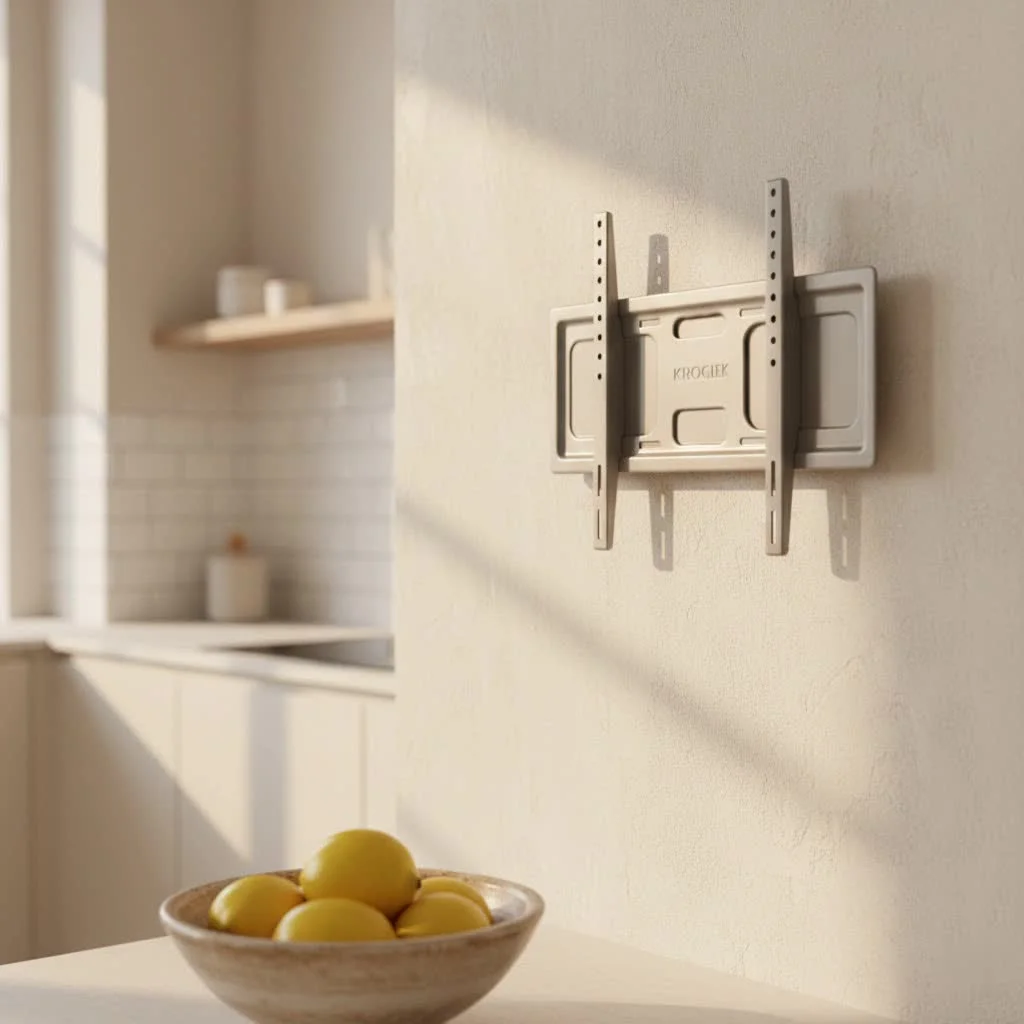
Explore the World of TV Wall Mounts for Your 32-Inch Screen
When it comes to mounting your TV, one size definitely doesn’t fit all. For your 32-inch beauty, you’ll generally encounter three main types of wall mounts, each offering distinct advantages. For complete tv mounts library on this site.
Fixed Mounts: The Minimalist’s Dream
Fixed mounts are the simplest and most budget-friendly option. They hold your 32-inch TV securely just inches from the wall, creating a clean, picture-frame-like aesthetic. These are ideal if you know exactly where you want your TV and won’t need to adjust the viewing angle. Think of it as a permanent art installation for your screen. However, once it’s up, there’s no tilting or swiveling.
Tilting Mounts: Battling Glare and Finding the Sweet Spot
Ever wished you could just nudge your TV screen down a bit to cut out that pesky glare from a window? Tilting mounts are your answer. They offer vertical angle adjustment, allowing you to tilt your 32-inch TV downward. This feature is a lifesaver if your TV is mounted higher on the wall, like above a fireplace, ensuring a comfortable viewing angle and reducing reflections. They still sit relatively close to the wall, offering a neat profile with added functionality.
Full-Motion (Articulating) Mounts: Ultimate Flexibility and Dynamic Viewing
For those who crave versatility, full-motion or articulating mounts are the champions. These mounts let you tilt, swivel, and extend your 32-inch TV away from the wall, offering the widest range of movement. They are perfect for open-plan living areas, kitchens, or bedrooms where you might want to watch from different spots, or even pull the TV out to access cables easily. While they might extend further from the wall when not in use, the ability to fine-tune your viewing angle from virtually anywhere in the room is unmatched.
How to Choose the Right TV Wall Mount for Your 32-Inch TV
Selecting the perfect TV wall mount for a 32-inch TV goes beyond just picking a type. You need to consider several critical factors to ensure safety, compatibility, and the best viewing experience.
VESA Compatibility: The Universal Language of TV Mounts
|
Our Picks for the Best TV Mount in 2026
As an Amazon Associate I earn from qualifying purchases.
|
||
| Num | Product | Action |
|---|---|---|
| 1 | Perlegear Full Motion TV Wall Mount for Most 42–86 inch Flat Curved TVs up to 132 lbs, 12″/16″ Wood Studs, Bracket with Articulating Arms, Swivel, Tool-Free Tilt, Max VESA 600x400mm PGLF12 |

|
| 2 | USX Mount Full Motion TV Wall Mount for Most 42-90 inch Flat Screen/LED/4K, TV Mount Bracket Dual Swivel Articulating Tilt 6 Arms, Max 16\" Wood Studs, VESA 600x400mm, Holds up to 132lbs |
|
| 3 | monTEK Motorized Ceiling TV Mount for 43-86 Inch TVs, Heavy-Duty 121lbs (4X Load Tested), Off-Center VESA Compatible, Electric Flip Down with Remote/App/Voice Control, Fits Flat & Pitched Roof |
|
| 4 | Amazon Basics Full Motion Articulating TV Wall Mount, with Swivel and Tilt, for 26\" to 55\" TVs and Flat Panels up to 80 Lbs, VESA Compatible, Black |
|
| 5 | Pipishell Full Motion TV Wall Mount for Echo Show 21/15 and 13-43 Inch Flat Curved Screen TVs & Monitors, Max VESA 200x200mm up to 44lbs, TV Mount Wall Bracket with Rotation Swivel Tilt Extension |
|
| 6 | USX MOUNT Full Motion TV Wall Mount for Most 32-70 inch TVs up to 99 lbs, Wall Mount Bracket with Dual Articulating Arms, Swivel, Tilt, Max VESA 400x400mm, TV Mount Fits 12”/16” Wood Studs |
|
| 7 | MOUNTUP Full Motion TV Wall Mount for Most 26-60 Inch TVs, Max VESA 400x400mm Wall Mount TV Bracket with Swivel Tilting Extension Level Adjustment for LED LCD Flat Curved TVs Up to 77 LBS, MU0018 |
|
| 8 | Mounting Dream TV Wall Mount for Most 37-75 Inch TVs, Universal Tilt TV Mount Fit 16\", 18\", 24\" Stud with Loading Capacity 132lbs, Max Vesa 600 x 400mm, Low Profile Flat Wall Mount TV Bracket |
|
| 9 | Magnetic Monitor Wall Mount for Steel Surfaces, Fits 13 to 34 Inch Screens, Holds up to 22 lbs, VESA 75/100 Compatible Wall Mount for Computer and TV Monitor, No-Drill Installation with All Screws |
|
| 10 | Mounting Dream TV Wall Mount for 32-65 Inch Television,Mount with Swivel and Tilt, Full Motion Bracket with Articulating Dual Arms, Fits 16inch Studs, Max VESA 400X400 mm, 99lbs, MD2380 |
|
What exactly is VESA? VESA, or the Video Electronics Standards Association, sets universal standards for the mounting hole patterns on the back of your TV and the corresponding pattern on the mount. It’s crucial for compatibility. For most 32-inch TVs, you’ll commonly see VESA patterns like 100x100mm or 200x200mm. You can find your TV’s VESA pattern in its user manual or by measuring the horizontal and vertical distance between the four screw holes on the back of the TV. Always double-check this specification before purchasing any mount.
TV Weight and Size Capacity: Safety First
Even though 32-inch TVs are generally lightweight, never overlook the mount’s maximum weight capacity and specified screen size range. Always choose a mount that can comfortably support your TV’s weight, and it’s always wise to slightly overestimate to accommodate any future accessories or minor upgrades. This isn’t just about preventing damage; it’s about ensuring your TV stays securely on the wall where it belongs.
Wall Type Matters: The Foundation of Security
The type of wall you’re mounting your TV on is perhaps the most critical factor for structural safety.
- Wood Stud Walls: These offer the highest stability and are generally the safest option. Always aim to mount directly into wood studs.
- Masonry Walls (Brick or Concrete): If you have a brick or concrete wall, you’ll need specialized heavy-duty anchors designed for masonry.
- Drywall (Plasterboard): Mounting a TV directly into drywall without hitting studs is a big no-no and a leading cause of TV falls. If studs aren’t conveniently located, you must use toggle bolts or heavy-duty drywall anchors specifically rated for your TV’s weight. However, direct stud mounting is always preferred for maximum security.
Viewing Angle & Room Layout: Where Will You Be Watching?
Consider your typical viewing positions. Are you always in one spot, or do you move around?
- Fixed Mount: Best for a dedicated viewing area directly in front of the TV.
- Tilting Mount: Ideal for rooms where the TV needs to be mounted higher to clear furniture, or where you occasionally need to reduce glare.
- Full-Motion Mount: Perfect for open-concept spaces, kitchens, or multi-purpose rooms where you need to adjust the TV for different activities or viewing angles.
Cable Access & Management: A Clean Look from the Start
Before you drill, take a peek at the back of your 32-inch TV. Do the cable ports face directly backward, or sideways/downward? If your TV ports face backward and you opt for a low-profile fixed mount, you might struggle to connect cables. In such cases, right-angle connectors can be a lifesaver, or a slightly thicker mount might be necessary. Planning for cable management from the outset will save you headaches later and ensure a truly clean finish.
Step-by-Step Installation Guide for Your 32-Inch TV Wall Mount
Now for the fun part! While a 32-inch TV is relatively light, proper installation is paramount. Follow these steps carefully for a safe and secure setup.
Preparation is Key
- Gather Your Tools: You’ll need a stud finder (both digital and the “knock test” for redundancy are good ideas), a pencil, a tape measure, a level (many mounts include a small one, but a larger one is more accurate), a drill with appropriate bits for pilot holes, a screwdriver, and safety glasses. If you’re drilling into masonry, ensure you have the correct masonry bit and anchors.
- Locate Wall Studs: This is non-negotiable for wood or metal stud walls. Use your stud finder to pinpoint at least two studs that align with your mount’s holes. Mark their centers clearly with your pencil.
- Determine Optimal TV Height: For comfortable seated viewing, the center of your 32-inch TV screen should typically be at eye level, around 42-48 inches from the floor. For standing areas like a kitchen, you might go slightly higher. “Before you drill a single hole, tape an outline of your TV on the wall at your intended height,” advises David Chen, a veteran Dikfu installation specialist. “This visual check can prevent surprises and ensures no outlets or architectural features are in the way.”
Mounting the Bracket
- Mark and Drill Pilot Holes: Place the wall plate of your mount against the wall, aligning its holes with your stud marks. Use your level to ensure it’s perfectly straight. Mark the precise spots for your pilot holes. Now, put on those safety glasses and drill pilot holes to the specified depth mentioned in your mount’s instructions.
- Attach the Wall Plate: Secure the wall plate to the wall using the lag bolts and washers provided with your mount. Tighten them firmly, but avoid over-torquing, which can strip the wood or damage the anchors. Re-check with your level to confirm it’s still straight.
Attaching TV Brackets
- Secure Brackets to Your TV: Carefully place your 32-inch TV face down on a soft, clean surface (like a blanket on a table). Locate the VESA mounting holes on the back. Attach the TV-side mounting brackets to these holes, using the screws and spacers (if needed) provided by your mount manufacturer. Ensure they are snug and secure.
Lifting and Securing the TV
- Lift with Care: While a 32-inch TV is manageable, it’s always best to have a helper for this step. Align the brackets on the back of your TV with the wall plate. Carefully lift the TV and hook or slide it onto the wall plate.
- Final Fastening: Once the TV is resting on the wall plate, secure it with the safety screws or locking mechanisms provided by the mount. Double-check that all connections are tight and the TV feels stable. Give it a gentle tug to ensure it’s firmly in place before letting go.
Mastering Cable Management and Aesthetics
A wall-mounted TV looks fantastic, but dangling cables can quickly ruin the clean aesthetic. Effective cable management is crucial. You have a few options:
- In-Wall Cable Management Kits: These involve routing cables through the wall itself. Make sure to use kits that are UL-rated for in-wall use, especially for power cables, to comply with fire safety standards.
- Paintable Raceways: These are channels that run along the outside of your wall, which you can paint to match your wall color. They’re a simpler, less invasive option.
- Concealment Behind Furniture: If your TV is mounted above a media console, you can often hide cables behind or within the furniture itself, running them discreetly down to outlets.
a tidy setup not only looks professional but also prevents tripping hazards and potential damage to your cables.
Common Mistakes to Avoid and Troubleshooting Tips
Even with the best intentions, things can sometimes go awry. Here are common pitfalls and how to steer clear of them:
- Not Locating Studs: The biggest mistake! Always mount into studs for stability. If not possible, use appropriate heavy-duty anchors for your specific wall material.
- Incorrect VESA Match: A mount with the wrong VESA pattern won’t fit your TV. Always verify before buying.
- Ignoring Weight Capacity: Don’t assume. A mount rated for a smaller, lighter TV won’t safely hold a heavier one, even if the screen size seems to fit.
- Not Using a Level: A crooked TV is a constant annoyance. Take your time with the level during wall plate installation.
- Forgetting a Helper: Even for a light 32-inch TV, having an extra set of hands during the final lift prevents drops and simplifies alignment.
Troubleshooting Tip: If your TV feels wobbly after installation, do not leave it. Immediately re-check all screws, bolts, and anchors. If anything feels loose, remove the TV and reassess your installation points and hardware. It’s better to redo it safely than risk a fall.
Maintenance: To ensure long-term safety, I always recommend inspecting your mount every 3-6 months. Gently check the tightness of all mounting screws and the condition of the brackets and wall anchors. Dusting regularly also helps prevent static buildup.
Frequently Asked Questions
Q: How do I check if my 32 inch LED TV is mount-compatible?
A: You can check your TV’s manual or the rear panel for the VESA pattern, typically labeled as measurements like 100x100mm or 200x200mm. The manufacturer’s website or customer support can also confirm compatibility.
Q: What’s the safest wall type for mounting a 32 inch TV?
A: Wood stud walls offer the highest stability. For masonry walls, use heavy-duty anchors designed for the material. Avoid mounting directly into drywall without hitting studs, as this is unstable and a common cause of TV falls.
Q: Can I install a mount by myself for a 32-inch TV?
A: While a 32-inch TV is relatively light, it’s highly recommended to have a helper for the lifting and final securing steps. This prevents accidents and makes aligning the TV with the wall plate much easier.
Q: How can I hide wires for a clean look?
A: You can use in-wall rated power and cable management kits to route wires inside the wall, or opt for adhesive raceway strips that can be painted to match your wall color. Never run power cords inside non-rated wall cavities.
Q: What’s the ongoing maintenance for a mounted TV?
A: Inspect the tightness of all mounting screws and the condition of brackets and wall anchors every 3-6 months. Regular dusting helps maintain the setup, and be mindful of any unusual creaking or tilting, which could signal loose hardware.
Ready to improve your Entertainment?
Mounting your 32-inch TV on the wall is an incredibly rewarding DIY project that pays dividends in style, space, and viewing pleasure. By understanding the types of mounts available, carefully checking compatibility, and following a methodical installation process, you can achieve a secure and professional-looking setup. At Dikfu, we believe everyone deserves a home entertainment system that’s both functional and beautiful. So, take the leap, reclaim your space, and enjoy your perfectly positioned 32-inch TV. Happy mounting!
Frequently Asked Questions
How do I check if my 32-inch LED TV is mount-compatible?
You can check your TV's manual or the rear panel for the VESA pattern, typically labeled as measurements like 100x100mm or 200x200mm. The manufacturer's website or customer support can also confirm compatibility, which is crucial for selecting the correct mount.
What is the safest wall type for mounting a 32-inch TV?
Wood stud walls offer the highest stability and are generally the safest option for mounting a 32-inch TV. For masonry walls (brick or concrete), use heavy-duty anchors specifically designed for that material. Avoid mounting directly into drywall without hitting studs, as this is unstable and a common cause of TV falls.
Can I install a wall mount for a 32-inch TV by myself?
While a 32-inch TV is relatively light, it is highly recommended to have a helper for the lifting and final securing steps. This prevents accidents and makes aligning the TV with the wall plate much easier, ensuring a safe and secure installation.
How can I hide wires for a clean look after mounting my TV?
You can use in-wall rated power and cable management kits to route wires inside the wall, ensuring compliance with fire safety standards. Alternatively, opt for adhesive raceway strips that can be painted to match your wall color for a simpler, less invasive solution. Never run power cords inside non-rated wall cavities.
What ongoing maintenance is needed for a wall-mounted TV?
To ensure long-term safety, inspect the tightness of all mounting screws and the condition of brackets and wall anchors every 3-6 months. Regular dusting also helps prevent static buildup, and be mindful of any unusual creaking or tilting, which could signal loose hardware requiring immediate attention.
Install a Wall Mount for Your 32-Inch TV
Follow these steps to safely and securely install a wall mount for your 32-inch TV, ensuring proper placement and cable management.
Gather essential tools including a stud finder, level, drill, and safety glasses. Use your stud finder to locate at least two wood studs that align with your mount's holes and mark their centers. Determine the optimal TV height, typically 42-48 inches from the floor for eye-level viewing.
Place the mount's wall plate against the wall, aligning it with your stud marks and using a level to ensure it's perfectly straight. Mark and drill pilot holes to the specified depth from your mount's instructions. Secure the wall plate firmly to the wall using the provided lag bolts and washers, re-checking for straightness.
Carefully place your 32-inch TV face down on a soft, clean surface. Locate the VESA mounting holes on the back of the TV. Attach the TV-side mounting brackets to these holes using the screws and spacers provided by the mount manufacturer, ensuring they are snug and secure.
With a helper, carefully lift the TV and align the brackets on its back with the wall plate. Hook or slide the TV onto the wall plate. Once resting, secure it with the safety screws or locking mechanisms provided by the mount, double-checking all connections for tightness and stability.
Get our weekly buyer guide
Practical specs, not advice. Unsubscribe anytime.
I picked up a fixed mount for my bedroom TV, a 32-inch model. While it’s very sturdy and looks clean, I wish I’d considered a full-motion one. Sometimes I want to angle it slightly when I’m reading in bed, and this one is just too rigid. My VESA pattern was 100x100mm, so compatibility wasn’t an issue.
I recently got a new 32-inch TV for my kitchen and this guide was super helpful. I went with a tilting mount, which is perfect for avoiding glare from the window. Installation was straightforward, even though I did need my husband to help hold it steady for a bit. It really freed up counter space!
This post made choosing a mount for my small living room much easier. I ended up with a full-motion mount for my 32-inch TV, and it’s fantastic for adjusting the viewing angle from different spots on the couch. The only minor hiccup was making sure I hit a stud in my drywall, but once that was done, it felt super secure.
Excellent advice on VESA compatibility! I’ve seen so many people buy the wrong mount because they didn’t check. For my 32-inch TV in the guest room, I used a basic fixed mount. It’s a great budget-friendly option and keeps the TV nice and close to the wall for a clean look.