Installing a TV wall mount transforms your living space by optimizing viewing and reclaiming floor space. The ideal height for a TV wall mount is typically with the center of the screen at eye level when seated, which is often around 42 inches from the floor, though this can vary based on seating and TV size. This guide, from Dikfu.com, provides expert advice for a safe and satisfying installation.
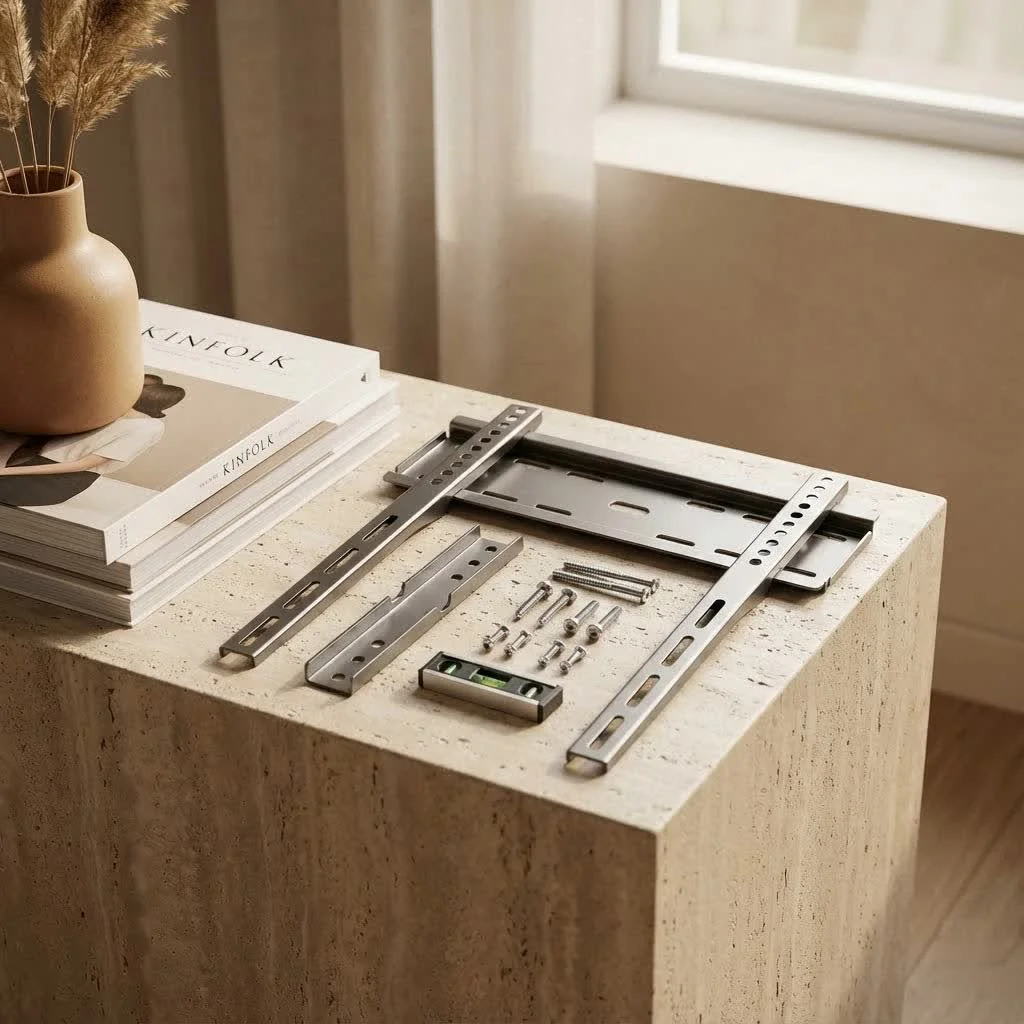
A properly installed TV wall mount creates a sleek, clean media area free of bulky stands and tangled wires. From selecting the correct mount type to securely attaching your television, each step is crucial for the final result. We will simplify complex technical details into actionable advice, enabling you to confidently undertake this DIY upgrade.
Understanding Different Types of TV Wall Mounts
The variety of TV wall mount options is extensive, each designed for specific needs and viewing preferences. Understanding these differences is essential for making an informed decision.
Fixed TV Mounts
Fixed mounts are the simplest and most low-profile type, holding your TV flat and close to the wall for a clean, picture-frame-like appearance. Choose a fixed mount if your primary viewing position is directly in front of the screen and you don’t require angle adjustments. They are secure, often affordable, and provide the sleekest look, though they lack adjustability after installation.
Tilting TV Mounts
Tilting mounts offer more flexibility than fixed mounts, allowing vertical TV adjustments, typically a few degrees up or down. These are ideal for rooms where the TV is mounted slightly higher than eye level, such as above a fireplace, or to reduce glare from windows or overhead lighting. The tilt feature improves visibility by angling the screen away from light sources without extending it far from the wall.
Full-Motion (Articulating/Swivel) TV Mounts
Full-motion mounts are the most versatile, offering extensive movement with an arm that extends from the wall, allowing tilt, swivel, and rotation. These are best if you have multiple viewing areas, need to angle your TV from a corner, or frequently access the back for cable management. While offering unparalleled flexibility, they are generally more complex to install, heavier, and typically more expensive. As Liam Foster, lead installer at Dikfu.com, advises, “For ultimate viewing flexibility, a full-motion mount is a major upgrade, but ensure your wall can handle the leverage.”
How to Choose the Perfect TV and Wall Mount for Your Setup
Selecting the right TV wall mount involves considering several critical factors to ensure compatibility, safety, and optimal viewing.
TV Specifications: Size, Weight, and VESA Pattern
|
Our Picks for the Best TV Mount in 2026
As an Amazon Associate I earn from qualifying purchases.
|
||
| Num | Product | Action |
|---|---|---|
| 1 | Pipishell Full Motion TV Wall Mount for Echo Show 21/15 and 13-43 Inch Flat Curved Screen TVs & Monitors, Max VESA 200x200mm up to 44lbs, TV Mount Wall Bracket with Rotation Swivel Tilt Extension |

|
| 2 | Magnetic Monitor Wall Mount for Steel Surfaces, Fits 13 to 34 Inch Screens, Holds up to 22 lbs, VESA 75/100 Compatible Wall Mount for Computer and TV Monitor, No-Drill Installation with All Screws |
|
| 3 | Amazon Basics Full Motion Articulating TV Wall Mount, with Swivel and Tilt, for 26\" to 55\" TVs and Flat Panels up to 80 Lbs, VESA Compatible, Black |
|
| 4 | Perlegear Full Motion TV Wall Mount for Most 42–86 inch Flat Curved TVs up to 132 lbs, 12″/16″ Wood Studs, Bracket with Articulating Arms, Swivel, Tool-Free Tilt, Max VESA 600x400mm PGLF12 |
|
| 5 | monTEK Motorized Ceiling TV Mount for 43-86 Inch TVs, Heavy-Duty 121lbs (4X Load Tested), Off-Center VESA Compatible, Electric Flip Down with Remote/App/Voice Control, Fits Flat & Pitched Roof |
|
| 6 | Mounting Dream TV Wall Mount for 32-65 Inch Television,Mount with Swivel and Tilt, Full Motion Bracket with Articulating Dual Arms, Fits 16inch Studs, Max VESA 400X400 mm, 99lbs, MD2380 |
|
| 7 | USX MOUNT Full Motion TV Wall Mount for Most 32-70 inch TVs up to 99 lbs, Wall Mount Bracket with Dual Articulating Arms, Swivel, Tilt, Max VESA 400x400mm, TV Mount Fits 12”/16” Wood Studs |
|
| 8 | Mounting Dream TV Wall Mount for Most 37-75 Inch TVs, Universal Tilt TV Mount Fit 16\", 18\", 24\" Stud with Loading Capacity 132lbs, Max Vesa 600 x 400mm, Low Profile Flat Wall Mount TV Bracket |
|
| 9 | USX Mount Full Motion TV Wall Mount for Most 42-90 inch Flat Screen/LED/4K, TV Mount Bracket Dual Swivel Articulating Tilt 6 Arms, Max 16\" Wood Studs, VESA 600x400mm, Holds up to 132lbs |
|
| 10 | MOUNTUP Full Motion TV Wall Mount for Most 26-60 Inch TVs, Max VESA 400x400mm Wall Mount TV Bracket with Swivel Tilting Extension Level Adjustment for LED LCD Flat Curved TVs Up to 77 LBS, MU0018 |
|
Before anything else, check your TV’s manual or the back of the set for three crucial pieces of information:
- Screen Size: Mounts are typically rated for a range of TV sizes (e.g., 32-65 inches).
- Weight Capacity: This is paramount for safety. Ensure your mount can safely support your TV’s weight. Overloading a mount is dangerous.
- VESA Mounting Pattern: VESA is an industry standard for TV and monitor mounts, referring to the distance between the four mounting holes on the back of your TV (e.g., 200x200mm, 400x400mm). Your TV wall mount must match this pattern for attachment.
Wall Type and Material
The material of your wall dictates the type of hardware and mounting technique required.
- Drywall with Wood Studs: This is the most common and easiest to work with. Locate vertical wooden studs behind the drywall to securely anchor your mount.
- Drywall with Metal Studs: Less common in residential homes, metal studs require special toggle bolts or anchors.
- Concrete or Brick Walls: These sturdy walls can hold almost any TV weight but require a hammer drill and specialized masonry anchors.
- No Studs Available (Drywall): While not ideal for heavy TVs, certain heavy-duty drywall anchors can support lighter TVs if no studs are accessible. However, it’s always safer to hit at least two studs for a reliable TV wall mount installation.
Desired Viewing Angle and Room Layout
Your room’s layout and typical viewing habits should heavily influence your mount choice.
- Single Viewing Spot: A fixed mount works well.
- Glare Issues or High Mounting: A tilting mount helps alleviate these problems.
- Multiple Seating Areas or Corner Mounting: A full-motion mount provides the necessary flexibility. Consider how much you need to move the TV for optimal viewing from different spots.
Budget and Features
Generally, fixed mounts are the most budget-friendly, followed by tilting, and then full-motion mounts. Consider extra features like integrated cable management channels, post-installation leveling adjustments, or quick-release mechanisms. Investing in a quality TV wall mount can prevent future issues and potential damage.
Step-by-Step Guide to Securely Installing Your TV Wall Mount
Once you’ve chosen your ideal TV wall mount, it’s time for installation. Patience and precision are key.
Gather Your Tools and Materials
Before you start, ensure you have these essentials:
- Your chosen TV wall mount kit
- Power drill and appropriate drill bits
- Stud finder (essential for drywall)
- Level (preferably a long one)
- Tape measure
- Phillips head screwdriver
- Socket wrench (often included with mounts)
- Pencil or painter’s tape
- Safety glasses
- Helper (highly recommended, especially for larger TVs)
Determine Optimal Mounting Location and Height
This is where your vision for the room comes to life.
- Eye-Level Rule: For the most comfortable viewing, the center of your TV screen should be at eye level when you’re seated. This typically falls around 42 inches from the floor, but adjust based on your seating height and TV size. Mounting too high can cause neck strain.
- Minimize Glare: Avoid walls that receive direct sunlight or glare from windows.
- Fireplace Considerations: While aesthetically pleasing, mounting above a fireplace can be too high for comfortable viewing and expose your TV to heat and smoke. If you must mount there, consider a fireplace mount that allows you to lower the TV for viewing.
- Mockup: Use painter’s tape or a cardboard cutout the size of your TV to visualize the placement. This helps confirm the height and horizontal centering before drilling.
Attach the Mount Brackets to Your TV
Most TV wall mount kits come in two main parts: brackets that attach to the TV and a wall plate that secures to the wall.
- Carefully lay your TV face down on a soft, clean blanket on a flat surface.
- Align the TV brackets with the VESA holes on the back of your TV.
- Use the appropriate screws (usually provided with the mount, but refer to your TV manual for proper length) to secure the brackets. Do not overtighten.
Locate and Mark Wall Studs
For drywall installations, finding studs is non-negotiable for a secure TV wall mount.
- Use a stud finder to locate at least two, preferably three, adjacent studs in your desired mounting area.
- Mark the center of each stud vertically with a pencil.
- Double-check by tapping the wall; a solid sound indicates a stud.
Secure the Wall Mounting Frame
With your studs marked, it’s time to mount the wall plate.
- Have your helper hold the wall plate against the wall at your determined height and center point, aligning it with the marked studs.
- Use your level to ensure the wall plate is perfectly horizontal.
- Mark the pilot hole locations through the wall plate onto the studs.
- Drill pilot holes. The drill bit size will be specified in your mount’s instructions.
- Use a socket wrench to firmly attach the wall plate to the studs with the lag bolts provided. Ensure it’s incredibly secure. For concrete or brick, use appropriate masonry bits and anchors.
Connect Cables (Pre-emptive Tip)
For fixed or tilting mounts, connecting cables before hanging the TV can save a lot of frustration, as there’s limited space behind the TV once mounted. If you have a full-motion mount, you’ll have more access.
Carefully Hang Your TV and Perform Safety Checks
This is the moment of truth!
- With your helper, carefully lift the TV (with its attached brackets) and align it with the wall plate.
- Hook or slide the TV onto the wall plate according to your mount’s specific design. Many mounts have safety clips or screws that lock the TV into place. DO NOT skip this step.
- Gently push, pull, and wiggle the TV to ensure it’s securely seated and locked onto the mount.
- Check the level one last time. Many mounts allow for minor post-installation leveling adjustments.
Beyond the Mount: Cable Management and Aesthetics
A beautifully mounted TV can quickly lose its appeal if surrounded by a spaghetti of cables. Effective cable management is crucial for a clean, professional finish.
Concealing Cables for a Clean Look
- In-Wall Cable Management Kits: These are the most discreet option, allowing you to run power and A/V cables directly through your wall. They usually involve cutting two holes in your drywall (one behind the TV, one lower near an outlet) and feeding the cables through. Always use UL-rated, in-wall certified cables.
- Cable Raceways: For a simpler, non-invasive solution, paintable cable raceways can be adhered to the wall. They neatly house your cables, blending in with your decor.
- Cable Ties and Sleeves: Even if cables are exposed, organizing them with zip ties or fabric sleeves can significantly improve their appearance.
Planning for Future Connections
When running cables in-wall, always consider installing an extra HDMI cable or even an Ethernet cable. It’s far easier to do it now than to reopen your wall later if you add a new game console, streaming device, or need a wired internet connection for your TV wall mount setup.
Troubleshooting Common TV Wall Mount Installation Issues
Even with careful planning, sometimes things don’t go exactly as expected. Here are a few common issues and how to tackle them.
Crooked TV
Problem: Your TV isn’t perfectly level after installation.
Fix: Many modern TV wall mount designs include post-installation leveling screws or mechanisms. Consult your mount’s manual. If not, you might need to slightly loosen the bolts holding the TV brackets to the TV, adjust, and re-tighten.
Mount Not Holding Securely
Problem: The mount feels wobbly or loose on the wall.
Fix: This is usually due to not properly locating or securing to wall studs, or using incorrect anchors for your wall type. Immediately remove the TV and re-evaluate your stud location and anchor type. Never compromise on security.
Limited Viewing Angle
Problem: You can’t achieve the desired viewing angle.
Fix: This often means the chosen TV wall mount type isn’t suited for your needs. If you installed a fixed mount but need tilt, you’ll need to upgrade. If a tilting mount isn’t enough, a full-motion mount might be required.
Wall Damage
Problem: Cracks around drill holes or crumbling plaster.
Fix: This can happen with improper drilling or oversized holes. Always use the recommended drill bit size. For minor cracks, wall spackle can repair it. For significant damage, professional repair may be necessary.
Frequently Asked Questions About TV and Wall Mount Setups
Q1: What is the VESA standard and why is it important for a TV and wall mount?
A: The VESA (Video Electronics Standards Association) standard refers to the four-hole pattern on the back of your TV and mount, measured in millimeters. It’s crucial because your chosen TV wall mount must precisely match your TV’s VESA pattern for a safe and compatible fit.
Q2: Can I install a tv and wall mount by myself, or should I hire a professional?
A: Many smaller TVs and basic fixed or tilting mounts can be installed as a DIY project with the right tools and patience. However, for larger, heavier TVs, complex full-motion mounts, or if you’re uncomfortable with power tools and wall structures, hiring a professional for your TV wall mount installation is highly recommended for safety and peace of mind.
Q3: How do I hide cables after installing my tv and wall mount?
A: There are several ways to hide cables for a clean look. You can use in-wall cable management kits to route wires inside the wall, paintable surface-mounted raceways, or simply bundle them neatly with cable ties and sleeves behind the TV.
Q4: What is the best height to mount my TV?
A: The ideal height is generally with the center of the TV screen at eye level when you are comfortably seated. This usually translates to about 42 inches from the floor to the center of the screen, but it can vary based on your specific seating and TV size.
Q5: Can I mount my TV above a fireplace?
A: Yes, you can, but it’s often not the optimal viewing height and can expose your TV to heat from the fireplace, potentially shortening its lifespan. If you choose this location for your TV wall mount, consider using a specialized fireplace mount that allows you to lower the TV for viewing and raise it back up when not in use.
Conclusion
Installing a TV wall mount is a rewarding project that significantly enhances your home entertainment experience, bringing a touch of modern elegance and practicality to any room. By understanding the different mount types, carefully considering your TV and wall specifications, and meticulously following installation steps, you can achieve a secure and aesthetically pleasing setup. to prioritize safety, utilize the right tools, and don’t hesitate to seek professional help if the task feels beyond your comfort zone. At Dikfu.com, we’re committed to empowering you with the knowledge to create the ultimate home viewing environment. Dive in, improve your space, and enjoy the sleek, streamlined world of wall-mounted television!
Frequently Asked Questions
What is the VESA standard and why is it important for a TV wall mount?
The VESA (Video Electronics Standards Association) standard refers to the four-hole pattern on the back of your TV and mount, measured in millimeters. It is crucial because your chosen TV wall mount must precisely match your TV's VESA pattern for a safe and compatible fit, ensuring proper attachment and stability.
Can I install a TV wall mount by myself, or should I hire a professional?
Many smaller TVs and basic fixed or tilting mounts can be installed as a DIY project with the right tools and patience. However, for larger, heavier TVs, complex full-motion mounts, or if you are uncomfortable with power tools and wall structures, hiring a professional for your TV wall mount installation is highly recommended for safety and peace of mind.
How do I hide cables after installing my TV wall mount?
There are several ways to hide cables for a clean look. You can use in-wall cable management kits to route wires inside the wall, paintable surface-mounted raceways, or simply bundle them neatly with cable ties and sleeves behind the TV to improve appearance.
What is the best height to mount my TV?
The ideal height is generally with the center of the TV screen at eye level when you are comfortably seated. This usually translates to about 42 inches from the floor to the center of the screen, but it can vary based on your specific seating and TV size for optimal viewing comfort.
Can I mount my TV above a fireplace?
Yes, you can mount your TV above a fireplace, but it's often not the optimal viewing height and can expose your TV to heat, potentially shortening its lifespan. If you choose this location, consider using a specialized fireplace mount that allows you to lower the TV for viewing and raise it back up when not in use.
Securely Install Your TV Wall Mount
This guide provides step-by-step instructions for securely installing your TV wall mount, ensuring optimal viewing and safety.
Before starting, collect all necessary items: your TV wall mount kit, a power drill, stud finder, level, tape measure, screwdriver, socket wrench, pencil, safety glasses, and a helper. Having everything ready ensures a smooth installation process.
For comfortable viewing, the center of your TV screen should be at eye level when seated, typically around 42 inches from the floor. Avoid direct sunlight to minimize glare. Use painter's tape or a cardboard cutout to visualize the placement before drilling.
Lay your TV face down on a soft surface. Align the TV brackets with the VESA holes on the back of your TV. Secure the brackets using the appropriate screws provided with the mount, ensuring not to overtighten them.
For drywall installations, use a stud finder to locate at least two, preferably three, adjacent studs in your desired mounting area. Mark the center of each stud vertically with a pencil. This step is critical for a secure installation.
Have a helper hold the wall plate against the wall, aligning it with the marked studs and ensuring it's level. Mark and drill pilot holes according to your mount's instructions. Use a socket wrench to firmly attach the wall plate to the studs with lag bolts, ensuring it is incredibly secure.
Get our weekly buyer guide
Practical specs, not advice. Unsubscribe anytime.
I followed the steps for installing my new TV mount, and while it eventually worked out, I found some of the technical details a bit too simplified. I had to look up a few extra videos to fully understand the anchor types. It did help me reclaim some floor space, which was my main goal, but I wish there was a bit more depth on the hardware side.
Fantastic guide! I’ve installed a few mounts before, but I always pick up new tips. The emphasis on creating a sleek, clean media area free of tangled wires really resonated with me. My latest setup looks incredibly professional thanks to following these detailed steps. Highly recommend for anyone looking to optimize their viewing experience.
This guide was pretty comprehensive. I appreciated the breakdown of different types of TV wall mounts; it helped me choose the right one for my bedroom. The instructions were mostly easy to follow, and I got my 55-inch TV up securely. My only minor quibble is that a few of the diagrams could have been a little larger, but overall, a solid resource.
I was really nervous about tackling a TV wall mount installation myself, but this guide made it so much clearer. The advice about finding the ideal height, especially the 42 inches from the floor suggestion, was super helpful. My living room looks so much better now without the old TV stand taking up space. Definitely a DIY upgrade worth doing!