A movable TV mount revolutionizes your viewing experience by offering unparalleled flexibility, enhanced safety, and a sleek aesthetic to any room. Unlike static or simple tilting mounts, these versatile brackets allow you to adjust your television’s position after installation, providing dynamic range of motion for optimal viewing from multiple seating areas, glare reduction, and space-saving storage. With over 15 years of installation expertise, Dikfu.com confirms that a well-chosen movable TV mount transforms home entertainment.
What Exactly is a Movable TV Mount?
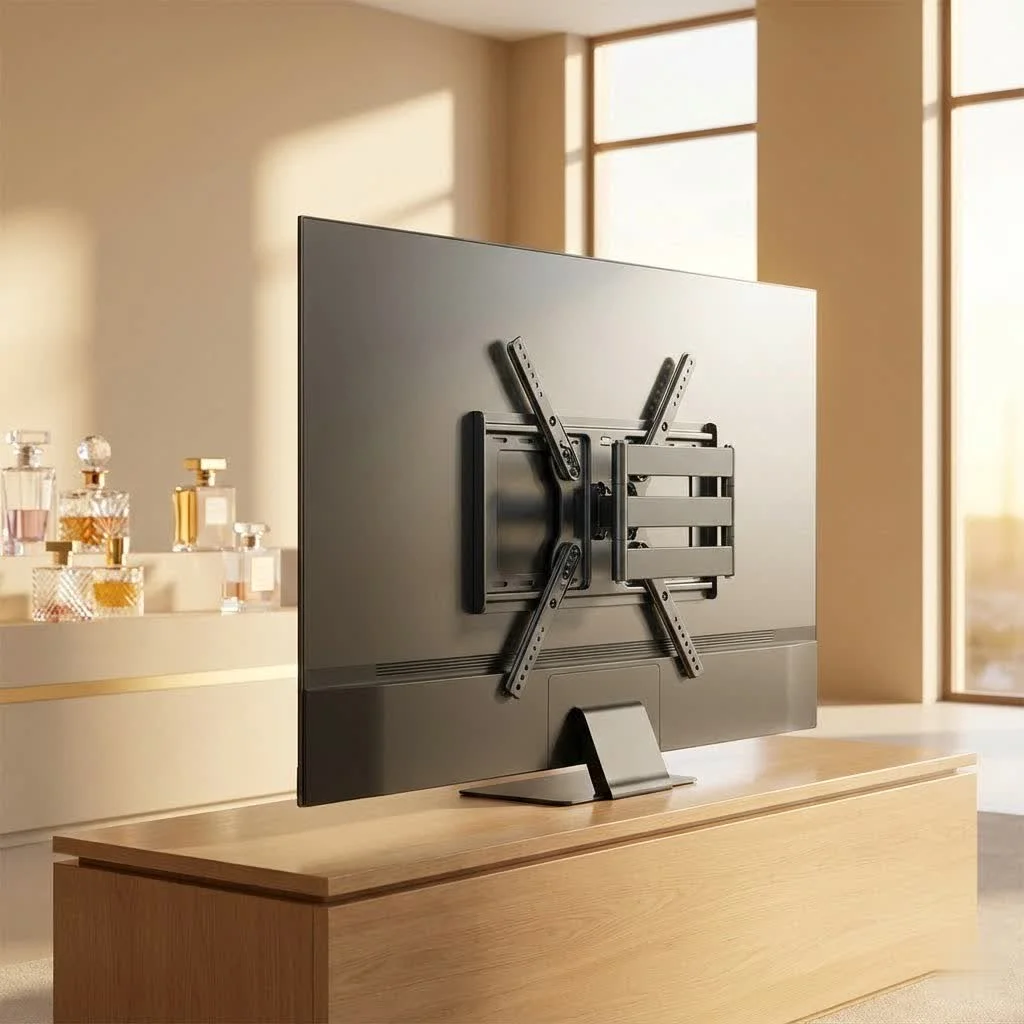
At its core, a movable TV mount is a versatile bracket designed to secure your television to a wall, ceiling, or even a desk, while providing the ability to adjust its position after installation. Unlike fixed mounts that keep your TV rigidly in one spot, or simple tilting mounts that offer only vertical adjustments, movable mounts introduce a dynamic range of motion. This allows you to tilt the screen up or down, swivel it left or right, extend it out from the wall, and sometimes even pivot it for portrait or landscape viewing. This adaptability is key to achieving optimal viewing from multiple seating areas, managing glare from windows or lights, and tucking your TV neatly away when not in use.
Types of Movable TV Mounts: Finding Your Perfect Match
Choosing the right movable TV mount can seem daunting with so many options available. However, understanding the main types will help you narrow down your search based on your specific needs and desired flexibility.
Full-Motion (Articulating) TV Mounts: The Ultimate in Flexibility
These are the champions of adjustability. A full-motion TV mount, often called an articulating arm mount, allows you to extend your TV several inches or even feet from the wall, tilt it up or down, and swivel it from side to side. Some advanced models even offer rotation capabilities. This type of mount is ideal for corner installations, rooms with multiple viewing areas, or situations where you need to pull the TV away from the wall for easy access to ports. If maximum flexibility is your priority, a full-motion movable TV mount is likely your best bet.
Tilting TV Mounts: Simple Adjustments for Glare Reduction
While not as dynamic as full-motion mounts, tilting TV mounts offer a crucial degree of vertical adjustment. They allow you to tilt your TV screen downwards, which is incredibly useful for reducing glare from overhead lights or windows, especially when your TV is mounted higher on the wall. They’re a fantastic compromise for those who want a slim profile but still need some flexibility to combat reflections and improve viewing comfort.
Swivel TV Mounts: Broadening Your Viewing Horizon
|
Our Picks for the Best TV Mount in 2026
As an Amazon Associate I earn from qualifying purchases.
|
||
| Num | Product | Action |
|---|---|---|
| 1 | monTEK Motorized Ceiling TV Mount for 43-86 Inch TVs, Heavy-Duty 121lbs (4X Load Tested), Off-Center VESA Compatible, Electric Flip Down with Remote/App/Voice Control, Fits Flat & Pitched Roof |

|
| 2 | USX MOUNT Full Motion TV Wall Mount for Most 32-70 inch TVs up to 99 lbs, Wall Mount Bracket with Dual Articulating Arms, Swivel, Tilt, Max VESA 400x400mm, TV Mount Fits 12”/16” Wood Studs |
|
| 3 | Perlegear Full Motion TV Wall Mount for Most 42–86 inch Flat Curved TVs up to 132 lbs, 12″/16″ Wood Studs, Bracket with Articulating Arms, Swivel, Tool-Free Tilt, Max VESA 600x400mm PGLF12 |
|
| 4 | MOUNTUP Full Motion TV Wall Mount for Most 26-60 Inch TVs, Max VESA 400x400mm Wall Mount TV Bracket with Swivel Tilting Extension Level Adjustment for LED LCD Flat Curved TVs Up to 77 LBS, MU0018 |
|
| 5 | USX Mount Full Motion TV Wall Mount for Most 42-90 inch Flat Screen/LED/4K, TV Mount Bracket Dual Swivel Articulating Tilt 6 Arms, Max 16\" Wood Studs, VESA 600x400mm, Holds up to 132lbs |
|
| 6 | Amazon Basics Full Motion Articulating TV Wall Mount, with Swivel and Tilt, for 26\" to 55\" TVs and Flat Panels up to 80 Lbs, VESA Compatible, Black |
|
| 7 | Pipishell Full Motion TV Wall Mount for Echo Show 21/15 and 13-43 Inch Flat Curved Screen TVs & Monitors, Max VESA 200x200mm up to 44lbs, TV Mount Wall Bracket with Rotation Swivel Tilt Extension |
|
| 8 | Mounting Dream TV Wall Mount for 32-65 Inch Television,Mount with Swivel and Tilt, Full Motion Bracket with Articulating Dual Arms, Fits 16inch Studs, Max VESA 400X400 mm, 99lbs, MD2380 |
|
| 9 | Magnetic Monitor Wall Mount for Steel Surfaces, Fits 13 to 34 Inch Screens, Holds up to 22 lbs, VESA 75/100 Compatible Wall Mount for Computer and TV Monitor, No-Drill Installation with All Screws |
|
| 10 | Mounting Dream TV Wall Mount for Most 37-75 Inch TVs, Universal Tilt TV Mount Fit 16\", 18\", 24\" Stud with Loading Capacity 132lbs, Max Vesa 600 x 400mm, Low Profile Flat Wall Mount TV Bracket |
|
Often integrated into full-motion designs, dedicated swivel mounts primarily focus on horizontal rotation. These are great for rooms where you might watch TV from different seating arrangements on the same wall. They allow you to turn the screen left or right, ensuring that everyone in the room has a clear view without straining their necks. Many full-motion mounts include swivel functionality as part of their broader range of motion.
Ceiling and Under-Cabinet Mounts: Unique Solutions
For specific scenarios, ceiling or under-cabinet mounts offer unique ways to deploy a movable TV mount. Ceiling mounts are perfect for bedrooms, kitchens, or even commercial spaces where wall space is limited, allowing the TV to be lowered and angled. Under-cabinet mounts are excellent for kitchens, providing a convenient flip-down screen that can be tucked away when not in use, saving valuable counter space.
Choosing the Right Movable TV Mount: A Dikfu.com Expert’s Guide
Selecting the perfect movable TV mount isn’t just about finding one that looks good; it’s about ensuring compatibility, safety, and functionality. Here’s what my 15 years of experience have taught me to prioritize:
TV Size and Weight Compatibility: Don’t Overlook the Specs
This is non-negotiable. Every mount has a specified weight capacity and screen size range. Pushing these limits is a recipe for disaster. Always check your TV’s manual for its exact weight and size, then compare it with the mount’s specifications. A mount designed for a 50-pound TV simply won’t safely hold a 75-pound one, no matter how much you wish it would. Safety always comes first with any movable TV mount installation.
VESA Pattern Matching: The Universal Standard
The Video Electronics Standards Association (VESA) created a universal standard for TV and mount compatibility. It refers to the four-hole pattern on the back of your TV where the mount attaches. Measure the horizontal and vertical distance between these holes (in millimeters) or check your TV manual. Common VESA patterns include 200x200mm, 400x400mm, and 600x400mm. Your chosen movable TV mount must explicitly support your TV’s VESA pattern.
Wall Type and Stud Spacing: Safety First
Not all walls are created equal. Most TV mounts are designed to be anchored into wooden wall studs or concrete. Drywall alone will not support the weight of a TV and mount. You’ll need a reliable stud finder to locate the studs behind your drywall. If you have metal studs or concrete walls, you’ll need specific anchors and drilling techniques. Also, consider the spacing of your wall studs; some mounts are designed for 16-inch stud spacing, while others accommodate 24-inch.
Desired Range of Motion: How Much Flexibility Do You Need?
Think about how you’ll use your TV. Do you need to pull it out dramatically from the wall to see it from an adjacent room? Or do you just need a slight tilt to manage glare? Full-motion mounts offer the most flexibility but are often bulkier and more expensive. Tilting mounts are simpler and slimmer. Be realistic about your needs to avoid overspending on features you won’t use or, worse, under-buying a mount that doesn’t provide the adjustability you require.
Step-by-Step Installation: Mounting Your Movable TV Mount Like a Pro
Installing a movable TV mount might seem daunting, but with the right tools and a methodical approach, it’s a perfectly achievable DIY project. Here’s a streamlined guide based on years of hands-on experience:
Gathering Your Tools: What You’ll Need
- Stud finder: Essential for safety.
- Drill: With appropriate bits for pilot holes.
- Level: To ensure your TV is perfectly straight.
- Tape measure: For accurate positioning.
- Pencil: For marking.
- Socket wrench or adjustable wrench: For tightening bolts.
- Screwdriver set: Phillips and flathead.
- Safety glasses: Always protect your eyes.
- A helper: Crucial for lifting the TV safely.
Locating Wall Studs and Marking Pilot Holes
Using your stud finder, accurately locate and mark the center of two adjacent wall studs at your desired TV height. Use a level to draw a straight horizontal line between these marks. This line will guide the placement of your mount’s wall plate. Double-check your measurements to ensure the TV will be at an optimal viewing height.
Attaching the Wall Plate Securely
Position the mount’s wall plate against your marked line, ensuring the pre-drilled holes align with the center of your studs. Use a pencil to mark the precise drilling points. Drill pilot holes slightly smaller than your lag bolts. Then, using a socket wrench, securely fasten the wall plate to the studs with the provided lag bolts and washers. This is where the structural integrity of your movable TV mount truly comes from.
Mounting the Brackets to Your TV
Carefully lay your TV face down on a clean, soft surface (like a blanket on a table) to protect the screen. Attach the mounting brackets to the VESA holes on the back of your TV using the screws, washers, and spacers provided with your mount. Ensure they are snug but do not over-tighten, as this can damage the TV.
Hanging the TV and Making Adjustments
With your helper, carefully lift the TV and hook the brackets onto the wall plate. Most mounts have a locking mechanism or safety screws to prevent the TV from accidentally dislodging. Once the TV is securely hung, make any final tilt, swivel, or extension adjustments. Use your level again to ensure the TV is perfectly horizontal.
The Final Touches: Safety Checks and Cable Management
Perform a final safety check, gently wiggling the TV to ensure it feels secure. Double-check all bolts and connections. This is also the perfect time to plan your cable management.
Common Pitfalls and How to Avoid Them
Even seasoned DIYers can make mistakes. Here are some common blunders when installing a movable TV mount and how to sidestep them:
Incorrect Stud Finding
Relying on a cheap or faulty stud finder, or not confirming the stud’s center, can lead to anchoring bolts into drywall, which will not hold the TV. Invest in a good stud finder, and always verify with a small pilot hole if unsure.
Over-tightening Screws
While you want a secure fit, over-tightening screws, especially those going into the TV’s back panel, can strip threads or even crack the TV casing. Hand-tighten until snug, then give a quarter-turn with a wrench.
Ignoring Weight Limits
Trying to mount a TV that exceeds the mount’s weight capacity is a catastrophic error waiting to happen. Always adhere strictly to the manufacturer’s specified weight limits. This applies to any movable TV mount you choose.
Poor Cable Management
Leaving cables dangling can look messy and pose a tripping hazard. Plan your cable routing before installation, considering in-wall solutions or discreet cable raceways.
Elevating Your Setup: Cable Management and Aesthetic Tips
A perfectly mounted TV isn’t just about the screen; it’s about the whole package. Effective cable management and thoughtful aesthetics can improve your space.
Concealing Cables: In-Wall vs. Cable Raceways
For a truly clean, professional look, in-wall cable routing is king. This involves running cables directly behind the drywall. However, it requires some electrical know-how and potentially cutting into your walls. A simpler, yet still effective, solution is using cable raceways or channels. These adhere to your wall and can be painted to match your decor, neatly hiding unsightly wires.
Optimizing Viewing Angles
The beauty of a movable TV mount is its versatility. Experiment with different tilt and swivel angles to find what works best for various times of day or different seating arrangements. Reducing glare isn’t just about comfort; it prolongs the life of your screen by preventing uneven heating.
“A truly optimized home theater isn’t just about the size of the screen; it’s about the seamless integration and adaptability of your entire setup,” says Adrian Chen, a leading home entertainment system designer. “A quality movable TV mount is the cornerstone of that flexibility, allowing you to fine-tune your viewing experience instantly.”
Integrating with Home Decor
Don’t let your TV be an isolated black rectangle. Incorporate it into your room’s aesthetic. Consider mounting it above a console table with decorative elements, or flanking it with shelving. A well-placed movable TV mount allows the TV to become a feature when in use and a subtle part of the background when not.
Frequently Asked Questions About Movable TV Mounts
Q: Can I install a movable TV mount by myself?
A: While possible, it’s highly recommended to have a second person, especially for lifting the TV onto the mount. Safety and precision are paramount, and an extra pair of hands makes the process much safer and easier.
Q: What’s the biggest benefit of a full-motion movable TV mount?
A: The biggest benefit is unparalleled viewing flexibility. You can virtually eliminate glare, optimize viewing from multiple angles, and access the back of your TV for cable management with ease, all with a single movable TV mount.
Q: How do I know if my wall can support a movable TV mount?
A: You need to locate wall studs (wooden or metal) or ensure you have a solid concrete wall. Drywall alone cannot support the weight. A reliable stud finder is essential to confirm your wall’s suitability.
Q: Are all VESA patterns the same?
A: No, VESA patterns vary. They specify the distance between mounting holes on the back of your TV. You must match your TV’s VESA pattern with the one supported by your chosen movable TV mount.
Q: How high should I mount my TV?
A: For comfortable viewing, the center of your TV screen should ideally be at eye level when you are seated. This often means the bottom of the TV is around 24-30 inches from the floor, but adjust based on your seating height and preferences.
Q: Can I hide the cables inside the wall?
A: Yes, in-wall cable management is an excellent way to conceal cables for a clean look. However, ensure you use fire-rated cables and comply with local electrical codes, or consult with a professional.
Embrace the Flexibility
Investing in a movable TV mount is more than just buying a piece of hardware; it’s about upgrading your home entertainment experience. It’s about achieving that perfect viewing angle, reducing eye strain and glare, and adding a touch of modern sophistication to your living space. At Dikfu.com, we believe that with the right knowledge and tools, anyone can confidently install a movable TV mount and enjoy the immense benefits. So, take the leap, choose wisely, and get ready to experience your TV like never before. Your perfect viewing experience is just a mount away!
Frequently Asked Questions
Can I install a movable TV mount by myself safely?
While possible, it is highly recommended to have a second person assist with the installation, especially for lifting the television onto the mount. Safety and precision are paramount, and an extra pair of hands makes the process much safer and easier to manage.
What is the main advantage of a full-motion movable TV mount?
The biggest advantage of a full-motion movable TV mount is its unparalleled viewing flexibility. This type of mount allows you to virtually eliminate glare, optimize viewing from multiple angles, and easily access the back of your TV for cable management.
How can I determine if my wall will support a TV mount?
To support a TV mount, your wall needs to have securely located wooden or metal studs, or be a solid concrete wall. Drywall alone cannot support the weight of a TV and its mount. A reliable stud finder is essential to confirm your wall's suitability before installation.
Are all VESA patterns on televisions identical?
No, VESA patterns are not all the same; they vary significantly. VESA patterns specify the precise distance between the mounting holes on the back of your TV, typically measured in millimeters. You must ensure that your TV's specific VESA pattern matches the one explicitly supported by your chosen movable TV mount.
What is the ideal height for mounting a TV for comfortable viewing?
For comfortable viewing, the center of your TV screen should ideally be at eye level when you are seated. This often means the bottom of the TV is positioned around 24-30 inches from the floor, but you should adjust this based on your specific seating height and personal preferences.
Is it safe to conceal TV cables inside the wall?
Yes, in-wall cable management is an excellent method for concealing cables to achieve a clean, professional look. However, it is crucial to use fire-rated cables and ensure compliance with all local electrical codes. If you are unsure, consult with a professional electrician for safe installation.
Install a Movable TV Mount
This guide provides a step-by-step process for installing a movable TV mount, ensuring safety, stability, and optimal viewing.
Before starting, collect essential tools including a stud finder, drill, level, and tape measure. Use the stud finder to accurately locate and mark the center of two adjacent wall studs at your desired TV height. Draw a straight horizontal line between these marks with a level to guide the mount's placement.
Position the mount's wall plate against your marked line, ensuring its pre-drilled holes align with the stud centers. Mark the precise drilling points with a pencil, then drill pilot holes slightly smaller than your lag bolts. Securely fasten the wall plate to the studs using a socket wrench, lag bolts, and washers, ensuring structural integrity.
Carefully lay your TV face down on a clean, soft surface to protect the screen. Attach the mounting brackets to the VESA holes on the back of your TV using the provided screws, washers, and spacers. Ensure the brackets are snug but do not over-tighten, as this can damage the TV casing.
With the help of a second person, carefully lift the TV and hook its brackets onto the wall plate. Engage any locking mechanisms or safety screws to prevent accidental dislodging. Once secure, make final tilt, swivel, or extension adjustments, using a level to ensure the TV is perfectly horizontal.
Conduct a final safety check by gently wiggling the TV to confirm it feels secure, and double-check all bolts and connections. This is also the ideal time to plan and implement cable management, either through in-wall routing or discreet cable raceways, for a clean and hazard-free setup.
Get our weekly buyer guide
Practical specs, not advice. Unsubscribe anytime.
I went with a swivel mount for my bedroom, and it’s exactly what I needed. It’s great for reducing glare from the window in the mornings. My only minor complaint is that the arm feels a little stiff when I try to push it back flush against the wall, but it’s not a huge deal. Overall, very happy with the flexibility it offers.
I finally got around to installing a full-motion mount in my living room, and it’s a game changer. Being able to pull the TV out and angle it towards the kitchen while I’m cooking is fantastic. No more craning my neck or missing parts of shows. The installation was pretty straightforward, even for a DIYer like me.
The articulating mount I bought for my home office has been amazing. I can easily adjust the screen for video calls or when I want to watch something from my desk chair or the futon. It really helps with space-saving, which was a big concern in my smaller room. Definitely recommend for anyone needing dynamic range of motion.
I picked up a ceiling mount for my basement gym, hoping for ultimate flexibility. While the concept is great for viewing from different angles on the treadmill or bike, getting the cables routed neatly was a bit of a pain. Also, the vertical adjustment isn’t as smooth as I’d hoped, making it a little tricky to get the perfect height. It works, but could be better.