A corner TV mount is an excellent solution for optimizing space and improving viewing angles in any room, especially in open-concept living areas. These mounts allow you to position your television in an often-underutilized corner, freeing up main wall space and reducing clutter. With over 15 years of experience in TV mount installations, I can confirm that a well-chosen corner mount enhances both functionality and aesthetics, turning awkward nooks into stylish entertainment hubs.
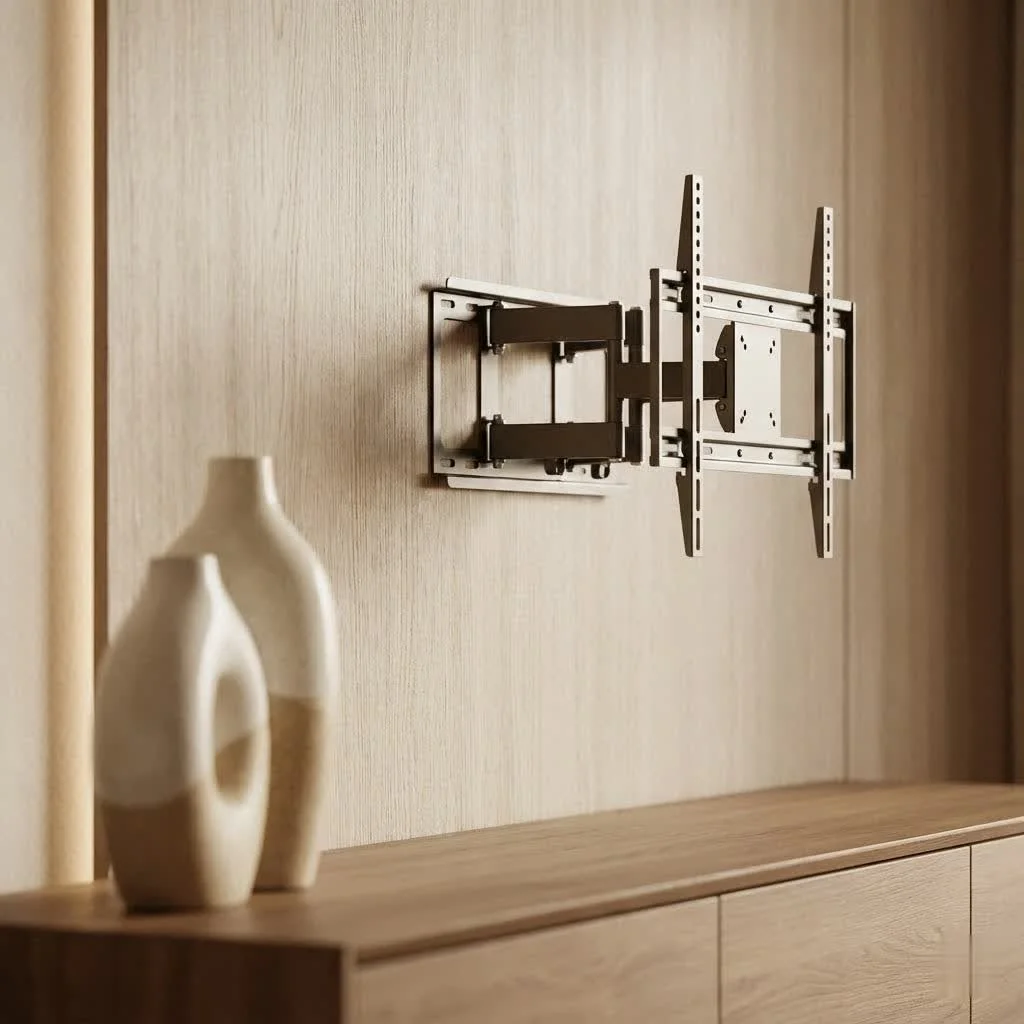
Why Choose a Corner TV Mount? Unlocking Hidden Potential
Many homeowners shy away from corner installations, but they offer compelling advantages that a traditional flat wall setup simply can’t match. For explore our tv mounts reviews on this site.
Maximize Space and Enhance Aesthetics
One of the most immediate benefits of a corner TV mount is its incredible ability to optimize your room’s layout. Corners are often “dead spaces,” either unused or cluttered with small furniture. A corner mount liberates your main walls, making even the coziest rooms feel more open and spacious. By lifting your TV off a stand, you instantly reduce clutter, making your area look cleaner and more modern. Imagine a sleek, floating screen seamlessly integrated into your home’s design—it’s a major upgrade for contemporary aesthetics.
Optimize Viewing Angles
Ever struggled to find the perfect viewing angle, especially in open-concept living areas or rooms with multiple seating arrangements? A corner TV mount, particularly a full-motion one, solves this problem with ease. It allows you to swivel, tilt, and extend your screen, ensuring that everyone in the room has a prime view, whether they’re on the couch, at the dining table, or even prepping snacks in the kitchen. No more craning necks or rearranging furniture; just fluid, adjustable viewing.
Reduce Glare and Improve Comfort
Windows and overhead lighting can be notorious for creating annoying glare on your TV screen. By strategically positioning your television in a corner, you can often mitigate these issues. The ability to tilt your screen downwards helps to reduce reflections and allows you to adjust the viewing angle for optimal comfort, creating a more enjoyable and less fatiguing experience, especially during long movie marathons.
Decoding Corner TV Mount Types: Finding Your Perfect Match
Not all TV mounts are created equal, especially when it comes to corners. Understanding the different types is crucial for making an informed decision.
Full-Motion Corner TV Mounts (Articulating/Long-Arm)
These are, without a doubt, the most versatile and popular choice for corner installations.Description: Full-motion mounts feature articulating arms that allow the TV to extend significantly from the wall, swivel left or right, and tilt up or down. Many specialized corner mounts are essentially full-motion mounts with extra-long arms or dual split wall brackets designed to accommodate the unique angle.Benefits: They offer unparalleled flexibility, enabling you to pull the TV out and adjust its position to virtually any desired angle. This is ideal for dynamic viewing environments or rooms where you want the TV to be visible from multiple areas. The long arm allows larger TVs to clear adjacent walls, preventing them from hitting the corner.
Tilting Corner TV Mounts
|
Our Picks for the Best TV Mount in 2026
As an Amazon Associate I earn from qualifying purchases.
|
||
| Num | Product | Action |
|---|---|---|
| 1 | USX MOUNT Full Motion TV Wall Mount for Most 32-70 inch TVs up to 99 lbs, Wall Mount Bracket with Dual Articulating Arms, Swivel, Tilt, Max VESA 400x400mm, TV Mount Fits 12”/16” Wood Studs |

|
| 2 | monTEK Motorized Ceiling TV Mount for 43-86 Inch TVs, Heavy-Duty 121lbs (4X Load Tested), Off-Center VESA Compatible, Electric Flip Down with Remote/App/Voice Control, Fits Flat & Pitched Roof |
|
| 3 | Magnetic Monitor Wall Mount for Steel Surfaces, Fits 13 to 34 Inch Screens, Holds up to 22 lbs, VESA 75/100 Compatible Wall Mount for Computer and TV Monitor, No-Drill Installation with All Screws |
|
| 4 | Perlegear Full Motion TV Wall Mount for Most 42–86 inch Flat Curved TVs up to 132 lbs, 12″/16″ Wood Studs, Bracket with Articulating Arms, Swivel, Tool-Free Tilt, Max VESA 600x400mm PGLF12 |
|
| 5 | USX Mount Full Motion TV Wall Mount for Most 42-90 inch Flat Screen/LED/4K, TV Mount Bracket Dual Swivel Articulating Tilt 6 Arms, Max 16\" Wood Studs, VESA 600x400mm, Holds up to 132lbs |
|
| 6 | Mounting Dream TV Wall Mount for Most 37-75 Inch TVs, Universal Tilt TV Mount Fit 16\", 18\", 24\" Stud with Loading Capacity 132lbs, Max Vesa 600 x 400mm, Low Profile Flat Wall Mount TV Bracket |
|
| 7 | Amazon Basics Full Motion Articulating TV Wall Mount, with Swivel and Tilt, for 26\" to 55\" TVs and Flat Panels up to 80 Lbs, VESA Compatible, Black |
|
| 8 | MOUNTUP Full Motion TV Wall Mount for Most 26-60 Inch TVs, Max VESA 400x400mm Wall Mount TV Bracket with Swivel Tilting Extension Level Adjustment for LED LCD Flat Curved TVs Up to 77 LBS, MU0018 |
|
| 9 | Pipishell Full Motion TV Wall Mount for Echo Show 21/15 and 13-43 Inch Flat Curved Screen TVs & Monitors, Max VESA 200x200mm up to 44lbs, TV Mount Wall Bracket with Rotation Swivel Tilt Extension |
|
| 10 | Mounting Dream TV Wall Mount for 32-65 Inch Television,Mount with Swivel and Tilt, Full Motion Bracket with Articulating Dual Arms, Fits 16inch Studs, Max VESA 400X400 mm, 99lbs, MD2380 |
|
A step up from fixed mounts, tilting mounts offer a good balance of adjustability and a low profile.Description: Tilting mounts allow you to angle your TV vertically, typically downwards, but offer no horizontal swivel or extension.Benefits: Primarily used to reduce glare from windows or lights by angling the screen away from the light source. They are also useful if your TV is mounted higher than eye level, providing a more comfortable viewing angle. While not as flexible as full-motion options, they are simpler and generally more affordable.
Fixed Corner TV Mounts
For the purist who values a sleek, flush look above all else, fixed mounts are an option, though less common for true corner-specific applications.Description: Fixed mounts hold your TV flat against the wall with no tilt, swivel, or extension capabilities. While not specifically “corner” mounts, some very wide TVs mounted on a fixed bracket close to a corner might be considered. However, dedicated corner mounts usually have some articulation.Benefits: They offer the lowest profile, keeping your TV extremely close to the wall for a minimalist aesthetic. They are generally the most affordable and simplest to install among standard mounts. However, for a genuine corner setup, you’ll almost always need some form of articulation to make the TV visible from the room.
Dual Split Bracket vs. Single Stud Design
When mounting in a corner, how the mount attaches to the wall is key:
- Dual Split Bracket: Some corner mounts feature two separate wall plates that attach to adjacent walls, providing a wider, more stable base across the corner. This is excellent for heavier TVs and ensures strong support.
- Single Stud Design: Many modern full-motion corner mounts are ingeniously designed to attach to a single wall stud. This is incredibly convenient, especially if your corner doesn’t have perfectly spaced studs for a dual-bracket system. Despite using a single stud, these mounts are engineered to be robust and safe, often with a longer articulating arm to position the TV correctly in the corner.
The Dikfu Checklist: How to Select the Right Corner TV Mount
Choosing the perfect corner TV mount involves more than just picking the first one you see. Here’s what you need to consider from an expert perspective:
TV Size and Weight Compatibility
Every mount has a maximum weight capacity and a recommended screen size range.Rule of thumb: Never exceed the mount’s stated weight limit. While the TV size range is often a recommendation, the weight capacity is an absolute safety requirement. Always check your TV’s manual or product specifications for its exact weight.
- Expert Tip: “Always choose a mount certified to hold more than your TV’s actual weight. It’s better to have a buffer for safety and peace of mind,” advises Elena Petrova, lead installation specialist at Dikfu.com.
Understanding VESA Patterns
VESA (Video Electronics Standards Association) refers to the pattern of mounting holes on the back of your TV. It’s expressed in millimeters (e.g., 200x200mm, 400x400mm).How to check: Your TV manual, manufacturer’s website, or simply measure the distance between the holes horizontally and vertically.Compatibility: Ensure the mount you choose supports your TV’s VESA pattern. Most good quality mounts come with a range of compatible VESA sizes.
Wall Type and Stud Spacing
This is perhaps the most critical safety factor.Wall Type: Are your walls drywall, plaster, concrete, or brick? Most mounts are designed for wood studs behind drywall. Concrete and brick walls require special anchors.Studs: TV mounts must be secured into wall studs (the wooden or metal framing behind your drywall) for maximum strength and safety. Drywall anchors alone are generally not strong enough for heavy TVs, especially with articulating mounts that exert leverage.Stud Spacing: Typical stud spacing is 16 inches, but some homes have 24-inch spacing. Corner mounts often come with options for single-stud installation (requiring one central stud) or dual-stud installation (requiring two studs on adjacent walls or a wider wall plate that spans two studs). A reliable stud finder is your best friend here.
Extension and Articulation Needs
Consider how far you need your TV to extend from the corner and how much swivel you require.Long-Arm Mounts: For large TVs in corners, a mount with a long articulating arm (e.g., 20-30+ inches extension) is essential to pull the TV far enough from the wall to allow full swivel without hitting the adjacent wall.Swivel/Tilt Range: Full-motion mounts offer the most flexibility. If your primary goal is glare reduction, a tilting mount might suffice.
Mount Profile and Cable Management
Profile: How close will the TV sit to the wall when fully retracted? A slimmer profile generally looks cleaner.Cable Management: Look for mounts with built-in cable management channels or clips to help route and conceal wires. This is vital for maintaining that sleek, decluttered look you’re aiming for.
Step-by-Step Installation: Your Guide to a Secure Corner TV Mount
Ready to improve your corner? Follow these steps for a safe and successful corner TV mount installation. safety first!
1. Gather Your Arsenal: Tools and Preparation
Before you start, ensure you have all the necessary tools:
- Stud Finder: Non-negotiable for safety.
- Power Drill: With appropriate drill bits for pilot holes and lag bolts.
- Level: A good quality spirit level or laser level. Many mounts include a small bubble level, but a larger one is more accurate.
- Tape Measure and Pencil: For marking precise locations.
- Phillips Head Screwdriver & Socket Wrench: For various bolts and nuts.
- Safety Glasses and Gloves: Always protect yourself.
- Helper: Installing a TV mount, especially with a large TV, is a two-person job.
- Mount Instructions: Always read them thoroughly, as details can vary between models.
2. Attaching Brackets to Your TV
Lay your TV face-down on a soft, clean surface (like a blanket on a table) to protect the screen.
- Identify the TV brackets from your mount kit.
- Align the brackets with the VESA holes on the back of your TV.
- Choose the correct screws from your kit. If the screws are too long, they can damage internal components. If too short, they won’t secure properly. Use spacers if necessary to ensure a snug fit without over-tightening.
- Securely attach the brackets to the TV, but do not overtighten, as this can strip the threads or crack the TV casing.
3. Precision Placement: Height and Stud Location
This is where planning truly pays off.
- Determine Viewing Height: Sit in your primary viewing spot. The center of the TV screen should ideally be at eye level. Mark this approximate height on the wall.
- Locate Studs: Use your stud finder to locate the studs in the corner area where you plan to mount the TV. Mark the edges and center of the stud(s) with a pencil. In a corner, you might find one stud close to the corner or two studs on adjacent walls.
- Crucial Safety Check: Before drilling, check the area for electrical wires or pipes using a reliable detector or by consulting blueprints if available. Drilling into these can be extremely dangerous.
4. Securing the Wall Plate: Drilling and Leveling
Now it’s time to mount the wall plate—the part that attaches to your wall.
- Align Template/Plate: Hold the wall plate (or the provided drilling template) against the wall, aligning it with your marked stud locations and desired TV height. Use your level to ensure it is perfectly horizontal. Even a slight tilt will be noticeable once the TV is mounted.
- Mark Drill Points: Mark the exact spots for drilling pilot holes through the wall plate’s mounting holes.
- Drill Pilot Holes: Using a drill bit slightly smaller than your lag bolts (consult your mount’s instructions for the correct size), drill pilot holes into the center of the studs. Drilling too large a hole will compromise strength; too small will make it hard to drive the bolts and could split the stud.
- Attach Wall Plate: Position the wall plate over the pilot holes and secure it with the provided lag bolts. Use a socket wrench to tighten them firmly. Work symmetrically (e.g., top-left, bottom-right, then other two) to ensure even pressure.
- Re-Check Level: After tightening, use your level one last time to confirm the wall plate is perfectly horizontal.
5. Mounting Your TV and Final Adjustments
With the wall plate securely fastened, the final step is to hang your TV.
- Attach TV to Mount: With your helper, carefully lift the TV (with its attached brackets) and hook it onto the wall plate. Many mounts have a hanging system that allows the TV to slot into place.
- Secure Safety Mechanisms: Most mounts include safety screws, clips, or locking mechanisms that prevent the TV from accidentally being lifted off the mount. Engage these immediately.
- Adjust and Level: For full-motion mounts, extend, swivel, and tilt your TV to your preferred viewing angle. Use the mount’s built-in leveling adjustments if needed to ensure the TV screen is perfectly horizontal. Tighten all adjustment knobs and bolts once satisfied with the position.
Beyond the Mount: Smart Cable Management and Finishing Touches
A beautifully mounted TV loses its appeal with a tangle of cables hanging beneath it. Good cable management is essential for a clean, professional look.
- In-Wall Cable Management: For the cleanest look, consider an in-wall cable management kit. This involves cutting small access holes in your drywall (below the TV and near an outlet) and running cables through the wall cavity. Ensure you follow local electrical codes.
- Cable Sleeves and Channels: If in-wall routing isn’t an option, use cable sleeves, wraps, or adhesive cable channels that can be painted to match your wall. These neatly bundle wires together, minimizing visual clutter.
- Power Outlet Integration: Consider installing a power outlet behind the TV to avoid visible power cords. If you’re not comfortable with electrical work, hire a qualified electrician.
- Decorating Around the Corner TV: Embrace the corner! You can add floating shelves above or beside the TV for media components, decorative items, or even small plants. The key is to keep it uncluttered to maintain the spacious feel.
Troubleshooting Common Corner TV Mount Hiccups
Even with the best intentions, you might encounter issues. Here’s how to tackle some common problems:
- Wobbly Mount: If the mount feels unstable, it’s likely not securely fastened to the studs, or the bolts aren’t tightened enough. Immediately remove the TV and re-evaluate the stud attachment. Never compromise on stability.
- Not Hitting a Stud: If you drilled into drywall instead of a stud, you must patch the hole and find the stud. Drywall anchors are insufficient for TV mounts. Use your stud finder carefully and verify stud location before drilling large pilot holes.
- Uneven TV: If your TV is slightly crooked after mounting, use the mount’s built-in leveling adjustments. Most full-motion mounts allow for small rotational adjustments post-installation.
- Difficulty Adjusting: If a full-motion mount is stiff, check if any bolts or tension knobs are overtightened. Refer to your mount’s instructions for lubrication or adjustment points. Ensure the TV’s weight is within the mount’s capacity.
Frequently Asked Questions About Corner TV Mounts
Q: Can I use a regular flat wall mount in a corner?
A: Not effectively. While technically possible to install a flat mount on one wall near a corner, the TV would likely be angled awkwardly and hit the adjacent wall, severely limiting viewing angles. For true corner installation, you need an articulating or full-motion mount specifically designed to extend and swivel the TV into the corner space.
Q: How do I find studs in a corner?
A: Use a reliable stud finder. Start by scanning horizontally along both walls that form the corner. Mark any detected studs. that studs are typically 16 or 24 inches on center. In a corner, you might find a single stud very close to the corner, or studs further out on each wall, requiring a mount that can bridge that distance or attach to a single point.
Q: What is the ideal viewing height for a corner TV?
A: The ideal viewing height places the center of your TV screen at eye level when you are seated in your primary viewing position. For most living room setups, this typically falls between 42 and 48 inches from the floor to the center of the screen, but it can vary based on your furniture height and personal preference.
Q: Can corner mounts support large TVs?
A: Absolutely! Many robust corner TV mount models are designed with long articulating arms and heavy-duty construction to support large and heavy televisions, often up to 90 inches or more, provided they are securely anchored into wall studs. Always check the mount’s maximum weight and VESA compatibility.
Q: Is it safe to install a corner TV mount yourself?
A: Yes, with careful planning, the right tools, and adherence to instructions, many homeowners can safely install a corner TV mount. However, it requires precision, strength, and a clear understanding of wall structures. If you’re unsure or dealing with a very large TV, hiring a professional installer is always recommended to ensure safety and prevent damage.
Conclusion
Choosing and installing a corner TV mount is a brilliant way to reclaim floor space, enhance your room’s aesthetics, and achieve optimal viewing angles. From the versatile full-motion options to the simpler tilting mounts, there’s a solution for every need and every corner. By understanding your TV’s specifications, identifying your wall structure, and following a meticulous installation process, you can confidently transform an overlooked space into a dynamic entertainment zone. At Dikfu.com, we’re committed to empowering you with the knowledge and expertise to tackle these projects safely and effectively, ensuring your home entertainment setup is truly exceptional.
Frequently Asked Questions
Can a standard flat wall mount be used effectively in a corner?
No, a standard flat wall mount is not effective for corner installations. While it can be mounted on one wall near a corner, the TV will likely be angled awkwardly and hit the adjacent wall, severely limiting viewing angles. For true corner placement, an articulating or full-motion mount designed to extend and swivel into the corner space is required.
What is the best way to locate wall studs in a corner area?
To locate wall studs in a corner, use a reliable stud finder and scan horizontally along both walls forming the corner. Mark any detected studs. Studs are typically spaced 16 or 24 inches on center. You might find a single stud very close to the corner or studs further out on each wall, which will influence the type of mount needed.
What is the ideal viewing height for a television mounted in a corner?
The ideal viewing height for a corner TV places the center of the screen at eye level when you are seated in your primary viewing position. For most living room setups, this typically means the center of the screen is between 42 and 48 inches from the floor, though this can vary based on furniture height and personal preference.
Are corner TV mounts capable of supporting very large televisions?
Yes, many robust corner TV mount models are designed to support large and heavy televisions, often up to 90 inches or more. These mounts feature long articulating arms and heavy-duty construction, provided they are securely anchored into wall studs. Always verify the mount's maximum weight and VESA compatibility before purchase.
Is it safe for a homeowner to install a corner TV mount independently?
Yes, many homeowners can safely install a corner TV mount themselves with careful planning, the correct tools, and strict adherence to the manufacturer's instructions. However, the process requires precision, adequate strength, and a clear understanding of wall structures. For very large TVs or if you are unsure, hiring a professional installer is always recommended to ensure safety and prevent damage.
Install a Corner TV Mount Safely
Follow these five steps to securely install your corner TV mount, ensuring optimal viewing and safety.
Collect all necessary tools, including a stud finder, power drill, level, tape measure, and safety gear. Ensure you have a helper, as installing a TV mount is typically a two-person job, especially for larger televisions. Always read your specific mount's instructions thoroughly before beginning.
Lay your TV face-down on a soft, clean surface to protect the screen. Align the mount's brackets with the VESA holes on the back of your TV. Select the correct screws and use spacers if needed to ensure a snug fit without overtightening, which can damage the TV casing.
Sit in your primary viewing spot to determine the ideal TV height, marking the wall where the center of the screen should be at eye level. Use a reliable stud finder to locate and mark the edges and center of the wall stud(s) in the corner area. Crucially, check for electrical wires or pipes before drilling.
Hold the wall plate or drilling template against the wall, aligning it with your marked stud locations and desired height, ensuring it is perfectly level. Mark the drill points, then drill pilot holes into the center of the studs using a drill bit slightly smaller than your lag bolts. Securely attach the wall plate with lag bolts, tightening them firmly and re-checking for levelness.
With your helper, carefully lift the TV (with brackets attached) and hook it onto the secured wall plate, engaging any safety mechanisms immediately. For full-motion mounts, extend, swivel, and tilt the TV to your preferred viewing angle, using built-in leveling adjustments if necessary. Tighten all adjustment knobs and bolts once satisfied with the position.
Get our weekly buyer guide
Practical specs, not advice. Unsubscribe anytime.
The idea of using a corner mount to maximize space is great, and it definitely helped with my small apartment. However, the installation for the specific mount I got was a bit trickier than I expected. The instructions could have been clearer on how to get it perfectly level in the corner. It took me a bit longer than I anticipated.
I was really struggling with my open-concept living room and this guide was a lifesaver. The corner TV mount suggestion completely transformed the space. It freed up so much wall space that I thought was unusable before. My viewing angle is also much better now, no more craning my neck from the kitchen!
As someone with a lot of experience in home theater setups, I can attest to the benefits of a good corner mount. It’s not just about saving space; it truly enhances the functionality and overall look of the room. My TV looks fantastic in the corner now, and the cable management is surprisingly clean.
I’ve always avoided corner installations because I thought they looked awkward, but this really changed my mind. The aesthetic improvement is noticeable, and it turned what was a dead space into a really functional entertainment hub. I’m glad I took the plunge and tried it out.