As your go-to experts at Dikfu.com, with over 15 years in the trenches of TV mount installations, we know a thing or two about getting your screen exactly where it needs to be. While wall mounts are popular, sometimes the best solution is to look up! A ceiling hanging TV mount offers a unique blend of style, functionality, and space-saving prowess that traditional wall mounts simply can’t match. If you’ve been dreaming of reclaiming your wall space or achieving that perfect, unobstructed view, then you’ve come to the right place. We’re here to demystify the complexities and guide you through everything you need to know about choosing and installing a ceiling TV mount safely and effectively.
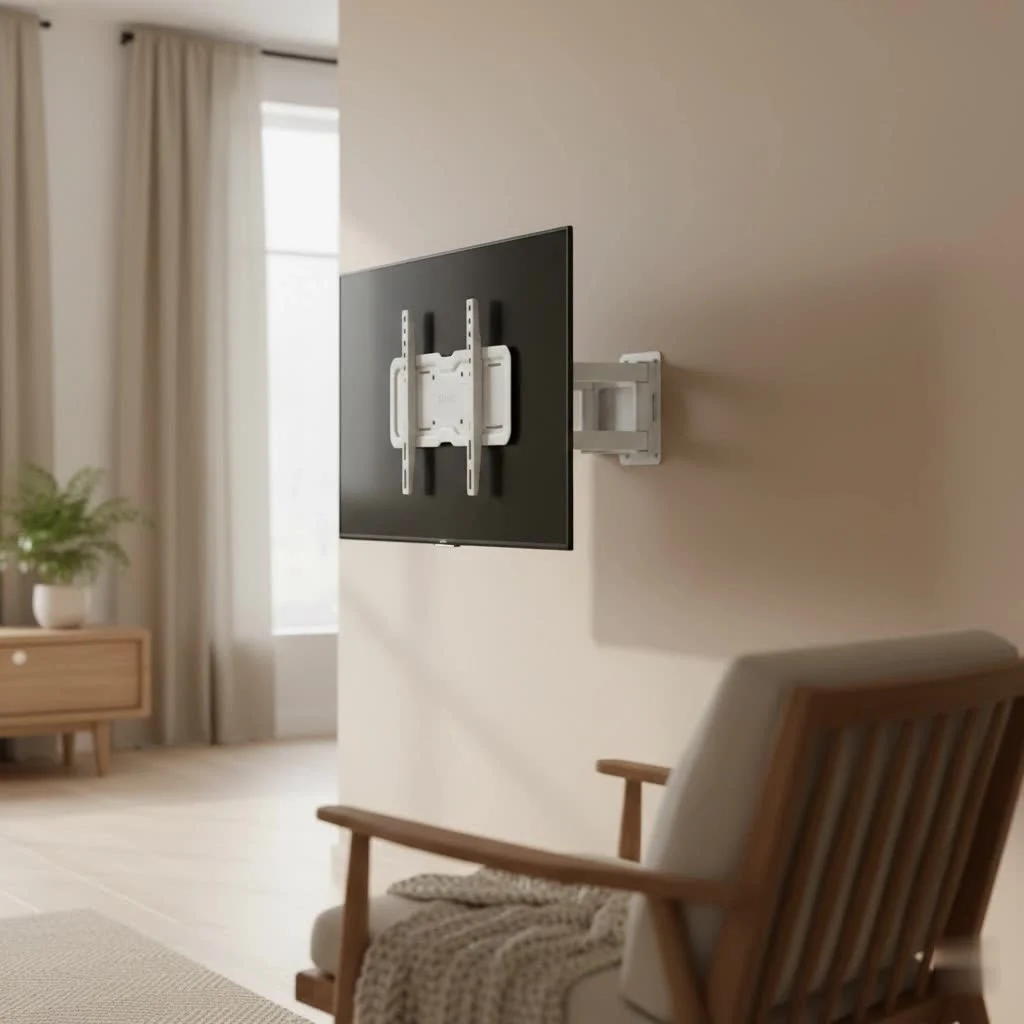
Why Choose a Ceiling Hanging TV Mount? The Dikfu.com Perspective
At Dikfu.com, we consistently see homeowners and businesses turn to ceiling mounts for their distinct advantages. It’s not just about hanging a TV; it’s about transforming a space.
Maximize Space and Modern Aesthetics
One of the most compelling reasons to opt for a ceiling hanging TV mount is its incredible ability to save space. In today’s homes, especially in urban apartments or open-concept layouts, every square foot counts. By utilizing the ceiling, you free up valuable wall space for art, shelving, or simply a minimalist, uncluttered look. It creates a sleek, modern aesthetic that instantly elevates any room, making it feel larger and more organized. Imagine a living room where your entertainment setup doesn’t dictate the furniture arrangement, or a bedroom where you can enjoy your favorite shows without a bulky stand.
Unmatched Viewing Flexibility
Have you ever wished your TV could follow you around the room? While that’s still a sci-fi dream, a ceiling hanging TV mount comes pretty close. Unlike many fixed wall mounts, ceiling mounts often boast incredible adjustability. They can swivel, tilt, and even rotate a full 360 degrees, allowing you to achieve optimal viewing angles from virtually anywhere in the room. Whether you’re cooking in the kitchen, relaxing on the sofa, or working out in a home gym, your TV can be perfectly angled towards your line of sight, reducing glare and neck strain. This level of flexibility is particularly advantageous in multi-purpose rooms or commercial settings.
Enhanced Safety for Active Homes
For families with curious toddlers or playful pets, a TV mounted on a low stand or even a reachable wall mount can pose a safety risk. A ceiling hanging TV mount keeps your valuable screen safely out of reach, drastically reducing the chance of accidental bumps, topples, or damage. This peace of mind is invaluable, ensuring your family and your electronics are protected.
Understanding Your Options: Types of Ceiling TV Mounts
Just like choosing the right car, picking the perfect ceiling hanging TV mount depends on your specific needs and desires. There’s a variety to consider, each offering different levels of movement and sophistication.
Fixed and Tilting Mounts
|
Our Picks for the Best TV Mount in 2026
As an Amazon Associate I earn from qualifying purchases.
|
||
| Num | Product | Action |
|---|---|---|
| 1 | Mounting Dream TV Wall Mount for Most 37-75 Inch TVs, Universal Tilt TV Mount Fit 16\", 18\", 24\" Stud with Loading Capacity 132lbs, Max Vesa 600 x 400mm, Low Profile Flat Wall Mount TV Bracket |

|
| 2 | USX MOUNT Full Motion TV Wall Mount for Most 32-70 inch TVs up to 99 lbs, Wall Mount Bracket with Dual Articulating Arms, Swivel, Tilt, Max VESA 400x400mm, TV Mount Fits 12”/16” Wood Studs |
|
| 3 | MOUNTUP Full Motion TV Wall Mount for Most 26-60 Inch TVs, Max VESA 400x400mm Wall Mount TV Bracket with Swivel Tilting Extension Level Adjustment for LED LCD Flat Curved TVs Up to 77 LBS, MU0018 |
|
| 4 | monTEK Motorized Ceiling TV Mount for 43-86 Inch TVs, Heavy-Duty 121lbs (4X Load Tested), Off-Center VESA Compatible, Electric Flip Down with Remote/App/Voice Control, Fits Flat & Pitched Roof |
|
| 5 | Mounting Dream TV Wall Mount for 32-65 Inch Television,Mount with Swivel and Tilt, Full Motion Bracket with Articulating Dual Arms, Fits 16inch Studs, Max VESA 400X400 mm, 99lbs, MD2380 |
|
| 6 | USX Mount Full Motion TV Wall Mount for Most 42-90 inch Flat Screen/LED/4K, TV Mount Bracket Dual Swivel Articulating Tilt 6 Arms, Max 16\" Wood Studs, VESA 600x400mm, Holds up to 132lbs |
|
| 7 | Pipishell Full Motion TV Wall Mount for Echo Show 21/15 and 13-43 Inch Flat Curved Screen TVs & Monitors, Max VESA 200x200mm up to 44lbs, TV Mount Wall Bracket with Rotation Swivel Tilt Extension |
|
| 8 | Perlegear Full Motion TV Wall Mount for Most 42–86 inch Flat Curved TVs up to 132 lbs, 12″/16″ Wood Studs, Bracket with Articulating Arms, Swivel, Tool-Free Tilt, Max VESA 600x400mm PGLF12 |
|
| 9 | Amazon Basics Full Motion Articulating TV Wall Mount, with Swivel and Tilt, for 26\" to 55\" TVs and Flat Panels up to 80 Lbs, VESA Compatible, Black |
|
| 10 | Magnetic Monitor Wall Mount for Steel Surfaces, Fits 13 to 34 Inch Screens, Holds up to 22 lbs, VESA 75/100 Compatible Wall Mount for Computer and TV Monitor, No-Drill Installation with All Screws |
|
The simplest form of a ceiling mount, fixed options, once installed, offer no adjustability beyond their initial placement. They are ideal for situations where your viewing position is static, like a dedicated home theater seat. Tilting mounts, on the other hand, provide vertical angle adjustment, allowing you to reduce glare or find a more comfortable viewing angle if your TV is mounted particularly high. These are generally the most budget-friendly and straightforward to install.
Full-Motion and Articulating Mounts
For those who crave more control, full-motion or articulating ceiling hanging TV mounts are a game-changer. These mounts typically feature an extension pole that allows the TV to drop down from the ceiling, along with swivel and tilt capabilities. Some even offer rotation. This means you can pull your TV away from the ceiling, angle it precisely, and even rotate it to different areas of the room. They are perfect for open-plan living spaces, bedrooms, or small offices where viewing angles can vary significantly.
The Sophistication of Motorized Drop-Down Mounts
When elegance and cutting-edge technology are priorities, motorized drop-down mounts truly shine. These luxurious options allow your TV to be completely hidden flush with the ceiling when not in use. With the touch of a button, your TV gracefully descends into viewing position. It’s the ultimate blend of minimalist design and maximum impact, transforming any space into a high-tech entertainment hub. While they represent a higher investment and more complex installation, the “wow” factor and aesthetic appeal are undeniable.
Choosing the Perfect Ceiling Hanging TV Mount for Your Home
Selecting the right ceiling hanging TV mount is crucial for both safety and satisfaction. It’s not just about what looks good, but what works best for your specific TV and home environment.
Match Your TV’s Specifications (Weight, Size, VESA)
Before anything else, you absolutely must know your TV’s vital statistics. This includes its weight, screen size, and VESA pattern. The VESA (Video Electronics Standards Association) pattern refers to the four-hole screw pattern on the back of your TV, measured in millimeters (e.g., 200x200mm or 400x400mm). Your chosen mount must be compatible with your TV’s VESA pattern and, critically, rated to support at least twice your TV’s weight. Overlooking this step is a common, and dangerous, mistake. As our lead installer, David “The Beam” Johnson, always says, “A mount is only as strong as its weakest link, and that weakest link usually starts with ignoring the weight capacity.”
Assess Your Ceiling’s Structural Integrity
This is perhaps the most critical factor. Unlike wall mounts that attach to studs, a ceiling hanging TV mount requires anchoring into strong, reliable ceiling joists or structural beams.
- Concrete or Brick Ceilings: These offer the best load-bearing capacity and are generally ideal, requiring heavy-duty anchors or expansion dowels.
- Wooden Beam Ceilings: Excellent for mounting, typically requiring long wood screws to secure firmly into the beams.
- Plasterboard or Suspended Ceilings: These are problematic. You cannot mount directly into drywall or plaster. You must locate the underlying joists or use specialized crossbeam reinforcement kits designed to distribute the weight across multiple joists. If you’re unsure about your ceiling’s ability to bear the weight of your TV and mount, consult a structural engineer or a professional installer. A stud finder is an indispensable tool for locating these crucial support structures.
Prioritize Your Viewing Experience
Consider where you’ll typically be watching TV. What height is comfortable? Do you need the TV to swivel to different parts of the room, or tilt to avoid glare from windows or lights? An adjustable-height pole can be a godsend in rooms with varying seating arrangements or if you just like to watch TV while lying down. Think about factors like screen distance, avoiding glare, and how different viewing positions might impact your choice of mount type (fixed, tilting, or full-motion).
Don’t Forget Cable Management & Aesthetics
A beautifully mounted TV can quickly lose its appeal if a tangle of cables hangs underneath. Many high-quality ceiling hanging TV mounts come with integrated cable management systems, often a hollow extension pole, to conceal wires for a clean, professional look. Plan your cable routing before installation. Will you feed them directly into the ceiling, run them along a beam, or use external cable covers? A tidy setup significantly enhances the overall aesthetic.
Step-by-Step Installation: Securely Mounting Your TV from the Ceiling
Installing a ceiling hanging TV mount is a rewarding DIY project, but it demands precision and careful attention to safety. Here’s how we tackle it at Dikfu.com:
Gather Your Essential Tools and a Helping Hand
Preparation is key. You’ll need:
- Your chosen ceiling hanging TV mount kit
- Power drill and appropriate drill bits
- Stud finder
- Level
- Measuring tape and pencil
- Socket wrench or pliers
- Screwdriver set
- Safety goggles and gloves
- A sturdy ladder or step stool
- Crucially, a helper: Lifting and positioning a TV, especially overhead, is a two-person job.
Locate and Verify Ceiling Joists
Using your stud finder, carefully sweep the ceiling in the area where you plan to install the mount. Mark the center of the joists with your pencil. These are the solid wood or metal beams that will bear the weight of your TV. Double-check your measurements to ensure the mounting plate will be perfectly centered over these joists and that they are robust enough for the load. Before drilling, use a cable locator to scan for any hidden electrical wiring or plumbing pipes. Safety first!
Precise Marking and Pre-Drilling
Hold the ceiling mount’s base plate against the ceiling, aligning it with the marked joists. Use a level to ensure it’s perfectly straight, then mark the exact locations for your pilot holes. Select a drill bit that is slightly smaller than the screws or bolts provided with your mount. Carefully pre-drill the pilot holes into the marked spots in the center of the joists.
Securely Attaching the Mounting Plate
With the pilot holes ready, align the mounting plate with the holes. Drive the heavy-duty screws or lag bolts through the plate and firmly into the ceiling joists. Use a socket wrench to tighten them securely. The plate should be absolutely flush with the ceiling and show no movement when tugged. This is the foundation of your installation, so ensure it’s rock solid.
Connecting the TV Brackets and Extension Pole
Next, attach the VESA-compatible brackets to the back of your TV. Match the holes on the brackets to your TV’s mounting points, using the screws provided by the mount manufacturer. Ensure these are tightened firmly, but don’t overtighten and strip the threads. If your mount includes an extension column or pole, attach it to the ceiling mounting plate according to the manufacturer’s instructions, making sure it is securely locked into place.
Final TV Attachment and Safety Checks
With your helper, carefully lift the TV and attach it to the extension pole or directly to the ceiling mount. Most mounts have a “hook and lock” system or specific fasteners. Follow your mount’s instructions precisely, ensuring all safety locks or screws are engaged. Once the TV is hanging, gently test its stability by applying slight pressure. Check that it doesn’t wobble or sag. Finally, adjust the viewing angles as needed.
Expert Tips for a Flawless Ceiling Mount Setup
Beyond the basic steps, these pro tips from Dikfu.com will help you achieve a truly professional installation.
Mastering Cable Concealment
A clean look is paramount.
- Integrated Solutions: If your ceiling hanging TV mount has an internal cable management channel, use it! Feed all power, HDMI, and other cables through the pole.
- In-Ceiling Routing: For the cleanest finish, consider running cables through the ceiling and down a wall, or directly to an attic/utility space. This often requires professional help to ensure no structural or electrical damage.
- Cable Sleeves & Ties: Even with internal channels, use cable ties to bundle wires neatly along the pole or behind the TV. Cable sleeves can also provide a uniform, aesthetic cover for exposed runs.
Avoiding Common Installation Pitfalls
Even seasoned DIYers can make mistakes.
- Ignoring Weight Limits: Never, ever exceed the weight capacity of your mount. It’s a recipe for disaster.
- Inadequate Ceiling Support: Mounting into drywall alone will fail. Always anchor into solid joists or reinforce the area.
- Not Checking for Utilities: Before drilling, use a cable/pipe locator. Drilling into electrical wires or plumbing can be dangerous and costly.
- Rushing the Process: Take your time. Measure twice, drill once. Enlist help for lifting the TV.
- Skipping Safety Checks: Always perform a final stability check after installation and periodically afterwards.
Frequently Asked Questions About Ceiling Hanging TV Mounts
Q: Can any ceiling support a TV mount?
A: No, not all ceilings are suitable. Drywall or plaster ceilings require anchoring into underlying joists or structural reinforcement. Concrete or wood beam ceilings are generally best. Always verify structural integrity before installation.
Q: What is the VESA standard, and why is it important for a ceiling hanging TV mount?
A: The VESA standard refers to the mounting hole pattern on the back of your TV. It’s crucial because your mount must have a compatible VESA pattern to properly attach to your television. You can usually find your TV’s VESA size in its manual.
Q: How high should I hang my TV from the ceiling?
A: The ideal height depends on your viewing position and room layout. Generally, the center of the screen should be at eye level when you’re seated. With a ceiling hanging TV mount, adjustability is key, so consider an articulating or adjustable-height model for flexibility.
Q: Is it difficult to hide cables with a ceiling TV mount?
A: It can be more challenging than with a wall mount, but it’s certainly achievable. Many mounts offer integrated cable management. For a completely hidden look, routing cables through the ceiling or walls may be necessary, often requiring professional assistance.
Q: Do motorized ceiling TV mounts require special wiring?
A: Yes, motorized mounts typically require a power outlet in the ceiling near the installation point. This often means running new electrical wiring, which should ideally be done by a qualified electrician to ensure safety and compliance with building codes.
Q: How much weight can a typical ceiling hanging TV mount hold?
A: Weight capacities vary significantly by model. Most quality ceiling mounts can safely hold TVs ranging from 50 to over 100 pounds. Always check the specific mount’s maximum weight rating and ensure it’s significantly higher than your TV’s actual weight.
Conclusion
A ceiling hanging TV mount is more than just a bracket; it’s an intelligent solution for maximizing space, enhancing aesthetics, and achieving unparalleled viewing flexibility in your home or commercial establishment. From the sleek lines of a fixed mount to the elegant drama of a motorized drop-down, the right choice can profoundly impact your entertainment experience. With our expert guidance from Dikfu.com, you now have the knowledge to confidently select, install, and optimize your ceiling TV mount. So go ahead, reclaim your walls, free up your floor space, and elevate your viewing to new heights. For more in-depth articles and professional advice on all things TV mounting, keep visiting Dikfu.com – your trusted partner in home entertainment solutions.
Get our weekly buyer guide
Practical specs, not advice. Unsubscribe anytime.