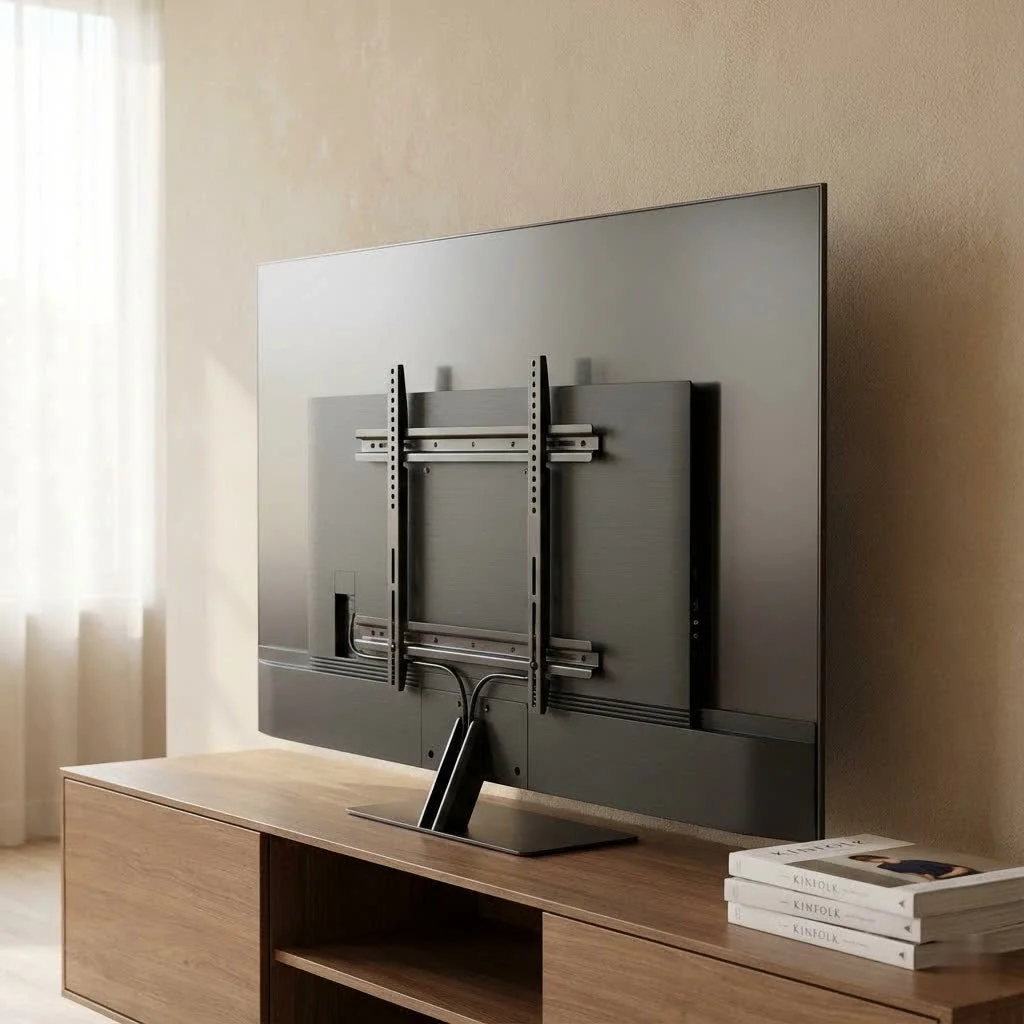
Mounting a 65-inch TV on the wall enhances aesthetics, saves floor space, and improves viewing angles. The ideal height for a 65-inch TV places its center at eye level when seated, typically 40-42 inches from the floor. Key considerations include selecting a mount with the correct VESA pattern, ensuring it exceeds the TV’s weight, and securely fastening it into wall studs for safety.
Understanding TV Wall Mounts for Your 65-Inch TV
Mounting a large television like a 65-inch model optimizes viewing and integrates technology seamlessly into your home. For explore our tv mounts reviews on this site.
Why Mount Your 65-Inch TV?
Mounting a 65-inch display removes the clutter of a bulky stand, making your room feel more open and modern. It also ensures safety, especially in homes with kids or pets, by securely affixing the TV to the wall, preventing accidental tip-overs. A floating TV also offers a sleek, contemporary look.
Common Types of TV Wall Mounts
When exploring options for a tv wall mount for 65 inch tv, you’ll primarily encounter a few popular types, each offering distinct advantages:
- Fixed/Low-Profile Mounts: These are the simplest and most affordable, holding your TV flat and close to the wall for a sleek, picture-frame-like appearance. They are ideal if you watch from one spot directly in front of the screen.
- Tilting Mounts: These allow you to tilt your 65-inch TV vertically by about 5-15 degrees, which is great for reducing glare from windows or lights, especially if the TV is mounted higher up, such as above a fireplace.
- Full-Motion (Articulating) Mounts: These are the most versatile, featuring an articulating arm that allows you to extend, retract, tilt, and swivel your TV in almost any direction. They are best for multiple seating areas or accessing rear ports.
- Corner Mounts: Designed specifically for corner installations, these mounts often feature articulating arms to position your 65-inch TV perfectly in a room’s corner, maximizing space and viewing angles.
Choosing the Perfect TV Wall Mount for a 65-Inch Screen
Selecting the right tv wall mount for 65 inch tv isn’t just about picking a type; it’s about ensuring compatibility and safety. Here’s what you need to consider:
The Critical Role of VESA Compatibility
VESA (Video Electronics Standards Association) is a set of international standards for the mounting holes on the back of your TV and the corresponding pattern on the mount. For a 65-inch TV, common VESA patterns might include 400x400mm, 600x400mm, or 600x600mm. You must match your TV’s VESA pattern, found in its manual or by measuring the horizontal and vertical distance between the mounting holes, with your chosen mount.
Don’t Overlook Weight Capacity
|
Our Picks for the Best TV Mount in 2026
As an Amazon Associate I earn from qualifying purchases.
|
||
| Num | Product | Action |
|---|---|---|
| 1 | Pipishell Full Motion TV Wall Mount for Echo Show 21/15 and 13-43 Inch Flat Curved Screen TVs & Monitors, Max VESA 200x200mm up to 44lbs, TV Mount Wall Bracket with Rotation Swivel Tilt Extension |

|
| 2 | Mounting Dream TV Wall Mount for Most 37-75 Inch TVs, Universal Tilt TV Mount Fit 16\", 18\", 24\" Stud with Loading Capacity 132lbs, Max Vesa 600 x 400mm, Low Profile Flat Wall Mount TV Bracket |
|
| 3 | MOUNTUP Full Motion TV Wall Mount for Most 26-60 Inch TVs, Max VESA 400x400mm Wall Mount TV Bracket with Swivel Tilting Extension Level Adjustment for LED LCD Flat Curved TVs Up to 77 LBS, MU0018 |
|
| 4 | Perlegear Full Motion TV Wall Mount for Most 42–86 inch Flat Curved TVs up to 132 lbs, 12″/16″ Wood Studs, Bracket with Articulating Arms, Swivel, Tool-Free Tilt, Max VESA 600x400mm PGLF12 |
|
| 5 | USX MOUNT Full Motion TV Wall Mount for Most 32-70 inch TVs up to 99 lbs, Wall Mount Bracket with Dual Articulating Arms, Swivel, Tilt, Max VESA 400x400mm, TV Mount Fits 12”/16” Wood Studs |
|
| 6 | monTEK Motorized Ceiling TV Mount for 43-86 Inch TVs, Heavy-Duty 121lbs (4X Load Tested), Off-Center VESA Compatible, Electric Flip Down with Remote/App/Voice Control, Fits Flat & Pitched Roof |
|
| 7 | Mounting Dream TV Wall Mount for 32-65 Inch Television,Mount with Swivel and Tilt, Full Motion Bracket with Articulating Dual Arms, Fits 16inch Studs, Max VESA 400X400 mm, 99lbs, MD2380 |
|
| 8 | Amazon Basics Full Motion Articulating TV Wall Mount, with Swivel and Tilt, for 26\" to 55\" TVs and Flat Panels up to 80 Lbs, VESA Compatible, Black |
|
| 9 | USX Mount Full Motion TV Wall Mount for Most 42-90 inch Flat Screen/LED/4K, TV Mount Bracket Dual Swivel Articulating Tilt 6 Arms, Max 16\" Wood Studs, VESA 600x400mm, Holds up to 132lbs |
|
| 10 | Magnetic Monitor Wall Mount for Steel Surfaces, Fits 13 to 34 Inch Screens, Holds up to 22 lbs, VESA 75/100 Compatible Wall Mount for Computer and TV Monitor, No-Drill Installation with All Screws |
|
This is non-negotiable for safety. A 65-inch TV can be heavy, and your wall mount must be rated to support its weight. Always check your TV’s weight in its specifications and ensure the mount’s stated maximum weight capacity exceeds it. Most quality mounts for a 65-inch TV support over 70kg (around 150 lbs) or more, providing an extra layer of security.
Matching Mount Size to Your 65-Inch TV
While a mount might be advertised for “37-90 inch TVs,” it’s crucial to ensure it specifically accommodates a 65-inch screen. The arms or brackets need to be wide enough to properly span the VESA holes on your TV, but not so wide that they extend beyond the edges of your screen.
Considering Your Viewing Environment and Needs
Your room’s layout and how you watch TV will heavily influence your mount choice.
- Fixed seating? A fixed or tilting mount might suffice.
- Multiple viewing angles or glare issues? A full-motion tv wall mount for 65 inch tv will give you the flexibility you need.
- Mounting high (e.g., above a fireplace)? A tilting or full-motion mount is essential to angle the screen down for comfortable viewing.
- Small room where you sit close? An articulating mount can pull the TV away from the wall for better viewing comfort, then push it back for a sleek look when not in use.
Wall Type Matters: Studs Are Your Best Friend
This is arguably the most critical safety aspect. For a heavy 65-inch TV, you absolutely must mount into wall studs. Studs are the vertical wooden or metal framing pieces behind your drywall. Drywall alone cannot support the weight of a large TV and mount, regardless of special anchors. Using a reliable stud finder is key to locating these structural supports. Mounting directly into studs ensures your tv wall mount for 65 inch tv is as secure as possible.
“Always prioritize safety by anchoring your 65-inch TV wall mount directly into structural studs,” advises John Dikfu, a veteran in home AV installations. “Cutting corners here isn’t just risky for your TV, it’s risky for your home and family.”
Step-by-Step Installation: Mounting Your 65-Inch TV Safely
Ready to get your 65-inch TV up on the wall? Here’s a general guide to a safe and successful installation. always refer to your specific mount’s instructions, as details can vary.
Gather Your Tools: What You’ll Need
Before you start, make sure you have these essentials:
- Stud finder
- Power drill with various bits (for pilot holes and lag bolts)
- Level (a long one is very helpful for larger mounts)
- Measuring tape
- Phillips head screwdriver and possibly a wrench/socket set
- Pencil for marking
- Painter’s tape (optional, but great for marking lines)
- Safety glasses
Finding the Sweet Spot: Ideal Height and Stud Location
- Determine Optimal Height: For comfortable viewing while seated, the center of your 65-inch TV should ideally be at eye level. A common recommendation is to have the center of a 65-inch TV around 40-42 inches from the floor, which typically places the bottom edge about 24-26 inches from the floor, depending on the TV’s specific dimensions. Have someone hold the TV (or a cardboard cutout) against the wall at various heights while you sit and check.
- Locate Studs: Use your stud finder to locate the center of at least two adjacent wall studs where you plan to mount the TV. Mark these spots with your pencil. Standard studs are usually 16 or 24 inches apart on center. Your wall mount’s horizontal bracket needs to align with these studs.
Attaching the Wall Plate Securely
- Mark Pilot Holes: Hold the wall plate of your mount against the wall, using your pencil to mark where the lag bolts will go, ensuring they are centered on the studs. Use your level to make sure the plate is perfectly horizontal.
- Drill Pilot Holes: Using a drill bit slightly smaller than your lag bolts (check your mount’s instructions for the exact size), drill pilot holes into the marked stud locations. This prevents the wood from splitting and makes driving the bolts easier.
- Attach Wall Plate: Position the wall plate over the pilot holes and secure it using the lag bolts provided with your mount. Use a wrench or socket to tighten them firmly, but don’t overtighten to avoid damaging the stud.
Preparing Your 65-Inch TV for Mounting
- Remove Stand: If your 65-inch TV came with a stand, remove it carefully.
- Attach TV Brackets: Locate the VESA mounting holes on the back of your TV. Attach the vertical brackets (usually two) from your mount to these holes using the screws provided. Ensure you use the correct screw length and washers, taking care not to overtighten and damage the TV’s delicate internal components.
The Big Moment: Hanging Your TV
This step usually requires two people, especially for a large 65-inch TV. Carefully lift your TV and align the brackets on the back of the TV with the wall plate. Many mounts have a hook-and-lock system where the TV brackets simply slide onto the wall plate and then are secured with safety screws or clips at the bottom. Once it’s on, double-check that it’s securely seated.
Final Adjustments for a Perfect View
Once your tv wall mount for 65 inch tv is installed and the TV is hanging, take a moment to make any necessary adjustments. Use the level to ensure it’s perfectly straight. If you have a tilting or full-motion mount, adjust the tilt and swivel to your preferred viewing angle. Many full-motion mounts also allow for minor leveling adjustments after installation, which is a lifesaver if it’s slightly off.
Enhancing Your Setup: Cable Management and Aesthetics
A beautifully mounted 65-inch TV can be marred by a tangle of cables. A clean setup is key to a truly professional look.
Hiding Those Pesky Wires
- Cable Ties and Clips: For simple organization, bundle cables together using hook-and-loop ties or plastic clips that adhere to the back of the TV or mount arm.
- Cable Sleeves/Raceways: These are plastic channels that you can attach to the wall to conceal wires. They can be painted to match your wall color for a discreet appearance.
- In-Wall Cable Management: For the cleanest look, consider installing an in-wall cable management kit. This involves cutting openings in your drywall (typically behind the TV and near an outlet lower on the wall) to route cables directly through the wall. If you’re not comfortable with this, a professional can certainly help.
- Recessed Outlet: For power, a recessed electrical outlet behind the TV means the plug doesn’t push the TV off the wall, allowing for an even flusher mount.
Achieving a Clean, Professional Look
Beyond cables, ensure any decorative elements or surrounding furniture complement your mounted TV. The goal is a seamless, integrated home entertainment experience. a well-executed wall mount enhances not just your viewing but your entire room’s ambiance.
Troubleshooting Common TV Mount Installation Issues
Even experienced DIYers can encounter a snag or two. Here’s how to tackle some common problems with your tv wall mount for 65 inch tv:
My TV Isn’t Level!
Don’t panic! This is a common issue. If your mount allows for post-installation leveling adjustments (many do, especially full-motion and some tilting mounts), simply loosen the adjustment screws, use your level to straighten the TV, and then retighten. If your fixed mount is slightly off, you might need to adjust the wall plate by slightly loosening the lag bolts, making micro-adjustments, and retightening.
What if My Mount Seems Unstable?
If you feel any wobble or instability, take the TV off the mount immediately. The most likely culprit is improper installation into studs. Re-verify stud locations with your finder, ensure pilot holes are correctly sized, and confirm that all lag bolts are driven firmly into the center of the studs. Never compromise on stability for a heavy 65-inch TV.
Dealing with Wall Damage
Minor cosmetic damage around screw holes can happen. If you accidentally drill in the wrong spot or a pilot hole is too large, use wall spackle to repair it before repainting. For significant wall damage, especially if the mount pulled away, you’ll need to repair the drywall before attempting to re-mount. This is another reason why proper stud location and correct hardware are so vital.
Frequently Asked Questions (FAQ)
How high should a 65-inch TV be mounted?
The ideal height places the center of your 65-inch TV at eye level when you’re seated. For most people, this is typically around 40-42 inches from the floor to the center of the screen, which means the bottom edge would be approximately 24-26 inches off the floor.
Can I install a 65-inch TV mount by myself?
While it’s possible for some parts of the installation, lifting and hanging a 65-inch TV definitely requires at least two people due to its size and weight. For safety and ease, it’s always best to have an extra pair of hands.
What does VESA stand for, and why is it important for my 65-inch TV?
VESA stands for Video Electronics Standards Association. It’s a universal standard for the four mounting holes on the back of your TV. It’s critical because your tv wall mount for 65 inch tv must have a VESA pattern that matches your TV’s to ensure proper and secure attachment.
Do I need a specific wall mount for an OLED 65-inch TV?
OLED TVs are often thinner and lighter than traditional LED TVs, but the same principles apply. You still need to match the VESA pattern and ensure the mount has adequate weight capacity. Some manufacturers offer “slim fit” mounts specifically designed to sit very flush with the wall, which can be particularly appealing for an OLED’s sleek design.
How do I hide the cables after mounting my 65-inch TV?
You can use various methods, from simple cable ties and adhesive clips to more involved solutions like on-wall cable raceways or in-wall cable management kits that route wires through the wall for a completely invisible look.
What’s the difference between a tilting and full-motion mount for a 65-inch TV?
A tilting mount allows you to adjust the vertical angle of your TV (up and down), which helps reduce glare. A full-motion (or articulating) mount offers much more flexibility, allowing you to extend the TV away from the wall, tilt it, and swivel it horizontally, providing optimal viewing from almost any angle in the room.
How can I tell if my wall can support a 65-inch TV?
The most important factor is locating and mounting into wall studs. Drywall alone will not support a 65-inch TV. Use a reliable stud finder to locate the wooden or metal studs behind your wall and ensure your mount’s lag bolts are securely fastened into them. If you have any doubts about your wall’s integrity or your ability to locate studs, consult a professional.
Ready to Mount Your 65-Inch TV?
Mounting your 65-inch TV is a rewarding project that elevates your home entertainment experience both aesthetically and functionally. By carefully selecting the right tv wall mount for 65 inch tv, understanding VESA compatibility, prioritizing weight capacity, and following safe installation practices into wall studs, you’ll achieve a secure and stunning setup. Don’t be afraid to take your time, double-check your measurements, and ask for an extra set of hands for lifting. Once it’s up, you’ll wonder why you ever lived without it. Now go forth, conquer that wall, and enjoy your perfectly positioned 65-inch TV!
Frequently Asked Questions
What is the ideal mounting height for a 65-inch TV?
The ideal height for a 65-inch TV places the center of the screen at eye level when you are seated. This typically means the center of the TV is about 40-42 inches from the floor, with the bottom edge approximately 24-26 inches off the floor.
Is it safe to install a 65-inch TV wall mount alone?
While some initial setup can be done solo, lifting and hanging a 65-inch TV onto the wall mount requires at least two people due to its considerable size and weight. Always prioritize safety by having an extra pair of hands for this crucial step.
Why is VESA compatibility important for my 65-inch TV mount?
VESA (Video Electronics Standards Association) provides universal standards for the mounting holes on the back of your TV. It is critical because your chosen wall mount must have a VESA pattern that precisely matches your 65-inch TV's pattern to ensure a proper, secure, and safe attachment.
What's the difference between tilting and full-motion mounts for a 65-inch TV?
A tilting mount allows vertical angle adjustments (up and down) to reduce glare, typically by 5-15 degrees. A full-motion (articulating) mount offers greater flexibility, allowing you to extend the TV from the wall, tilt it, and swivel it horizontally for optimal viewing from almost any angle in the room.
How can I conceal cables after mounting my 65-inch TV?
You can hide cables using several methods, including simple cable ties and adhesive clips for bundling. For a cleaner look, consider on-wall cable raceways that can be painted to match your wall, or for a completely invisible setup, use in-wall cable management kits that route wires through the drywall.
How do I ensure my wall can support a heavy 65-inch TV?
The most important step is to locate and mount the TV into wall studs, which are the structural wooden or metal supports behind your drywall. Drywall alone cannot support a 65-inch TV. Use a reliable stud finder to locate these studs and ensure all lag bolts are securely fastened into their centers.
Install a TV Wall Mount for a 65-Inch TV
This guide provides step-by-step instructions for safely installing a wall mount for your 65-inch television, ensuring a secure and aesthetically pleasing setup.
Collect essential tools like a stud finder, drill, level, and measuring tape. Determine the optimal viewing height, aiming for the center of the 65-inch TV to be at eye level when seated, typically 40-42 inches from the floor. Use a stud finder to locate and mark at least two adjacent wall studs where the mount will be installed.
Hold the wall plate against the wall, ensuring it's level and centered on the marked studs. Mark pilot holes with a pencil. Drill pilot holes into the studs using a bit slightly smaller than your lag bolts, then secure the wall plate firmly with the lag bolts provided, using a wrench or socket.
Carefully remove the stand from your 65-inch TV. Attach the vertical mounting brackets to the VESA holes on the back of the TV using the correct screws and washers. With the help of a second person, lift the TV and align the brackets with the wall plate, engaging the hook-and-lock system and securing with safety screws.
Once the TV is hanging, use a level to ensure it's perfectly straight. If you have a tilting or full-motion mount, adjust the tilt and swivel to your preferred viewing angle. Many mounts allow for minor leveling adjustments post-installation to correct any slight misalignment.
Organize and hide cables using cable ties, adhesive clips, or on-wall cable raceways that can be painted to match your wall. For the cleanest appearance, consider an in-wall cable management kit or a recessed electrical outlet behind the TV to route wires directly through the wall.
Get our weekly buyer guide
Practical specs, not advice. Unsubscribe anytime.

Mounting my 65-inch TV has completely transformed my viewing experience. The guide’s point about improving viewing angles is spot on. No more neck strain from looking down! Plus, the sleek, contemporary look of a floating TV really elevates the whole room. It feels much safer too, especially with my cat always trying to get behind things.
I finally got around to mounting my 65-inch TV and it’s a game changer! The guide here really helped me understand the VESA pattern and how crucial it is to get that right. My living room feels so much more open now without the old TV stand. Definitely recommend taking the time to do it right.
This was super helpful for figuring out the best height for my 65-inch TV. I aimed for the 40-42 inches from the floor for the center, and it’s perfect for movie nights. The only reason it’s not 5 stars is that finding the studs was a bit trickier than I expected, but that’s on my old house, not the advice.
I appreciated the emphasis on checking the weight capacity of the mount. I almost bought one that was just barely over my TV’s weight, but decided to go for a sturdier option after reading this. It was a bit more expensive, but worth the peace of mind. The installation itself was a bit of a hassle, but the TV is secure.