Mounting an 85-inch TV requires a heavy-duty wall mount secured into wall studs, with the center of the screen positioned at eye level, approximately 42 inches from the floor, for optimal viewing. An 85-inch TV typically weighs 80 to over 120 pounds, necessitating a mount with a weight capacity exceeding this and a VESA pattern that precisely matches the TV’s mounting holes, such as 600x400mm or 800x400mm.
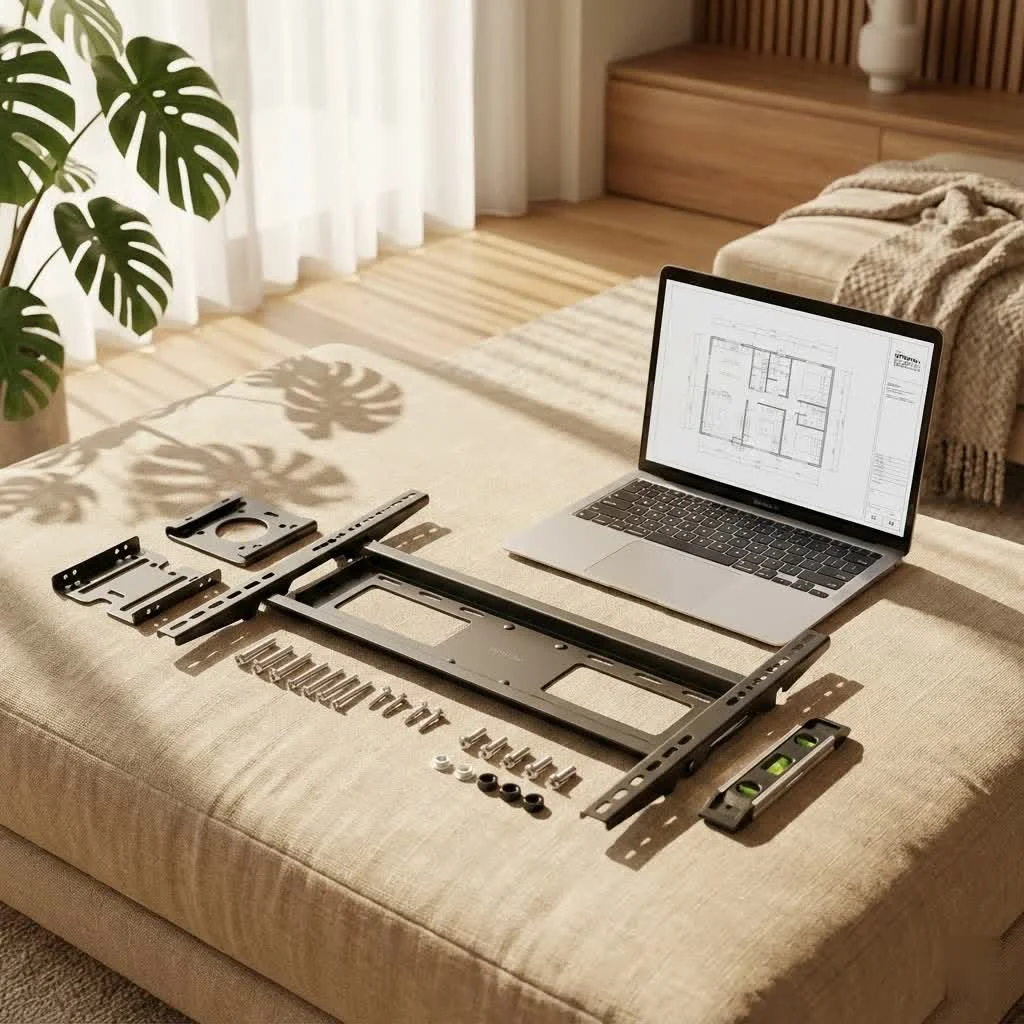
As the content creator for Dikfu.com, and with over 15 years in the trenches of TV mounting, I’m here to demystify the process for your 85-inch TV wall mount. We’ll cover everything from selecting the right mount to the final tweaks, ensuring your prized possession is secure, stunning, and perfectly positioned for unparalleled entertainment.
Understanding Your 85-Inch TV’s Unique Demands
An 85-inch TV is a significant piece of technology whose size and weight demand a different level of consideration compared to smaller screens. Ignoring these specific demands can lead to disaster, from a damaged TV to an unsafe environment.
Weight and Size: The Heavyweight Challenge
An 85-inch television, typically weighing anywhere from 80 to over 120 pounds, requires a heavy-duty wall mount. The mount you choose must be robust enough to comfortably exceed your TV’s weight. Your 85-inch TV wall mount needs to be a fortress, not just a hanger.
VESA Compatibility: Your TV’s Mounting Blueprint
VESA (Video Electronics Standards Association) refers to the standard pattern of mounting holes on the back of your TV. These measurements, typically expressed in millimeters (e.g., 600x400mm or 800x400mm), indicate the horizontal and vertical distance between the holes. Your 85-inch TV wall mount must match your TV’s VESA pattern. You’ll find this crucial information in your TV’s manual or by measuring the holes yourself.
Decoding TV Mount Types: Which One is Right for Your Giant Screen?
The world of TV mounts offers a variety of choices, each with its own benefits. For an 85-inch TV wall mount, your selection impacts everything from viewing flexibility to room aesthetics.
Fixed Mounts: The Slim, Secure Choice
Fixed mounts are the most straightforward type, holding your 85-inch TV flat and close to the wall.
- Pros: They offer the lowest profile, making your TV look like a piece of art floating on the wall. They are also generally the most affordable and easiest to install.
- Cons: Once installed, there’s no adjustment possible. This means you need to be absolutely certain about your viewing height and angle before installation.
- Best Use: Ideal for rooms where you have a dedicated seating area directly in front of the TV and can achieve perfect eye-level placement.
Tilting Mounts: Reducing Glare and Enhancing Comfort
|
Our Picks for the Best TV Mount in 2026
As an Amazon Associate I earn from qualifying purchases.
|
||
| Num | Product | Action |
|---|---|---|
| 1 | Mounting Dream TV Wall Mount for Most 37-75 Inch TVs, Universal Tilt TV Mount Fit 16\", 18\", 24\" Stud with Loading Capacity 132lbs, Max Vesa 600 x 400mm, Low Profile Flat Wall Mount TV Bracket |

|
| 2 | USX MOUNT Full Motion TV Wall Mount for Most 32-70 inch TVs up to 99 lbs, Wall Mount Bracket with Dual Articulating Arms, Swivel, Tilt, Max VESA 400x400mm, TV Mount Fits 12”/16” Wood Studs |
|
| 3 | monTEK Motorized Ceiling TV Mount for 43-86 Inch TVs, Heavy-Duty 121lbs (4X Load Tested), Off-Center VESA Compatible, Electric Flip Down with Remote/App/Voice Control, Fits Flat & Pitched Roof |
|
| 4 | Pipishell Full Motion TV Wall Mount for Echo Show 21/15 and 13-43 Inch Flat Curved Screen TVs & Monitors, Max VESA 200x200mm up to 44lbs, TV Mount Wall Bracket with Rotation Swivel Tilt Extension |
|
| 5 | Magnetic Monitor Wall Mount for Steel Surfaces, Fits 13 to 34 Inch Screens, Holds up to 22 lbs, VESA 75/100 Compatible Wall Mount for Computer and TV Monitor, No-Drill Installation with All Screws |
|
| 6 | MOUNTUP Full Motion TV Wall Mount for Most 26-60 Inch TVs, Max VESA 400x400mm Wall Mount TV Bracket with Swivel Tilting Extension Level Adjustment for LED LCD Flat Curved TVs Up to 77 LBS, MU0018 |
|
| 7 | Perlegear Full Motion TV Wall Mount for Most 42–86 inch Flat Curved TVs up to 132 lbs, 12″/16″ Wood Studs, Bracket with Articulating Arms, Swivel, Tool-Free Tilt, Max VESA 600x400mm PGLF12 |
|
| 8 | Mounting Dream TV Wall Mount for 32-65 Inch Television,Mount with Swivel and Tilt, Full Motion Bracket with Articulating Dual Arms, Fits 16inch Studs, Max VESA 400X400 mm, 99lbs, MD2380 |
|
| 9 | Amazon Basics Full Motion Articulating TV Wall Mount, with Swivel and Tilt, for 26\" to 55\" TVs and Flat Panels up to 80 Lbs, VESA Compatible, Black |
|
| 10 | USX Mount Full Motion TV Wall Mount for Most 42-90 inch Flat Screen/LED/4K, TV Mount Bracket Dual Swivel Articulating Tilt 6 Arms, Max 16\" Wood Studs, VESA 600x400mm, Holds up to 132lbs |
|
Tilting mounts allow your 85-inch TV to tilt vertically, usually downwards.
- Pros: Excellent for reducing glare from windows or overhead lights, especially if your TV is mounted slightly higher than eye level. This downward tilt can significantly improve viewing comfort by eliminating neck strain.
- Cons: Limited to vertical tilt; no horizontal swiveling.
- Best Use: A perfect choice if you’re mounting your 85-inch TV above a fireplace or higher up on a wall. The tilting mechanism ensures that even if the TV is elevated, your viewing experience remains comfortable.
Full-Motion (Articulating) Mounts: Unparalleled Flexibility
Full-motion mounts are the Swiss Army knife of TV mounting. They allow you to extend, tilt, and swivel your 85-inch TV in almost any direction.
- Pros: Offers maximum flexibility, making it easy to adjust your viewing angle from various spots in the room. Great for open-plan living areas, corner installations, or rooms with multiple seating arrangements. They also provide easy access to the back of the TV for cable management.
- Cons: Generally more expensive, involve a more complex installation process, and can be bulkier, leaving a larger gap between the TV and the wall when retracted.
- Best Use: If you need versatility and want to optimize viewing from different angles or manage cables effortlessly, a full-motion 85-inch TV wall mount is your best bet.
The Golden Rules of Placement: Height, Distance, and Viewing Angles
Getting the placement right is paramount for your viewing pleasure and comfort. For an 85-inch TV, these guidelines are even more critical because of the screen’s commanding presence.
Optimal Viewing Height: Eye Level is Key
The widely accepted ergonomic rule is to position the center of your TV screen at eye level when you are seated. For most people, this means the center of the 85-inch TV will be approximately 42 inches from the floor. Given that an 85-inch TV is roughly 43 inches tall, this would place the bottom edge of your screen around 20.5 inches from the floor. This minimizes neck strain and creates the most natural viewing experience.
Ideal Viewing Distance: Finding Your Sweet Spot
For an 85-inch TV, the ideal viewing distance is typically between 10 to 14 feet. A common guideline is to sit at a distance that is 1.5 to 2.5 times the diagonal screen size. This distance allows your eyes to take in the entire screen without excessive movement and prevents eye strain, making your cinematic moments truly immersive.
Room Setup Matters: Considerations Beyond the Mount
Every room is unique, and how you set up your space influences your mounting decisions.
- Seating Arrangement: The distance and configuration of your seating areas will dictate the ideal mount type and placement.
- Lighting: Identify potential glare sources from windows or artificial lights. Placing your 85-inch TV where natural light doesn’t directly hit the screen is essential for maintaining picture quality.
- Wall Type: The material of your wall (drywall, plaster, brick, concrete) directly impacts the installation method and the type of anchors required.
Preparing Your Wall for the Big Show: Safety First!
Mounting an 85-inch TV isn’t a task to be rushed. The structural integrity of your wall is your primary concern.
Wall Material Matters: Know Your Foundation
Different wall types require different approaches for an 85-inch TV wall mount:
- Drywall: This is the most common wall type in many homes. It absolutely requires securing your mount into wall studs. Drywall alone cannot support the weight of an 85-inch TV.
- Brick or Concrete: These sturdy walls offer excellent support but require a hammer drill and specialized masonry anchors.
- Plaster: Often found in older homes, plaster walls can be tricky. It’s best to find studs or use robust toggle bolts, and sometimes, professional reinforcement might be needed.
Locating Studs: The Non-Negotiable Step
For an 85-inch TV, finding and securing your mount to wall studs is not optional; it’s a safety imperative. Studs are the vertical wooden or metal framing pieces behind your drywall that provide structural support. A reliable stud finder is your best friend here. Mark your stud locations precisely; you’ll be anchoring lag bolts into these.
The Danger of Drywall Anchors: A Stern Warning for 85-Inch TVs
Let me be unequivocally clear: DO NOT use standard drywall anchors for an 85-inch TV wall mount. This is a critical mistake that can lead to your expensive TV crashing to the floor, causing significant damage to both the TV and your wall. For a TV this large and heavy, lag bolts driven deep into solid wood studs are the only safe and acceptable method. Anything less is a gamble you don’t want to take.
Tools You’ll Need: Your DIY Arsenal Checklist
Before you start, gather these essential tools:
- Stud Finder: To locate those crucial wall studs.
- Level (long): For ensuring your mount is perfectly straight.
- Drill (with appropriate drill bits): For pilot holes and driving lag bolts.
- Socket Wrench or Impact Driver: For securely tightening lag bolts (be cautious not to over-tighten).
- Measuring Tape: For precise height and center measurements.
- Pencil: For marking.
- Screwdrivers: For attaching TV brackets.
- Safety Glasses and Gloves: Always protect yourself!
- A Trusty Assistant (or two!): Crucial for safely lifting and positioning an 85-inch TV.
Step-by-Step Installation: Mounting Your 85-Inch TV Like a Pro
Now, let’s get down to business. patience and precision are key when installing an 85-inch TV wall mount.
Step 1: Unbox and Inspect
Carefully unbox your 85-inch TV and the wall mount. Lay the TV screen-down on a soft, clean surface (like a blanket on the floor) to protect it. Check all mount components against the parts list to ensure nothing is missing. Familiarize yourself with the mount’s instructions, as variations exist.
Step 2: Attach Mounting Brackets to TV
Locate the VESA mounting holes on the back of your TV. Attach the vertical mounting brackets from your kit to these holes using the screws provided. Ensure you use the correct length and diameter screws that fit your TV’s VESA pattern and don’t go too deep. Tighten them snugly, but do not overtighten, which can damage the TV chassis.
Step 3: Mark Wall and Drill Pilot Holes
With your assistant, hold the wall plate (the part that attaches to the wall) against the wall at your desired height. Use your long level to ensure it’s perfectly straight. Mark the top and bottom edges of the mount, and then mark the drilling points that align with the center of your studs. Double-check your measurements and level. Once confident, use your drill to create pilot holes at each marked stud location. The drill bit size for pilot holes will be specified in your mount’s instructions.
Step 4: Secure Wall Plate to Studs
Position the wall plate over the pilot holes. Insert the lag bolts (heavy-duty screws) through the mount and into the pilot holes. Using a socket wrench or impact driver, gradually tighten each lag bolt. Do not fully tighten one bolt before starting another; instead, tighten them alternately and evenly to ensure the mount pulls flat against the wall without warping. A common mistake is using an impact wrench to fully tighten; always finish by hand with a ratchet to prevent stripping the stud or over-tightening.
Step 5: Cable Management: Plan Ahead for a Clean Look
Before hanging the TV, consider how you’ll manage your cables. Now is the easiest time to plan. You can run cables through the wall using an in-wall cable management kit (requires cutting holes in your drywall) or use surface-mounted cable raceways. A well-executed cable management strategy is crucial for achieving that clean, professional look that truly enhances your 85-inch TV wall mount setup.
Step 6: Safely Lift and Attach TV
This is where your assistant(s) become indispensable. An 85-inch TV is heavy and unwieldy. With one person on each side, carefully lift the TV, aligning the brackets on the back of the TV with the wall plate on the wall. Gently hook the TV onto the mount. Most mounts have a locking mechanism or safety screws to secure the TV to the wall plate; engage these immediately.
Step 7: Final Adjustments and Security Check
Once the TV is securely on the mount, make any necessary final adjustments (tilt, swivel, extension) if your mount type allows. Use your level again to ensure the TV is perfectly straight. Then, give the TV a gentle but firm tug to confirm it’s stable and securely attached. Check all connections one last time.
Common Pitfalls and How to Sidestep Them
Even seasoned DIYers can make mistakes. For an 85-inch TV wall mount, these errors can be costly.
Ignoring Wall Structure
- Pitfall: Mounting directly into drywall without hitting studs.
- Sidestep: Always use a stud finder and anchor into at least two, preferably more, studs. Reinforce the wall if studs are not ideally spaced or if you have plaster walls.
Improper Height Placement
- Pitfall: Mounting the TV too high, leading to neck strain.
- Sidestep: Always aim for the center of the screen to be at seated eye level. Conduct a “mock-up” by holding the TV (or a cardboard cutout of its size) against the wall.
Solo Installation
- Pitfall: Attempting to lift and mount an 85-inch TV by yourself.
- Sidestep: Recruit at least one, preferably two, strong helpers. This is a two-person (or even three-person) job for safety and precision.
Forgetting Cable Management
- Pitfall: Having a beautifully mounted TV ruined by a tangle of unsightly cables.
- Sidestep: Plan your cable routing before installation. Invest in in-wall kits or attractive cable raceways for a polished finish.
Over-tightening Bolts
- Pitfall: Stripping the threads in the stud or damaging the TV’s VESA points.
- Sidestep: Tighten lag bolts firmly but stop as soon as you feel resistance. Finish with a hand ratchet for fine-tuning. For VESA screws, tighten until snug.
“A properly chosen and installed 85-inch TV wall mount transforms your living space, offering both cinematic viewing and crucial safety. Don’t cut corners.” – Dr. Evelyn Reed, Dikfu Chief Engineer.
Frequently Asked Questions (FAQ)
What VESA pattern do most 85-inch TVs use?
While it varies by manufacturer and model, most 85-inch TVs commonly utilize larger VESA patterns such as 600x400mm or 800x400mm. Always consult your TV’s manual or measure the mounting holes on the back of your specific television to ensure perfect compatibility with your 85-inch TV wall mount.
Can I mount an 85-inch TV on a plaster wall?
Mounting an 85-inch TV on a plaster wall is possible, but it requires extra caution. Plaster is not as strong as drywall. You’ll need to locate studs behind the plaster and use appropriate lag bolts. In some cases, specialized heavy-duty toggle bolts or professional wall reinforcement might be necessary to ensure the mount can safely support the considerable weight of your 85-inch TV.
How much weight can an 85-inch TV mount hold?
The weight capacity of an 85-inch TV wall mount varies by product, but it must always exceed the weight of your TV. For large TVs in this size range, mounts typically have a weight capacity between 150 lbs and 300 lbs. Always check the mount’s specifications and ensure it can safely hold your TV, plus a generous safety margin.
Is it really necessary to find studs for an 85-inch TV?
Absolutely, it is critical for safety! For an 85-inch TV, which is both large and heavy, securing the wall mount directly into wall studs using lag bolts is non-negotiable. Relying on drywall alone or insufficient anchors can lead to catastrophic failure, resulting in significant damage to your TV and property, and potentially injury.
How can I hide cables effectively with an 85-inch wall mount?
There are several effective ways to hide cables for a clean 85-inch TV wall mount setup. The most integrated solution is an in-wall cable management kit, which involves running cables through the wall. Alternatively, paintable cable raceways can be mounted on the wall’s surface to conceal wires. Some full-motion mounts also offer built-in cable management channels.
Bringing It All Together
Mounting an 85-inch TV wall mount might seem daunting at first, but with the right knowledge, tools, and a bit of help, it’s a perfectly achievable and rewarding DIY project. By understanding the unique demands of a large screen, selecting the appropriate mount type, meticulously preparing your wall, and following the installation steps carefully, you’ll improve your viewing experience. You’re not just hanging a television; you’re crafting the centerpiece of your home entertainment.
At Dikfu, we believe in empowering you to tackle these projects with confidence and expertise. Now, go forth, mount that magnificent 85-inch display, and enjoy the cinematic magic you’ve created! We’re always here to support your journey in optimizing your home entertainment.
Frequently Asked Questions
What VESA pattern do most 85-inch TVs use?
Most 85-inch TVs commonly utilize larger VESA patterns such as 600x400mm or 800x400mm, though patterns vary by manufacturer and model. Always consult your TV's manual or measure the mounting holes on the back of your specific television to ensure perfect compatibility with your 85-inch TV wall mount.
Can an 85-inch TV be mounted on a plaster wall?
Mounting an 85-inch TV on a plaster wall is possible but requires extra caution due to plaster's lower strength compared to drywall. You must locate studs behind the plaster and use appropriate lag bolts, or in some cases, specialized heavy-duty toggle bolts or professional wall reinforcement might be necessary to support the TV's considerable weight.
What is the typical weight capacity for an 85-inch TV mount?
The weight capacity of an 85-inch TV wall mount varies by product, but for large TVs in this size range, mounts typically have a capacity between 150 lbs and 300 lbs. It is crucial to always check the mount's specifications and ensure it can safely hold your TV, plus a generous safety margin, as an 85-inch TV can weigh over 120 pounds.
Is it essential to find wall studs when mounting an 85-inch TV?
Absolutely, it is critical for safety. For an 85-inch TV, which is both large and heavy, securing the wall mount directly into wall studs using lag bolts is non-negotiable. Relying on drywall alone or insufficient anchors can lead to catastrophic failure, resulting in significant damage to your TV and property, and potentially injury.
What are the best methods for hiding cables with an 85-inch wall mount?
There are several effective ways to hide cables for a clean 85-inch TV wall mount setup. The most integrated solution is an in-wall cable management kit, which involves running cables through the wall. Alternatively, paintable cable raceways can be mounted on the wall's surface to conceal wires, and some full-motion mounts also offer built-in cable management channels.
Install an 85-Inch TV Wall Mount
This guide provides step-by-step instructions for safely and effectively installing an 85-inch TV wall mount, ensuring optimal viewing and security.
Carefully unbox your 85-inch TV and the wall mount. Lay the TV screen-down on a soft, clean surface to protect it. Verify all mount components against the parts list and familiarize yourself with the mount's specific instructions.
Locate the VESA mounting holes on the back of your TV and attach the vertical mounting brackets from your kit using the provided screws. Ensure the correct screw length and diameter are used, tightening them snugly but without overtightening to prevent damage to the TV chassis.
With an assistant, hold the wall plate at your desired height and use a long level to ensure it's perfectly straight. Mark the drilling points that align with the center of your wall studs. Double-check all measurements and use a drill to create pilot holes at each marked stud location, following the mount's instructions for drill bit size.
Position the wall plate over the pilot holes and insert the lag bolts. Using a socket wrench or impact driver, gradually tighten each lag bolt alternately and evenly to ensure the mount pulls flat against the wall without warping. Finish tightening by hand with a ratchet to prevent stripping.
With at least one assistant, carefully lift the 85-inch TV, aligning its brackets with the wall plate. Gently hook the TV onto the mount and immediately engage any locking mechanisms or safety screws to secure it to the wall plate. Make final adjustments and perform a gentle tug test to confirm stability.
Get our weekly buyer guide
Practical specs, not advice. Unsubscribe anytime.

The guide was mostly good for understanding the basics of an 85-inch TV wall mount. However, I found the section on weight capacity a little vague. It said ‘exceeding this,’ but a more specific recommendation for a safety margin would have been useful. Still, it helped me avoid a flimsy mount.
Finally got my 85-inch mounted! The advice about positioning the center of the screen at eye level, around 42 inches from the floor, made a huge difference. My previous TV was mounted too high, and this adjustment has made movie nights so much more comfortable. Definitely recommend following these tips for optimal viewing.
I was really nervous about mounting my new 85-inch TV, especially with how heavy it is. This guide was a lifesaver! It really emphasized the importance of hitting those wall studs, and I felt much more confident knowing exactly what to look for. My TV is now perfectly secure and looks amazing in the living room.
Great info here. I appreciated the detail on VESA patterns; I almost bought the wrong mount for my Samsung before reading this. The only reason it’s not 5 stars is that I wish there was a bit more on cable management tips for such a large setup, but overall, super helpful for getting my big screen up.