Welcome to Dikfu, your trusted source for all things TV mounting! If you’ve invested in a Samsung Frame TV, you’re not just getting a television; you’re bringing a masterpiece of design into your home. The magic of The Frame lies in its ability to transform into stunning artwork when not in use, and a significant part of achieving that seamless, gallery-like aesthetic is its unique Samsung Frame TV wall mount. As experts with over 15 years in the field, we’re here to guide you through every step, ensuring your Frame TV sits perfectly flush, looking less like electronics and more like fine art.
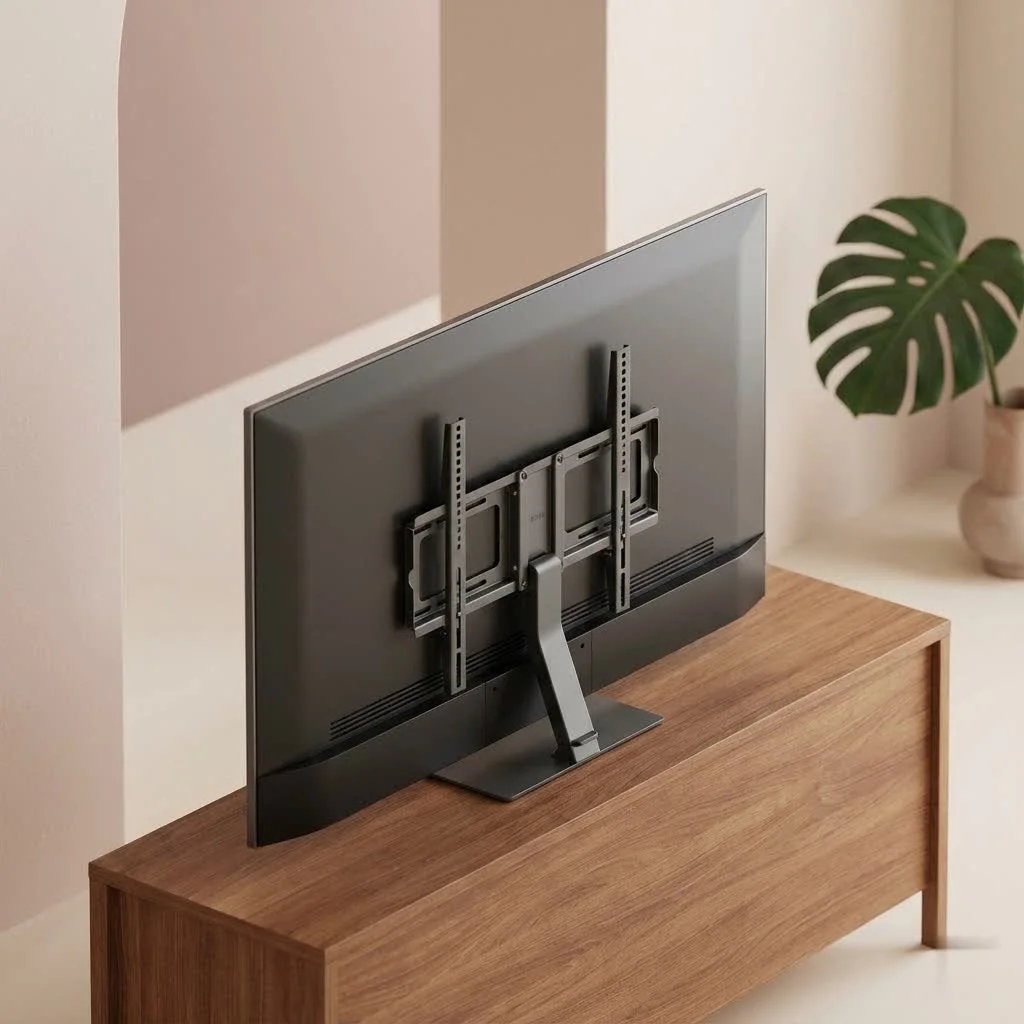
Mounting The Frame TV isn’t just about hanging a screen; it’s about integrating technology so elegantly that it disappears into your decor. From understanding its specialized mounting system to mastering cable concealment, we’ll cover everything you need to know to achieve a professional, safe, and beautiful installation.
Understanding the Samsung Frame TV Wall Mount System
The Samsung Frame TV stands apart with its commitment to a minimalistic, art-inspired design. Central to this is its dedicated mounting system.
The Signature No-Gap Wall Mount
Most Samsung Frame TVs come equipped with Samsung’s proprietary “No-Gap” or “Slim Fit” wall mount. This isn’t your average TV bracket. It’s engineered to allow The Frame to sit incredibly close to the wall—often just millimeters away—creating the illusion of a picture frame rather than a bulky television. This flush design is what truly brings the “art mode” to life, making your TV an integral part of your room’s aesthetic. The mount often features clever post-installation adjustment mechanisms, allowing for subtle leveling even after the TV is on the wall, a godsend for perfectionists.
The One Connect Box and Invisible Connection
A critical component of The Frame TV experience is the One Connect Box. This external hub houses all the TV’s ports (HDMI, USB, power, etc.), meaning only a single, thin, translucent “One Connect Cable” runs from the box to the TV itself. This revolutionary design allows for immaculate cable management, keeping unsightly wires away from your television. However, this also means strategic planning for the One Connect Box’s placement and the cable’s routing is paramount. While incredibly sleek, remember that the standard One Connect cable is typically not rated for in-wall use, so specialized in-wall kits or approved conduit might be necessary for a fully concealed installation.
Third-Party Mounts: When and Why?
While the included No-Gap Samsung Frame TV wall mount is superb for its intended purpose, some users might consider third-party VESA-compatible mounts for specific functionalities like full motion (articulating), tilt, or extra extension.
- Trade-off: Be aware that using a standard VESA mount will generally sacrifice The Frame’s signature “no-gap” flush aesthetic. Your TV will likely protrude further from the wall.
- Recessed Solutions: To maintain a flush look with a full-motion mount, you would need to install a recessed in-wall TV box that allows the articulating arm to retract fully into the wall. These solutions add complexity and cost.
- Smaller Frame Models: Note that some smaller Frame TV models (e.g., 32-inch) may have a different, simplified mounting mechanism or even lack standard VESA compatibility, so always check your specific model’s manual before purchasing a third-party mount.
Choosing the Right Wall for Your Samsung Frame TV Wall Mount
Before you even touch a drill, evaluating your wall is the most crucial step. The safety and stability of your Samsung Frame TV depend on it.
Understanding Your Wall Composition
|
Our Picks for the Best TV Mount in 2026
As an Amazon Associate I earn from qualifying purchases.
|
||
| Num | Product | Action |
|---|---|---|
| 1 | Mounting Dream TV Wall Mount for 32-65 Inch Television,Mount with Swivel and Tilt, Full Motion Bracket with Articulating Dual Arms, Fits 16inch Studs, Max VESA 400X400 mm, 99lbs, MD2380 |

|
| 2 | USX MOUNT Full Motion TV Wall Mount for Most 32-70 inch TVs up to 99 lbs, Wall Mount Bracket with Dual Articulating Arms, Swivel, Tilt, Max VESA 400x400mm, TV Mount Fits 12”/16” Wood Studs |
|
| 3 | Perlegear Full Motion TV Wall Mount for Most 42–86 inch Flat Curved TVs up to 132 lbs, 12″/16″ Wood Studs, Bracket with Articulating Arms, Swivel, Tool-Free Tilt, Max VESA 600x400mm PGLF12 |
|
| 4 | MOUNTUP Full Motion TV Wall Mount for Most 26-60 Inch TVs, Max VESA 400x400mm Wall Mount TV Bracket with Swivel Tilting Extension Level Adjustment for LED LCD Flat Curved TVs Up to 77 LBS, MU0018 |
|
| 5 | Magnetic Monitor Wall Mount for Steel Surfaces, Fits 13 to 34 Inch Screens, Holds up to 22 lbs, VESA 75/100 Compatible Wall Mount for Computer and TV Monitor, No-Drill Installation with All Screws |
|
| 6 | Amazon Basics Full Motion Articulating TV Wall Mount, with Swivel and Tilt, for 26\" to 55\" TVs and Flat Panels up to 80 Lbs, VESA Compatible, Black |
|
| 7 | USX Mount Full Motion TV Wall Mount for Most 42-90 inch Flat Screen/LED/4K, TV Mount Bracket Dual Swivel Articulating Tilt 6 Arms, Max 16\" Wood Studs, VESA 600x400mm, Holds up to 132lbs |
|
| 8 | Pipishell Full Motion TV Wall Mount for Echo Show 21/15 and 13-43 Inch Flat Curved Screen TVs & Monitors, Max VESA 200x200mm up to 44lbs, TV Mount Wall Bracket with Rotation Swivel Tilt Extension |
|
| 9 | Mounting Dream TV Wall Mount for Most 37-75 Inch TVs, Universal Tilt TV Mount Fit 16\", 18\", 24\" Stud with Loading Capacity 132lbs, Max Vesa 600 x 400mm, Low Profile Flat Wall Mount TV Bracket |
|
| 10 | monTEK Motorized Ceiling TV Mount for 43-86 Inch TVs, Heavy-Duty 121lbs (4X Load Tested), Off-Center VESA Compatible, Electric Flip Down with Remote/App/Voice Control, Fits Flat & Pitched Roof |
|
- Wood Studs: The ideal scenario. Locate the center of your wood studs with a reliable stud finder. Lag screws, provided with most mounts, will securely fasten into these.
- Metal Studs or No Studs: If your desired placement doesn’t align with wood studs, or you have metal studs, you’ll need heavy-duty drywall anchors, such as toggle bolts. Never use flimsy plastic drywall plugs for a valuable TV. Ensure the toggle bolts you choose are rated to hold significantly more than the weight of your TV.
- Masonry (Brick, Concrete): A hammer drill and specialized masonry anchors (like Tapcon screws) are required for these surfaces. This is often best left to a professional if you’re not experienced.
Size, Weight, and Assistance
While a 55-inch Frame TV might weigh around 32 lbs, an 85-inch model can tip the scales at 90 lbs or more.
- Solo Installation: Possible for smaller Frame TVs (up to 55-60 inches) if you are comfortable and experienced.
- Two-Person Job: Highly recommended, if not essential, for 65-inch Frame TVs and larger. An extra set of hands not only makes lifting safer but also helps with precise alignment and securing. Don’t risk damaging your TV or injuring yourself.
Optimal Placement and Eye Level
Consider the primary viewing position (your couch or favorite chair). The general rule of thumb is to position the center of the TV at eye level when seated. This prevents neck strain and enhances the viewing experience. For The Frame, consider its “art mode” as well – you might prefer it slightly higher if it’s primarily for displaying art in a standing or walking space.
Heat and Ventilation
Avoid mounting your Samsung Frame TV directly above a fireplace if possible. Heat can significantly shorten the lifespan of electronics. If it’s your only option, ensure there’s a substantial mantel to deflect heat, and always check wall temperatures with an infrared thermometer after a fire. Samsung recommends temperatures not exceed 104°F (40°C). Always ensure at least 5mm of clearance behind the TV for proper ventilation.
Essential Tools for Your Samsung Frame TV Wall Mount Installation
Having the right tools makes all the difference for a smooth and safe installation. Here’s a checklist:
- Electronic Stud Finder (and magnetic stud finder): For accurately locating studs and avoiding pipes/wires.
- Power Drill with Driver Bits: Essential for pilot holes and lag screws.
- Level (24-inch or longer recommended): To ensure your mount and TV are perfectly straight.
- Measuring Tape: For precise measurements.
- Pencil: For marking drill points.
- Painter’s Tape: To secure templates and protect walls.
- Phillips Head Screwdriver: For smaller screws.
- Wire Strippers/Cutters (if routing cables):
- Hole Saw (1 ¼-inch): For creating pass-through holes for in-wall cable routing.
- Fish Tape or Magnetic Cable Puller: For guiding cables through walls.
- Safety Glasses: Always protect your eyes.
- Gloves: For a better grip and to protect your hands.
- Padded Blanket or Cardboard: To protect the TV screen during preparation.
Step-by-Step Installation Guide for Your Samsung Frame TV Wall Mount
Let’s get your Samsung Frame TV up on the wall, transforming your space with elegance.
-
Unbox and Prepare Your Frame TV:
- Carefully lay your Samsung Frame TV face-down on a clean, padded surface (like a blanket or the packing foam).
- Locate the mounting holes on the back of the TV.
- Attach the TV-side brackets of the Samsung Frame TV wall mount to the back of The Frame, using the screws provided by Samsung. Ensure any arrows on the brackets point towards the center of the TV and are securely fastened. Some models have extendable arms – extend them and attach the protective padding to prevent wall scuffs.
-
Determine Wall Bracket Placement:
- This is where precision is key. Your Samsung Frame TV wall mount will likely come with a paper template. Tape it to the wall at your desired TV height and center, using a level to ensure it’s perfectly straight.
- If no template, measure the distance between the mounting points on the TV itself and translate that accurately to your wall. Mark the drill points for the wall brackets.
- Expert Tip: “Achieving that perfect, art-like flush finish with a Samsung Frame TV isn’t just about the mount; it’s about meticulously planning every detail, from stud placement to One Connect cable routing, ensuring both beauty and structural integrity,” says Alex ‘The Mount Master’ Chen, Dikfu’s lead installation expert.
-
Locate Studs and Drill Pilot Holes:
- Use your stud finder to confirm stud locations at your marked drill points. Adjust your template slightly if needed to hit at least two studs per wall bracket if possible.
- Drill pilot holes for your lag screws (into studs) or for your toggle bolts (into drywall where no stud exists). Ensure drill bit size matches manufacturer instructions to prevent stud splitting or anchor failure.
- If running the One Connect cable in-wall, use a hole saw to create entry and exit points for the cable path. Maintain a gentle bend radius (at least 2 inches diameter) to protect the delicate fiber optics of the One Connect cable.
-
Secure the Wall Brackets:
- Align the wall brackets with your pilot holes.
- If drilling into wood studs, use a ratchet or drill with a socket adapter to drive the lag screws firmly into the studs. Do not over-torque, as this can crush wood fibers.
- If using toggle bolts, insert them into the drilled holes, ensuring they fully expand behind the drywall before tightening.
- Use your long level across both brackets to confirm perfect alignment before fully tightening all fasteners.
-
Connect the One Connect Cable:
- Before lifting the TV, connect the One Connect Cable to the dedicated port on the back of The Frame. Ensure it clicks securely into place.
- Route the cable carefully, especially if it’s going in-wall. Use grommets to protect the cable from sharp edges of drywall cutouts.
-
Lift and Hang the TV:
- This is the moment of truth! With the help of your assistant (if applicable), carefully lift the Frame TV, holding it by its edges – never by the screen.
- Align the TV-side brackets with the wall brackets and gently guide The Frame onto the mount. You might hear a click as it locks into place.
- Some Samsung Frame TV wall mount designs allow you to push the bottom of the TV towards the wall to engage a flush mechanism. Gently press until it sits flat.
- Once hung, ensure it is level. Many No-Gap mounts allow for micro-adjustments post-installation.
-
Final Touches and Bezel Attachment:
- Connect the other end of the One Connect Cable to the One Connect Box.
- Attach your customizable bezel pieces. They are typically magnetic and snap easily into place.
Post-Installation Perfection: Hiding Wires and Enhancing Aesthetics
The clean look of your Samsung Frame TV is incomplete without flawless cable management.
- Concealing the One Connect Box: This box can be placed in a media cabinet, on a shelf, or even mounted behind another piece of furniture. For truly seamless integration, you can install it in a dedicated in-wall media box or a nearby closet, provided the One Connect cable can reach safely.
- In-Wall Cable Routing: For the ultimate clean look, route the One Connect cable (and any other necessary wires) inside the wall using conduit. Always use approved in-wall rated cables or ensure your conduit meets electrical codes.
- Smart Power Solutions: Consider an in-wall power extension kit to move your TV’s power outlet behind the screen, eliminating visible power cords.
Common Mistakes to Avoid & Troubleshooting Tips
Even experienced DIYers can stumble. Here are typical pitfalls and how to avoid them:
- Ignoring Studs: Relying solely on drywall anchors for a heavy TV is a recipe for disaster. Always aim for studs.
- Over-Tightening Screws: Can strip screw heads, damage studs, or warp mount components. Tighten firmly but don’t force it.
- Kinking the One Connect Cable: This cable is delicate. A sharp bend can damage the fiber optics, leading to signal loss or even a dead TV. Always ensure gentle curves.
- Not Using a Level: A crooked TV is distracting. Use a long level multiple times throughout the process.
- Mounting Above a Fireplace Without Precautions: Heat is the enemy of electronics. If you must mount here, invest in a heat-deflecting mantel and monitor temperatures.
Frequently Asked Questions About Samsung Frame TV Wall Mounts
Does the Samsung Frame TV come with its own wall mount?
Yes, most Samsung Frame TV models include a “No-Gap” or “Slim Fit” wall mount designed to position the TV incredibly close to the wall for an art-like appearance.
Can I use a regular TV mount for my Samsung Frame TV?
While Samsung Frame TVs are typically VESA compliant, using a standard third-party mount will likely prevent the TV from sitting flush against the wall, sacrificing the signature “no-gap” aesthetic unless a specialized recessed mount is used.
How do I hide the One Connect Box for my Samsung Frame TV?
The One Connect Box can be hidden in a media console, cabinet, or even a dedicated in-wall media box. The goal is to keep it out of sight while still allowing access for connections.
Is it safe to mount a large Samsung Frame TV by myself?
For Frame TVs 65 inches and larger, it is strongly recommended to have a second person assist with the installation due to the TV’s weight and size, ensuring both safety and precise placement.
What if my wall doesn’t have wood studs where I want to mount?
If you can’t hit wood studs, you must use heavy-duty drywall anchors, such as toggle bolts, rated to support the weight of your TV. Never use standard plastic drywall plugs for a heavy television.
How close will my Samsung Frame TV be to the wall with the No-Gap mount?
The No-Gap mount is designed to hold The Frame TV just millimeters from the wall, creating a near-flush, picture-frame effect that is unique to this television.
Can I mount The Frame TV above a fireplace?
While aesthetically appealing, it’s generally not recommended due to heat exposure. If you choose to do so, ensure proper heat deflection (a large mantel) and monitor temperatures to keep the TV below 104°F (40°C).
Elevate Your Home with a Perfectly Mounted Samsung Frame TV
Mounting your Samsung Frame TV with its specialized wall mount is an investment in both technology and aesthetics. By following these expert guidelines, you’re not just hanging a TV; you’re meticulously crafting a focal point that blends seamlessly into your home. The satisfaction of a perfectly flush, level, and artfully integrated display is truly unparalleled.
So, go ahead, transform your living space into a personal gallery, confident in the knowledge that your Samsung Frame TV wall mount installation is safe, secure, and impeccably finished. For more in-depth guides and expert tips on all your home entertainment setup needs, keep Dikfu.com bookmarked!
Get our weekly buyer guide
Practical specs, not advice. Unsubscribe anytime.
