Ever found yourself craning your neck, battling an uncomfortable viewing angle just to watch your favorite show? If your TV is perched above a fireplace, you’re likely familiar with the “TV Too High” dilemma. But what if there was a smart, elegant solution that transforms your living room aesthetics and ergonomics? Enter the mantel TV mount – a game-changer for anyone looking to reclaim comfortable viewing without sacrificing their room’s focal point. As your trusted expert from Dikfu.com, with over 15 years in the trenches of TV mounting, I’m here to guide you through everything you need to know, ensuring your home entertainment setup is both stunning and supremely comfortable.
What Exactly is a Mantel TV Mount and Why Do You Need One?
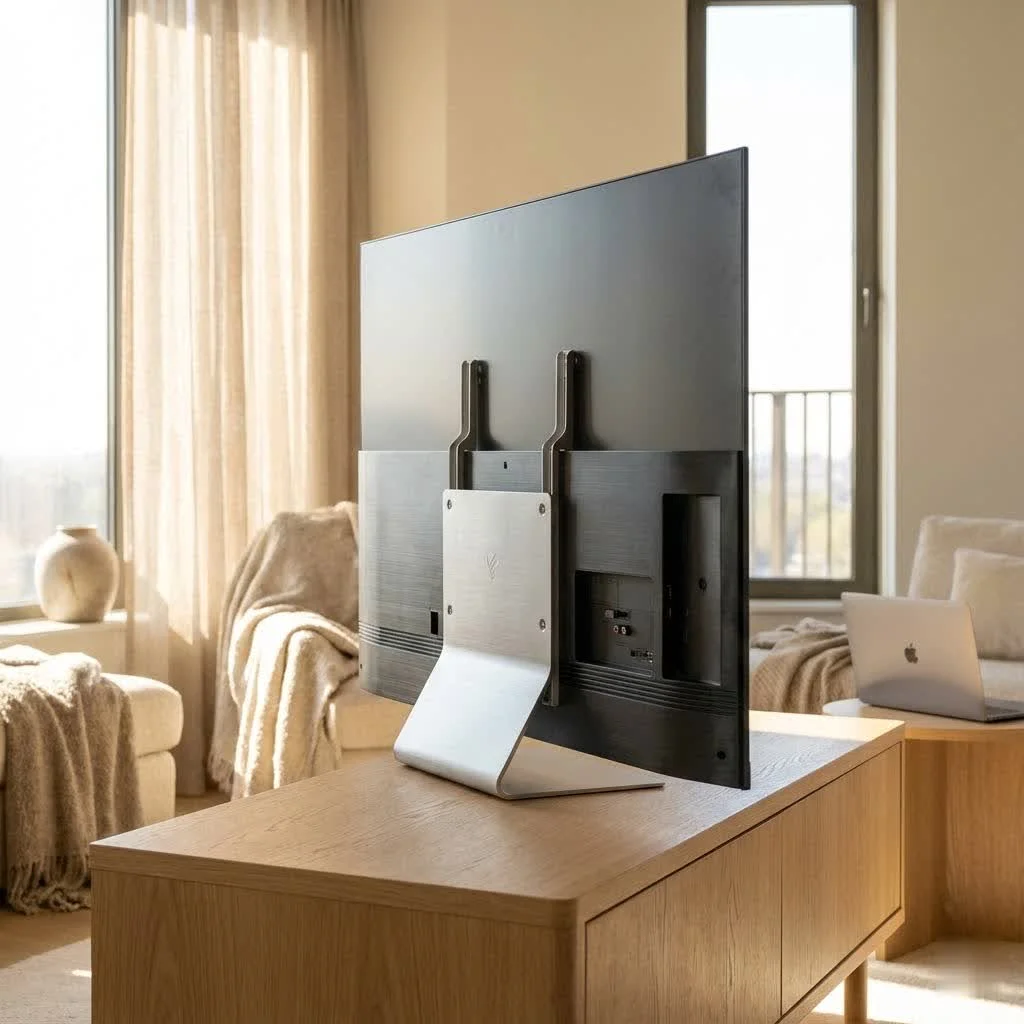
At its core, a mantel TV mount is a specialized bracket designed to install your television above a fireplace, but with a crucial difference: it allows you to pull the TV down to a comfortable eye-level viewing position. Imagine watching your favorite movie without tilting your head back like you’re in the front row of a cinema – that’s the magic of a good mantel mount. For complete tv mounts library on this site.
The primary benefit lies in solving the common ergonomic issue associated with high TV placement. When a TV is mounted too high, it can lead to neck strain and discomfort during extended viewing sessions. A mantel mount elegantly bypasses this by allowing you to lower, swivel, and even tilt your TV. This functionality isn’t just about comfort; it also enhances your room’s aesthetic by keeping the TV discreetly elevated when not in use, preserving the fireplace as a central design element. Plus, for many homes, the space above the fireplace is the only available large wall, making these mounts a necessity for optimal room layout.
Types of Mantel TV Mounts: Finding Your Perfect Match
Just like choosing the right TV, selecting the ideal mantel mount comes down to understanding your needs and preferences. While all mantel mounts share the core function of lowering your TV, they primarily differ in their operation.
Manual Pull-Down Mounts
These are the workhorses of the mantel mount world. Manual pull-down mounts utilize robust gas springs (similar to those found in an SUV’s tailgate) to counterbalance your TV’s weight, allowing you to smoothly pull the screen down to eye level and push it back up with minimal effort. They offer excellent reliability and a satisfying mechanical feel. Many users appreciate the direct control and the robust construction of these models. For instance, the MantelMount MM540 is often praised for its smooth, easy-to-use pull-down mechanism and high-quality, heavy-duty materials. [cite: 1, 1 (best mantel)]
Motorized Pull-Down Mounts
|
Our Picks for the Best TV Mount in 2026
As an Amazon Associate I earn from qualifying purchases.
|
||
| Num | Product | Action |
|---|---|---|
| 1 | Amazon Basics Full Motion Articulating TV Wall Mount, with Swivel and Tilt, for 26\" to 55\" TVs and Flat Panels up to 80 Lbs, VESA Compatible, Black |

|
| 2 | Magnetic Monitor Wall Mount for Steel Surfaces, Fits 13 to 34 Inch Screens, Holds up to 22 lbs, VESA 75/100 Compatible Wall Mount for Computer and TV Monitor, No-Drill Installation with All Screws |
|
| 3 | USX MOUNT Full Motion TV Wall Mount for Most 32-70 inch TVs up to 99 lbs, Wall Mount Bracket with Dual Articulating Arms, Swivel, Tilt, Max VESA 400x400mm, TV Mount Fits 12”/16” Wood Studs |
|
| 4 | Mounting Dream TV Wall Mount for 32-65 Inch Television,Mount with Swivel and Tilt, Full Motion Bracket with Articulating Dual Arms, Fits 16inch Studs, Max VESA 400X400 mm, 99lbs, MD2380 |
|
| 5 | USX Mount Full Motion TV Wall Mount for Most 42-90 inch Flat Screen/LED/4K, TV Mount Bracket Dual Swivel Articulating Tilt 6 Arms, Max 16\" Wood Studs, VESA 600x400mm, Holds up to 132lbs |
|
| 6 | MOUNTUP Full Motion TV Wall Mount for Most 26-60 Inch TVs, Max VESA 400x400mm Wall Mount TV Bracket with Swivel Tilting Extension Level Adjustment for LED LCD Flat Curved TVs Up to 77 LBS, MU0018 |
|
| 7 | monTEK Motorized Ceiling TV Mount for 43-86 Inch TVs, Heavy-Duty 121lbs (4X Load Tested), Off-Center VESA Compatible, Electric Flip Down with Remote/App/Voice Control, Fits Flat & Pitched Roof |
|
| 8 | Pipishell Full Motion TV Wall Mount for Echo Show 21/15 and 13-43 Inch Flat Curved Screen TVs & Monitors, Max VESA 200x200mm up to 44lbs, TV Mount Wall Bracket with Rotation Swivel Tilt Extension |
|
| 9 | Perlegear Full Motion TV Wall Mount for Most 42–86 inch Flat Curved TVs up to 132 lbs, 12″/16″ Wood Studs, Bracket with Articulating Arms, Swivel, Tool-Free Tilt, Max VESA 600x400mm PGLF12 |
|
| 10 | Mounting Dream TV Wall Mount for Most 37-75 Inch TVs, Universal Tilt TV Mount Fit 16\", 18\", 24\" Stud with Loading Capacity 132lbs, Max Vesa 600 x 400mm, Low Profile Flat Wall Mount TV Bracket |
|
If convenience is your top priority, a motorized mantel mount might be your ideal choice. With just the press of a button on a remote control, your TV glides effortlessly down to your preferred viewing height and returns to its retracted position. These mounts often come with advanced features like programmable memory settings for specific viewing angles and smart home integration, allowing for a truly seamless entertainment experience. While they typically come at a higher price point, the luxury of automated movement can be a significant draw for many homeowners. Some motorized options, like the MantelMount MM815, offer drop-down and swivel capabilities, making adjustments incredibly simple. [cite: 3 (MantelMount reviews), 5 (MantelMount FAQ)]
While fixed or simple tilting mounts exist, they generally aren’t recommended for fireplace installations. The whole point of a mantel mount is to bring the screen down to eye level, which fixed or tilt-only mounts simply cannot achieve from such an elevated position.
Choosing the Right Mantel Mount: Compatibility and Considerations
Before you dive headfirst into installation, it’s crucial to ensure you pick a mount that’s perfectly matched to your TV and your home’s structure. Getting this right is key to safety and long-term satisfaction.
TV Size and Weight Capacity
First and foremost, check your TV’s specifications. Every mantel mount has a specified weight range and screen size compatibility. For example, some MantelMount models can support TVs ranging from 20 to 90 pounds, while others handle up to 110 pounds or even 155 pounds, accommodating screen sizes larger than 44 or 50 diagonal inches. [cite: 1 (MantelMount MM540 Installation), 5 (MantelMount MM750 Installation), 1 (best mantel)] Always ensure your TV’s weight falls within the mount’s specified limits to prevent damage or injury. You’ll also need to verify your TV’s VESA mounting pattern – the standard set of holes on the back of your TV – matches the mount’s compatibility. Most mounts support common VESA patterns, but it’s always worth a double-check.
Mantel Depth and Wall Type
Your fireplace mantel’s depth is another critical factor. Most pull-down mounts specify a maximum mantel extension, often around 16 inches. If your mantel protrudes further, it might restrict the mount’s downward travel or side-to-side swivel. [cite: 1 (MantelMount MM540 Installation)]
Equally important is your wall type. Mantel mounts typically require installation into solid wood studs for maximum security and stability. If your wall is concrete or metal, or if studs aren’t ideally spaced, you might need specialized anchors or professional assistance. For wood stud frames, at least two studs are generally required for mounting, and the wall covering should not exceed 5/8 inch thick. [cite: 5 (MantelMount MM750 Installation)]
Recess Box Options
For homeowners who prefer their TV to sit as flush as possible against the wall when retracted, some manufacturers offer optional recess boxes. These boxes are installed into the wall cavity, allowing the mount’s mechanism to sit further back, significantly reducing the gap between the TV and the wall. For instance, the MantelMount MM700, when used with an RB100 recessed box, can reduce the extension from the wall to just 1.75 inches. [cite: 5 (MantelMount MM540 Review)] This is a fantastic option for a truly integrated look.
Heat Management
If you have a functional, heat-producing fireplace, safeguarding your cables from excessive heat is paramount. “I always advise my clients to consider the heat factor. High temperatures can degrade cable insulation over time, leading to potential issues,” says Ethan Cole, Senior Mounting Specialist at Dikfu.com. Many quality mantel mounts provide solutions like heat-sensitive handles that change color if temperatures exceed 110°F or recommend using metal flex conduit to protect wiring inside the wall. [cite: 3 (MantelMount Review AV)] This prevents potential fire hazards and ensures the longevity of your audio/video connections.
Step-by-Step Installation: Mounting Your TV Like a Pro
Installing a mantel TV mount, especially a pull-down model, is a rewarding DIY project, but it’s one that benefits greatly from careful planning and precision. Remember, this is often a two-person job, so grab a friend!
Tools You’ll Need
Before you begin, gather your arsenal:
- Stud finder
- Measuring tape
- Pencil or painter’s tape
- Level (manual or electronic)
- Power drill with appropriate drill bits (pilot holes, lag bolts)
- Socket wrench (for lag bolts and adjustments)
- Screwdrivers (Phillips head is common)
- Safety glasses
- Blanket or soft surface (to protect TV screen)
Preparing Your Space
- Locate Studs and Mark Centerline: Start by finding the center of your mantel. Mark this centerline on the wall with painter’s tape or a pencil. Then, use your stud finder to locate at least two vertical wood studs, one on each side of your centerline. Mark the centers of these studs clearly. Lag bolts must be installed into the center of the studs for secure mounting. [cite: 1 (MantelMount MM540 Installation), 4 (MantelMount MM540 Installation ADI)]
- Determine Mount Height: This is crucial. Your TV needs to clear the top of the mantel when in the fully retracted position, and still be at a comfortable height when pulled down. Most manuals provide specific guidelines for measuring from the top of the mantel to the desired mounting height for the wall plate. Don’t rush this step!
Attaching the Wall Plate
Once you’ve marked your stud centers and determined the correct height, align the mount’s wall plate. Use your level to ensure it’s perfectly straight. Mark the locations for your lag bolts. Pre-drill pilot holes to the recommended depth (e.g., 2.5 inches/65mm) – this prevents wood splitting and ensures a secure fit. Then, attach the wall plate to the studs using lag bolts and washers, tightening them firmly but not overtightening. [cite: 1 (MantelMount MM540 Installation), 4 (MantelMount MM540 Installation ADI)]
Assembling and Attaching TV Braces
Lay your TV face-down on a blanketed surface. Attach the vertical braces to the back of your television, aligning them with the VESA mounting holes. If your TV has an irregular back, you might need to use spacers to ensure the braces sit parallel to the screen. Choose the correct screw diameter and length from the provided hardware. Often, brace extenders and horizontal braces are also part of this assembly, ensuring the mount fits larger TVs and provides a handle for pulling down. [cite: 1 (MantelMount MM540 Installation), 4 (MantelMount MM540 Installation ADI), 5 (MantelMount MM540 Review)]
Hanging the TV onto the Mount
This is where that extra set of hands comes in! Carefully lift the television with the attached braces and hook it onto the main mount mechanism installed on the wall plate. Ensure all hooks on the vertical braces securely engage the TV frame. Be mindful not to let the TV drop or swing, which could cause the lifting mechanism to hit the mantel. [cite: 1 (MantelMount MM540 Installation), 5 (MantelMount MM750 Installation)]
Fine-Tuning and Adjustments
With the TV securely hung, the final step is adjustment.
- Tension Adjustment: Most mounts use gas springs that need to be adjusted to match your TV’s weight. There’s typically a main bolt or tension mechanism you’ll turn to either increase or decrease the lifting force. A properly adjusted mount should hold the TV in both the up and down positions without resistance. [cite: 1 (MantelMount MM540 Installation), 2 (MantelMount MM340 YouTube), 5 (MantelMount MM750 Installation)]
- Bottom Travel Stop: Adjust this to ensure the TV doesn’t lower too far and hit your mantel.
- Side Swivel Stops: If your mount offers side-to-side swivel, adjust these to prevent the TV from swiveling into walls or other furniture.
- Leveling: Fine-tune any final leveling adjustments so your TV sits perfectly straight. Some mounts allow for minor leveling through specific screws on the TV frame. [cite: 1 (MantelMount MM540 Installation), 5 (MantelMount MM750 Installation)]
Common Mistakes to Avoid and Expert Tips for a Flawless Setup
Even seasoned DIYers can stumble if they’re not careful. Here are a few pitfalls to avoid:
- Ignoring Studs: Never mount heavy items directly into drywall. Always locate and secure into wood studs. If studs aren’t available, consult a professional for alternative reinforcement solutions.
- Exceeding Weight Limits: This is a safety hazard. Always double-check your TV’s weight against the mount’s maximum capacity. Exceeding limits can result in serious injury or equipment damage. [cite: 5 (MantelMount MM750 Installation)]
- Improper Tension Adjustment: A mount that’s too stiff or too loose won’t operate smoothly and can be frustrating (or even dangerous). Take your time to dial in the tension perfectly according to your TV’s weight.
- Neglecting Cable Management: Leaving cables dangling is not only unsightly but also a tripping hazard. Plan your cable routes early.
Expert Tip from Dikfu: “Before you even think about drilling, visualize the entire setup,” recommends Dikfu’s Ethan Cole. “Consider where your cables will run, how much swivel you truly need, and the optimal viewing height for everyone in the family. A little foresight goes a long way in achieving a truly professional finish.” Plan your power and low voltage connections carefully. Many mounts allow you to cut holes in decorative cover panels behind the TV to keep wiring hidden and clean. If you have an active fireplace, use metal flex conduit to protect cables from heat. [cite: 3 (MantelMount Review AV)]
Enhancing Your Mantel TV Setup: Cable Management and Aesthetics
A beautifully mounted TV deserves a clean, organized look.
- Hiding Wires: For the cleanest finish, consider in-wall cable management kits. These allow you to route power and AV cables behind the drywall, keeping them completely out of sight. If in-wall isn’t an option, paintable cable raceways can effectively conceal wires along the wall.
- Soundbar Integration: Many mantel mounts offer accessories or design features to attach a soundbar directly to the TV or mount. This ensures your soundbar moves with your TV, maintaining optimal audio direction and a tidy appearance.
- Decorative Covers: Some mounts come with paintable wall covers or decorative panels to hide the mounting bracket itself, further integrating the system into your wall’s aesthetic. [cite: 5 (MantelMount MM540 Review)]
Frequently Asked Questions (FAQ) About Mantel TV Mounts
Q: Are mantel TV mounts safe?
A: Yes, when properly installed according to manufacturer instructions and within specified weight limits, mantel TV mounts are very safe. High-quality mounts undergo rigorous testing (e.g., 6,000 cycles of full-range motion) to ensure durability and reliability. [cite: 5 (MantelMount MM540 Review)] Always adhere to safety warnings, especially regarding children operating the mount.
Q: Can I install a mantel mount myself, or do I need a professional?
A: Many homeowners with good DIY skills can install a mantel mount. However, it requires careful measurements, accurate stud finding, and often two people. If you’re unsure about your ability or comfort level, it’s always best to contact a professional installer to ensure safety and proper functionality. [cite: 1 (MantelMount MM540 Installation), 3 (MantelMount Installation Remote)]
Q: How high should I mount my TV above the fireplace?
A: The beauty of a pull-down mantel mount is that the mounted height isn’t the viewing height. The TV will sit above the mantel when retracted, but you’ll lower it to eye level for viewing. Most installations aim for the top of the TV to be a few inches above the mantel when fully retracted, ensuring proper clearance. The ideal viewing height is typically with the center of the screen at eye level when seated.
Q: Do motorized mantel mounts use a lot of power?
A: Motorized mounts consume power only when operating (moving the TV up or down). When static, they draw minimal to no power. The convenience they offer typically outweighs the minimal power consumption.
Q: What if my mantel is too deep?
A: Most mantel mounts have a maximum mantel extension limit, commonly around 16 inches. If your mantel extends further, it may impede the mount’s movement or reduce the available swivel range. Check the specific mount’s specifications carefully; a deeper mantel might necessitate a different mount model or alternative mounting solutions. [cite: 1 (MantelMount MM540 Installation), 5 (MantelMount MM750 Installation)]
Conclusion
Embracing a mantel TV mount is about more than just hanging a screen; it’s about transforming your living space into a hub of comfort, style, and smart functionality. From understanding the different types and choosing the right fit to mastering the installation and fine-tuning, you now have the expert knowledge to confidently tackle this home improvement project. Don’t let a “TV Too High” setup dictate your viewing pleasure any longer. With the right mantel mount, you can enjoy perfectly ergonomic viewing while maintaining the aesthetic integrity of your room. Ready to elevate your home entertainment? Head over to Dikfu.com for more in-depth guides and tips from the pros!
Get our weekly buyer guide
Practical specs, not advice. Unsubscribe anytime.
