So, you’ve got yourself a magnificent 65-inch TV, ready to transform your living space into a home theater. That’s fantastic! But here’s the real game-changer: getting it up on the wall with a reliable wall mount for tv 65 inch. As someone who’s spent over 15 years knee-deep in TV mounting, I can tell you this isn’t just about saving space; it’s about optimizing your viewing experience, reducing neck strain, and giving your room that sleek, modern vibe you’ve always wanted. Let’s dive in and unlock the secrets to mounting your big screen safely and stylishly, turning you into a DIY pro with Dikfu.com’s expert insights.
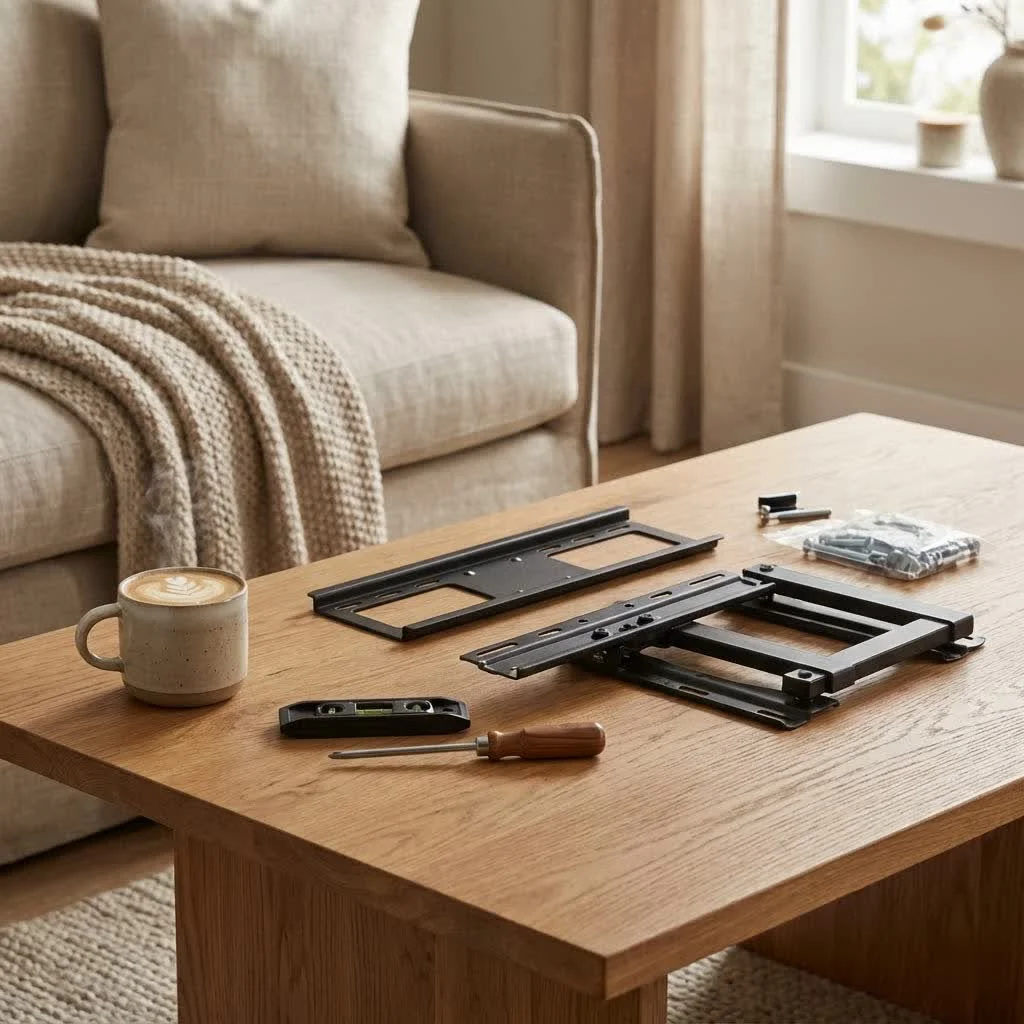
Why a Wall Mount for Your 65-Inch TV is a Must-Have
Wall mounting a 65-inch TV isn’t merely an aesthetic choice; it’s a practical decision that elevates your entire entertainment setup. Beyond freeing up valuable floor space that bulky TV stands usually hog, a properly mounted TV positions your screen at an optimal viewing height, which can significantly reduce neck and eye strain during those long movie nights. Think of it as creating your personal cinema, where every seat is the best seat in the house. The clean, minimalist look also helps declutter your space, making your TV the undeniable focal point without any visual distractions.
Picking the Perfect Wall Mount for Your 65-Inch TV
Choosing the right wall mount for tv 65 inch isn’t a one-size-fits-all situation. It’s about matching the mount to your TV’s specifications, your room’s layout, and your personal viewing habits. Let’s break down the types and crucial compatibility factors.
What are the main types of TV wall mounts available?
There are generally four main types of TV wall mounts, each offering different levels of flexibility and functionality:
- Fixed Mounts: These are the simplest and most budget-friendly option, holding your TV securely in a permanent position close to the wall. They offer a super low-profile look, perfect if you don’t need to adjust your viewing angle.
- Tilting Mounts: A step up from fixed mounts, tilting mounts allow you to adjust the vertical angle of your TV, typically offering a downward tilt. This is ideal if you’re mounting your TV higher, like above a fireplace, to combat glare and improve the viewing angle from a seated position.
- Full-Motion (Articulating/Swivel) Mounts: These are the most versatile, featuring an arm that allows you to extend, swivel (left/right), and tilt your TV in multiple directions. Full-motion mounts are perfect for large rooms, open-concept living areas, or if you need to view your TV from various spots, such as from the kitchen and living room.
- Corner Mounts: Specifically designed for corner installations, these mounts often utilize articulating arms to position the TV perfectly in a room’s corner, optimizing space in tighter areas.
How do I ensure my 65-inch TV is compatible with a wall mount?
|
Our Picks for the Best TV Mount in 2026
As an Amazon Associate I earn from qualifying purchases.
|
||
| Num | Product | Action |
|---|---|---|
| 1 | Mounting Dream TV Wall Mount for Most 37-75 Inch TVs, Universal Tilt TV Mount Fit 16\", 18\", 24\" Stud with Loading Capacity 132lbs, Max Vesa 600 x 400mm, Low Profile Flat Wall Mount TV Bracket |

|
| 2 | MOUNTUP Full Motion TV Wall Mount for Most 26-60 Inch TVs, Max VESA 400x400mm Wall Mount TV Bracket with Swivel Tilting Extension Level Adjustment for LED LCD Flat Curved TVs Up to 77 LBS, MU0018 |
|
| 3 | USX Mount Full Motion TV Wall Mount for Most 42-90 inch Flat Screen/LED/4K, TV Mount Bracket Dual Swivel Articulating Tilt 6 Arms, Max 16\" Wood Studs, VESA 600x400mm, Holds up to 132lbs |
|
| 4 | Amazon Basics Full Motion Articulating TV Wall Mount, with Swivel and Tilt, for 26\" to 55\" TVs and Flat Panels up to 80 Lbs, VESA Compatible, Black |
|
| 5 | Perlegear Full Motion TV Wall Mount for Most 42–86 inch Flat Curved TVs up to 132 lbs, 12″/16″ Wood Studs, Bracket with Articulating Arms, Swivel, Tool-Free Tilt, Max VESA 600x400mm PGLF12 |
|
| 6 | USX MOUNT Full Motion TV Wall Mount for Most 32-70 inch TVs up to 99 lbs, Wall Mount Bracket with Dual Articulating Arms, Swivel, Tilt, Max VESA 400x400mm, TV Mount Fits 12”/16” Wood Studs |
|
| 7 | Pipishell Full Motion TV Wall Mount for Echo Show 21/15 and 13-43 Inch Flat Curved Screen TVs & Monitors, Max VESA 200x200mm up to 44lbs, TV Mount Wall Bracket with Rotation Swivel Tilt Extension |
|
| 8 | Magnetic Monitor Wall Mount for Steel Surfaces, Fits 13 to 34 Inch Screens, Holds up to 22 lbs, VESA 75/100 Compatible Wall Mount for Computer and TV Monitor, No-Drill Installation with All Screws |
|
| 9 | monTEK Motorized Ceiling TV Mount for 43-86 Inch TVs, Heavy-Duty 121lbs (4X Load Tested), Off-Center VESA Compatible, Electric Flip Down with Remote/App/Voice Control, Fits Flat & Pitched Roof |
|
| 10 | Mounting Dream TV Wall Mount for 32-65 Inch Television,Mount with Swivel and Tilt, Full Motion Bracket with Articulating Dual Arms, Fits 16inch Studs, Max VESA 400X400 mm, 99lbs, MD2380 |
|
Compatibility is king when it comes to safely mounting your TV. You need to verify three critical specifications:
- VESA Pattern: The Video Electronics Standards Association (VESA) sets standards for the mounting hole patterns on the back of your TV. For most 65-inch TVs, common VESA patterns are 400x400mm or 600x400mm, but always check your TV’s manual or the back of the TV itself. The mount you choose must match this pattern.
- Weight Capacity: Your wall mount must be rated to support the weight of your 65-inch TV. While modern 65-inch TVs are lighter than older models, they still require substantial support. Mounts for this size typically handle weights ranging from 99 to 125 pounds, so always pick one that safely exceeds your TV’s actual weight.
- TV Size Range: Ensure the mount is designed for TVs within the 65-inch range. Most mounts specify a compatible screen size range (e.g., 40-80 inches), so verify your 65-inch TV falls within this bracket.
“Choosing a mount isn’t just about hanging your TV; it’s about creating a safe, stable foundation that will serve you for years,” advises Alex Miller, Dikfu.com’s lead installation specialist. “Always double-check your TV’s VESA, weight, and size requirements against the mount’s specifications. Don’t guess, verify!”
Mastering the Installation: Step-by-Step Guide for Your 65-Inch TV Wall Mount
Installing a wall mount for tv 65 inch can seem daunting, but with the right tools, careful planning, and a step-by-step approach, it’s a completely achievable DIY project. Safety and precision are paramount here.
What tools will I need for the installation?
Before you begin, gather these essential tools:
- Stud Finder: Absolutely crucial for locating wall studs.
- Drill: For drilling pilot holes into studs.
- Level: To ensure your mount and TV are perfectly straight.
- Measuring Tape: For accurate placement.
- Pencil: For marking pilot holes and mount position.
- Screwdriver and Wrench: For securing bolts and screws.
- Safety Goggles: Protect your eyes from dust and debris.
- Assistant: A 65-inch TV is heavy; you’ll need an extra pair of hands for lifting and positioning.
Step-by-Step Installation Process:
-
Pre-Installation Checks & Safety First:
- Unplug your TV from all power sources and disconnect all cables.
- Carefully place your TV face-down on a soft, clean surface (like a blanket or the TV’s original packaging foam) to protect the screen.
- Familiarize yourself with both your TV’s and your mount’s instruction manuals.
- Crucial Safety Note: For a 65-inch TV, you must mount the bracket securely into wood studs. Never rely solely on drywall anchors, as even heavy-duty ones are often insufficient for the weight of such a large television.
-
Locate Wall Studs:
- Use your stud finder to locate at least two adjacent wood studs in your desired mounting location. Mark their centers vertically with your pencil.
- Confirm the stud spacing matches the mounting plate holes on your wall mount. Standard spacing is 16 or 24 inches on center.
-
Determine Optimal TV Height and Position:
- The ideal viewing height places the center of your 65-inch TV screen at eye level when you’re seated. This is typically around 42-45 inches from the floor, but adjust based on your sofa height and personal preference.
- Hold the wall mount’s backplate against the wall, aligning it with your stud marks. Use your level to ensure it’s perfectly horizontal. Mark the pilot hole locations for the lag bolts.
-
Attach Brackets to Your TV:
- Carefully attach the vertical mounting brackets to the VESA holes on the back of your 65-inch TV. Use the screws, washers, and spacers provided with your mount that match your TV’s specifications. Do not overtighten, but ensure they are snug and secure.
-
Install the Wall Plate:
- Drill pilot holes at your marked locations on the studs. The drill bit size will be specified in your mount’s manual (e.g., 7/32 inch for wood studs). Drill to the recommended depth.
- Secure the wall plate to the wall using the lag bolts and washers provided. Tighten them firmly with a wrench, making sure the mount is flush and stable against the wall.
-
Hang Your TV:
- This is where your assistant comes in handy! With one person on each side of the TV, carefully lift your 65-inch TV and hook the attached brackets onto the wall plate.
- Listen for a “click” or engage any safety latches as per your mount’s instructions to ensure the TV is securely locked in place.
-
Make Final Adjustments:
- Once the TV is safely on the wall, check its level again. Most mounts allow for minor post-installation leveling adjustments.
- If you have a tilting or full-motion mount, adjust the tilt and swivel to your preferred viewing angle.
Elevating the Experience: Cable Management and Aesthetics
A beautifully mounted 65-inch TV can quickly lose its appeal if a tangled mess of cables dangles beneath it. Seamless cable management is key to a polished, professional look.
How can I hide unsightly cables for a clean look?
- In-Wall Cable Management: The cleanest solution is to route cables inside the wall. This typically involves installing a recessed cable plate kit, which requires cutting holes in your drywall behind the TV and near an outlet. Always ensure this is done safely and according to local electrical codes.
- On-Wall Cable Concealers: If you prefer not to open your walls, external cable raceways (channels) can be painted to match your wall color, effectively blending in and hiding the cables.
- Cable Ties and Clips: For a quick fix or for managing cables leading into a cabinet, use cable ties, Velcro straps, or adhesive clips to bundle and organize wires neatly.
Troubleshooting Common Wall Mount Issues
Even the most seasoned DIYer can encounter a hiccup or two. Here are some common problems and how to tackle them:
My TV isn’t level after installation. What should I do?
If your TV appears slightly tilted, don’t panic! Most quality wall mounts include mechanisms for minor post-installation leveling adjustments. Consult your mount’s manual; often, it involves loosening a couple of screws on the TV brackets, leveling the TV with a bubble level, and then re-tightening.
I’m worried about wall damage or the TV falling. How can I prevent this?
The fear of wall damage or, worse, your TV falling, is a valid one, especially with a valuable 65-inch screen. The vast majority of these incidents stem from improper installation.
- Always mount into studs: This cannot be stressed enough. Drywall alone will not support a 65-inch TV.
- Verify weight capacity: Ensure your mount can handle your TV’s weight.
- Follow instructions precisely: Every mount is slightly different. Read and follow the manufacturer’s guide.
- Use the correct hardware: Only use the lag bolts, screws, and anchors provided with your mount or recommended by the manufacturer for your specific wall type.
If at any point you feel unsure or uncomfortable with the installation, don’t hesitate to call a professional. It’s a small investment for peace of mind and the safety of your expensive TV.
Frequently Asked Questions About 65-Inch TV Wall Mounts
Q: Can I install a 65-inch TV wall mount by myself?
A: While technically possible for experienced DIYers, we strongly recommend having at least one helper. A 65-inch TV is large and heavy, making it challenging and risky to lift and position alone.
Q: What is the optimal viewing distance for a 65-inch TV?
A: A good rule of thumb is to sit at a distance that is 1.5 times the diagonal screen size. For a 65-inch TV, this means approximately 97.5 inches, or about 8 feet.
Q: Do all 65-inch TVs use the same VESA mounting pattern?
A: No, VESA patterns can vary even among TVs of the same size. Always check your specific TV’s manual for its exact VESA dimensions (e.g., 400x400mm, 600x400mm).
Q: Can I mount a 65-inch TV on a brick or concrete wall?
A: Yes, but it requires specific masonry drill bits and concrete anchors, which are usually included with heavy-duty mounts or sold separately. Always follow the manufacturer’s instructions for concrete installation.
Q: How high should I mount my 65-inch TV?
A: The center of your TV should ideally be at eye level when you are comfortably seated. For most people, this translates to about 42-45 inches from the floor to the center of the screen.
Q: What if my TV has a curved screen? Do I need a special mount?
A: Most modern curved 65-inch TVs are compatible with standard VESA mounts. However, some mounts are specifically designed for curved TVs to ensure a flush fit. Always verify compatibility with your TV and the mount’s specifications.
Ready to Elevate Your Home Entertainment?
Installing a wall mount for tv 65 inch is a fantastic way to enhance your home entertainment space, providing a clean look, optimal viewing angles, and reclaiming valuable space. While the process requires attention to detail and careful execution, the reward of seeing your stunning 65-inch TV beautifully suspended on the wall is truly satisfying. Remember the key principles: check compatibility, prioritize safety by securing to studs, and take your time with each step.
Here at Dikfu.com, we’re passionate about empowering you with the knowledge and confidence to tackle these projects. If you’ve successfully mounted your 65-inch TV, share your experience and tips with our community! And if you’re just starting, remember that a little research and careful planning go a long way in achieving a professional-looking, secure installation. Get ready to enjoy your favorite shows and movies like never before!
Get our weekly buyer guide
Practical specs, not advice. Unsubscribe anytime.
