A full motion TV mount transforms your living space by offering unparalleled flexibility, allowing your TV to extend, swivel, and tilt for optimal viewing from any angle. This type of mount, also known as an articulated or swing-arm mount, provides complete control over your screen’s position, eliminating glare and rigid seating arrangements. With over 15 years of experience, Dikfu.com helps you master TV mounting for a dynamic entertainment setup.
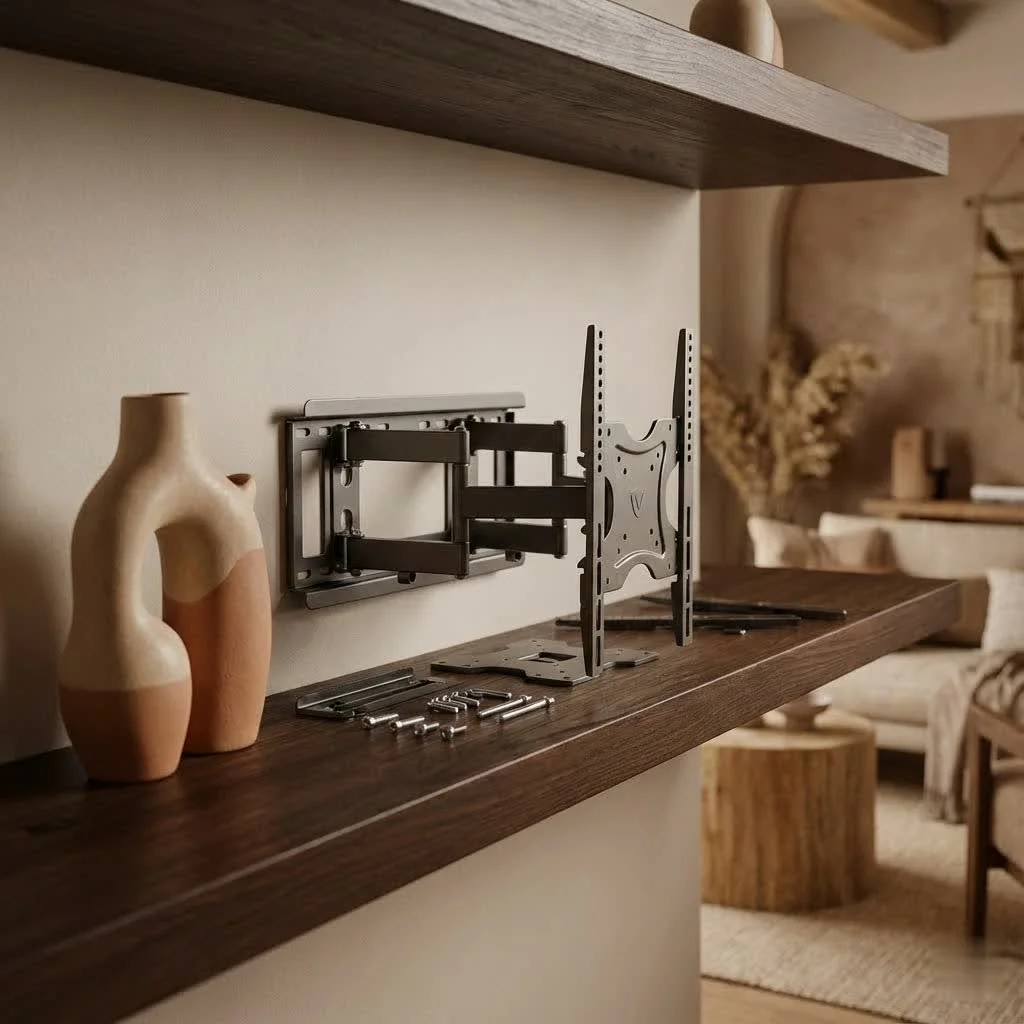
Why Go Full Motion? The Undeniable Advantages
Choosing a full motion TV mount brings a host of benefits that static mounts simply can’t match. This isn’t just about hanging your TV; it’s about optimizing your entire viewing environment. For shop curated tv mounts on this site.
Unrivaled Viewing Flexibility and Comfort
Imagine watching your favorite show from the kitchen while cooking, then effortlessly swiveling the screen to face the living room couch for movie night. That’s the power of full motion. These mounts let you adjust your TV horizontally and vertically, ensuring a perfect view from any seat. This flexibility is especially beneficial in open-plan living areas or rooms with multiple seating zones. You can tweak the position until it’s just right, reducing eye strain and neck discomfort.
Glare Reduction Made Easy
Natural light can be a beautiful thing, but it’s often the enemy of a good TV picture. With a full motion mount, you can easily adjust the tilt of your TV to minimize reflections and glare from windows or lights at any time of day. This simple adjustment can significantly improve picture quality and make your viewing experience much more enjoyable.
Maximizing Your Space and Aesthetics
Wall-mounting your TV immediately frees up floor space, giving your room a more open and modern feel. A full motion mount takes this a step further. When not in use, many models can retract quite close to the wall, creating a sleek, integrated look. But when you need it, you can extend the TV out, allowing for placement in corners or recesses that would be impossible with other mount types. This dynamic functionality helps you maintain a tidy space while enjoying maximum screen presence when desired.
Effortless Access to Ports and Cables
One of the biggest frustrations with fixed mounts is the struggle to reach the ports on the back of your TV. Need to plug in a new gaming console, a streaming stick, or troubleshoot a cable? With a full motion mount, you simply pull the TV away from the wall, giving you easy, unobstructed access to all connections. This convenience alone can save you a lot of hassle over the years.
Enhanced Safety for Your Household
|
Our Picks for the Best TV Mount in 2026
As an Amazon Associate I earn from qualifying purchases.
|
||
| Num | Product | Action |
|---|---|---|
| 1 | Pipishell Full Motion TV Wall Mount for Echo Show 21/15 and 13-43 Inch Flat Curved Screen TVs & Monitors, Max VESA 200x200mm up to 44lbs, TV Mount Wall Bracket with Rotation Swivel Tilt Extension |

|
| 2 | Mounting Dream TV Wall Mount for 32-65 Inch Television,Mount with Swivel and Tilt, Full Motion Bracket with Articulating Dual Arms, Fits 16inch Studs, Max VESA 400X400 mm, 99lbs, MD2380 |
|
| 3 | MOUNTUP Full Motion TV Wall Mount for Most 26-60 Inch TVs, Max VESA 400x400mm Wall Mount TV Bracket with Swivel Tilting Extension Level Adjustment for LED LCD Flat Curved TVs Up to 77 LBS, MU0018 |
|
| 4 | Amazon Basics Full Motion Articulating TV Wall Mount, with Swivel and Tilt, for 26\" to 55\" TVs and Flat Panels up to 80 Lbs, VESA Compatible, Black |
|
| 5 | Magnetic Monitor Wall Mount for Steel Surfaces, Fits 13 to 34 Inch Screens, Holds up to 22 lbs, VESA 75/100 Compatible Wall Mount for Computer and TV Monitor, No-Drill Installation with All Screws |
|
| 6 | Mounting Dream TV Wall Mount for Most 37-75 Inch TVs, Universal Tilt TV Mount Fit 16\", 18\", 24\" Stud with Loading Capacity 132lbs, Max Vesa 600 x 400mm, Low Profile Flat Wall Mount TV Bracket |
|
| 7 | Perlegear Full Motion TV Wall Mount for Most 42–86 inch Flat Curved TVs up to 132 lbs, 12″/16″ Wood Studs, Bracket with Articulating Arms, Swivel, Tool-Free Tilt, Max VESA 600x400mm PGLF12 |
|
| 8 | USX Mount Full Motion TV Wall Mount for Most 42-90 inch Flat Screen/LED/4K, TV Mount Bracket Dual Swivel Articulating Tilt 6 Arms, Max 16\" Wood Studs, VESA 600x400mm, Holds up to 132lbs |
|
| 9 | monTEK Motorized Ceiling TV Mount for 43-86 Inch TVs, Heavy-Duty 121lbs (4X Load Tested), Off-Center VESA Compatible, Electric Flip Down with Remote/App/Voice Control, Fits Flat & Pitched Roof |
|
| 10 | USX MOUNT Full Motion TV Wall Mount for Most 32-70 inch TVs up to 99 lbs, Wall Mount Bracket with Dual Articulating Arms, Swivel, Tilt, Max VESA 400x400mm, TV Mount Fits 12”/16” Wood Studs |
|
A properly installed TV wall mount significantly reduces the risk of tip-overs, which can be a serious hazard, especially in homes with children or pets. Full motion mounts, when correctly installed into wall studs, securely anchor your TV, providing peace of mind.
Choosing the Right Full Motion TV Mount: A Dikfu.com Guide
Selecting the perfect full motion TV mount isn’t just about finding one that looks good; it’s about ensuring compatibility, safety, and functionality. Here’s what our experts at Dikfu.com recommend you consider:
TV Size and Weight Capacity: The Non-Negotiables
This is paramount. Every full motion TV mount has a specified TV size range (e.g., 32-65 inches) and a maximum weight capacity. Always choose a mount that comfortably supports both your TV’s size and weight. We always advise selecting a mount rated well above your TV’s actual weight. This provides an extra margin of safety and accounts for potential accessories like a soundbar.
VESA Compatibility: Understanding the Universal Standard
VESA (Video Electronics Standards Association) is a universal standard for TV mounting holes. It’s listed in millimeters (e.g., 400x400mm, 600x400mm) and tells you the distance between the mounting holes on the back of your TV. You can find your TV’s VESA pattern in its owner’s manual or by simply measuring the horizontal and vertical distance between the holes yourself. Ensure the full motion TV mount you choose matches or is compatible with your TV’s VESA pattern.
Arm Extension and Range of Motion: How Far Do You Need to Go?
Consider how far you’ll need your TV to extend from the wall and its desired swivel range. Some full motion TV mounts offer extensions of up to 22-26 inches, while others might be more compact. Think about your room layout and how much flexibility you truly need for optimal viewing from various spots.
Wall Stud Compatibility: Build a Solid Foundation
This is a critical safety point. Full motion TV mounts must be installed into structural wall studs (wood or metal) or concrete. Never attempt to mount a TV, especially a full motion one, directly into drywall without hitting a stud. Drywall alone cannot support the weight of your TV and mount, particularly when extended. Always use a reliable stud finder to locate the studs accurately.
Integrated Cable Management: Keep it Clean
A messy tangle of cables can detract from the sleek look of a wall-mounted TV. Many quality full motion TV mounts come with built-in cable management features, such as channels or ties along the arm, to help you neatly route and conceal your wires. Look for these thoughtful details to maintain a clean aesthetic.
Material Quality and Durability: An Investment for Years
A full motion TV mount is an investment. Opt for mounts made from high-grade steel or robust aluminum for maximum durability and peace of mind. Check for UL certification, which indicates that the mount has been tested to stringent safety standards.
Step-by-Step Installation: Mounting Your Full Motion TV Mount Like a Pro
While installing a full motion TV mount might seem daunting, it’s a manageable DIY project with the right tools and careful attention to detail. patience is your best friend here!
1. Gather Your Arsenal: Tools for Success
Before you begin, ensure you have all the necessary tools:
- Stud finder (electronic is best)
- Pencil
- Level (a long one is very helpful)
- Electric drill and appropriate drill bits (wood bit for wood studs, masonry bit for concrete)
- Socket wrench or hex keys (often included with the mount)
- Phillips head screwdriver
- Tape measure
- Safety glasses
- A helper! Installing a full motion TV mount, especially with a larger TV, is significantly easier and safer with two people.
2. Locate and Mark Your Wall Studs
This is arguably the most crucial step. Use your stud finder to locate the center of at least two adjacent wall studs. Mark their positions with your pencil. If installing into concrete, ensure the wall is solid and suitable for drilling. to be mindful of potential electrical wires, gas lines, or water pipes behind the wall before drilling.
3. Position the Wall Plate and Mark Drill Holes
Many full motion TV mounts come with a drilling template. Tape this to the wall, aligning it with your marked stud centers and using your level to ensure it’s perfectly straight. Mark the precise spots for drilling your pilot holes. If no template is provided, hold the wall plate against the wall, confirm it’s level, and mark the screw holes.
4. Drill Pilot Holes
Using the appropriate drill bit (slightly smaller than your lag bolts for wood studs), carefully drill pilot holes at your marked locations. For concrete, you’ll need a masonry bit and potentially wall anchors (check your mount’s instructions).
5. Attach the Wall Plate to the Wall
Align the wall plate with your drilled pilot holes. Insert the lag bolts and washers, then tighten them securely with your socket wrench. Do not overtighten, but ensure the wall plate is firmly anchored to the wall and does not wobble.
6. Prepare Your TV: Attach the Mounting Brackets
Lay your TV face-down on a soft, clean surface (like a blanket on a table). Attach the vertical and/or horizontal mounting brackets to the back of your TV using the screws, washers, and spacers provided with your mount. Your mount will typically include various screw sizes (M4, M6, M8) to fit different TV models. Hand-thread the screws first to determine the correct diameter and ensure adequate thread engagement. Do not overtighten the bolts to avoid damaging your TV. Ensure any arrows on the brackets are pointing upwards as per the instructions.
7. Mount the TV onto the Wall Plate
This is where your helper comes in handy! Carefully lift the TV with the attached brackets and hook them onto the wall plate assembly. Most full motion TV mounts have a locking mechanism or safety screws to secure the TV in place. Engage these features as per the manufacturer’s instructions to prevent the TV from accidentally coming off the mount.
8. Adjust and Level Your TV
Once the TV is securely hung, you can fine-tune its position. Full motion TV mounts often have post-installation leveling adjustments, allowing you to make small tweaks even after the TV is on the wall. Loosen the adjustment screws, use your level to get it perfect, and then retighten. Test the extension, swivel, and tilt functions to ensure everything moves smoothly and holds its position.
Common Installation Mistakes to Avoid
Even seasoned DIYers can make mistakes. As John “The Mount Master” Sterling, our lead installation expert at Dikfu.com, often says, “A great installation isn’t just about getting it up there; it’s about getting it up there safely and correctly.” Here are a few common pitfalls to steer clear of:
- Ignoring Weight Limits: Never exceed the specified weight capacity of your full motion TV mount. This is a recipe for disaster.
- Not Finding Wall Studs: Attempting to mount into drywall without proper anchoring is extremely dangerous. Always locate and secure into studs or suitable concrete.
- Using the Wrong Hardware: Always use the screws, washers, and spacers provided by the mount manufacturer, ensuring they match your TV’s VESA pattern and depth.
- Improper Leveling: A crooked TV is an eyesore. Take your time with a level during the wall plate installation and use post-installation adjustments if available.
- Rushing the Process: Installation is not a race. Read the manual thoroughly, follow each step carefully, and double-check your work.
Maximizing Your Full Motion Mount: Cable Management & Aesthetics
Once your full motion TV mount is installed, the next step is to make it look fantastic. Effective cable management is key to a polished, professional finish.
- Use Built-in Cable Channels: If your mount has integrated cable management, utilize it! Route your cables neatly along the mount arm.
- Cable Sleeves and Ties: For any exposed cables, use cable sleeves or zip ties to bundle them together, creating a cleaner look.
- In-Wall Cable Management Kits: For the ultimate sleek look, consider an in-wall cable management kit. These allow you to run power and AV cables inside the wall, hiding them completely. Just ensure you follow all local electrical codes and safety guidelines if you’re running power.
- Strategic Placement: Plan the placement of your peripheral devices (media players, game consoles) to minimize visible cable runs to the TV.
Expert Tips from Dikfu.com
- Regular Checks: Periodically check your full motion TV mount and its connections to the wall and TV to ensure everything remains secure.
- Gentle Handling: While full motion mounts are robust, always move your TV smoothly and avoid sudden jerks to prevent undue stress on the arm and wall.
- Professional Help: If you ever feel unsure about any step of the installation, don’t hesitate to contact a qualified professional. Your safety and the integrity of your TV are paramount.
Frequently Asked Questions About Full Motion TV Mounts
How much weight can a full motion TV mount hold?
The weight capacity varies significantly by model, but most full motion TV mounts are designed to hold anywhere from 40 to 150 pounds or more, depending on the TV size they support. Always check the specific weight rating of your chosen mount and ensure it exceeds your TV’s weight.
Can I install a full motion mount by myself?
While some experienced DIYers might manage alone, it is strongly recommended to have a helper for installing a full motion TV mount, especially for larger or heavier TVs. It significantly improves safety and makes the process much easier.
What’s the difference between full motion and tilting mounts?
A full motion mount allows your TV to extend, swivel (left/right), and tilt (up/down). A tilting mount only allows for vertical tilt adjustments, keeping the TV closer to the wall. Full motion offers far greater flexibility in viewing angles.
Do all full motion mounts fit all TVs?
No, full motion TV mounts are not universally compatible with all TVs. You must match the mount’s VESA pattern, weight capacity, and supported TV size range to your specific television.
How far can a full motion mount extend from the wall?
The extension range varies by mount, but many full motion models can extend between 15 to 26 inches or even further from the wall. This range is a key factor in how much flexibility you’ll have with swiveling and adjusting your TV.
Are full motion mounts safe for drywall installation?
Absolutely not. Full motion TV mounts, due to the leverage created when the TV is extended, require a very secure anchor. They must be installed into solid wood studs or concrete walls. Installing directly into drywall is dangerous and can lead to the TV falling.
How do I find my TV’s VESA size?
You can find your TV’s VESA size in the owner’s manual, on the manufacturer’s website, or by measuring the horizontal and vertical distance (in millimeters) between the four mounting holes on the back of your TV.
Ready to improve your Entertainment?
A full motion TV mount is more than just an accessory; it’s a major upgrade for your home entertainment system. It offers unparalleled viewing flexibility, reduces annoying glare, helps optimize your space, and provides easy access to all your crucial connections. With the knowledge and practical tips from Dikfu.com, you’re now equipped to choose and install the perfect full motion TV mount with confidence. Don’t settle for a static setup when you can enjoy dynamic, immersive viewing from any corner of your room. Take the leap, enhance your home, and experience your favorite content like never before!
Frequently Asked Questions
How much weight can a full motion TV mount safely hold?
Most full motion TV mounts are designed to hold between 40 to 150 pounds or more, depending on the specific model and its supported TV size. Always verify the mount's exact weight rating and ensure it comfortably exceeds your television's actual weight for safety.
Is it possible to install a full motion TV mount without assistance?
While some experienced DIYers might attempt it alone, it is strongly recommended to have a helper for installing a full motion TV mount. This is especially true for larger or heavier TVs, as having two people significantly improves safety and simplifies the installation process.
What is the main difference between full motion and tilting TV mounts?
A full motion TV mount provides comprehensive adjustability, allowing your TV to extend from the wall, swivel left or right, and tilt up or down. In contrast, a tilting mount only permits vertical tilt adjustments, keeping the TV closer to the wall. Full motion mounts offer much greater flexibility in achieving optimal viewing angles.
Are full motion TV mounts compatible with all television models?
No, full motion TV mounts are not universally compatible with every television. It is crucial to match the mount's VESA pattern, maximum weight capacity, and supported TV size range to the specifications of your particular television model to ensure proper fit and safety.
What is the typical extension range for a full motion TV mount?
The extension range varies significantly by model, but many full motion TV mounts can extend between 15 to 26 inches or even further from the wall. This range directly impacts the degree of flexibility you'll have for swiveling and adjusting your TV's position.
Can full motion TV mounts be installed directly into drywall?
Absolutely not. Full motion TV mounts require a very secure anchor due to the leverage created when the TV is extended. They must be installed into solid wood studs or concrete walls. Installing directly into drywall is extremely dangerous and can lead to the TV falling, causing significant damage or injury.
Install a Full Motion TV Mount
Learn how to safely and effectively install a full motion TV mount on your wall with this step-by-step guide, ensuring optimal viewing and security.
Before starting, collect all necessary tools including a stud finder, drill, level, and a helper. Use an electronic stud finder to accurately locate the center of at least two adjacent wall studs, marking their positions with a pencil. This is crucial for a secure installation.
Tape the drilling template (if provided) to the wall, aligning it with your marked stud centers and ensuring it's perfectly level. Mark the precise spots for drilling pilot holes. Then, use the appropriate drill bit (slightly smaller than your lag bolts for wood studs) to carefully drill the pilot holes at these marked locations.
Align the wall plate with the pilot holes, insert lag bolts and washers, and tighten securely with a socket wrench until the plate is firmly anchored. Next, lay your TV face-down on a soft surface and attach the mounting brackets to its back using the provided screws, washers, and spacers. Ensure any arrows on the brackets point upwards.
With a helper, carefully lift the TV with its attached brackets and hook them onto the wall plate assembly. Engage any locking mechanisms or safety screws to secure the TV in place. Once hung, fine-tune the TV's position using post-installation leveling adjustments, testing extension, swivel, and tilt functions for smooth movement.
Get our weekly buyer guide
Practical specs, not advice. Unsubscribe anytime.
The flexibility of a swing-arm mount is definitely a plus, especially for my awkward living room layout. I can finally watch without craning my neck. However, I found that the arm on the model I chose was a bit stiffer than I expected, making it a little harder to adjust smoothly. It works, but it takes a bit more effort than I’d hoped for quick angle changes.
I finally pulled the trigger on a full motion mount after years of dealing with glare on my old fixed mount. This guide really helped me understand the ‘why’ behind articulated mounts. Being able to swivel the TV from the living room to the kitchen is a game-changer. Installation was surprisingly straightforward, and the build quality feels super solid. Highly recommend for anyone on the fence!
This type of mount is essential for any serious home theater setup. I used to have issues with rigid seating arrangements, but now everyone gets a perfect view. The guide’s emphasis on eliminating glare really resonated with me, and my new mount does just that. It feels incredibly sturdy, and I have full control over my screen’s position. Couldn’t be happier with the purchase.
I’ve been looking for a solution to optimize my viewing environment, and a full motion mount was exactly what I needed. The ability to extend and tilt my TV has made a huge difference in reducing reflections from my windows. It’s great for movie nights, and even better when I’m trying to get work done and need a different screen angle. Definitely an upgrade from my old setup.