There’s nothing quite like a sleek, wall-mounted television to instantly upgrade your living space and create that cinematic feel. A Flat Tv Wall Mount is often the go-to choice for homeowners seeking a minimalist aesthetic and a secure way to display their screen. But choosing and installing the right one can feel daunting. As a seasoned expert with over 15 years in TV mount installations and a content creator for Dikfu.com, I’ve seen it all, and I’m here to guide you through everything you need to know about these essential accessories.
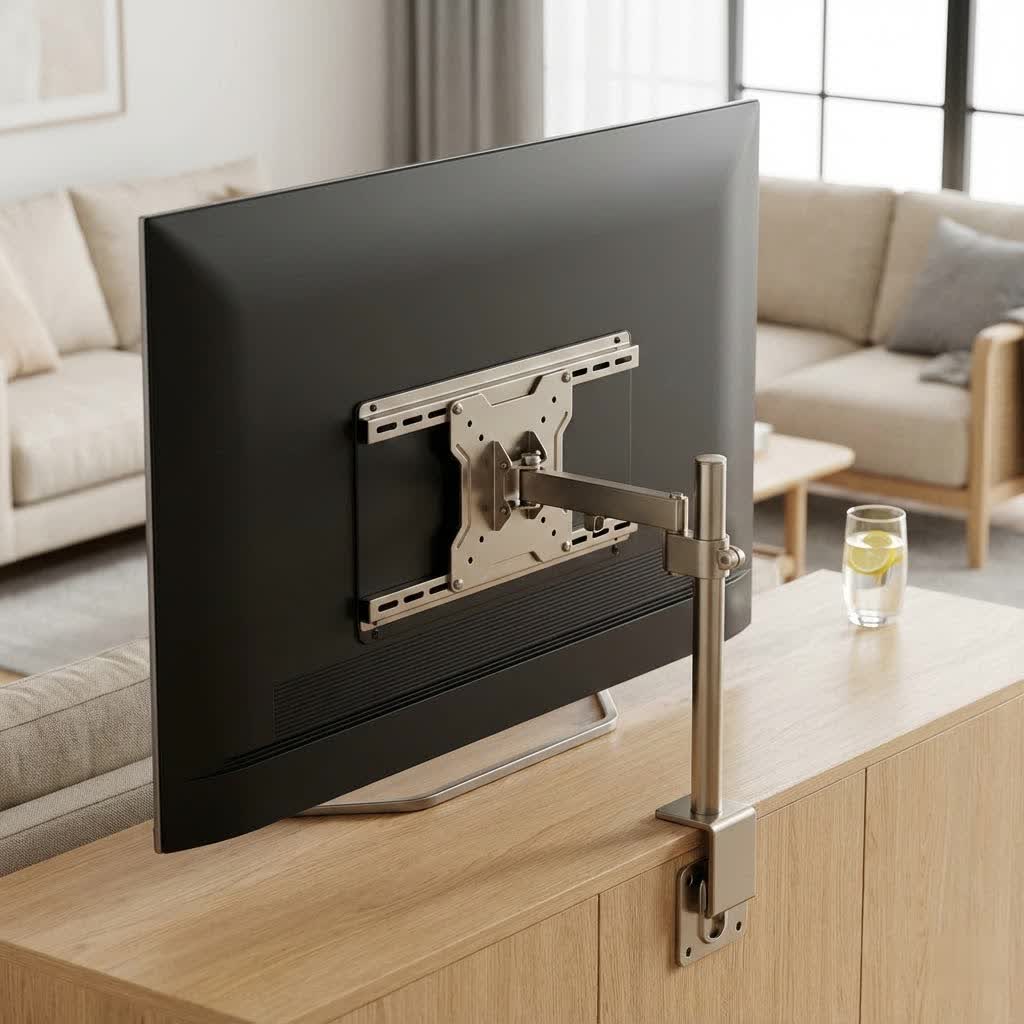
A flat TV wall mount, sometimes referred to as a fixed TV mount, is the simplest and most low-profile type available. It holds your television flush against the wall, much like a picture frame, saving space and creating a clean, modern look. This type of mount is ideal when you have a direct viewing angle and don’t need to adjust the screen’s position. It’s perfect for living rooms, bedrooms, or any area where the primary goal is a static, space-saving installation.
Understanding the Different Types of TV Mounts
While our focus today is on the flat TV wall mount, it’s helpful to know how it stacks up against other popular options. Each type serves a different need, and understanding these differences ensures you pick the perfect fit for your home.
What are the main types of TV mounts?
The main types include fixed (flat), tilting, swivel, and full-motion (articulating) mounts. Each offers varying degrees of adjustability, from no movement to extensive repositioning.
- Fixed (Flat) Mounts: These keep your TV almost flush with the wall, offering the slimmest profile. They provide no tilt, swivel, or extension. They are robust, generally the most affordable, and perfect for direct, eye-level viewing.
- Tilting Mounts: Similar to flat mounts, but they allow you to tilt your TV downwards by a few degrees. This is great for reducing glare from windows or lights, especially if your TV is mounted higher than eye level, like above a fireplace.
- Swivel Mounts: Also known as corner mounts, these allow horizontal adjustment. They can rotate the TV left or right, offering more flexible viewing angles, especially in open-concept rooms or when installing in a corner.
- Full-Motion (Articulating) Mounts: These are the most versatile. They allow you to extend the TV away from the wall, tilt it up or down, and swivel it left or right. Ideal for rooms with multiple viewing areas or where you need to access ports on the back of the TV frequently.
|
Our Picks for the Best TV Mount in 2026
As an Amazon Associate I earn from qualifying purchases.
|
||
| Num | Product | Action |
|---|---|---|
| 1 | USX Mount Full Motion TV Wall Mount for Most 42-90 inch Flat Screen/LED/4K, TV Mount Bracket Dual Swivel Articulating Tilt 6 Arms, Max 16\" Wood Studs, VESA 600x400mm, Holds up to 132lbs |

|
| 2 | Perlegear Full Motion TV Wall Mount for Most 42–86 inch Flat Curved TVs up to 132 lbs, 12″/16″ Wood Studs, Bracket with Articulating Arms, Swivel, Tool-Free Tilt, Max VESA 600x400mm PGLF12 |
|
| 3 | Mounting Dream TV Wall Mount for Most 37-75 Inch TVs, Universal Tilt TV Mount Fit 16\", 18\", 24\" Stud with Loading Capacity 132lbs, Max Vesa 600 x 400mm, Low Profile Flat Wall Mount TV Bracket |
|
| 4 | Magnetic Monitor Wall Mount for Steel Surfaces, Fits 13 to 34 Inch Screens, Holds up to 22 lbs, VESA 75/100 Compatible Wall Mount for Computer and TV Monitor, No-Drill Installation with All Screws |
|
| 5 | Pipishell Full Motion TV Wall Mount for Echo Show 21/15 and 13-43 Inch Flat Curved Screen TVs & Monitors, Max VESA 200x200mm up to 44lbs, TV Mount Wall Bracket with Rotation Swivel Tilt Extension |
|
| 6 | Amazon Basics Full Motion Articulating TV Wall Mount, with Swivel and Tilt, for 26\" to 55\" TVs and Flat Panels up to 80 Lbs, VESA Compatible, Black |
|
| 7 | Mounting Dream TV Wall Mount for 32-65 Inch Television,Mount with Swivel and Tilt, Full Motion Bracket with Articulating Dual Arms, Fits 16inch Studs, Max VESA 400X400 mm, 99lbs, MD2380 |
|
| 8 | MOUNTUP Full Motion TV Wall Mount for Most 26-60 Inch TVs, Max VESA 400x400mm Wall Mount TV Bracket with Swivel Tilting Extension Level Adjustment for LED LCD Flat Curved TVs Up to 77 LBS, MU0018 |
|
| 9 | monTEK Motorized Ceiling TV Mount for 43-86 Inch TVs, Heavy-Duty 121lbs (4X Load Tested), Off-Center VESA Compatible, Electric Flip Down with Remote/App/Voice Control, Fits Flat & Pitched Roof |
|
| 10 | USX MOUNT Full Motion TV Wall Mount for Most 32-70 inch TVs up to 99 lbs, Wall Mount Bracket with Dual Articulating Arms, Swivel, Tilt, Max VESA 400x400mm, TV Mount Fits 12”/16” Wood Studs |
|
For a sleek, unobtrusive setup, a flat TV wall mount is often the champion. It blends the TV seamlessly into your décor, giving the impression that your screen is simply floating on the wall.
Choosing the Right Flat TV Wall Mount for Your Television
Selecting the correct flat TV wall mount isn’t just about aesthetics; it’s crucial for safety and compatibility. There are two primary factors to consider: your TV’s size and its weight.
How do I ensure a flat TV wall mount is compatible with my TV?
To ensure compatibility, check your TV’s VESA pattern and compare it with the mount’s specifications, and make sure the mount can support your TV’s weight.
- VESA Pattern: VESA (Video Electronics Standards Association) is a standard for TV and mount manufacturers. It refers to the four-hole pattern on the back of your TV used for mounting. Common VESA patterns include 200x200mm, 400x400mm, and 600x400mm. You can find your TV’s VESA pattern in its manual or by measuring the distance between the mounting holes (horizontal x vertical) on the back of the screen. Your chosen flat TV wall mount must support your TV’s VESA pattern.
- TV Weight: Every mount has a maximum weight capacity. It is absolutely critical that your TV’s weight does not exceed this limit. While modern TVs are lighter than their predecessors, always check your TV’s specifications and the mount’s stated capacity. Overlooking this can lead to catastrophic failure.
- TV Size: Mounts are typically rated for a range of screen sizes (e.g., “fits 32-65 inch TVs”). While size is secondary to VESA and weight, ensure your TV falls within the recommended range for proper aesthetics and stability.
“Always prioritize safety when selecting a mount. A mount that can handle your TV’s weight and matches its VESA pattern is non-negotiable for a secure installation,” advises Dikfu.com’s lead installer, Alex Thorne.
Step-by-Step: Installing Your Flat TV Wall Mount Safely and Correctly
Installing a flat TV wall mount can be a rewarding DIY project, but it requires precision and adherence to safety guidelines. Here’s a breakdown of the process:
What tools do I need to install a flat TV wall mount?
You’ll typically need a stud finder, drill, drill bits, level, measuring tape, pencil, screwdriver (Phillips and flathead), and potentially a socket wrench.
Checklist of Essential Tools:
- Stud finder
- Power drill and appropriate drill bits
- Level
- Measuring tape
- Pencil
- Phillips head screwdriver
- Socket wrench (if your mount uses lag bolts)
- Safety glasses
- Another person to help lift the TV
The Installation Process:
- Locate Studs: Use your stud finder to locate at least two wooden studs in your desired mounting location. Mark the center of each stud. Mounting into studs is paramount for structural integrity; never mount directly into drywall without specialized anchors that support your TV’s weight, and even then, studs are always preferred.
- Determine TV Height: With help, hold the TV against the wall at your desired viewing height. Mark the top and bottom edges of the TV. A general rule of thumb is to have the center of the screen at eye level when seated. Remember that a flat TV wall mount doesn’t offer vertical adjustment after installation.
- Mark Mount Holes: Position the wall plate of your flat TV wall mount on the wall, aligning it with your stud marks and chosen height. Use your level to ensure it’s perfectly straight, then mark the pilot holes for drilling. Double-check all measurements before drilling!
- Drill Pilot Holes: Using a drill bit slightly smaller than your lag bolts (check your mount’s instructions for the correct size), drill pilot holes into the center of the marked studs. Drill only as deep as recommended by the manufacturer.
- Attach Wall Plate: Secure the wall plate to the wall using the lag bolts provided with your mount. Tighten them firmly, but avoid over-tightening, which can strip the wood.
- Attach TV Brackets: Now, attach the mounting brackets to the back of your TV. These typically screw into the VESA holes. Ensure they are securely fastened and oriented correctly (usually with adjustment hooks facing downwards).
- Mount the TV: With the help of another person, carefully lift your TV and hook the brackets onto the wall plate. Most flat TV wall mount designs have a locking mechanism (e.g., pull straps or screws) to secure the TV in place. Engage this mechanism immediately. Give the TV a gentle tug to ensure it’s firmly seated.
Cable Management and Aesthetic Enhancements
Once your TV is securely on its flat TV wall mount, the next step is tidying up the cables. Loose wires can detract from the clean look you’ve worked hard to achieve.
How can I hide cables after installing a flat TV wall mount?
You can hide cables using in-wall cable management kits, on-wall cable covers, or by routing them through furniture like entertainment centers.
- In-Wall Cable Management: This is the cleanest option for a flat TV wall mount. It involves cutting small holes in your drywall behind the TV and near an outlet, then running cables through the wall cavity. Ensure you use proper in-wall rated cables and follow local electrical codes, or consult an electrician for power outlets.
- On-Wall Cable Covers: If you can’t or don’t want to cut into your wall, on-wall cable covers are a great alternative. These are plastic channels that adhere to your wall, concealing the cables inside. They can often be painted to match your wall color, making them nearly invisible.
- Bundle and Route: For minimal setups, simply bundling cables with zip ties or Velcro straps and routing them neatly down behind furniture can work wonders.
Consider adding LED bias lighting behind your TV. This not only enhances the viewing experience but can also subtly hide any remaining cable shadows and make your flat TV wall mount setup look even more professional.
Common Installation Mistakes and How to Avoid Them
Even experienced DIYers can make mistakes. Being aware of common pitfalls when installing a flat TV wall mount can save you a lot of headaches (and potential damage!).
What are the most common mistakes when installing a TV wall mount?
Common mistakes include failing to locate wall studs, using the wrong VESA screws, exceeding weight limits, not leveling the mount, and attempting to install alone.
- Not Finding Studs: This is the #1 mistake. Mounting into drywall alone, without proper anchors, will inevitably lead to your TV crashing down. Always use a reliable stud finder and double-check your marks.
- Ignoring VESA and Weight Limits: As mentioned, these are non-negotiable safety requirements. Never guess.
- Not Leveling: A crooked TV is an eyesore. Use a good quality level, not just your eye, when marking pilot holes and attaching the wall plate. Many mounts have built-in leveling adjustments, but getting it right from the start simplifies things.
- Overtightening Lag Bolts: While bolts need to be secure, over-tightening can strip the wood of the stud, compromising the mount’s stability. Stop tightening once firm.
- Attempting Alone: A large TV is heavy and unwieldy. Always have a second person to help lift and guide the TV onto the mount, especially for a flat TV wall mount which offers less room for error during the final hang.
- Forgetting Cable Access: Before fully locking the TV in place, make sure you can still access any ports you might need to use regularly. For a flat TV wall mount, rear access is very limited once mounted.
FAQ: Your Top Questions About Flat TV Wall Mounts Answered
Here are some frequently asked questions about flat TV wall mounts to further clarify your understanding.
Is a flat TV wall mount secure?
Yes, a properly installed flat TV wall mount is extremely secure, provided it’s mounted into wall studs and the TV’s weight is within the mount’s capacity.
Can I install a flat TV wall mount on drywall?
While possible with heavy-duty toggle bolts or specialized drywall anchors designed for heavy loads, it is always recommended to mount directly into wooden studs for maximum security and stability.
Do all TVs fit a flat TV wall mount?
Most modern flat-screen TVs are VESA compliant, meaning they have standardized mounting holes on the back that will fit a flat TV wall mount, provided the mount’s VESA pattern and weight capacity match your TV.
How close will my TV be to the wall with a flat TV wall mount?
Flat TV wall mounts are designed for a low profile, typically holding your TV within 0.5 to 1.5 inches from the wall, depending on the mount model and TV design.
Can a flat TV wall mount damage my TV?
No, a flat TV wall mount will not damage your TV if installed correctly and used within its specified weight and VESA limits. Any damage would stem from improper installation or misuse, not the mount itself.
Final Thoughts on Your Flat TV Wall Mount Journey
Embracing a flat TV wall mount is an excellent way to reclaim space, enhance your room’s aesthetic, and enjoy your entertainment with a minimalist, modern flair. From selecting the perfect mount that matches your TV’s specifications to navigating the installation process with confidence, you now have the insights to make it happen. Remember, patience and precision are your best tools. Don’t rush, measure twice, and always prioritize safety.
At Dikfu.com, our mission is to empower you with the knowledge to tackle home improvement projects like this one effectively and safely. Now that you’re equipped with this comprehensive guide, go forth and transform your viewing experience. Share your newly mounted TV setups with us – we love seeing our community’s success stories!
