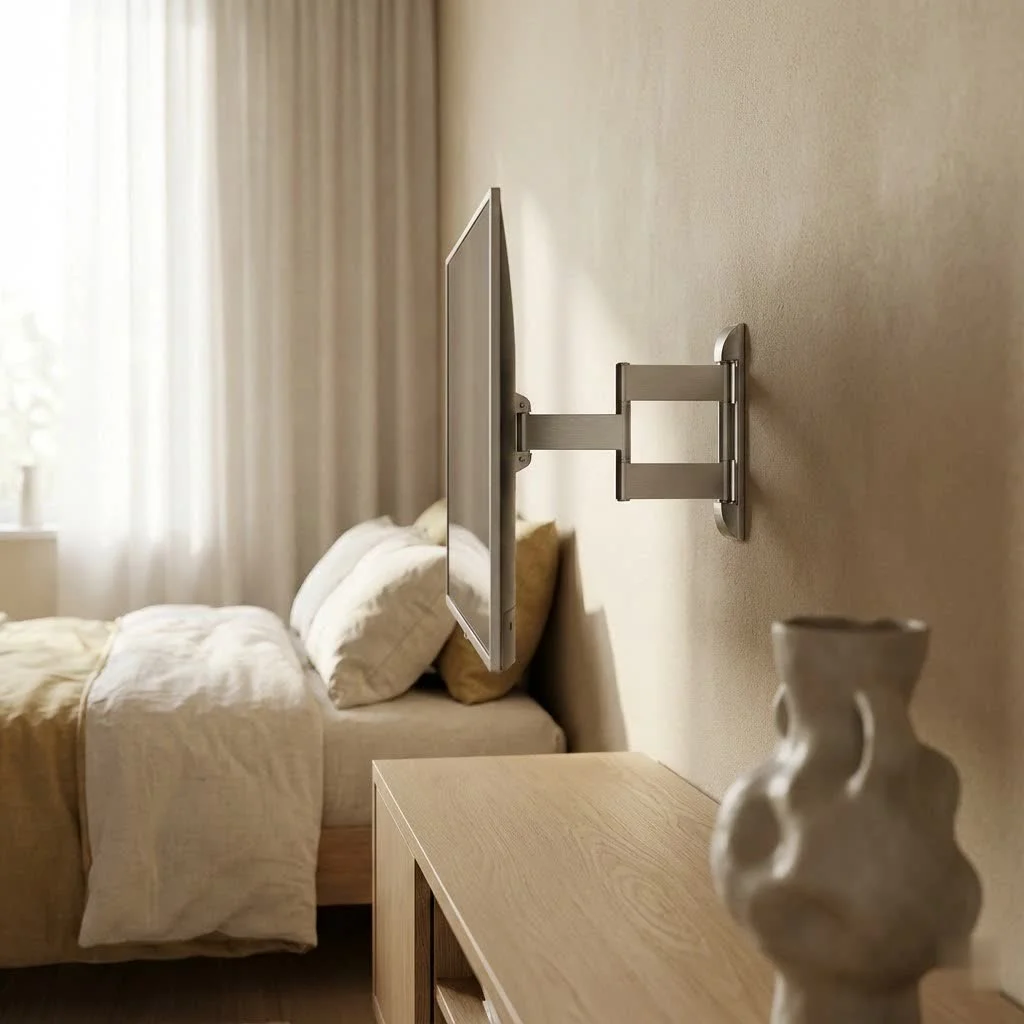
Motorized TV mounts improve your living space by offering unparalleled convenience, sleek aesthetics, and optimal viewing at the touch of a button. These innovative systems allow televisions to retract into ceilings, lower into cabinets, or fold against walls, providing hands-free operation and dynamic adjustments for tilt, swivel, and extension. They enhance home entertainment by integrating with smart home systems and protecting expensive displays from dust and accidental damage.
Why Go Motorized? The Unbeatable Benefits of a Motorized TV Mount
Our homes are getting smarter, and our entertainment systems should too. A motorized TV mount brings a level of sophistication and practicality that traditional mounts simply can’t match.
- Effortless Convenience at Your Fingertips: Imagine settling onto your couch and, with a single press of a button on a remote, an app, or even a voice command, your TV glides into the perfect viewing position. No more tugging, tilting, or straining. This hands-free operation is a major upgrade, especially for those who appreciate seamless technology.
- Enhanced Aesthetics & Space Optimization: Motorized mounts are masters of discretion. They allow you to hide your television when it’s not in use, whether it’s retracting into a ceiling, lowering into a cabinet, or folding neatly against a wall. This creates a clean, minimalist look, freeing up valuable wall or floor space and ensuring your room’s decor remains uninterrupted.
- Optimal Viewing from Any Angle: Ever dealt with annoying glare or an awkward viewing angle from certain seats? A motorized TV mount allows for dynamic adjustments, including tilt, swivel, and extension. This means you can effortlessly achieve the ideal screen position, reducing eye and neck strain and ensuring everyone in the room has the best view, no matter where they sit.
- Added TV Protection: When your TV is tucked away in a ceiling cavity or cabinet, it’s not just out of sight; it’s also protected. This helps shield your expensive display from dust, accidental bumps, and even curious little hands or paws, potentially extending its lifespan.
- Seamless Smart Home Integration: Many modern motorized TV mounts are designed to integrate with popular smart home systems like Amazon Alexa and Google Home. This opens up a world of possibilities for automation, allowing you to incorporate your TV’s movement into your daily routines or control it with simple voice commands. “Alexa, bring down the TV!”
- Accessibility for All: For individuals with mobility challenges, a motorized TV mount can significantly enhance their independence and enjoyment of their home entertainment system, allowing them to adjust viewing angles without physical effort.
Decoding Your Options: Types of Motorized TV Mounts
|
Our Picks for the Best TV Mount in 2026
As an Amazon Associate I earn from qualifying purchases.
|
||
| Num | Product | Action |
|---|---|---|
| 1 | Magnetic Monitor Wall Mount for Steel Surfaces, Fits 13 to 34 Inch Screens, Holds up to 22 lbs, VESA 75/100 Compatible Wall Mount for Computer and TV Monitor, No-Drill Installation with All Screws |

|
| 2 | monTEK Motorized Ceiling TV Mount for 43-86 Inch TVs, Heavy-Duty 121lbs (4X Load Tested), Off-Center VESA Compatible, Electric Flip Down with Remote/App/Voice Control, Fits Flat & Pitched Roof |
|
| 3 | Amazon Basics Full Motion Articulating TV Wall Mount, with Swivel and Tilt, for 26\" to 55\" TVs and Flat Panels up to 80 Lbs, VESA Compatible, Black |
|
| 4 | Mounting Dream TV Wall Mount for 32-65 Inch Television,Mount with Swivel and Tilt, Full Motion Bracket with Articulating Dual Arms, Fits 16inch Studs, Max VESA 400X400 mm, 99lbs, MD2380 |
|
| 5 | MOUNTUP Full Motion TV Wall Mount for Most 26-60 Inch TVs, Max VESA 400x400mm Wall Mount TV Bracket with Swivel Tilting Extension Level Adjustment for LED LCD Flat Curved TVs Up to 77 LBS, MU0018 |
|
| 6 | Mounting Dream TV Wall Mount for Most 37-75 Inch TVs, Universal Tilt TV Mount Fit 16\", 18\", 24\" Stud with Loading Capacity 132lbs, Max Vesa 600 x 400mm, Low Profile Flat Wall Mount TV Bracket |
|
| 7 | Perlegear Full Motion TV Wall Mount for Most 42–86 inch Flat Curved TVs up to 132 lbs, 12″/16″ Wood Studs, Bracket with Articulating Arms, Swivel, Tool-Free Tilt, Max VESA 600x400mm PGLF12 |
|
| 8 | USX MOUNT Full Motion TV Wall Mount for Most 32-70 inch TVs up to 99 lbs, Wall Mount Bracket with Dual Articulating Arms, Swivel, Tilt, Max VESA 400x400mm, TV Mount Fits 12”/16” Wood Studs |
|
| 9 | Pipishell Full Motion TV Wall Mount for Echo Show 21/15 and 13-43 Inch Flat Curved Screen TVs & Monitors, Max VESA 200x200mm up to 44lbs, TV Mount Wall Bracket with Rotation Swivel Tilt Extension |
|
| 10 | USX Mount Full Motion TV Wall Mount for Most 42-90 inch Flat Screen/LED/4K, TV Mount Bracket Dual Swivel Articulating Tilt 6 Arms, Max 16\" Wood Studs, VESA 600x400mm, Holds up to 132lbs |
|
Just like choosing a car, picking the right motorized TV mount depends on your specific needs, your room’s layout, and your personal style. Here are the most popular types you’ll encounter:
- Motorized Wall Mounts (Full-Motion/Articulating): These are like the athletic champions of TV mounts. They extend out from the wall, allowing your TV to swivel left or right, tilt up or down, and even retract flush against the wall when not in use. They offer incredible versatility for rooms with multiple viewing areas or where glare needs to be managed dynamically.
- Motorized Ceiling Mounts (Flip-Down/Drop-Down): The ultimate in hidden entertainment, these mounts are installed directly into your ceiling. With the press of a button, your TV smoothly descends into view or flips down from a hidden compartment. They are perfect for minimalist designs, large open spaces, or even pitched ceilings where a wall mount isn’t feasible.
- Motorized Pop-Up Lift Mounts: If you prefer your TV to be completely out of sight until showtime, a pop-up lift is your go-to. These mechanisms are often installed within custom furniture, cabinets, or even at the foot of your bed. When activated, the TV quietly rises into position, providing a luxurious “now you see it, now you don’t” experience.
- Motorized Fireplace Mounts: Mounting a TV above a fireplace can often lead to an uncomfortably high viewing angle. Motorized fireplace mounts solve this by allowing you to lower your TV to eye level for optimal viewing, then effortlessly return it above the mantel when done.
Choosing Your Perfect Motorized TV Mount: What to Consider
Selecting the ideal motorized TV mount is crucial for safety, functionality, and aesthetic satisfaction. Here’s what you need to :
- TV Compatibility is King:
- Size & Weight: Every motorized TV mount has a specified TV size range and a maximum weight capacity. It’s non-negotiable to ensure your television falls within these parameters. Overloading a mount is a serious safety risk.
- VESA Pattern: The Video Electronics Standards Association (VESA) pattern refers to the four mounting holes on the back of your TV. Mounts specify which VESA patterns they support (e.g., 200x200mm, 400x400mm). Always measure your TV’s VESA pattern and match it precisely with the mount.
- Range of Motion & Adjustability: Think about how you watch TV. Do you need a slight tilt to reduce glare? Or do you need full swivel and extension to view from different areas of an open-plan room? Consider the specific tilt angles, swivel degrees, and extension distance offered by the mount.
- Control Options: Most motorized TV mounts come with a dedicated remote control. However, many advanced models also offer smartphone app control or smart home integration for voice commands. Decide which control method best suits your tech habits.
- Build Quality & Durability: You’re entrusting your expensive TV to this mount. Look for mounts made from heavy-gauge steel or other high-quality, durable materials. Pay attention to reviews regarding the smoothness of operation and the noise level of the motor. A quiet motor, ideally below 40 dB, is essential for an immersive viewing experience, especially in bedrooms or quiet living spaces.
- Installation Requirements: Some motorized mounts are more complex to install than traditional fixed mounts, often requiring electrical wiring. Consider whether you’re comfortable with a DIY project or if professional installation is the wiser choice.
- Budget: Motorized TV mounts span a wide price range depending on features, build quality, and type. Set a realistic budget, but that investing a bit more in a high-quality, reliable mount can save you headaches and potential damage down the line.
- Aesthetics & Design: How will the mount look in your room? If it’s a visible wall mount, does its design complement your decor? If it’s a hidden mount, ensure the housing or recess blends seamlessly with your ceiling or furniture.
“Choosing the right motorized TV mount is about more than just technology; it’s about curating your living space to reflect your lifestyle,” advises Alex Chen, a Dikfu.com expert with over 15 years in TV installation. “It’s the blend of convenience, safety, and elegant design that truly elevates a room.”
Smooth Operator: Safe and Effective Motorized TV Mount Installation
Installing a motorized TV mount requires precision and attention to detail. While some homeowners with strong DIY skills might tackle it, professional installation is often recommended, especially for ceiling or complex hidden systems, due to the electrical components and the weight involved.
Tools You’ll Absolutely Need:Before you begin, gather your toolkit:
- Stud Finder: Non-negotiable for locating secure wooden studs behind drywall.
- Power Drill & Drill Bits: For pilot holes and securing lag bolts.
- Level (24-inch recommended): To ensure your mount is perfectly straight.
- Measuring Tape: For accurate placement and centering.
- Socket Wrench: For securely tightening lag bolts.
- Pencil/Painter’s Tape: For marking.
- Screwdriver set.
- Safety Glasses and Gloves.
Pre-Installation Checklist:
- Read the Manual: This is your installation bible. Each mount is different.
- Verify Wall/Ceiling Strength: Ensure the mounting surface can safely support the combined weight of your TV and the mount.
- Locate Studs/Mounting Points: Use your stud finder to mark the precise center of at least two studs. For concrete walls, ensure you have appropriate anchors.
- Check for Electrical/Plumbing: Be aware of anything behind the wall where you plan to drill.
Step-by-Step Installation (General Guide):
- Marking and Drilling Pilot Holes: Hold the wall plate (or lift mechanism) against the wall/ceiling at your desired height. Use your level to ensure it’s perfectly straight, then mark your drilling spots through the mount’s holes. Drill pilot holes directly into the center of the studs, ensuring they are deep enough for the lag bolts.
- Mounting the Lift Mechanism/Wall Plate: Securely attach the mount’s wall plate or lift mechanism to the wall/ceiling using the provided lag bolts and washers. Tighten all screws firmly but avoid over-tightening, which can strip the holes.
- Attaching Brackets to Your TV: Attach the TV brackets to the back of your television, aligning them with the VESA pattern holes. Use the correct screws and spacers provided with your mount.
- Connecting the Control System/Power: This is where motorized mounts differ significantly. Follow your manual to connect the power supply and control box. For in-wall wiring, this may require professional electrical work. Ensure all electrical connections are secure.
- Attaching TV to the Mount: With an extra set of hands (this is almost always a two-person job!), carefully lift your TV and hook the attached brackets onto the mounted wall plate or mechanism. Secure it in place according to the manufacturer’s instructions, often with safety screws or locking mechanisms.
- Making Final Adjustments & Testing: Once the TV is securely mounted and powered, run through all its movements. Test the tilt, swivel, extension, and any programmed memory positions. Adjust the swivel limits and height settings as per your preference. Listen for any unusual noises and ensure smooth operation.
Beyond the Mount: Cable Management and Common Pitfalls
A perfectly mounted TV can still look messy with dangling cables. Effective cable management is key to achieving that clean, professional finish.
- Cable Management Solutions:
- In-Wall Cable Routing: The most seamless option, running cables inside the wall. This often requires cutting small holes and may necessitate professional help.
- Cable Sleeves/Raceways: Affordable and easy-to-install options that bundle cables together or hide them in decorative channels.
- Furniture with Integrated Management: Many TV stands or cabinets come with built-in cable management features.
Common Installation Mistakes to Avoid:
- Not Locating Studs Correctly: This is the most critical mistake, leading to unstable mounts and potential TV falls. Invest in a reliable stud finder.
- Ignoring Weight/VESA Limits: Always double-check your TV’s specs against the mount’s capabilities.
- Over-Tightening Screws: This can strip threads or crack mounting surfaces.
- Lack of Power Access: Motorized mounts need power. Plan for an accessible outlet or hidden in-wall power extension.
- Skipping the Level: A crooked TV is a constant annoyance.
- Not Testing Thoroughly: Always test all movements and weight distribution before leaving your TV unattended.
Maintenance Tips:Motorized mounts, with their moving parts, benefit from occasional checks. Ensure all screws remain tight, clean any visible tracks, and keep the motor free from dust. If you notice any unusual sounds or jerky movements, consult your mount’s manual or a professional.
Conclusion
Embracing a motorized TV mount is more than just buying a piece of hardware; it’s investing in a smarter, more elegant, and infinitely more convenient home entertainment experience. From freeing up space and enhancing your decor to providing perfect viewing angles and integrating with your smart home, the benefits are undeniable. By understanding the types available, carefully considering your needs, and ensuring a safe, proper installation, you’ll confidently unlock the full potential of your television.
Ready to improve your home? Explore the possibilities of motorized TV mounts and transform how you watch. For more in-depth guides and expert advice, to visit Dikfu.com – your trusted source for all things TV mounting!
Frequently Asked Questions
What are the main benefits of using a motorized TV mount?
Motorized TV mounts offer effortless convenience, allowing hands-free adjustment via remote, app, or voice command. They enhance aesthetics by hiding the TV when not in use, optimize viewing from any angle with dynamic tilt and swivel, and provide added protection for the television from dust and bumps. Many models also integrate with smart home systems like Amazon Alexa.
What types of motorized TV mounts are available for home use?
There are several types of motorized TV mounts, including motorized wall mounts that swivel and tilt, motorized ceiling mounts that flip or drop down, motorized pop-up lift mounts for hidden installations in furniture, and motorized fireplace mounts that lower the TV to eye level. Each type serves different aesthetic and functional needs.
How do I choose the correct motorized TV mount for my television?
To choose the correct motorized TV mount, you must verify TV compatibility by checking its size, weight, and VESA pattern (e.g., 200x200mm or 400x400mm). Also, consider the desired range of motion, available control options (remote, app, voice), build quality, installation requirements, and your budget. A quiet motor, ideally below 40 dB, is also recommended.
Is professional installation necessary for a motorized TV mount?
Professional installation is often recommended for motorized TV mounts, especially for ceiling or complex hidden systems, due to the electrical components and the weight involved. While homeowners with strong DIY skills might tackle simpler wall mounts, ensuring proper wiring and secure mounting is crucial for safety and functionality.
What tools are essential for installing a motorized TV mount?
Essential tools for installing a motorized TV mount include a stud finder to locate secure wooden studs, a power drill with appropriate bits, a 24-inch level for straight placement, a measuring tape for accuracy, and a socket wrench for tightening lag bolts. Safety glasses and gloves are also crucial for protection during installation.
How can I manage cables for a clean look with a motorized TV mount?
Effective cable management is key for a clean finish. Options include in-wall cable routing for a seamless look, which may require professional help. Alternatively, cable sleeves or raceways can bundle and hide cables, or you can use furniture with integrated cable management features to keep wires organized and out of sight.
Install a Motorized TV Mount
This guide provides general steps for safely and effectively installing a motorized TV mount, including essential tools and pre-installation checks.
Gather essential tools like a stud finder, power drill, 24-inch level, and measuring tape. Read the mount's manual thoroughly, verify the wall or ceiling strength, and locate studs or appropriate mounting points. Check for any electrical wiring or plumbing behind the intended drilling areas.
Hold the wall plate or lift mechanism against the wall/ceiling at the desired height. Use a level to ensure it's perfectly straight, then mark and drill pilot holes into the center of the studs. Securely attach the mount's mechanism using the provided lag bolts and washers, tightening firmly but avoiding over-tightening.
Attach the TV brackets to the back of your television, aligning them with the VESA pattern holes and using the correct screws and spacers. Follow the manual to connect the power supply and control box for the motorized functions. Ensure all electrical connections are secure, seeking professional help for in-wall wiring if needed.
With assistance, carefully lift your TV and hook the attached brackets onto the mounted wall plate or mechanism. Secure it in place with safety screws or locking mechanisms according to the manufacturer's instructions. Once the TV is securely mounted and powered, test all movements, including tilt, swivel, and extension, and adjust settings as preferred.
Get our weekly buyer guide
Practical specs, not advice. Unsubscribe anytime.
This has completely transformed my home entertainment setup. The ability to adjust the extension and swivel with just a button press is incredible. It’s so much easier to get the optimal viewing angle from anywhere in the room. I love how it enhances the overall aesthetic of my living space.
I finally pulled the trigger on a motorized TV mount after reading about how they integrate with smart home systems. It’s a game-changer! My TV now lowers from the ceiling with a voice command, and it’s so much more convenient than manually adjusting a traditional mount. Definitely worth the investment for the sleek look and effortless control.
I was hesitant about the price range for these, but the convenience of having my TV retract into a cabinet is amazing. It really cleans up the living room when not in use. The installation was a bit more involved than I expected, but the end result is fantastic for protecting my display from dust and keeping things tidy.
I got a motorized mount that folds against the wall, and while the hands-free operation is cool, the remote control feels a bit cheap. It works, but I wish it had a more premium feel given the overall cost of the system. Still, the dynamic adjustments for tilt and swivel are great for getting the perfect viewing angle.