Stepping into the world of large-screen TVs is exhilarating. A magnificent 75-inch display transforms your living space into a cinematic haven, delivering an immersive viewing experience that few things can match. But with great size comes great responsibility, especially when it comes to mounting it safely and securely on your wall. Choosing and installing the perfect 75 Inch Tv Mount isn’t just about aesthetics; it’s about safeguarding your investment, ensuring optimal viewing comfort, and maintaining the integrity of your home.
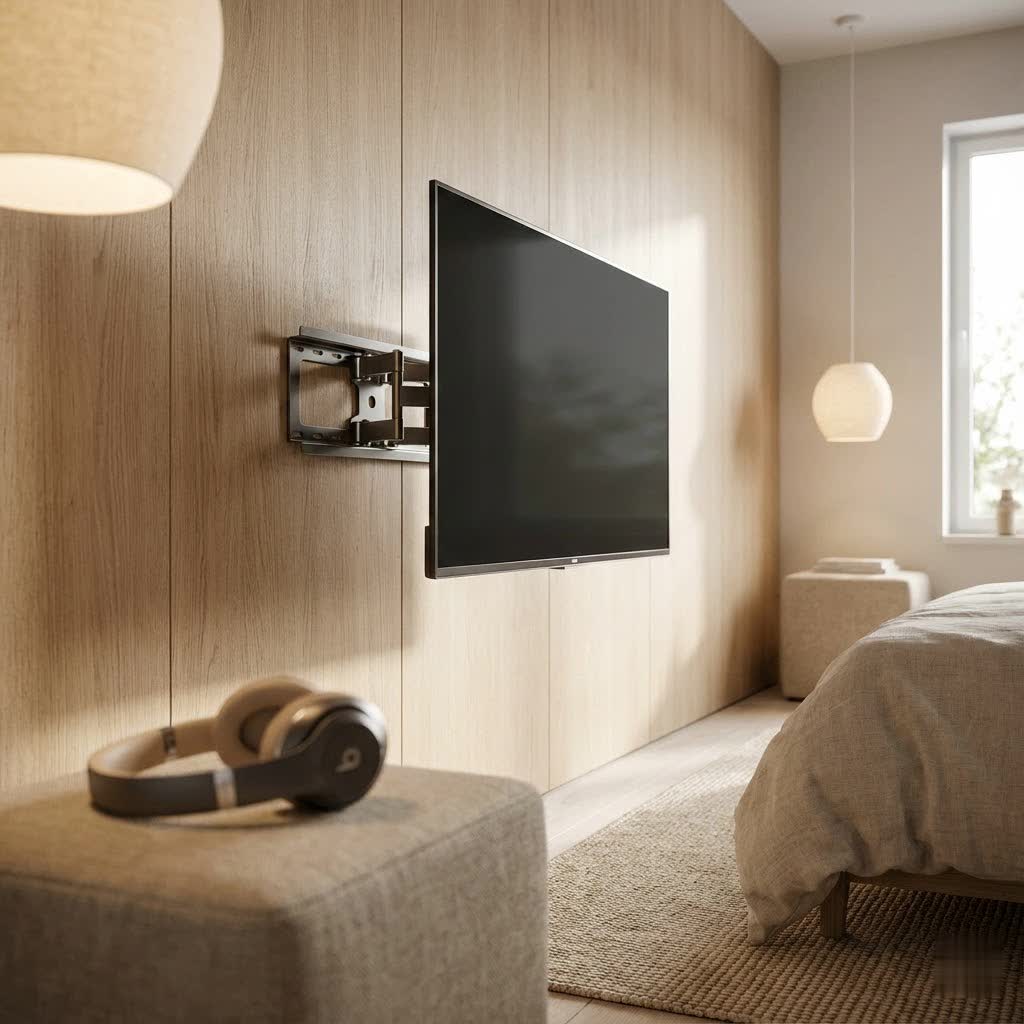
At Dikfu.com, we understand the nuances of TV mounting like no other. With over 15 years in the field, we’ve seen it all, and we’re here to share our deep-seated expertise. This guide will walk you through everything you need to know about selecting, installing, and optimizing your 75 inch TV mount, turning a potentially daunting task into a confident DIY success.
Why a 75 Inch TV Demands the Right Mount
A 75-inch TV is a significant piece of technology, both in terms of visual impact and physical presence. This isn’t your average bedroom TV; it’s a centerpiece that requires serious consideration during installation.
First and foremost, weight is a critical factor. While models vary, most 75-inch televisions weigh between 60 and 100 pounds. This substantial weight necessitates a robust, high-quality mount that is explicitly rated to support it. Skimping on mount quality can lead to catastrophic failure, damaging your TV, your wall, and potentially causing injury.
Next, you need to be familiar with your TV’s VESA pattern. VESA (Video Electronics Standards Association) provides a standardized system of mounting holes on the back of your TV, measured in millimeters. Common VESA patterns for a 75-inch TV might include 400x400mm or 600x400mm, but always check your TV’s manual for its exact specification. Your chosen 75 inch TV mount must be compatible with this specific pattern. Without a match, your TV simply won’t attach to the mount.
Finally, the mounting surface itself is paramount. For a TV of this size and weight, anchoring directly into drywall without solid support is a non-starter. You absolutely must secure your mount into structural elements like wooden wall studs or a reinforced concrete or brick wall. These provide the necessary stability to hold your television safely for years to come.
Decoding TV Mount Types: Which One is Right for Your 75-Inch Beast?
The market offers a variety of TV mounts, each with unique features designed for different viewing needs and room layouts. Understanding these options is key to picking the best 75 inch TV mount for your space.
Fixed Mounts: The Streamlined Choice
Fixed mounts are the simplest and most common type. They hold your 75-inch TV flat and close to the wall, offering a clean, low-profile aesthetic.
- Pros: Very secure, affordable, minimal visual intrusion. Ideal if you watch TV from a single, consistent viewing position and don’t need to adjust the screen.
- Cons: No flexibility. Once installed, your TV’s position is permanent. Cable access can be difficult after mounting.
|
Our Picks for the Best TV Mount in 2026
As an Amazon Associate I earn from qualifying purchases.
|
||
| Num | Product | Action |
|---|---|---|
| 1 | Mounting Dream TV Wall Mount for 32-65 Inch Television,Mount with Swivel and Tilt, Full Motion Bracket with Articulating Dual Arms, Fits 16inch Studs, Max VESA 400X400 mm, 99lbs, MD2380 |

|
| 2 | Mounting Dream TV Wall Mount for Most 37-75 Inch TVs, Universal Tilt TV Mount Fit 16\", 18\", 24\" Stud with Loading Capacity 132lbs, Max Vesa 600 x 400mm, Low Profile Flat Wall Mount TV Bracket |
|
| 3 | USX Mount Full Motion TV Wall Mount for Most 42-90 inch Flat Screen/LED/4K, TV Mount Bracket Dual Swivel Articulating Tilt 6 Arms, Max 16\" Wood Studs, VESA 600x400mm, Holds up to 132lbs |
|
| 4 | Magnetic Monitor Wall Mount for Steel Surfaces, Fits 13 to 34 Inch Screens, Holds up to 22 lbs, VESA 75/100 Compatible Wall Mount for Computer and TV Monitor, No-Drill Installation with All Screws |
|
| 5 | Amazon Basics Full Motion Articulating TV Wall Mount, with Swivel and Tilt, for 26\" to 55\" TVs and Flat Panels up to 80 Lbs, VESA Compatible, Black |
|
| 6 | USX MOUNT Full Motion TV Wall Mount for Most 32-70 inch TVs up to 99 lbs, Wall Mount Bracket with Dual Articulating Arms, Swivel, Tilt, Max VESA 400x400mm, TV Mount Fits 12”/16” Wood Studs |
|
| 7 | Perlegear Full Motion TV Wall Mount for Most 42–86 inch Flat Curved TVs up to 132 lbs, 12″/16″ Wood Studs, Bracket with Articulating Arms, Swivel, Tool-Free Tilt, Max VESA 600x400mm PGLF12 |
|
| 8 | MOUNTUP Full Motion TV Wall Mount for Most 26-60 Inch TVs, Max VESA 400x400mm Wall Mount TV Bracket with Swivel Tilting Extension Level Adjustment for LED LCD Flat Curved TVs Up to 77 LBS, MU0018 |
|
| 9 | Pipishell Full Motion TV Wall Mount for Echo Show 21/15 and 13-43 Inch Flat Curved Screen TVs & Monitors, Max VESA 200x200mm up to 44lbs, TV Mount Wall Bracket with Rotation Swivel Tilt Extension |
|
| 10 | monTEK Motorized Ceiling TV Mount for 43-86 Inch TVs, Heavy-Duty 121lbs (4X Load Tested), Off-Center VESA Compatible, Electric Flip Down with Remote/App/Voice Control, Fits Flat & Pitched Roof |
|
Tilting Mounts: Battling Glare and Finding Your Angle
Tilting mounts allow you to adjust your 75-inch TV vertically, usually by a few degrees up or down.
- Pros: Excellent for reducing glare from windows or lights, especially if your TV is mounted higher on the wall (e.g., above a fireplace). Improves viewing comfort by angling the screen towards your eye level.
- Cons: Offers vertical adjustment only. No horizontal swivel or extension from the wall.
Full-Motion (Articulating/Swivel) Mounts: Ultimate Flexibility
These mounts are the most versatile, allowing your 75-inch TV to extend out from the wall, swivel horizontally, and tilt vertically.
- Pros: Unmatched flexibility for multiple viewing angles, perfect for open-plan living spaces or corner installations. Provides easy access to cables for connecting devices or troubleshooting.
- Cons: Generally more expensive and complex to install. For very heavy 75-inch TVs, some users report minor leveling adjustments might be needed over time if constantly moved, though quality mounts are designed to minimize this. They also tend to sit further from the wall when retracted compared to fixed or tilting mounts.
Specialty Mounts: Pull-Down and Motorized Options
Beyond the core types, some specialized mounts cater to unique situations:
- Pull-Down Mounts: Specifically designed for mounting a 75-inch TV above a fireplace, allowing you to pull the TV down to eye level when in use.
- Motorized Mounts: Offer automated adjustment with a remote, often including programmable presets. These are the ultimate in convenience but come with a higher price tag.
“Choosing the right mount isn’t just about size; it’s about how you live,” advises Dr. Elara Vance, Senior Home Entertainment Engineer at Dikfu.com. “For a 75-inch TV, think about your viewing habits, room layout, and whether you’ll ever need to access the back for new devices. That foresight makes all the difference.”
The Golden Rule: Calculating the Perfect Viewing Height for Your 75 Inch TV
Getting the height right for your 75-inch TV is crucial for a comfortable and immersive viewing experience, preventing neck strain and optimizing picture quality.
The general guideline is that the center of your TV screen should be at your seated eye level. For most people, this falls around 42 inches from the floor. However, this is a starting point, and personal preference and furniture height play a big role.
To find your ideal height:
- Sit comfortably in your primary viewing position on your couch or chair.
- Have a friend measure the distance from the floor to your eyes. This is your personal eye level.
- Now, consider your 75-inch TV’s actual physical height. A typical 75-inch TV is roughly 36-38 inches tall. To find its center, divide the height by two (e.g., 36 inches / 2 = 18 inches).
- Subtract this half-height from your personal eye level. For example, if your eye level is 42 inches and your TV’s half-height is 18 inches, then 42 – 18 = 24 inches. This means the bottom of your 75-inch TV should be approximately 24 inches from the floor.
Pro Tip: Use a large piece of cardboard cut to your TV’s dimensions or even masking tape on the wall to visualize different heights. Sit back, test it out, and find what feels most natural before you drill any holes.
Your Step-by-Step Guide to Safely Installing a 75 Inch TV Mount
Mounting a 75-inch TV isn’t a task to be rushed. Patience, precision, and proper tools are your best friends.
Pre-Installation Checklist: Gather Your Arsenal
Before you even think about drilling, ensure you have everything you need. This isn’t just about convenience; it’s about safety.
- Essential Tools:
- Stud Finder: Absolutely non-negotiable for locating wall studs. Don’t guess!
- Power Drill: With appropriate drill bits for pilot holes (wood or masonry).
- Level: A long level is ideal for a 75-inch TV mount to ensure straightness.
- Pencil: For marking stud locations and drill points.
- Tape Measure: For precise measurements.
- Screwdriver/Socket Wrench: For securing bolts.
- Safety Glasses: Protect your eyes from dust and debris.
- A Trusty Helper: A 75-inch TV is too heavy and unwieldy for one person to lift and maneuver safely. Always enlist a second pair of strong hands.
- Understand Your Wall: Determine if your wall is drywall over wood studs, plaster, concrete, or brick. Different materials require different fasteners and drilling techniques. Never mount directly into drywall alone.
Locate & Mark: Precision is Key
- Find the Studs: Use your stud finder to locate at least two, preferably three, adjacent wall studs where you plan to mount your TV. Mark the center of each stud vertically with your pencil.
- Position the Wall Plate: Hold the mount’s wall plate against the wall at your determined ideal height. Use your level to ensure it’s perfectly straight, aligning the mount’s pre-drilled holes with your marked stud centers. Mark these drill points accurately.
- Consider a Mounting Panel (If Needed): If your wall studs are not perfectly aligned with the mount’s holes or are spaced too widely for your specific mount, you may need to install a wooden mounting panel (a sturdy piece of plywood) across multiple studs first. The TV mount then attaches to this panel, which distributes the weight more effectively.
Secure the Wall Plate
- Drill Pilot Holes: Using a drill bit slightly smaller than your lag screws, drill pilot holes through your marked points into the center of each stud. Ensure you drill straight and to the recommended depth. For concrete or brick, use a hammer drill and masonry bit, then insert appropriate anchors.
- Attach the Wall Plate: Position the wall plate over the pilot holes. Insert the lag screws with washers (to prevent damage to the mount and distribute pressure) and tighten them firmly using a socket wrench. Do not over-tighten, but ensure the mount is rock-solid and does not wiggle.
Attach Brackets to Your TV (and Add Spacers if Needed)
- Lay the TV Down: Carefully place your 75-inch TV screen-down on a clean, soft surface (like a blanket on a table) to protect the screen.
- Align VESA Brackets: Align the TV mounting brackets (these attach to the back of your TV) with the VESA holes.
- Choose the Right Hardware: Your mount kit will come with various screws and spacers. Select the screws that fit your TV’s VESA holes without being too long (which can damage internal components) or too short. Use spacers if the back of your TV is curved or has protrusions, ensuring the brackets sit flush without putting pressure on the TV’s casing.
- Secure the Brackets: Hand-tighten the screws first, ensuring they are straight. Then, tighten them firmly with a screwdriver.
The Grand Lift: Mounting the TV
This is where your helper becomes invaluable.
- Lift Carefully: With one person on each side of the TV, carefully lift it towards the wall mount.
- Hook onto the Wall Plate: Gently align the TV brackets with the corresponding hooks or rails on the wall plate. Slowly lower the TV until it’s securely seated on the mount. Listen for any clicks or feel for a positive engagement.
- Secure Safety Features: Most mounts have safety screws, clips, or locking mechanisms to prevent the TV from accidentally dislodging. Engage these immediately.
- Check Level: Use your level to make any final minor adjustments if your mount allows for post-installation leveling.
Cable Management: Taming the Tangle
With your 75-inch TV proudly displayed, the final touch is to manage those unsightly cables.
- Bundling: Use cable ties, Velcro straps, or flexible tubing to bundle cables neatly together.
- Concealment:
- Cable Covers: Adhesive cable covers can be painted to match your wall, providing an easy way to hide wires.
- In-Wall Routing: For a truly wireless look, consider routing cables behind the wall. This requires cutting access holes and ensuring you adhere to local electrical codes. If you’re unsure, consult an electrician.
- Furniture Integration: Utilize media consoles or entertainment centers to hide power strips and excess cable length.
Avoiding Common Pitfalls: Smooth Sailing with Your 75 Inch TV Mount
Even experienced DIYers can make mistakes. For a 75-inch TV mount, these errors can be costly.
- Ignoring TV Weight and VESA: Always double-check your TV’s specifications and match them precisely to your mount’s ratings.
- Mounting into Drywall Without Studs: This is a recipe for disaster. Drywall cannot support the weight of a large TV. Always find and use studs.
- Incorrect Viewing Height: A TV mounted too high or too low will lead to an uncomfortable viewing experience over time. Take the time to calculate and test the optimal height.
- Attempting Solo Installation: A 75-inch TV is heavy and awkward. Enlist help to prevent injury to yourself or damage to your TV.
- Poor Cable Management: Leaving cables dangling looks messy and can be a tripping hazard. Plan for cable concealment as part of your installation.
- Using the Wrong Drill Bits or Fasteners: The correct tools and hardware are essential for a secure and safe installation. When in doubt, always refer to your mount’s manual and your wall type.
Mounting a 75-inch TV is a significant home improvement project, but with the right preparation, tools, and a little help, it’s entirely achievable. By focusing on safety, precision, and understanding the unique demands of a large screen, you can enjoy a stunning, securely mounted television that enhances your home entertainment for years to come. At Dikfu.com, we believe that with expert knowledge, every homeowner can tackle these projects with confidence. So, get ready to sit back, relax, and immerse yourself in the big-screen experience you’ve always dreamed of.
