So, you’ve invested in a magnificent 75-inch TV, bringing that cinematic experience right into your living room. Fantastic choice! But now comes the crucial next step: getting that beautiful, big screen safely up on the wall. Mounting a 75-inch TV isn’t just about hanging a picture; it’s a significant home improvement project that demands precision, the right tools, and an unwavering commitment to safety. As experts with over 15 years in the field and the creative minds behind Dikfu.com, we’re here to guide you through every detail, ensuring your 75 inch TV wall mount installation is flawless, secure, and enhances your viewing pleasure.
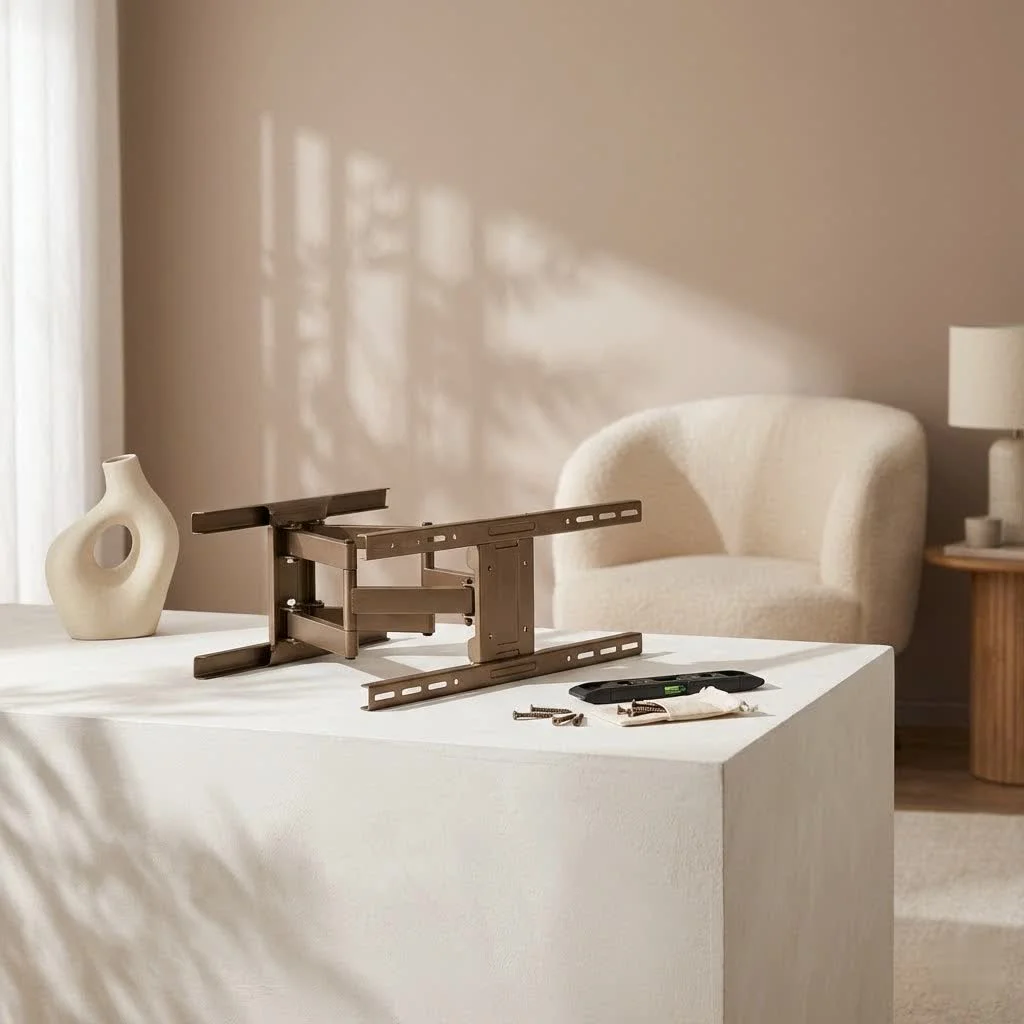
Why Mounting Your 75-Inch TV Isn’t Like Mounting a Small One
Let’s be real: a 75-inch TV is a beast. We’re talking about a substantial piece of technology that can weigh anywhere from 60 to 100 pounds, sometimes even more. This isn’t your average 32-inch bedroom TV. The sheer size and weight introduce unique challenges and heightened safety considerations that you simply don’t face with smaller screens. From finding robust wall studs to ensuring the mount itself can handle the load, every decision carries more weight (pun intended!). Skimping on the right 75 inch TV wall mount or proper installation techniques can lead to disaster, not just for your expensive TV, but potentially for your home and even personal safety.
Choosing the Right Wall Mount for Your Colossal Screen
Selecting the perfect 75 inch TV wall mount is the cornerstone of a successful installation. It’s not a one-size-fits-all situation, especially when dealing with such a large display. Let’s break down what you need to consider.
Understanding Mount Types: Fixed, Tilting, and Full-Motion
The type of mount you choose dictates your TV’s flexibility and viewing angles.
- Fixed Wall Mounts: These are the simplest and most affordable. They hold your 75-inch TV flush against the wall, offering a clean, low-profile look. If you have a dedicated viewing spot and no glare issues, a fixed mount can be a great option for your 75 inch TV wall mount. The downside? No adjustability once it’s up.
- Tilting Wall Mounts: Offering a bit more versatility, tilting mounts allow you to adjust your TV vertically, typically 5-15 degrees up or down. This is incredibly useful for reducing glare from windows or overhead lights, especially if your TV is mounted a bit higher. For many, a tilting 75 inch TV wall mount strikes a perfect balance between flexibility and a streamlined profile.
- Full-Motion (Articulating) Wall Mounts: These are the champions of flexibility. A full-motion 75 inch TV wall mount lets you extend, swivel, and tilt your TV in almost any direction. Ideal for rooms with multiple seating areas, corner installations, or if you need to access the TV’s ports frequently. While they tend to be pricier and involve a more complex installation due to the mechanics, the freedom they offer for a large 75-inch screen is often worth it. “For a TV of this magnitude, the ability to fine-tune your viewing angle can transform your entire entertainment experience,” says David Lee, Lead Engineer at Dikfu Labs.
VESA Compatibility: The Universal Language of TV Mounts
VESA stands for the Video Electronics Standards Association, and it’s your best friend when it comes to TV mounts. It dictates the standardized pattern of mounting holes on the back of your TV. For a 75-inch TV, you’ll typically see VESA patterns like 400x400mm, 600x400mm, or even 800x400mm (horizontal x vertical).
How to find your TV’s VESA pattern:
- Check your TV’s user manual or the manufacturer’s website.
- Measure it yourself: Measure the distance between the horizontal holes (left to right) and the vertical holes (top to bottom) in millimeters.
Always ensure your chosen 75 inch TV wall mount explicitly supports your TV’s VESA pattern. This isn’t just about fitting; it ensures the TV’s weight is distributed correctly across the mount, preventing stress points and potential failure.
Weight Capacity: Don’t Cut Corners
This is non-negotiable. Every 75 inch TV wall mount has a stated weight capacity. Your TV’s weight must be below this limit, ideally with a significant buffer. Manufacturers perform rigorous stress tests, often pushing mounts to handle up to four times their advertised capacity, creating a crucial safety margin. This margin accounts for subtle forces, temperature changes, and general wear and tear over time. Ignoring this limit, even by a few pounds, introduces serious risk and could void warranties. Always check your TV’s exact weight in its specifications. Remember, you’re dealing with both static weight (the TV’s inherent mass) and dynamic load (any slight movement or vibration).
Wall Type and Stud Spacing: The Foundation of Security
The strength of your wall is just as critical as the mount itself. For a heavy 75-inch TV, you absolutely must anchor your 75 inch TV wall mount into solid wood studs or concrete. Drywall alone will not support the weight of a large TV; it’s designed to hold up plaster, not hundreds of pounds of electronics.
Key considerations:
- Stud Finder: A reliable stud finder is your most important tool. It locates the hidden wooden studs behind your drywall.
- Stud Spacing: Most homes have studs spaced either 16 inches or 24 inches apart. Your mount’s wall plate needs to be wide enough to span at least two studs for secure installation.
- Non-Aligned Studs: What if your desired TV location doesn’t align perfectly with your studs? Don’t panic! A common and effective solution is to install a wooden mounting panel (a sturdy piece of plywood) across multiple studs. You then attach your 75 inch TV wall mount to this panel, effectively creating a wider, more flexible anchor point. This method distributes the weight across more studs, offering superior stability, especially for a heavy 75-inch TV.
Your Step-by-Step Guide to a Rock-Solid 75-Inch TV Mount Installation
|
Our Picks for the Best TV Mount in 2026
As an Amazon Associate I earn from qualifying purchases.
|
||
| Num | Product | Action |
|---|---|---|
| 1 | USX Mount Full Motion TV Wall Mount for Most 42-90 inch Flat Screen/LED/4K, TV Mount Bracket Dual Swivel Articulating Tilt 6 Arms, Max 16\" Wood Studs, VESA 600x400mm, Holds up to 132lbs |

|
| 2 | Mounting Dream TV Wall Mount for 32-65 Inch Television,Mount with Swivel and Tilt, Full Motion Bracket with Articulating Dual Arms, Fits 16inch Studs, Max VESA 400X400 mm, 99lbs, MD2380 |
|
| 3 | MOUNTUP Full Motion TV Wall Mount for Most 26-60 Inch TVs, Max VESA 400x400mm Wall Mount TV Bracket with Swivel Tilting Extension Level Adjustment for LED LCD Flat Curved TVs Up to 77 LBS, MU0018 |
|
| 4 | Amazon Basics Full Motion Articulating TV Wall Mount, with Swivel and Tilt, for 26\" to 55\" TVs and Flat Panels up to 80 Lbs, VESA Compatible, Black |
|
| 5 | Mounting Dream TV Wall Mount for Most 37-75 Inch TVs, Universal Tilt TV Mount Fit 16\", 18\", 24\" Stud with Loading Capacity 132lbs, Max Vesa 600 x 400mm, Low Profile Flat Wall Mount TV Bracket |
|
| 6 | Magnetic Monitor Wall Mount for Steel Surfaces, Fits 13 to 34 Inch Screens, Holds up to 22 lbs, VESA 75/100 Compatible Wall Mount for Computer and TV Monitor, No-Drill Installation with All Screws |
|
| 7 | Pipishell Full Motion TV Wall Mount for Echo Show 21/15 and 13-43 Inch Flat Curved Screen TVs & Monitors, Max VESA 200x200mm up to 44lbs, TV Mount Wall Bracket with Rotation Swivel Tilt Extension |
|
| 8 | Perlegear Full Motion TV Wall Mount for Most 42–86 inch Flat Curved TVs up to 132 lbs, 12″/16″ Wood Studs, Bracket with Articulating Arms, Swivel, Tool-Free Tilt, Max VESA 600x400mm PGLF12 |
|
| 9 | USX MOUNT Full Motion TV Wall Mount for Most 32-70 inch TVs up to 99 lbs, Wall Mount Bracket with Dual Articulating Arms, Swivel, Tilt, Max VESA 400x400mm, TV Mount Fits 12”/16” Wood Studs |
|
| 10 | monTEK Motorized Ceiling TV Mount for 43-86 Inch TVs, Heavy-Duty 121lbs (4X Load Tested), Off-Center VESA Compatible, Electric Flip Down with Remote/App/Voice Control, Fits Flat & Pitched Roof |
|
Ready to get that massive screen up? Here’s a detailed guide to installing your 75 inch TV wall mount. Remember, for a TV of this size, having an extra set of hands is not just recommended, it’s essential.
Tools You’ll Need for the Job
Before you begin, gather your arsenal:
- Your chosen 75 inch TV wall mount (with all included hardware)
- A reliable stud finder
- Power drill with appropriate drill bits (wood and/or masonry, depending on your wall type)
- Level (preferably a long one for accuracy)
- Pencil for marking
- Measuring tape
- Phillips head screwdriver
- Socket wrench (for lag bolts)
- Safety glasses and gloves
- Optional: Masking tape, painter’s tape, or laser level
Pre-Installation Checklist: Don’t Skip This!
- Read the Manual: Seriously, read the instructions for your specific 75 inch TV wall mount from start to finish. Every mount has nuances.
- Verify TV Weight & VESA: Double-check your TV’s exact weight and VESA pattern against your mount’s specifications.
- Inspect Wall: Confirm your wall type and condition. Is it drywall, plaster, or concrete? Are there any hidden pipes or electrical wires?
- Choose Location: Determine the ideal viewing height and position. Generally, the center of the screen should be at eye level when you’re seated. For a 75-inch TV, this often means the bottom edge is around 24-30 inches from the floor, but adjust to your specific seating.
- Clear the Area: Move furniture, protect flooring, and ensure you have ample space to work safely.
Locating Your Studs and Marking Drill Points
- Find the Studs: Use your stud finder to locate the center of at least two, preferably three, adjacent studs in your chosen mounting area. Mark them lightly with a pencil.
- Mark the Wall Plate Position: Hold the mount’s wall plate against the wall at your desired height, aligning its center with your marked studs. Use your level to ensure it’s perfectly horizontal.
- Mark Drill Holes: Once level, use a pencil to mark the exact locations for drilling pilot holes through the wall plate’s mounting holes. Double-check alignment with your stud marks. If studs don’t align perfectly with the mount’s holes, this is where a mounting panel comes in handy.
Drilling Pilot Holes and Securing the Wall Plate
- Drill Pilot Holes: Using the drill bit size recommended in your mount’s instructions (crucial for lag bolt grip), carefully drill pilot holes into the center of your marked studs. Ensure the holes are straight and to the correct depth.
- Attach the Wall Plate: Position the wall plate over the pilot holes. Insert the lag bolts (or other specified fasteners) through the plate and into the wall.
- Tighten Securely: Use a socket wrench to tighten the lag bolts. Don’t overtighten and strip the wood, but ensure the plate is absolutely snug and immovable against the wall. Give it a good tug – it shouldn’t budge.
Attaching Brackets to Your 75-Inch TV
- Lay TV Down Carefully: Place your 75-inch TV screen-side down on a clean, soft, flat surface (like a blanket on a table) to prevent scratches.
- Attach Brackets: Line up the TV mounting brackets (these attach to the back of your TV) with the VESA holes. Use the screws and spacers provided with your mount, ensuring they are the correct length for your TV. Too long, and you can damage internal components; too short, and they won’t hold securely. Tighten firmly but do not overtighten.
The Grand Lift: Securing Your TV to the Mount (Teamwork!)
This is the moment of truth, and it absolutely requires two people, possibly three, for a 75-inch TV.
- Lift Together: With one person on each side of the TV, carefully lift the television.
- Hook onto Wall Plate: Guide the brackets on the back of the TV onto the corresponding hooks or rails on the wall plate.
- Secure Locks: Most mounts have locking mechanisms (e.g., screws, pull-tabs) to prevent the TV from accidentally lifting off. Engage these immediately.
- Final Level Check: Once mounted, use your level to confirm the TV is perfectly straight. Make any minor adjustments allowed by your mount.
Beyond the Mount: Cable Management and Aesthetic Finesse
A securely mounted 75-inch TV looks fantastic, but dangling cables can ruin the aesthetic.
- Cable Hiding Solutions: Consider in-wall cable management kits, on-wall cable raceways, or strategically placed furniture to conceal wires.
- Power Solutions: If outlets aren’t conveniently located, an in-wall power extension kit can provide a clean power source without visible cords.
- Organize and Secure: Use zip ties or Velcro straps to bundle cables neatly behind the TV and along the mount arm (if using a full-motion mount).
Common Pitfalls and How to Dodge Them
Even seasoned DIYers can make mistakes. Here’s what to watch out for:
- Ignoring Viewing Height: Mounting too high leads to neck strain. Aim for eye-level when seated.
- Underestimating Wall Strength: As we discussed, drywall alone is a no-go for a 75 inch TV wall mount. Always hit those studs or use appropriate concrete anchors.
- Using Incorrect Hardware: The lag bolts and screws that come with your mount are specifically designed and rated. Don’t substitute them with random hardware from your toolbox.
- Poor Cable Management: Unsightly and potentially dangerous. Plan your cable routing before you even drill the first hole.
- Going Solo: Attempting to lift and mount a 75-inch TV by yourself is a recipe for disaster. Always have a helper.
Frequently Asked Questions (FAQ)
Q: How high should a 75-inch TV be mounted?
A: The general rule is to have the center of the screen at eye level when you are seated. For a 75-inch TV, this typically means the bottom edge of the TV will be around 24 to 30 inches off the floor, depending on your seating.
Q: Can I mount a 75-inch TV on drywall?
A: No, you cannot safely mount a 75-inch TV directly onto drywall using only drywall anchors. The weight of such a large TV requires anchoring into solid wooden studs or concrete. Drywall alone cannot support the load.
Q: What VESA pattern is common for a 75-inch TV?
A: For a 75-inch TV, common VESA patterns you’ll encounter include 400x400mm, 600x400mm, and 800x400mm. Always check your TV’s specific manual or measure the holes to confirm.
Q: How much weight can a wall mount for a 75-inch TV typically hold?
A: A wall mount suitable for a 75-inch TV should have a weight capacity significantly higher than the TV’s actual weight, often ranging from 120 lbs (55 kg) to 200 lbs (90 kg) or more, providing a crucial safety margin.
Q: Do I need professional help for a 75-inch TV mount?
A: While many capable DIYers can install a 75 inch TV wall mount, if you’re uncomfortable with power tools, finding studs, or lifting heavy objects, hiring a professional is a wise and safe investment. Always prioritize safety over saving a few bucks.
Conclusion
Mounting your 75 inch TV wall mount is an incredibly rewarding project that elevates your home entertainment experience to new heights. By understanding the critical factors like VESA compatibility, weight capacity, wall integrity, and following a meticulous installation process, you can confidently transform your living space. Remember, safety is paramount. Take your time, get help, and don’t hesitate to consult reliable resources like Dikfu.com for more in-depth guides. Now, go enjoy that truly immersive big-screen experience, knowing your investment is securely and beautifully displayed!
Get our weekly buyer guide
Practical specs, not advice. Unsubscribe anytime.
