As someone who’s spent over 15 years knee-deep in TV mounting solutions, from the simplest wall brackets to the most complex home theater setups, I can tell you that the floor TV stand with mount has truly changed the game. It’s a fantastic blend of flexibility, style, and rock-solid stability, offering a unique sweet spot that many traditional TV stands or wall mounts simply can’t hit. If you’re looking to upgrade your viewing experience without drilling a single hole in your wall, you’ve landed in the right place. At Dikfu.com, we’re all about empowering you with the knowledge to create the home entertainment system of your dreams, and today, we’re diving deep into everything you need to know about these versatile units.
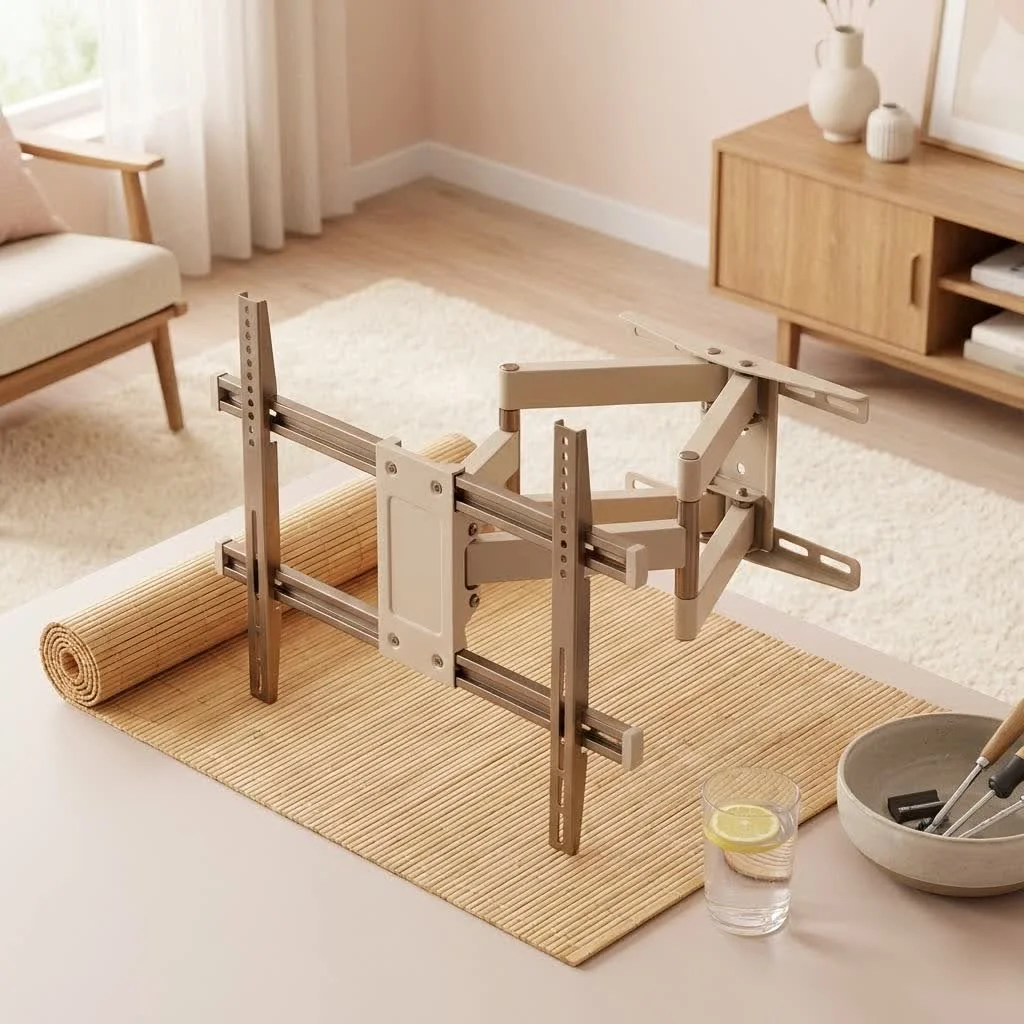
Understanding Floor TV Stands with Mounts: Why They’re a Game Changer
Let’s cut right to it. What exactly is a floor TV stand with mount, and why should you consider one? Imagine the best features of a traditional TV cabinet and a wall mount, all rolled into one convenient package. That’s essentially what we’re talking about here.
What is a Floor TV Stand with Mount?
A floor TV stand with mount is a freestanding furniture piece that includes an integrated mounting bracket system, typically a pole or a sturdy frame, to which your television directly attaches. Unlike a traditional TV stand where your TV just sits on a surface, or a wall mount that requires permanent installation, this unit offers a secure, elevated display solution without the commitment of drilling into your walls. It provides the sleek, “floating” look of a wall-mounted TV but with the freedom to move and adjust as needed.
The Undeniable Benefits
From my years of experience, I’ve seen countless homeowners and renters alike fall in love with the practicality and aesthetic appeal of a quality floor TV stand with mount. Here are some benefits that really stand out:
- No Drilling Required: This is a huge one, especially for renters or those who simply don’t want to put holes in their walls. Setting up your TV becomes a hassle-free, non-permanent affair.
- Unmatched Flexibility & Mobility: Need to rearrange your living room? Moving to a new apartment? A floor TV stand with mount gives you the freedom to relocate your entire entertainment setup with ease. Many even come with wheels for ultimate portability.
- Optimal Viewing Angles: Forget being stuck with a single viewing position. Most units offer swivel functionality, allowing you to turn your TV to face different seating areas. Many also include height adjustment, ensuring the center of your screen is always at eye level, which is crucial for comfort and preventing neck strain.
- Sleek Aesthetics & Cable Management: These stands are designed with modern living in mind. They often feature integrated cable management systems, keeping unsightly wires tucked away and out of sight, contributing to a clean, minimalist look.
- Stability & Safety: Don’t let the “freestanding” aspect fool you. High-quality floor TV stands with mounts are built with sturdy bases, often tempered glass or heavy metal, to ensure your TV is held securely. Many also include anti-tip features for added peace of mind, especially in homes with children or pets.
Choosing Your Perfect Floor TV Stand with Mount
Just like finding the right pair of shoes, choosing the perfect floor TV stand with mount means considering a few key details to ensure a perfect fit for your television and your space.
Getting the Right Fit: TV Size and Weight
|
Our Picks for the Best TV Mount in 2026
As an Amazon Associate I earn from qualifying purchases.
|
||
| Num | Product | Action |
|---|---|---|
| 1 | monTEK Motorized Ceiling TV Mount for 43-86 Inch TVs, Heavy-Duty 121lbs (4X Load Tested), Off-Center VESA Compatible, Electric Flip Down with Remote/App/Voice Control, Fits Flat & Pitched Roof |

|
| 2 | USX MOUNT Full Motion TV Wall Mount for Most 32-70 inch TVs up to 99 lbs, Wall Mount Bracket with Dual Articulating Arms, Swivel, Tilt, Max VESA 400x400mm, TV Mount Fits 12”/16” Wood Studs |
|
| 3 | Perlegear Full Motion TV Wall Mount for Most 42–86 inch Flat Curved TVs up to 132 lbs, 12″/16″ Wood Studs, Bracket with Articulating Arms, Swivel, Tool-Free Tilt, Max VESA 600x400mm PGLF12 |
|
| 4 | Amazon Basics Full Motion Articulating TV Wall Mount, with Swivel and Tilt, for 26\" to 55\" TVs and Flat Panels up to 80 Lbs, VESA Compatible, Black |
|
| 5 | Pipishell Full Motion TV Wall Mount for Echo Show 21/15 and 13-43 Inch Flat Curved Screen TVs & Monitors, Max VESA 200x200mm up to 44lbs, TV Mount Wall Bracket with Rotation Swivel Tilt Extension |
|
| 6 | Mounting Dream TV Wall Mount for 32-65 Inch Television,Mount with Swivel and Tilt, Full Motion Bracket with Articulating Dual Arms, Fits 16inch Studs, Max VESA 400X400 mm, 99lbs, MD2380 |
|
| 7 | USX Mount Full Motion TV Wall Mount for Most 42-90 inch Flat Screen/LED/4K, TV Mount Bracket Dual Swivel Articulating Tilt 6 Arms, Max 16\" Wood Studs, VESA 600x400mm, Holds up to 132lbs |
|
| 8 | Magnetic Monitor Wall Mount for Steel Surfaces, Fits 13 to 34 Inch Screens, Holds up to 22 lbs, VESA 75/100 Compatible Wall Mount for Computer and TV Monitor, No-Drill Installation with All Screws |
|
| 9 | Mounting Dream TV Wall Mount for Most 37-75 Inch TVs, Universal Tilt TV Mount Fit 16\", 18\", 24\" Stud with Loading Capacity 132lbs, Max Vesa 600 x 400mm, Low Profile Flat Wall Mount TV Bracket |
|
| 10 | MOUNTUP Full Motion TV Wall Mount for Most 26-60 Inch TVs, Max VESA 400x400mm Wall Mount TV Bracket with Swivel Tilting Extension Level Adjustment for LED LCD Flat Curved TVs Up to 77 LBS, MU0018 |
|
This is where the rubber meets the road. Compatibility is paramount for safety and function.
- TV Size Range: Every stand is designed to accommodate a specific range of TV sizes (e.g., 32-75 inches). Ensure your TV falls within this specified range. While your TV might fit physically, if it’s too large, it can look disproportionate and potentially compromise stability.
- VESA Compatibility: This acronym stands for Video Electronics Standards Association, and it refers to the standardized mounting hole pattern on the back of your TV. Your stand’s mount needs to match your TV’s VESA pattern (e.g., 400x400mm, 600x400mm). You can usually find this in your TV’s manual or by measuring the horizontal and vertical distance between the mounting holes.
- Weight Capacity: This is non-negotiable for safety. Always verify that the stand’s maximum weight capacity exceeds the weight of your TV. Most floor TV stands with mounts can safely hold TVs up to 88-175 lbs (40-80 kg), but always check the product specifications.
Types of Floor TV Stands with Mounts
Not all floor TV stands with mounts are created equal. They come in various styles, each with its own advantages:
- Fixed Stands: These offer a straightforward, stable display with no tilt or swivel. They are often the most minimalist in design and suitable when your viewing area is static.
- Swivel Stands: The most popular choice, these allow you to rotate your TV horizontally, giving you flexibility to adjust the viewing angle from different spots in the room. This is a game-changer for open-concept living.
- Height-Adjustable Stands: Essential for ergonomic viewing, these stands let you manually or sometimes even electronically adjust the height of your TV, ensuring the screen is always at your ideal eye level.
- Mobile/Rolling Stands: Equipped with lockable wheels, these stands are perfect for dynamic spaces, multi-purpose rooms, or even business presentations. You can easily move your TV from one room to another.
- Stands with Shelves/Storage: Many units integrate shelves, drawers, or cabinets into their design, providing valuable space for media devices, soundbars, gaming consoles, and other accessories, keeping your entertainment area organized.
Design & Features to Consider
Beyond the basics, the devil is in the details when it comes to maximizing your experience.
- Material: Floor TV stands with mounts come in various materials like tempered glass, steel, wood, and aluminum. Choose a material that complements your existing décor and offers the durability you need. Steel and glass bases provide excellent stability and a modern aesthetic, while wood can add warmth.
- Cable Management Solutions: Look for stands with built-in channels, clips, or hollow columns designed to route and conceal your cables. This isn’t just about aesthetics; it also prevents tripping hazards.
- Integrated Power Outlets: Some advanced stands include built-in power strips or outlets, making it incredibly convenient to plug in your TV and other devices without having cords dangling everywhere.
- Base Design: A wider, heavier base typically offers more stability. Consider the footprint of the base and how it will fit into your space, especially if you’re placing it in a corner or a high-traffic area.
Step-by-Step Installation: Setting Up Your Floor TV Stand with Mount Safely
Even with 15 years under my belt, I always emphasize that safety and precision are paramount when installing any TV mount. While floor stands are generally simpler than wall mounts, taking the time to do it right will save you headaches down the line.
Tools and Preparation
Before you begin, gather your essentials:
- Tools: A Phillips head screwdriver, an Allen wrench (often included), a level, and possibly a socket wrench.
- Workspace: Clear a soft, clean, and flat surface to assemble the stand. This protects both your new stand and your TV from scratches.
- Check Components: Carefully unbox everything and ensure all parts listed in the manual are present and undamaged. Never proceed with assembly if parts are missing or broken.
The Assembly Process
While specific steps vary by model, here’s a general sequence you’ll follow:
- Assemble the Base: Start by securely attaching the main support column to the base (often tempered glass or a metal plate) using the provided screws and tools. This is the foundation, so ensure it’s rock-solid.
- Attach the Support Column: Connect any additional sections of the support column if your design requires it.
- Install the Mounting Bracket: Attach the horizontal mounting bracket to the support column. This is where your TV will hang. Many models allow you to pre-set an initial height here, which you can fine-tune later.
- Attach TV Connection Plates: Secure the vertical connection plates (or “arms”) to the back of your television. Use the appropriate screws, washers, and spacers from the hardware kit that match your TV’s VESA pattern. Ensure these are firmly attached and perfectly level.
- Mount the TV onto the Stand: This step always requires two people for safety. Carefully lift your television and hook the connection plates onto the horizontal mounting bracket on the stand.
- Secure Safety Mechanisms: Once the TV is hung, engage any safety screws or locking mechanisms provided. These often prevent the TV from being accidentally lifted off the mount.
Critical Safety Checks
After assembly, a few final checks ensure your setup is safe and sound:
- Verify Stability: Gently try to rock the stand. It should feel completely stable. If it feels wobbly, re-check all assembly screws and ensure they are tightened properly.
- Weight Capacity Confirmation: Double-check that your TV’s weight (plus any accessories attached to the mount) does not exceed the stand’s maximum weight capacity.
- Leveling: Use a level on the top or bottom edge of your TV to ensure it’s perfectly straight. Adjust as needed.
- Children and Pets: If you have small children or pets, consider using anti-tip straps (if not integrated) to secure the stand to the wall for maximum safety.
Beyond Installation: Maximizing Your Setup
A proper installation is just the beginning. To truly make your floor TV stand with mount shine, you need to consider the finishing touches.
Mastering Cable Management
One of the biggest culprits for a cluttered entertainment area is unruly cables. Luckily, floor TV stands with mounts are often designed with this in mind.
- Utilize Integrated Channels: Many stands feature hollow columns or dedicated channels to neatly route your power and HDMI cables. Feed them through these pathways to keep them out of sight.
- Employ Clips and Ties: Use the included cable management clips or Velcro ties to bundle cables together along the back of the support column. This creates a much cleaner look and prevents tangles.
- Conceal for a Clean Look: Once routed, ensure the cables are hidden from all common viewing angles. A tidy cable setup not only looks better but also makes cleaning easier and reduces potential hazards.
Aesthetic Integration: Blending with Your Decor
Your floor TV stand with mount isn’t just a functional piece; it’s part of your home’s decor.
- Complementary Style: Choose a stand whose materials and design complement your existing furniture and room aesthetic. A sleek metal and glass stand pairs well with modern decor, while a wood-finished stand can enhance a rustic or traditional space.
- Strategic Placement: Consider natural light, seating arrangements, and room traffic flow when placing your stand. The flexibility of a floor stand means you can experiment with different positions to find the perfect spot.
Troubleshooting Common Issues
Even with the best preparation, sometimes things don’t go exactly as planned. Here are a few common issues and how to tackle them like a pro.
“My stand feels wobbly!”
If your floor TV stand with mount feels unstable after assembly, don’t panic.
Solution: First, ensure all assembly screws, especially those connecting the base and the main column, are tightened securely. Next, verify that the stand is placed on a perfectly flat and level surface. Uneven flooring can cause instability. Finally, double-check that your TV’s weight does not exceed the stand’s maximum weight capacity, as overloading can compromise stability.
“My TV isn’t level.”
A slightly tilted TV can be incredibly distracting.
Solution: Check that the TV connection plates were attached evenly and squarely to the back of your TV. Minor adjustments can often be made by slightly loosening the screws on the connection plates, leveling the TV, and then re-tightening. If your stand has a height-adjustable mounting bracket, you might be able to make fine-tune adjustments there as well.
“Difficulty with swivel/height adjustment.”
If your TV isn’t moving as smoothly as expected, investigate before forcing it.
Solution: Ensure no cables are obstructing the swivel mechanism or getting pinched, which can impede movement. For height adjustment, check if any locking pins or tension screws need to be loosened or adjusted according to the manual. Regular, gentle maintenance and ensuring pathways are clear typically resolve these issues.
“Choosing a floor TV stand with mount is an intelligent decision for any modern home. It offers a unique combination of flexibility, safety, and aesthetic appeal that few other mounting solutions can match,” says Liam Carter, Lead Engineer at Dikfu. “Our goal is to help you select and install one that perfectly enhances your viewing experience, ensuring years of enjoyment.”
Expert Insights & FAQs
Here are some common questions we get from our community about floor TV stands with mounts:
Can I move my floor TV stand with mount easily?
Yes, absolutely! One of the primary advantages of a floor TV stand with mount, especially models with wheels, is their exceptional mobility. You can effortlessly move your TV to different rooms, reconfigure your living space, or even adjust it for an impromptu outdoor movie night.
What is VESA and why is it important?
VESA stands for Video Electronics Standards Association, and it specifies the standard hole patterns on the back of TVs and mounts. It’s crucial because your TV’s VESA pattern must match that of your floor stand’s mount to ensure compatibility and safe attachment.
Are floor TV stands with mounts safe for kids?
High-quality floor TV stands with mounts are designed with safety in mind, featuring sturdy bases and often anti-tip mechanisms. However, in homes with small children, it’s always recommended to use additional anti-tip straps to secure the stand to the wall, just as you would with any tall furniture, for ultimate peace of mind.
How do I hide cables with a floor TV stand?
Most modern floor TV stands with mounts come with integrated cable management solutions, such as hollow support columns or discreet clips, allowing you to route and conceal cables neatly along the stand’s structure. This keeps your setup looking clean and organized.
What’s the ideal height for my TV?
For optimal viewing comfort and to prevent neck strain, the ideal height for your TV is when the center of the screen is at your eye level when seated. Many floor TV stands with mounts offer height adjustment features, making it easy to achieve this perfect ergonomic position.
Ready to Transform Your Viewing Experience?
A floor TV stand with mount is more than just a place to put your TV; it’s a statement of style, convenience, and smart home design. It grants you the freedom to create a dynamic and elegant entertainment space that adapts to your needs, all without the commitment of permanent wall alterations. From choosing the right fit to mastering installation and beyond, we hope this guide empowers you to confidently embrace this versatile solution. So go ahead, find your perfect stand, set it up, and get ready to enjoy your favorite shows and movies with unparalleled flexibility and a touch of modern flair. Your living room (and your neck) will thank you!
Get our weekly buyer guide
Practical specs, not advice. Unsubscribe anytime.
