Mounting a 75-inch TV securely and stylishly requires selecting a TV mount that matches the TV’s weight and VESA pattern, and is anchored into appropriate wall studs or concrete. A 75-inch TV typically weighs between 60 and 100 pounds, and commonly uses VESA patterns like 400x400mm or 600x400mm. Always ensure the mount’s weight capacity exceeds your TV’s weight and that its VESA pattern is compatible for a safe installation.
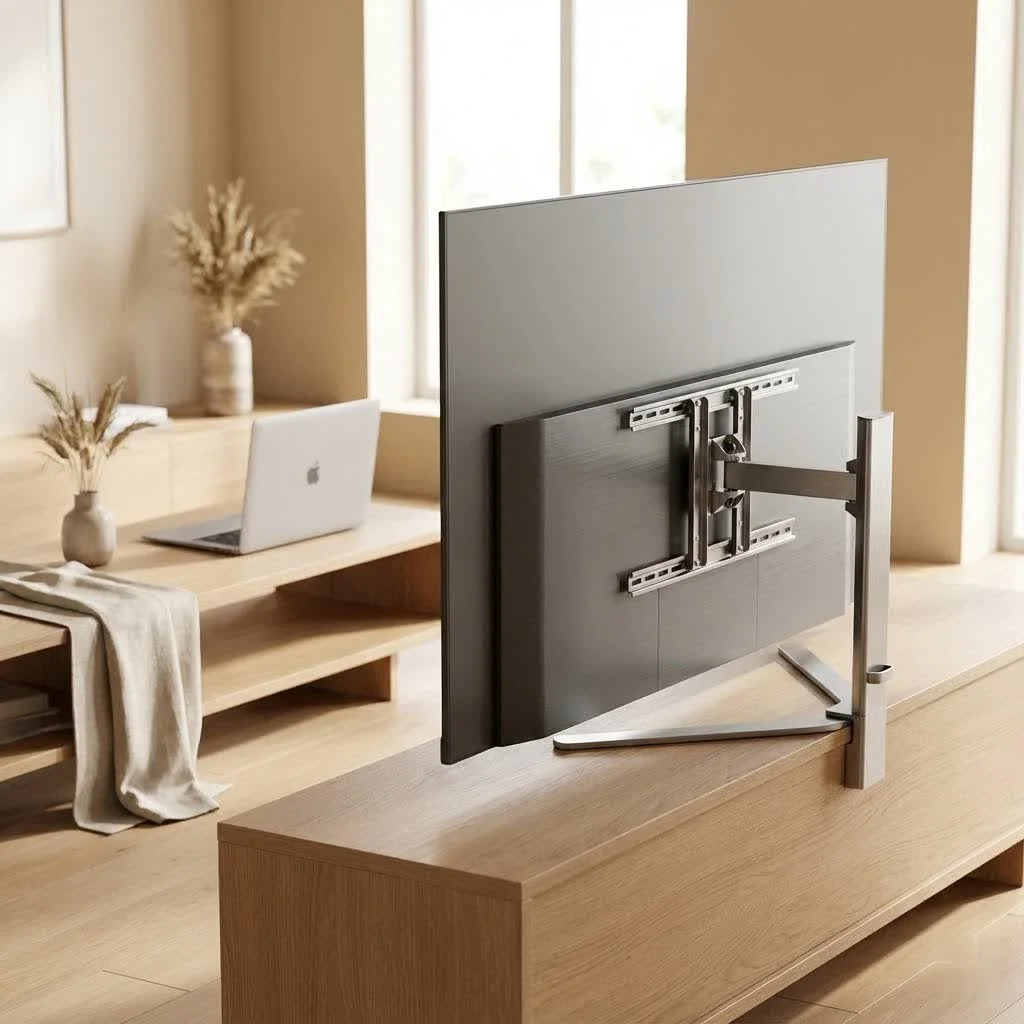
Understanding Your 75-Inch TV’s Mounting Needs
Mounting a large TV, especially a 75-inch model, requires careful consideration of its specifications and your wall’s capabilities. Skipping these crucial checks can lead to costly mistakes.
Weight Capacity: Why It Matters and How to Check
What is the typical weight of a 75-inch TV?A 75-inch TV typically weighs between 60 and 100 pounds (27-45 kg), varying by brand and model. The TV mount must be rated to support your TV’s exact weight, plus a safety margin. Always check your TV’s user manual for its precise weight and select a mount with a capacity comfortably above that number to guarantee stability and peace of mind.
VESA Compatibility: Matching the Mounting Holes
What VESA pattern do 75-inch TVs usually have?Most 75-inch TVs use VESA patterns like 400x400mm or 600x400mm, which specify the distance between the mounting holes on the back of the TV. Your chosen TV mount for a 75-inch TV must explicitly support your TV’s VESA pattern for a secure and snug fit. This information is readily available in your TV’s manual and on the mount’s packaging.
Wall Type: The Foundation of Your Mount
The type of wall you’re mounting your 75-inch TV on dictates the hardware and installation method.
Can I mount a 75-inch TV on drywall?No, you should never mount a 75-inch TV directly onto plain drywall. For safe installation, you must anchor the mount into wood studs, metal studs (with appropriate hardware), or concrete/brick walls.
- Wood Studs: The most common and ideal scenario. You’ll need to locate these structural supports precisely.
- Metal Studs: Found in many modern constructions. These require specific metal stud anchors, which are different from wood stud lag bolts.
- Concrete or Brick Walls: These sturdy surfaces offer excellent support but demand a hammer drill and masonry anchors.
- Drywall (alone): A major no-go. Drywall cannot safely support the weight of a 75-inch TV. Always locate and secure into studs or a robust concrete surface. Reinforcing the wall might be necessary for heavy full-motion mounts.
Types of TV Mounts: Finding Your Match
Choosing the right type of tv mount for 75 inch tv depends on your viewing habits, room layout, and desired flexibility.
Fixed Mounts: The Sleek, Stationary Choice
Fixed mounts keep your 75-inch TV flush against the wall, offering a clean, low-profile look. They are the simplest and most affordable option, ideal if you have a dedicated viewing area and don’t need to adjust the screen. The downside is zero flexibility – no tilt, no swivel, no extension.
Tilting Mounts: Battling Glare with a Simple Adjustment
If your room experiences glare from windows or lighting, a tilting mount is a great compromise. It allows you to adjust the vertical angle of your 75-inch TV slightly up or down, reducing reflections and improving viewing comfort. This is particularly useful if your TV is mounted slightly above eye level.
Full-Motion (Articulating) Mounts: Ultimate Flexibility for Every Angle
What is the best type of TV mount for a 75-inch TV?The “best” mount depends on your needs, but full-motion (articulating) mounts offer the most versatility for a 75-inch TV, allowing you to tilt, swivel, and extend the screen for optimal viewing from multiple angles and easy cable access.
Full-motion mounts are the most versatile option. They feature articulating arms that allow your 75-inch TV to extend from the wall, swivel side-to-side, and tilt up or down. This flexibility is perfect for:
- Rooms with multiple seating areas.
- Reducing glare from various light sources.
- Accessing cables behind the TV easily for maintenance or connecting new devices.
- Pushing the TV back flush against the wall when not in use.
Specialty Mounts: For Unique Viewing Challenges
While less common for a typical living room, specialty mounts exist for unique situations. For instance, a pull-down mount (like MantelMount) is fantastic if you’re mounting above a fireplace, allowing you to lower your 75-inch TV to a comfortable eye-level viewing height.
Step-by-Step Installation: Mounting Your 75-Inch TV Like a Pro
|
Our Picks for the Best TV Mount in 2026
As an Amazon Associate I earn from qualifying purchases.
|
||
| Num | Product | Action |
|---|---|---|
| 1 | USX Mount Full Motion TV Wall Mount for Most 42-90 inch Flat Screen/LED/4K, TV Mount Bracket Dual Swivel Articulating Tilt 6 Arms, Max 16\" Wood Studs, VESA 600x400mm, Holds up to 132lbs |

|
| 2 | Mounting Dream TV Wall Mount for Most 37-75 Inch TVs, Universal Tilt TV Mount Fit 16\", 18\", 24\" Stud with Loading Capacity 132lbs, Max Vesa 600 x 400mm, Low Profile Flat Wall Mount TV Bracket |
|
| 3 | monTEK Motorized Ceiling TV Mount for 43-86 Inch TVs, Heavy-Duty 121lbs (4X Load Tested), Off-Center VESA Compatible, Electric Flip Down with Remote/App/Voice Control, Fits Flat & Pitched Roof |
|
| 4 | Amazon Basics Full Motion Articulating TV Wall Mount, with Swivel and Tilt, for 26\" to 55\" TVs and Flat Panels up to 80 Lbs, VESA Compatible, Black |
|
| 5 | Perlegear Full Motion TV Wall Mount for Most 42–86 inch Flat Curved TVs up to 132 lbs, 12″/16″ Wood Studs, Bracket with Articulating Arms, Swivel, Tool-Free Tilt, Max VESA 600x400mm PGLF12 |
|
| 6 | Mounting Dream TV Wall Mount for 32-65 Inch Television,Mount with Swivel and Tilt, Full Motion Bracket with Articulating Dual Arms, Fits 16inch Studs, Max VESA 400X400 mm, 99lbs, MD2380 |
|
| 7 | USX MOUNT Full Motion TV Wall Mount for Most 32-70 inch TVs up to 99 lbs, Wall Mount Bracket with Dual Articulating Arms, Swivel, Tilt, Max VESA 400x400mm, TV Mount Fits 12”/16” Wood Studs |
|
| 8 | Magnetic Monitor Wall Mount for Steel Surfaces, Fits 13 to 34 Inch Screens, Holds up to 22 lbs, VESA 75/100 Compatible Wall Mount for Computer and TV Monitor, No-Drill Installation with All Screws |
|
| 9 | Pipishell Full Motion TV Wall Mount for Echo Show 21/15 and 13-43 Inch Flat Curved Screen TVs & Monitors, Max VESA 200x200mm up to 44lbs, TV Mount Wall Bracket with Rotation Swivel Tilt Extension |
|
| 10 | MOUNTUP Full Motion TV Wall Mount for Most 26-60 Inch TVs, Max VESA 400x400mm Wall Mount TV Bracket with Swivel Tilting Extension Level Adjustment for LED LCD Flat Curved TVs Up to 77 LBS, MU0018 |
|
Mounting a 75-inch TV is a significant task that requires precision and, ideally, a helping hand. Here’s how Dikfu.com recommends you approach it:
Pre-Installation Checklist: Tools and Preparations
What tools do I need to mount a 75-inch TV?You will need a drill, a stud finder, a screwdriver, a spirit level, a pencil for marking, and possibly a socket wrench. Always have a second person to assist with lifting the heavy TV.
Before you begin, gather these essential tools:
- Stud Finder: Absolutely critical for locating wall studs.
- Electric Drill: With appropriate drill bits for pilot holes and lag bolts (or masonry bits for concrete).
- Level: A good quality spirit level or laser level ensures your TV is perfectly straight.
- Measuring Tape and Pencil: For precise marking.
- Screwdriver/Socket Wrench: For attaching brackets and tightening bolts.
- Safety Glasses and Gloves: Always protect yourself.
- A Second Person: Crucial for safely lifting and positioning a heavy 75-inch TV.
Clear the area, move furniture, and lay down a blanket or cardboard to protect your TV during the bracket attachment phase.
Locating Studs and Marking Placement: Precision is Key
Use your stud finder to locate the center of at least two adjacent wall studs. For a 75-inch TV, you’ll want the mount to span across multiple studs for maximum security. Mark the stud locations with your pencil.
How high should I mount my 75-inch TV?For optimal comfort and to avoid neck strain, your 75-inch TV should be mounted so that the center of the screen is at eye level when you are seated. This typically translates to about 42 inches from the floor to the center of the TV, or roughly 24 inches from the bottom edge of the TV to the floor.
Next, hold the wall plate of your mount against the wall at your desired viewing height. Use your level to ensure it’s perfectly horizontal, then mark the drill holes. the rule of thumb: the center of your TV should ideally be at eye level when seated. For a 75-inch TV, this often means the bottom edge of the TV is about 24 inches from the floor, placing the center around 42 inches.
Securing the Wall Plate: The Foundation of Your Mount
Drill pilot holes into the marked stud locations according to your mount’s instructions. Ensure you drill straight and to the correct depth. Then, using the provided lag bolts (or appropriate anchors for concrete/metal studs) and washers, securely attach the wall plate to the wall. Tighten everything down firmly, but don’t over-tighten, which can strip the wood.
Attaching Brackets to Your TV: A Snug Fit
Carefully lay your 75-inch TV screen-down on a clean, soft surface. Locate the VESA mounting holes on the back. Attach the TV brackets to these holes using the screws, spacers (if needed to ensure a flush fit or accommodate curved TVs), and washers provided with your mount. Make sure these are securely tightened.
Lifting and Securing the TV: A Two-Person Job
This is where your helper becomes indispensable. With one person on each side, carefully lift the 75-inch TV and hook or slide the attached TV brackets onto the wall plate. Follow your mount’s specific locking mechanism instructions – this usually involves tightening security screws or engaging latches to prevent the TV from accidentally dislodging. Once secured, use your level one last time to make any final micro-adjustments if your mount allows for post-installation leveling.
Beyond the Mount: Cable Management and Aesthetics
A beautifully mounted 75-inch TV can be marred by a tangled mess of cables. Proper cable management is crucial for a clean, professional look and safety.
Hiding Wires: For a Clean, Professional Look
- In-Wall Cable Management: The cleanest option involves running cables through the wall using specialized kits with brush plates. This requires cutting openings in your drywall, so ensure you understand local electrical codes if dealing with power cables.
- Cable Sleeves or Raceway Channels: These external solutions conceal wires, keeping them organized and out of sight without opening your walls. They can be painted to match your wall color.
- Zip Ties and Velcro Straps: Simple but effective for bundling cables together behind the TV or along the mount’s arms.
Optimizing Viewing Angle and Height: Comfort and Experience
Even after installation, fine-tune your viewing experience. Adjust tilt and swivel (if applicable) to eliminate glare and ensure the screen is perfectly centered for your primary viewing position. “As a long-time installer, I always tell my clients that the best mount is one you forget is even there,” says John Dikfu, Lead Installation Specialist at Dikfu.com. “It should blend seamlessly, letting your impressive 75-inch TV be the star, not the clunky hardware.”
Common Mistakes to Avoid When Mounting a 75-Inch TV
Even experienced DIYers can make errors, especially with a large screen.
- Ignoring Weight Limits and VESA Standards: The most dangerous mistake. Always double-check these specifications.
- Mounting into Drywall Without Studs: This is an accident waiting to happen. Drywall anchors are not designed for a TV of this size and weight.
- Incorrect Height Placement: Mounting too high is a common error, leading to neck strain and a less enjoyable viewing experience.
- Rushing the Process: Take your time. Measure twice, drill once. Don’t skip steps or assume you know best.
- Forgetting to Check for Electrical Wires or Plumbing: Before drilling, use a wire/pipe detector to ensure you don’t hit anything vital inside your wall.
FAQs
Q: What is the best type of TV mount for a 75-inch TV?A: The “best” type depends on your needs. Fixed mounts offer a low profile, tilting mounts reduce glare, and full-motion (articulating) mounts provide maximum flexibility for adjusting viewing angles and accessing cables.
Q: How much does a 75-inch TV typically weigh?A: A 75-inch TV usually weighs between 60 and 100 pounds (27-45 kg), so ensure your chosen mount has a significantly higher weight capacity.
Q: What VESA pattern do 75-inch TVs usually have?A: Common VESA patterns for 75-inch TVs include 400x400mm and 600x400mm. Always confirm your TV’s specific VESA pattern and match it to your mount.
Q: Can I mount a 75-inch TV on drywall?A: No, you should never mount a 75-inch TV directly into plain drywall. You must always secure the mount into wall studs (wood or metal) or a solid concrete/brick wall for safety.
Q: How high should I mount my 75-inch TV?A: The ideal height is when the center of the screen is at eye level when you are comfortably seated. For a 75-inch TV, this often means the bottom edge is about 24 inches from the floor, placing the center around 42 inches from the floor.
Q: What tools do I need to mount a 75-inch TV?A: You’ll typically need a stud finder, electric drill, drill bits, a level, measuring tape, pencil, screwdriver/socket wrench, and safety glasses. A second person is essential for lifting the TV safely.
Conclusion
Mounting your 75-inch TV is an excellent way to improve your home entertainment, save space, and achieve a sleek, modern look. By understanding your TV’s requirements, choosing the right tv mount for 75 inch tv, and following a diligent installation process, you can enjoy your colossal screen safely and optimally for years to come. Don’t rush, don’t compromise on safety, and always refer to the specific instructions of your TV and mount. With these expert insights from Dikfu.com, you’re well-equipped to tackle this project with confidence. Happy viewing!
Frequently Asked Questions
What is the typical weight of a 75-inch TV?
A 75-inch TV typically weighs between 60 and 100 pounds (27-45 kg), varying by brand and model. It is crucial to check your TV's user manual for its precise weight to ensure your chosen mount can safely support it.
What VESA pattern do 75-inch TVs usually have?
Most 75-inch TVs commonly use VESA patterns such as 400x400mm or 600x400mm. These measurements indicate the horizontal and vertical distance between the mounting holes on the back of the TV, and your mount must match this pattern.
Can a 75-inch TV be mounted directly onto drywall?
No, a 75-inch TV should never be mounted directly onto plain drywall. For safe and secure installation, the mount must always be anchored into structural supports like wood studs, metal studs, or a solid concrete/brick wall.
How high should a 75-inch TV be mounted for optimal viewing?
For optimal comfort and to prevent neck strain, a 75-inch TV should be mounted so the center of the screen is at eye level when you are seated. This often means the bottom edge of the TV is approximately 24 inches from the floor, placing the center around 42 inches from the floor.
What tools are essential for mounting a 75-inch TV?
Essential tools for mounting a 75-inch TV include a stud finder, electric drill with appropriate bits, a spirit level, measuring tape, pencil, screwdriver/socket wrench, and safety glasses. It is also crucial to have a second person to assist with safely lifting and positioning the heavy TV.
What are the different types of TV mounts available for a 75-inch TV?
For a 75-inch TV, common mount types include fixed mounts for a low-profile look, tilting mounts to reduce glare, and full-motion (articulating) mounts for maximum flexibility in adjusting viewing angles and accessing cables. Specialty mounts like pull-down options are also available for unique placements such as above a fireplace.
Mounting Your 75-Inch TV Like a Pro
This guide provides a step-by-step procedure for safely and securely mounting a 75-inch TV, ensuring proper placement and stability.
Before starting, collect essential tools such as a stud finder, electric drill, level, measuring tape, and safety gear. Clear the mounting area of furniture and lay down a protective blanket for your TV.
Use a stud finder to locate the center of at least two adjacent wall studs, marking their positions with a pencil. Determine the ideal TV height, aiming for the center of the screen to be at eye level when seated, typically around 42 inches from the floor for a 75-inch TV.
Drill pilot holes into the marked stud locations according to your mount's instructions, ensuring they are straight and at the correct depth. Attach the wall plate securely to the wall using the provided lag bolts and washers, tightening them firmly without over-tightening.
Carefully lay your 75-inch TV screen-down on a soft surface. Locate the VESA mounting holes on the back and attach the TV brackets using the provided screws, spacers, and washers. Ensure these brackets are securely tightened to the TV.
With the help of a second person, carefully lift the 75-inch TV and hook or slide the attached TV brackets onto the wall plate. Follow your mount's specific locking mechanism instructions to secure the TV, then use a level for any final micro-adjustments.
Get our weekly buyer guide
Practical specs, not advice. Unsubscribe anytime.
The information about VESA patterns was spot on, and it helped me confirm my 400x400mm pattern. However, I wish there was a bit more detail on how to find wall studs in older homes. My stud finder struggled, and it made the anchoring process a bit more stressful than it needed to be. The mount itself is solid, but getting it up was a hassle.
Finally got my 75-inch Sony mounted! The tips on anchoring into concrete were exactly what I needed for my basement setup. It’s rock solid and looks fantastic. I appreciated the emphasis on checking both the weight and the VESA pattern before buying anything. Saved me a potential headache.
This was a lifesaver for choosing a mount for my 75-inch LG. I didn’t realize how much the weight could vary, so checking the specific pounds for my model was key. It’s now perfectly mounted in my living room, and I feel confident it’s not going anywhere. Great advice on making sure the mount’s capacity exceeds the TV’s weight.
I was really nervous about mounting my new 75-inch Samsung, especially with its weight. This guide was super helpful in making sure I picked a mount with the right weight capacity. Installation was a breeze once I knew what to look for, and it feels incredibly secure on the wall. Definitely recommend paying attention to the VESA pattern too!