So, you’ve got a brilliant 55-inch TV, and you’re ready to ditch the stand and reclaim your living space, aren’t you? A TV wall mount for your 55-inch screen isn’t just about saving space; it’s about transforming your viewing experience, making your room look sleek, and even improving safety. As an expert with over 15 years in the field and the lead content creator for Dikfu.com, I’ve seen it all when it comes to TV mounting. Let’s dive in and make sure your 55-inch TV is not only securely mounted but also perfectly positioned for maximum enjoyment.
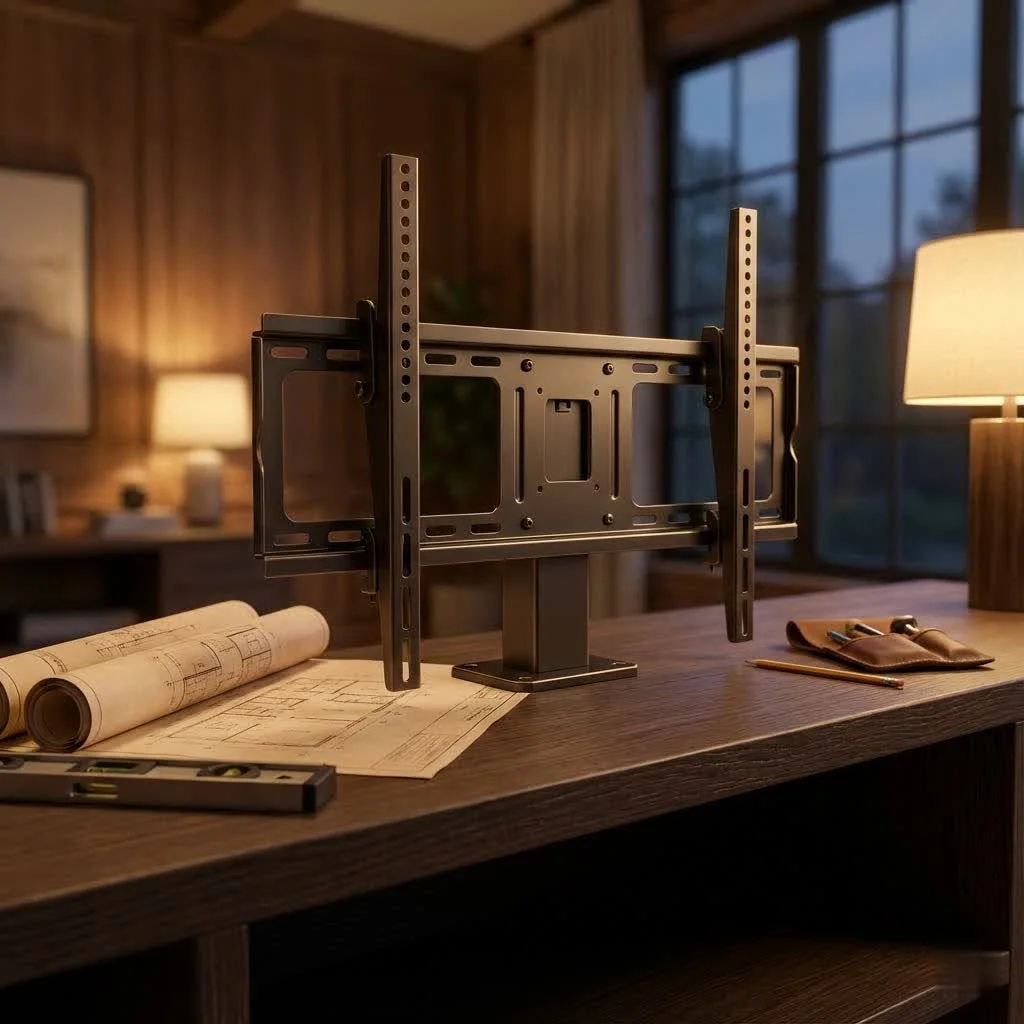
Understanding Your 55-inch TV: Weight and VESA Standards
Before you even think about drilling, you need to know your TV. While all 55-inch TVs share a similar screen size, their weight and mounting hole patterns can vary significantly. This information is critical for choosing the right tv wall mount 55 inch. For best tv mounts roundups on this site.
Why VESA Matters for Your 55-inch TV Mount
VESA (Video Electronics Standards Association) is a set of standards for mounting interfaces. Essentially, it’s the pattern of four screw holes on the back of your TV. Common VESA patterns for 55-inch TVs include 200x200mm, 300x300mm, 400x200mm, and 400x400mm. Your chosen tv wall mount 55 inch must match your TV’s VESA pattern. You can usually find this in your TV’s manual or by measuring the distance between the holes yourself (horizontally then vertically, in millimeters).
Weight Considerations for a Secure 55-inch TV Installation
Fifty-five-inch TVs can range in weight, typically from 30 to over 70 pounds, depending on the model and whether it’s an LED, OLED, or QLED. Every tv wall mount 55 inch has a specified weight capacity. Always ensure the mount’s capacity comfortably exceeds your TV’s weight. Trust me, it’s better to over-engineer than to under-mount!
Types of TV Wall Mounts: Which is Best for Your 55-inch Screen?
When selecting a tv wall mount 55 inch, you’ll encounter several primary types, each offering different levels of flexibility and aesthetics.
Fixed TV Mounts: The Slim and Secure Choice
Fixed mounts keep your 55-inch TV flat and close to the wall, offering the most low-profile look. They’re ideal if you have a dedicated viewing area and don’t need to adjust the screen angle. This type of tv wall mount 55 inch provides a clean, picture-frame-like appearance, making your TV blend seamlessly into the room.
Tilting TV Mounts: Perfect for Glare Reduction
A tilting tv wall mount 55 inch allows you to angle your screen vertically, typically downwards by up to 15 degrees. This is fantastic for reducing glare from windows or overhead lighting, especially if your TV is mounted higher on the wall, like above a fireplace. It’s a great balance between a low-profile look and basic viewing angle adjustment.
Full-Motion (Articulating) TV Mounts: Maximum Flexibility
|
Our Picks for the Best TV Mount in 2026
As an Amazon Associate I earn from qualifying purchases.
|
||
| Num | Product | Action |
|---|---|---|
| 1 | Pipishell Full Motion TV Wall Mount for Echo Show 21/15 and 13-43 Inch Flat Curved Screen TVs & Monitors, Max VESA 200x200mm up to 44lbs, TV Mount Wall Bracket with Rotation Swivel Tilt Extension |

|
| 2 | MOUNTUP Full Motion TV Wall Mount for Most 26-60 Inch TVs, Max VESA 400x400mm Wall Mount TV Bracket with Swivel Tilting Extension Level Adjustment for LED LCD Flat Curved TVs Up to 77 LBS, MU0018 |
|
| 3 | Amazon Basics Full Motion Articulating TV Wall Mount, with Swivel and Tilt, for 26\" to 55\" TVs and Flat Panels up to 80 Lbs, VESA Compatible, Black |
|
| 4 | Magnetic Monitor Wall Mount for Steel Surfaces, Fits 13 to 34 Inch Screens, Holds up to 22 lbs, VESA 75/100 Compatible Wall Mount for Computer and TV Monitor, No-Drill Installation with All Screws |
|
| 5 | Perlegear Full Motion TV Wall Mount for Most 42–86 inch Flat Curved TVs up to 132 lbs, 12″/16″ Wood Studs, Bracket with Articulating Arms, Swivel, Tool-Free Tilt, Max VESA 600x400mm PGLF12 |
|
| 6 | Mounting Dream TV Wall Mount for 32-65 Inch Television,Mount with Swivel and Tilt, Full Motion Bracket with Articulating Dual Arms, Fits 16inch Studs, Max VESA 400X400 mm, 99lbs, MD2380 |
|
| 7 | Mounting Dream TV Wall Mount for Most 37-75 Inch TVs, Universal Tilt TV Mount Fit 16\", 18\", 24\" Stud with Loading Capacity 132lbs, Max Vesa 600 x 400mm, Low Profile Flat Wall Mount TV Bracket |
|
| 8 | monTEK Motorized Ceiling TV Mount for 43-86 Inch TVs, Heavy-Duty 121lbs (4X Load Tested), Off-Center VESA Compatible, Electric Flip Down with Remote/App/Voice Control, Fits Flat & Pitched Roof |
|
| 9 | USX Mount Full Motion TV Wall Mount for Most 42-90 inch Flat Screen/LED/4K, TV Mount Bracket Dual Swivel Articulating Tilt 6 Arms, Max 16\" Wood Studs, VESA 600x400mm, Holds up to 132lbs |
|
| 10 | USX MOUNT Full Motion TV Wall Mount for Most 32-70 inch TVs up to 99 lbs, Wall Mount Bracket with Dual Articulating Arms, Swivel, Tilt, Max VESA 400x400mm, TV Mount Fits 12”/16” Wood Studs |
|
For ultimate versatility, a full-motion (or articulating) tv wall mount 55 inch is your best bet. These mounts extend your TV away from the wall, allowing you to tilt it, swivel it left or right (often up to 90 degrees), and even rotate it. This is perfect for open-concept living spaces, corner installations, or if you want to watch TV from different areas of a room. “The ability to easily adjust your 55-inch TV’s angle can drastically improve your viewing experience, especially in multi-purpose rooms,” says David Chen, a lead installation specialist at Dikfu.
Low-Profile vs. Full-Motion: Making the Right Call
Consider your room layout and viewing habits. A low-profile fixed mount creates a sleek aesthetic but offers no adjustability. Full-motion mounts provide unparalleled flexibility for your 55-inch TV but can protrude further from the wall. Think about where you’ll be sitting and how often you might need to change the viewing angle.
Essential Steps for a Safe and Successful 55-inch TV Wall Mount Installation
Installing a tv wall mount 55 inch might seem daunting, but with the right tools and a systematic approach, it’s a manageable DIY project.
Pre-Installation Checklist: Gather Your Tools
Before you start, gather everything you’ll need:
- Your chosen tv wall mount 55 inch kit (includes hardware)
- Stud finder (electronic is best)
- Electric drill with various drill bits (wood and masonry, depending on your wall type)
- Level
- Phillips head screwdriver and possibly a wrench or socket set
- Pencil
- Measuring tape
- Safety glasses
Finding Studs: The Foundation of Your Mount
This is perhaps the most crucial step. Most tv wall mount 55 inch installations require securing the mount directly into wall studs (the vertical wooden beams behind your drywall).
- Locate Studs: Use a reliable stud finder to locate the edges and center of at least two adjacent studs where you plan to mount the TV.
- Mark Clearly: Mark the center of the studs with a pencil at the desired height for your TV. Remember, the center of your TV should ideally be at eye level when you’re seated. For a 55-inch TV, this often means the bottom of the TV is around 24-30 inches from the floor, but adjust for your specific seating.
Attaching the Mount to the Wall
Once your studs are marked and your desired height confirmed:
- Position the Wall Plate: Hold the mount’s wall plate against the wall, aligning its mounting holes with your stud marks. Use your level to ensure it’s perfectly straight.
- Mark Pilot Holes: Mark the exact spots for your pilot holes through the wall plate onto the studs.
- Drill Pilot Holes: Using a drill bit slightly smaller than your lag bolts (the large screws that go into the studs), drill pilot holes into the center of each marked stud. Drill deep enough to accommodate the full length of the lag bolt.
- Secure the Wall Plate: Insert the lag bolts with washers through the wall plate into the pilot holes. Use a wrench or socket to tighten them securely. Do not overtighten, but make sure there is no wobble. If you’re mounting on concrete or brick, you’ll need a masonry drill bit and appropriate concrete anchors.
Securing Your 55-inch TV to the Mount
Now for the TV itself:
- Attach TV Brackets: Your tv wall mount 55 inch kit will include brackets that attach to the back of your 55-inch TV using the VESA holes. Choose the correct screws and spacers (if needed) provided in your kit, ensuring they are not too long and don’t damage internal components. Tighten these securely with a screwdriver.
- Hang the TV: This is a two-person job! Carefully lift your 55-inch TV and hook the attached brackets onto the wall plate. Most mounts have a locking mechanism; engage it to secure the TV in place.
- Final Adjustments: For tilting or full-motion mounts, adjust the tilt and swivel to your preferred viewing angle. Use the level one last time to ensure everything is perfectly straight.
Post-Installation Perfection: Cable Management and Aesthetics
A beautifully mounted 55-inch TV can be ruined by dangling cables. Good cable management is key to a polished look.
Hiding Cables for a Clean Look
- In-Wall Cable Management Kit: For the cleanest look, consider an in-wall cable management kit. This involves cutting small holes in your drywall behind the TV and near an outlet to route cables internally.
- Cable Concealers: If you prefer not to cut into your wall, paintable cable raceways or concealers can be run along the wall to hide wires.
- Cable Ties and Wraps: Even if cables are exposed, tidying them with zip ties or fabric cable wraps makes a huge difference.
Decorating Around Your Mounted TV
Once your 55-inch TV is up, you have more options for decorating. Shelving units below for media devices, artwork, or strategically placed plants can further enhance the area, creating a cohesive and inviting entertainment space.
Common Mistakes to Avoid When Mounting a 55-inch TV
Even experienced DIYers can make mistakes. Here are some pitfalls to steer clear of:
Ignoring Weight Limits
Never, ever exceed the weight capacity of your tv wall mount 55 inch. It’s a recipe for disaster. Always check your TV’s manual for its exact weight.
Skipping Stud Finders
Mounting directly into drywall without hitting a stud will not support the weight of a 55-inch TV. It will eventually pull out, causing damage to your TV and wall, and posing a serious safety hazard.
Not Checking VESA Compatibility
An incompatible VESA pattern means the mount won’t fit your TV. Double-check this vital detail before purchasing any tv wall mount 55 inch.
Expert Tips for a Flawless 55-inch TV Wall Mount Setup (Dikfu Exclusive!)
- Consider Future Upgrades: If you think you might upgrade to a larger TV in the future, choose a mount with a higher weight capacity and a wider VESA compatibility range than just what your current 55-inch TV requires.
- Optimal Viewing Height: A general rule of thumb for a 55-inch TV is to have the center of the screen at eye level when you’re seated. This typically places the bottom edge of the TV about 24-30 inches from the floor, but measure and test what feels comfortable for your viewing area.
- Power and Connectivity: Plan your power outlets and cable runs before drilling. Ensure you have enough accessible outlets and any necessary Ethernet or HDMI cables are long enough.
Frequently Asked Questions About 55-inch TV Wall Mounts
What VESA size does a 55-inch TV usually have?
Most 55-inch TVs use VESA patterns like 200x200mm, 300x300mm, or 400x400mm, but it’s crucial to check your TV’s specific manual for exact dimensions.
Can I install a 55-inch tv wall mount by myself?
While possible, it’s highly recommended to have a second person assist you, especially when lifting the TV onto the wall mount, to ensure safety and prevent damage.
How high should a 55-inch TV be mounted?
Generally, the center of your 55-inch TV screen should be at eye level when you’re seated, which often means the bottom of the TV is around 24-30 inches from the floor. However, comfort is key, so adjust based on your seating.
Do I need to drill into studs for a 55-inch TV wall mount?
Yes, for a 55-inch TV, it is absolutely essential to mount into wall studs or use heavy-duty concrete anchors for brick/concrete walls. Drywall alone cannot support the weight.
What’s the difference between a tilting and full-motion mount for a 55-inch TV?
A tilting mount allows vertical angle adjustment (up and down) to reduce glare. A full-motion (articulating) mount offers more extensive flexibility, allowing you to extend, tilt, and swivel your 55-inch TV horizontally and vertically.
Can a tv wall mount damage my 55-inch TV?
If installed correctly with the right VESA pattern, weight capacity, and proper hardware, a tv wall mount will not damage your 55-inch TV. Damage usually occurs from incorrect installation or using an incompatible mount.
How do I hide cables after mounting my 55-inch TV?
You can use in-wall cable management kits for a completely concealed look, or opt for on-wall cable raceways, which are paintable and effectively hide wires without invasive installation.
Final Thoughts on Your 55-inch TV Wall Mount Journey
Mounting your 55-inch TV is a fantastic way to elevate your home entertainment setup. By understanding VESA compatibility, weight limits, and the different types of mounts available, you can choose the perfect tv wall mount 55 inch that suits your needs. Following safe installation practices and paying attention to details like cable management will ensure your setup is not just secure, but also beautifully integrated into your home. Don’t be afraid to take the plunge – a well-mounted 55-inch TV can truly transform your viewing experience!
Get our weekly buyer guide
Practical specs, not advice. Unsubscribe anytime.
